Blog

  • Top Tools for Your Next Compliance Vulnerability Assessment

    Top Tools for Your Next Compliance Vulnerability Assessment

    Why a Compliance Vulnerability Assessment Audit Is Non-Negotiable in 2026

    A compliance vulnerability assessment audit is a structured process that identifies security weaknesses in your IT environment and maps them to regulatory requirements — so you can fix real risks and satisfy auditors.

    Here are the top tools evaluated in this guide:

    Tool Best For Key Compliance Frameworks
    Tenable Nessus / Tenable.io Deep vulnerability coverage, config auditing PCI DSS, HIPAA, ISO 27001
    Qualys VMDR Asset management, patch orchestration SOC 2, NIST, PCI DSS
    Rapid7 InsightVM Risk scoring, endpoint visibility HIPAA, SOC 2, NIST

    Vulnerabilities remain one of the top methods attackers use to breach organizations. The numbers are stark: ransomware hits a business every 13 seconds, and the average recovery cost runs close to $2 million. Yet only 5% of organizations achieve near-continuous vulnerability visibility — the level most frameworks actually demand.

    The gap between scanning occasionally and running an audit-ready program is where most breaches happen.

    Most organizations scan. Far fewer govern. A compliance audit adds the layer that turns raw scan data into documented evidence — remediation logs, risk decisions, policy mappings — that holds up under auditor scrutiny. Without that layer, you’re reactive. With it, you’re defensible.

    The stakes in April 2026 are higher than ever. Regulatory bodies under PCI DSS, HIPAA, SOC 2, and NIST frameworks are tightening enforcement. Auditors no longer accept a single annual scan as proof of due diligence. They want evidence of repeatable processes, tracked remediation, and continuous improvement.

    I’m Orrin Klopper, CEO of Netsurit — a managed IT and cybersecurity firm that has helped over 300 organizations build audit-ready security programs, including compliance vulnerability assessment audit processes that satisfy regulators across multiple industries. Over the next sections, I’ll walk you through the tools and practices that actually move the needle.
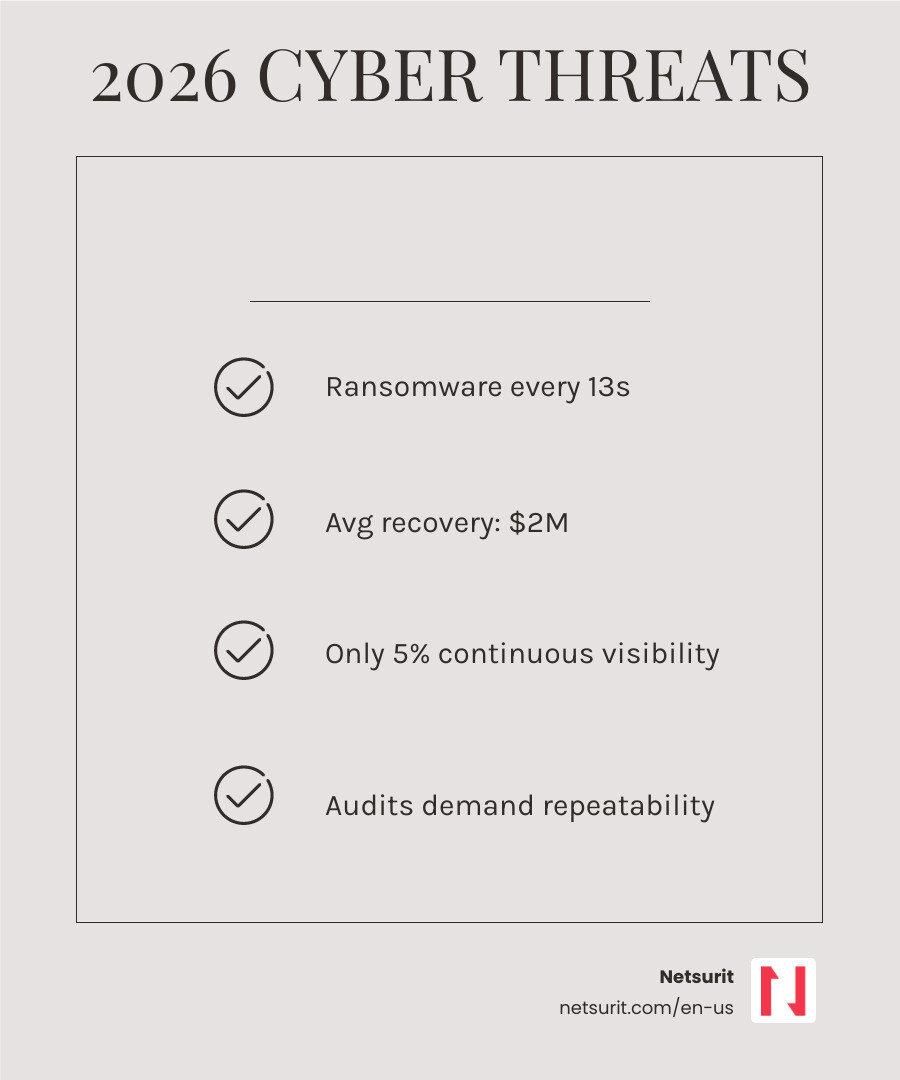
    2026 cyber threat landscape: ransomware frequency, vulnerability maturity levels, and breach statistics infographic

    Handy compliance vulnerability assessment audit terms:

    Core Components of a Compliance Vulnerability Assessment Audit

    A successful compliance vulnerability assessment audit moves beyond simple bug hunting. It is a governance activity designed to prove that your security controls are functioning as intended. Unlike general vulnerability management, which focuses on technical remediation, a compliance audit focuses on the process and the proof.

    The NIST SP 800-53A Rev. 5 provides the gold standard for these procedures, emphasizing that assessments must be tailored to the organization’s risk tolerance. At its core, an effective program requires:

    1. Comprehensive Asset Inventory: You cannot secure what you cannot see. This includes cloud resources, IoT devices, and remote endpoints.
    2. Risk-Based Prioritization: Using business context to decide what to fix first.
    3. Remediation Workflows: Documented steps showing who fixed what and when.
    4. Continuous Monitoring: Moving away from “point-in-time” snapshots toward real-time visibility.

    For many of our clients in Houston and Tacoma, the biggest hurdle isn’t finding the vulnerabilities—it’s proving to an auditor that they have a repeatable system for managing them. You can learn more about how these pieces fit together in our guide to IT audits and assessments.

    Defining the Scope of a Compliance Vulnerability Assessment Audit

    Scope creep is the enemy of a clean audit. If your scope is too narrow, you miss critical risks; if it’s too broad, you drown in false positives. A proper audit scope should include:

    • Network Scanning: Both internal and external perimeters.
    • Host-Based Agents: To catch vulnerabilities on laptops that aren’t always on the office network.
    • Application Security: Particularly for customer-facing portals or proprietary software.
    • Database Integrity: Ensuring that the “crown jewels” of your data are not exposed by misconfigurations.

    For businesses in the Texas area, specialized services like Sugar Land Vulnerability Assessment can help define these boundaries based on local regulatory pressures and industry-specific threats.

    Evidence Collection for a Compliance Vulnerability Assessment Audit

    In an audit, if it isn’t documented, it didn’t happen. Auditors will ask for more than just a PDF export of a scan. They look for:

    • Scan Reports: Historical records showing consistency over time.
    • Remediation Logs: Proof that “Critical” vulnerabilities were patched within your defined SLA (Service Level Agreement).
    • Exception Documentation: Valid business reasons for why a specific vulnerability cannot be patched (and what compensating controls are in place).
    • Audit Trails: Logs showing who accessed the scanning tools and when policies were changed.

    Organizations in Conroe seeking Vulnerability Assessment services often find that the “paper trail” is the most time-consuming part of the process to build from scratch.

    Top Tools for Executing a Compliance Vulnerability Assessment Audit

    Choosing the right tool depends on your infrastructure’s complexity and your specific regulatory requirements. We’ve compared the three market leaders below:

    Feature Tenable Nessus/io Qualys VMDR Rapid7 InsightVM
    Primary Strength Deepest vulnerability library All-in-one asset & patch management Risk scoring & exploit integration
    Cloud Native? Yes (Tenable.io) Yes Yes
    Best For Configuration & Compliance Large, distributed environments Modern DevOps/IT workflows
    Local Support Houston Network Audit Houston Network Audit Houston Network Audit

    Tenable Nessus and Tenable.io

    Tenable is often considered the industry standard for a compliance vulnerability assessment audit due to its massive library of over 70,000 plugins. It excels at configuration auditing—checking if your servers match the CIS Benchmarks required by frameworks like SOC 2 or HIPAA.

    • Works best when: You need highly granular configuration checks and have a dedicated security team to manage the data.
    • Avoid when: You have a very small team that needs the tool to handle the patching for them.
    • Risks: Can be resource-intensive on older network hardware during deep scans.

    If you are looking for a baseline check, our Vulnerability Test services often utilize these enterprise-grade engines to provide clear, actionable results.

    Qualys VMDR

    Qualys VMDR (Vulnerability Management, Detection, and Response) is a cloud-native platform that integrates asset discovery, vulnerability management, and patch orchestration into a single console. It is particularly strong for organizations that need to prove “closed-loop” remediation to auditors.

    • Works best when: You want a “single pane of glass” for both finding and fixing vulnerabilities.
    • Avoid when: You prefer best-of-breed tools for each individual security function.
    • Risks: The complexity of the full suite can lead to a steep learning curve.

    To see how this fits into your broader security strategy, refer to our Cyber Security Assessment Checklist.

    Rapid7 InsightVM

    Rapid7 focuses on “Risk Scoring.” Instead of just telling you a vulnerability is “High,” it calculates a score based on how likely it is to be exploited in the real world. This is invaluable for meeting the “risk-based” requirements of the newer NIST and PCI DSS 4.0 standards.

    • Works best when: You need to prioritize remediation based on actual attacker behavior.
    • Avoid when: You are in a highly static environment where simple CVSS scores are sufficient.
    • Risks: Requires an agent on endpoints for maximum visibility, which might not be feasible for all legacy systems.

    Explore more about Network Vulnerability Assessment to understand how Rapid7 integrates with your existing infrastructure.

    Prioritizing Vulnerabilities for Regulatory Adherence

    Not all vulnerabilities are created equal. A “Critical” vulnerability on a guest Wi-Fi network is rarely as dangerous as a “Medium” vulnerability on a database containing patient records. In a compliance vulnerability assessment audit, prioritization must be documented and defensible.

    We recommend using a risk heat map that combines:

    1. CVSS Score: The technical severity of the bug.
    2. Asset Criticality: How important that machine is to your business.
    3. Exploitability: Is there an active “exploit in the wild” being used by hackers right now?

    Our Cyber Risk Assessment services help organizations move beyond the “patch everything” mentality, which is often impossible, and focus on the 10% of vulnerabilities that pose 90% of the risk. This approach is central to The Importance of Cybersecurity Compliance.

    Mapping Vulnerabilities to Frameworks (PCI DSS, HIPAA, SOC 2)

    Each framework has its own “flavor” of vulnerability requirements:

    • PCI DSS: Requires quarterly external scans by an Approved Scanning Vendor (ASV) and internal scans after any significant change.
    • HIPAA: Focuses on “Technical Safeguards” and requires a formal risk analysis that includes vulnerability identification.
    • SOC 2: Expects you to monitor for unauthorized changes and have a process for identifying and correcting security deficiencies (Criteria CC7.1).

    For those operating in the cloud, Cloud Security Assessments are essential to ensure that your AWS or Azure configurations meet these specific control mappings.

    Remediation SLAs and Tracking

    An auditor will look for your Service Level Agreements (SLAs). For example, a common policy is:

    • Critical: Patch within 48 hours.
    • High: Patch within 14 days.
    • Medium: Patch within 30–90 days.

    If you miss these deadlines, you must document why and what “compensating controls” (like a firewall rule or Web Application Firewall) are protecting you in the meantime. You can Uncover Hidden IT Infrastructure Risks Now by reviewing your current patch lag.

    Common Pitfalls and Quick Wins in Audit Preparation

    The most common failure in a compliance vulnerability assessment audit isn’t a technical bug—it’s a process failure.

    Common Pitfalls:

    • Shadow IT: Scanning only the servers you know about while an old, forgotten dev server in the corner remains unpatched and exposed.
    • False Positives: Failing to “tune” your scanner, leading to 500-page reports that no one reads.
    • Stale Data: Presenting a scan report from six months ago to an auditor in April 2026.

    Quick Wins:

    • Automate Discovery: Set your tools to automatically find new devices as they join the network.
    • Credentialed Scanning: Always use “authenticated” scans. Unauthenticated scans only see the “surface,” while authenticated scans look inside the OS for missing patches.
    • Use a Checklist: Follow a standardized Cybersecurity Checklist to ensure no stone is left unturned.

    Integrating Penetration Testing with Assessments

    A vulnerability assessment finds the “open windows,” but a penetration test tries to “climb through” them. While a compliance vulnerability assessment audit is usually automated, a pen test is a manual, human-led simulation of an attack.

    Most frameworks, like PCI DSS and SOC 2, require both. The assessment provides the broad coverage, while the pen test provides the deep validation. You can learn more about how we handle this at Penetration Testing Services.

    Moving Toward Continuous Monitoring

    The “Diligent” 5% of organizations have moved away from annual audits toward continuous monitoring. This means:

    • Real-time alerts when a new “Critical” vulnerability is released.
    • Automated asset discovery.
    • Dashboards that show compliance status at any given second.

    This maturity level is the best way to ensure you don’t have to “scramble” when an auditor calls. It’s the ultimate strategy for How to Audit Your Way Out of a Data Breach Disaster.

    Frequently Asked Questions about Compliance Audits

    How often should we conduct vulnerability scans for HIPAA or PCI DSS?

    For PCI DSS, you must conduct internal and external scans at least quarterly and after any significant change to your network. HIPAA is less prescriptive but requires regular risk analyses; most healthcare organizations in our Katy and Houston markets move to monthly or continuous scanning to meet the “reasonable and appropriate” standard.

    What is the difference between a vulnerability scan and a penetration test?

    A vulnerability scan is an automated “list” of potential weaknesses. A penetration test is a manual “attack” that proves those weaknesses can actually be used to steal data or take over a system. Scans are for breadth; pen tests are for depth.

    Can small accounting firms in Houston skip formal vulnerability audits?

    No. In fact, small businesses are often prime targets because attackers assume they have weaker controls. If you handle client financial data or tax records, you are likely subject to FTC Safeguards or SOC 2 requirements, making a compliance vulnerability assessment audit a legal and professional necessity.

    Conclusion

    Building a compliance vulnerability assessment audit program is about more than just checking a box for an auditor. It’s about building a resilient organization that can withstand the evolving threats of 2026. By choosing the right tools—whether it’s the deep configuration checks of Tenable, the orchestration of Qualys, or the risk-scoring of Rapid7—and backing them with solid governance, you move from being a target to being a fortress.

    At Netsurit, we specialize in helping businesses in Houston, Seattle, and beyond navigate these complexities. Whether you need a one-time Network Vulnerability Assessment or a fully managed cybersecurity posture, we are here to help you crush downtime and unlock your business momentum.

    Next Action: Review your last vulnerability scan. If it’s more than 30 days old, schedule an automated discovery scan today to see what has changed in your environment.

  • The Ultimate Guide to AI Financial Data Migration

    The Ultimate Guide to AI Financial Data Migration

    Why AI Financial Data Migration Is Now a Business-Critical Decision

    AI financial data migration — the use of artificial intelligence to automate, validate, and govern the movement of financial data between systems — is rapidly replacing manual migration methods that are slow, error-prone, and expensive.

    Here’s what you need to know upfront:

    What AI Does in Financial Data Migration Why It Matters
    Automates data cleansing and validation Cuts errors by up to 40% vs. manual processes
    Maps schemas using NLP and pattern recognition Reduces mapping time from months to weeks
    Detects anomalies and flags compliance gaps Keeps you audit-ready under SOX, GDPR, and CCPA
    Generates audit trails automatically Eliminates manual documentation risk
    Compresses project timelines end-to-end Reduces timelines by up to 60% and costs by up to 50%

    The stakes are high. Around 83% of data migration projects fail or exceed budget — not because of bad technology, but because of poor planning and inadequate data quality controls. For financial institutions, the consequences go beyond cost overruns: a failed migration can mean compliance violations, financial misstatements, and operational downtime.

    The good news is that AI changes the math significantly. Institutions that have adopted AI-driven migration approaches report dramatic results — one bank cut a 48-hour risk and compliance process down to 30 minutes, scaling from 40,000 customers to roughly 6 million served through its partner ecosystem. These aren’t outliers; they reflect what becomes possible when AI handles the volume work that used to require armies of engineers and analysts.

    But AI is not a silver bullet. It introduces its own risks — algorithmic bias, integration complexity with legacy systems, and significant upfront investment. This guide gives you a clear-eyed look at both sides.

    I’m Orrin Klopper, CEO and co-founder of Netsurit, and over nearly three decades of leading IT and digital transformation for more than 300 organizations, I’ve seen how poorly planned AI financial data migration projects derail even well-resourced teams — and how the right approach turns it into a genuine competitive advantage. In the sections ahead, I’ll walk you through proven strategies, real-world benchmarks, and the practical steps that separate successful migrations from the 83% that don’t make it.

    Terms related to AI financial data migration:

    Overcoming the 83% Failure Rate in Traditional Migrations

    Traditional migration is essentially a manual “lift and shift” that ignores the underlying rot in legacy data. When you move disorganized data from an old system to a new one, you don’t solve problems; you just move them to a more expensive neighborhood. This is why 83% of projects fail. They hit “data debt”—hidden inconsistencies, duplicate records, and orphaned transactions that manual teams simply can’t catch at scale.

    We’ve seen firms struggle with data silos where the General Ledger doesn’t talk to the CRM, leading to broken reporting post-migration. To avoid this, you must treat migration as a transformation, not just a transfer. Using a Cloud Migration Checklist is a start, but for finance, the validation requirements are much stricter. If you are worried about the technical debt lurking in your servers, learn How to Move Your Data Center to the Cloud Without Losing Your Mind.

    Identifying Hidden Risks in Houston-Based Accounting Systems

    In the Houston metro area—from the energy corridor to the financial hubs in Sugar Land—accounting firms are facing a surge in data volume. We recently worked with a firm in Sugar Land that had twenty years of legacy records stored in a fragmented SQL environment. They were worried that a move to the cloud would trigger a cascade of reconciliation errors.

    The risk isn’t just technical; it’s local. For instance, the Conroe city council and ai data centers development highlights how the infrastructure for AI is moving closer to home, but the expertise to manage the data within those centers remains a bottleneck. Local firms often find that their “clean” data is actually riddled with formatting inconsistencies that only become visible during a migration dry run.

    How AI Financial Data Migration Solves Quality and Validation Gaps

    AI doesn’t just move data; it interrogates it. Modern platforms use a 13-layer quality engine to score every record before it ever touches the target system. This involves probabilistic matching—where the AI identifies that “J. Doe Corp” and “John Doe Corporation” are the same entity—and anomaly detection to flag transactions that fall outside of historical patterns.

    By using an AI-Powered Data Migration Factory, organizations can implement a centralized Knowledge Graph. This graph learns the relationships between your data points, ensuring that when a record moves, its context moves with it. This is supported by an AI-orchestrated ETL Pipeline that enforces mandatory safety checks, such as field length validation and currency code standardization, at every stage.

    Improving Data Cleansing for AI Financial Data Migration

    Manual cleansing is the “grunt work” that kills project momentum. AI uses Natural Language Processing (NLP) to classify text fields, such as vendor descriptions or memo lines, into standardized categories.

    • Duplicate Handling: AI identifies overlaps that “Find and Replace” misses by analyzing behavioral patterns.
    • Missing Value Imputation: If a record is missing a cost center, AI can predict the correct value based on historical entries with high accuracy.

    This level of automation is a cornerstone of Digital Transformation in Accounting, where the goal is to shift staff from data entry to high-value analysis.

    Validating Integrity in AI Financial Data Migration Workflows

    The biggest fear in finance is losing referential integrity—where a transaction exists but the associated customer record is gone. AI tools like JarvisX use a blend of deterministic rules (70%) and semantic scoring (30%) to ensure data isn’t just present, but meaningful.

    Trade-offs of AI Validation:

    • Works best when: You have high-volume, structured datasets (ERP, GL extracts).
    • Avoid when: Data is so sparse that the AI lacks enough context to “learn” the patterns.
    • Risks: Over-reliance on “auto-repair” features can lead to subtle logic errors.
    • Mitigation: Always keep a “Human-in-the-Loop” (HITL) for low-confidence scores.

    Accelerating Timelines with Agentic Mapping and GenAI

    Mapping source fields to a new target schema used to take months of senior engineer time. With AI financial data migration, we can compress this significantly.

    Process Manual Approach AI-Driven Approach
    Schema Mapping 4 – 6 Months 6 Weeks
    Data Validation 3 Rounds 1 Round
    Implementation Labor 2,800 Hours ~900 Hours

    Agentic AI tools like the Maia Migration Agent can convert legacy ETL pipelines autonomously in minutes. Instead of rebuilding logic from scratch, engineers act as reviewers, approving the AI’s suggestions. This approach, often called AI-Facilitated System Migration, focuses on compressing the labor-intensive middle of the project.

    Automating Documentation and Audit Trails

    Regulators don’t just care that the data is right; they care how it got there. Generative AI can now document every transformation step in real-time. By using a Retrieval-Augmented Generation (RAG) knowledge base, the system can turn internal technical notes into a searchable audit trail. This is a key part of how automation turns your digital migration into a joyride, removing the “documentation tax” that usually follows a go-live date.

    Case Study: Compressing Implementation for Katy Financial Services

    Consider a mid-market financial services firm near Katy, TX, undergoing an M&A-driven consolidation. They needed to merge three different legacy accounting systems into a single cloud ERP. By using AI-driven mapping, they achieved a 68% reduction in engineer hours.

    As noted in recent reports on how AI is changing finance roles in Houston, the shift isn’t about replacing people; it’s about allowing a small team in Katy to perform the work of a global IT department. They moved 180,000 account records in six months rather than the projected nine.

    Ensuring Regulatory Compliance and Governance in 2026

    In May 2026, compliance is non-negotiable. AI financial data migration must account for SOX, GDPR, and CCPA from day one. AI can automatically identify and mask Personally Identifiable Information (PII) during the transfer. Tools like DataBridge MCP use “DataShield” technology—an offline masking layer that scrambles sensitive data while preserving its analytical structure. This allows you to test your new system with realistic data without risking a privacy breach.

    For a deeper dive into these requirements, see Your Guide to AI in Tax and Accounting.

    Managing Ethical and Security Considerations

    AI is only as good as its training data. If your legacy data contains historical biases (e.g., in credit scoring or loan approvals), an AI migration could bake those biases into your new system. We recommend adversarial training—testing the AI against hundreds of fraud and error scenarios—to ensure it remains objective. Security is also paramount; always use end-to-end encryption (AES-256) and fine-grained access controls. You can hear more about these strategies in our AI in Finance On-Demand Webinar.

    Measuring ROI and Success Metrics for AI-Driven Projects

    How do you know if your AI financial data migration was a success? We look at three primary buckets:

    1. Efficiency: Did we reduce the timeline by 30-60%?
    2. Quality: Is the post-migration error rate under 10%?
    3. Cost: Did we cut the total cost of operations by at least 50%?

    For more on these metrics, explore our resources on Digital Finance Transformation and Cloud Migration.

    Benchmarking Success in the Houston Metro Area

    The results are visible across our region. For instance, Coastal Community Bank leveraged near real-time data to reduce risk processes from 48 hours to 30 minutes. This efficiency allowed them to scale their reach by 150x. Furthermore, the fact that Sugar Land-based AOI secured a $20.9M grant to scale AI operations shows that the investment in these technologies is locally supported and growing.

    Frequently Asked Questions about AI Financial Data Migration

    How much faster is AI-powered migration compared to manual methods?

    Typically, AI-powered migrations are 30% to 50% faster. While a manual schema mapping might take four months, AI-assisted mapping can be completed in about six weeks. Total project timelines are often reduced by up to 60%.

    Can AI handle unstructured data like PDFs and scanned invoices?

    Yes. Using Optical Character Recognition (OCR) combined with Generative AI, modern migration tools can extract data from unstructured sources, categorize it, and map it into structured database fields with high accuracy.

    What are the primary security risks when using AI for financial data?

    The main risks include algorithmic bias, potential data leakage during the training phase, and “hallucinations” where the AI suggests a mapping that doesn’t exist. These are mitigated through robust encryption, PII masking (like DataShield), and strict Human-in-the-Loop validation.

    Conclusion

    At Netsurit, we believe that your data should be a momentum-builder, not a weight holding you back. AI financial data migration is the most effective way to shed legacy baggage and move into a modern, cloud-first financial environment. By combining our local expertise in Houston, Sugar Land, and beyond with cutting-edge AI tools, we help you crush downtime and achieve your business aspirations.

    Modernize your financial data landscape with Netsurit’s expert AI services

  • Cheat Sheet to Houston AI Accounting Tools

    Cheat Sheet to Houston AI Accounting Tools

    How to Implement AI Accounting in Houston: What You Need to Know First

    Houston implement AI accounting systems in 2026 looks nothing like it did three years ago — and if your firm is still running on manual reconciliations and spreadsheet-based close processes, you’re already falling behind.

    Quick answer for Houston businesses ready to act:

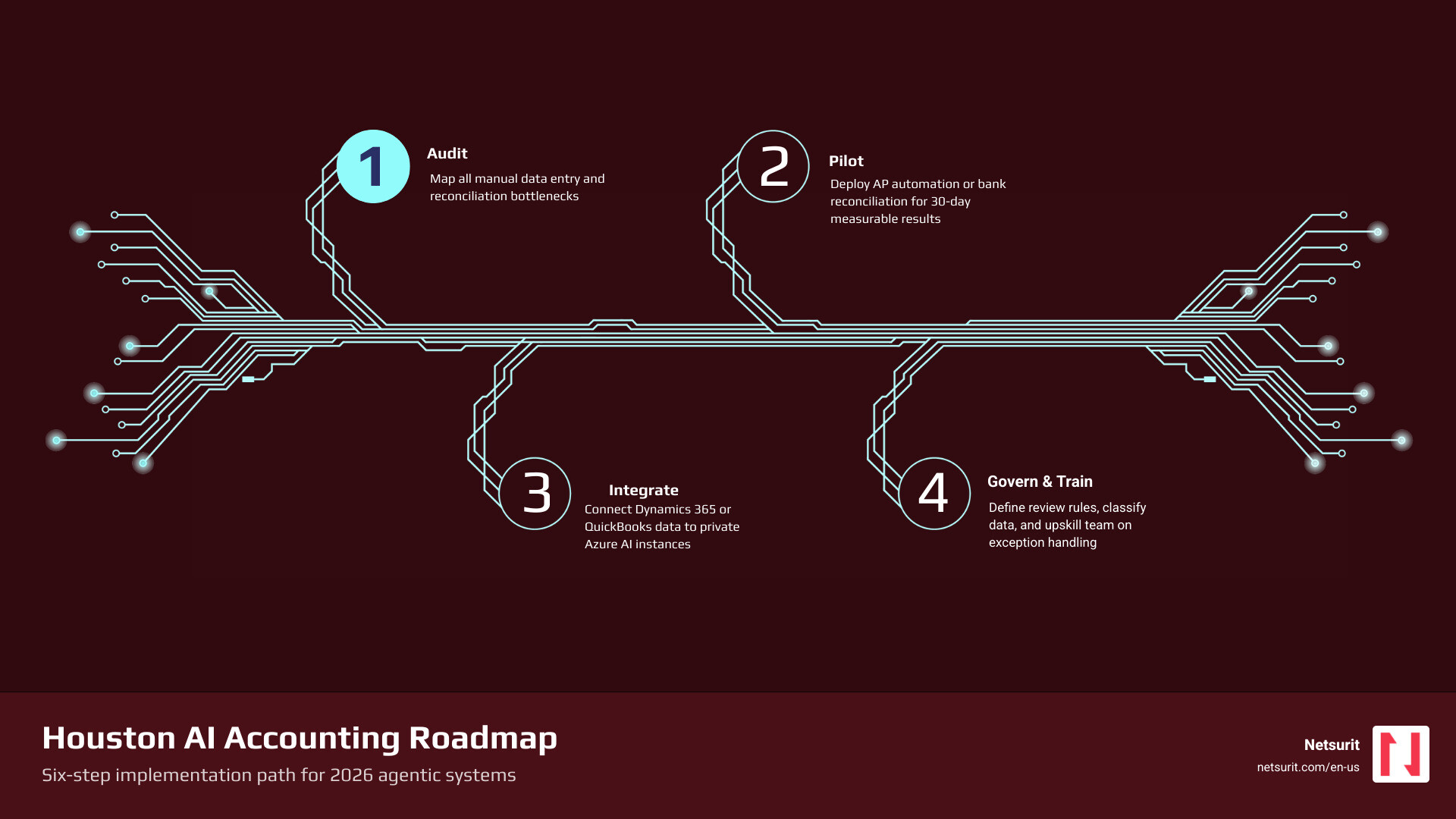
    1. Audit your current workflows — identify where manual data entry, reconciliation, or reporting eats the most staff time.
    2. Start with accounts payable or bank reconciliation — these are high-volume, structured processes where AI delivers measurable results within 30 days.
    3. Choose an integrated platform — Microsoft Dynamics 365 Business Central with Copilot, or a platform like HighRadius, connects directly to your existing ERP or QuickBooks data.
    4. Set governance rules before you deploy — define which outputs require human review, and classify your financial data (confidential vs. internal vs. public).
    5. Train your team on exception review, not data entry — your CPAs should be checking AI outputs, not re-entering transactions.
    6. Secure the environment — use private AI instances (such as Azure OpenAI Service) so your client data never trains a public model.

    Here’s why this matters now. Houston’s accounting sector faces a real squeeze: a persistent talent shortage and rising transaction volumes — particularly in energy, logistics, and professional services — are pushing traditional automation past its limits. A Cypress-area plumbing company with 11 employees cut its accounts payable workload from 40 hours a month to just 6 hours after deploying AP automation. That’s not a pilot program result — that’s a real operational shift. Across industries, firms using AI-enhanced accounting report 30–50% reductions in manual staff hours and a 30% faster financial close.

    The shift driving these results is the move from rule-based automation to agentic AI — systems that don’t wait for instructions. They reconcile, flag anomalies, cross-reference contracts, and generate draft outputs ready for professional review. The trade-off: these systems require deliberate governance, clean data infrastructure, and human oversight to avoid costly errors.

    This guide gives you a practical roadmap — not a pitch for AI in the abstract.

    I’m Orrin Klopper, CEO and co-founder of Netsurit, a global IT services and digital transformation company that has spent over 30 years helping businesses modernize through managed IT, cloud, and AI solutions — including helping Houston-area firms navigate the shift to Houston implement AI accounting with the governance and infrastructure to do it right. The sections that follow draw on that hands-on implementation experience, not theory.

    Steps to implement AI accounting in Houston: audit, pilot AP automation, integrate ERP, govern, train, secure infographic

    Beyond Bookkeeping: Autonomous Workflows for Houston Firms

    By May 2026, the accounting landscape in Houston has moved past simple “bots” that follow rigid if-then rules. We are seeing businesses in Sugar Land, Katy, and Conroe deploy agentic systems that function as autonomous digital employees. These agents don’t just move data from point A to point B; they reason through discrepancies. If a vendor invoice doesn’t match a purchase order, the AI agent doesn’t just flag it—it searches the email history for a price adjustment confirmation and presents the reconciled evidence to the bookkeeper for a final click.

    From Assistance to Autonomy

    Traditional automation required us to tell the computer exactly what to do. In 2026, we focus on “Agentic AI,” where the system initiates work based on a goal. For example, instead of a staff member starting the month-end close, the AI agent monitors the calendar and begins reconciling bank feeds as they arrive. This shifts your team’s role from “doing the work” to “reviewing the work.”

    The 95% Rule

    Our goal for any Houston firm implementing these tools is the “95% Rule”: aiming for 95% of journal entries to be posted automatically without human intervention. This is particularly effective for recurring revenue streams common in Houston’s service and energy sectors. By automating the high-volume, low-complexity tasks, you free up your senior staff to handle the 5% of complex transactions that actually require a CPA’s judgment.

    Feature Traditional Bookkeeping AI-Enhanced Accounting
    Speed 3–5 days for monthly close Real-time or < 24 hours
    Accuracy Prone to human data entry error 99% accuracy in data extraction
    Cost High (linked to billable hours) Scalable (linked to transaction volume)
    Focus Historical recording Predictive insights

    How AI Is Changing Bookkeeping AI Accounting Optimization Houston: The Future of Financial Efficiency

    Trade-offs in Autonomous Accounting

    • Works best when: You are processing high-volume, structured data, such as a Sugar Land plumbing fleet’s daily invoices or a Katy-based retail chain’s daily sales reconciliations.
    • Avoid when: The business context is highly subjective, such as interpreting a unique, one-off legal settlement or a complex M&A earn-out clause that hasn’t happened before.
    • Risks: There is a risk of “black box” logic where the AI makes a decision but the staff doesn’t know why. This can lead to compliance issues if an auditor asks for the rationale behind a specific categorization.
    • Mitigations: We recommend mandatory human-in-the-loop (HITL) verification for any transaction over a specific dollar threshold (e.g., $5,000) and maintaining a clear audit trail of why the AI made each decision.

    High-Impact Use Cases for Houston SMBs

    Houston controllers are no longer just “historians” looking at what happened last month. They are becoming “strategists” who use real-time data to guide the business. This shift is made possible by automating the most grueling aspects of Client Accounting Services (CAS).

    Accounts Payable (AP) Automation

    In 2026, AI agents handle three-way matching—comparing the purchase order, the receiving report, and the invoice—with nearly perfect accuracy. For a mid-sized oilfield service company in Conroe, this can save over 70 hours of manual labor every month. Instead of chasing down paper trail discrepancies, the AP clerk becomes an AP Manager, overseeing the system’s performance and managing vendor relationships.

    Tax Prep and Audit Readiness

    Tax season in Houston used to be a frantic scramble. Now, AI platforms like Zeni or HighRadius ingest source documents throughout the year. These tools apply prior-year context to identify R&D tax credit opportunities or flag anomalies that might trigger an IRS audit. By the time your tax professional sits down to prepare the return, the data is already organized, categorized, and linked to the source documents.

    Predictive Forecasting and Cash Flow

    Static budgets are a thing of the past. Houston businesses are now using AI to monitor liquidity in real-time. These systems provide dynamic liquidity warnings that can trigger 60 days before a projected cash crunch. For example, if your AI detects a slowdown in collections from a major client in the energy sector, it can automatically adjust your cash flow forecast and alert the CFO to postpone a major equipment purchase in Katy.

    Accounting AI Cash Flow Houston AI Financial Analysis Tax Houston

    The 2026 Tech Stack: Microsoft-Centric Solutions

    For the majority of the businesses we support in the Houston metro area, the most stable and secure way to Houston implement AI accounting is through the Microsoft ecosystem. Most firms are already using Microsoft 365, so layering in AI features doesn’t require a total overhaul of your IT infrastructure.

    Microsoft Dynamics 365 Business Central

    This is the core ERP for scaling firms. In 2026, it features Copilot, an AI assistant that handles bank reconciliations through natural language. You can literally ask the system, “Why is there a $200 discrepancy in the Frost Bank account?” and it will provide a reasoned explanation based on pending transactions or duplicate entries. It also allows for natural language financial reporting, turning complex data into a readable summary for your board of directors.

    Integration Strategy: The Azure Data Lake

    Don’t let your data stay trapped in siloed systems. We often help firms connect their QuickBooks, Xero, or legacy ERP data into a centralized Azure data lake. This allows for advanced analysis across all your business functions. By centralizing the data, your AI agents have a “single source of truth” to work from, which significantly reduces the risk of hallucinations or conflicting reports.

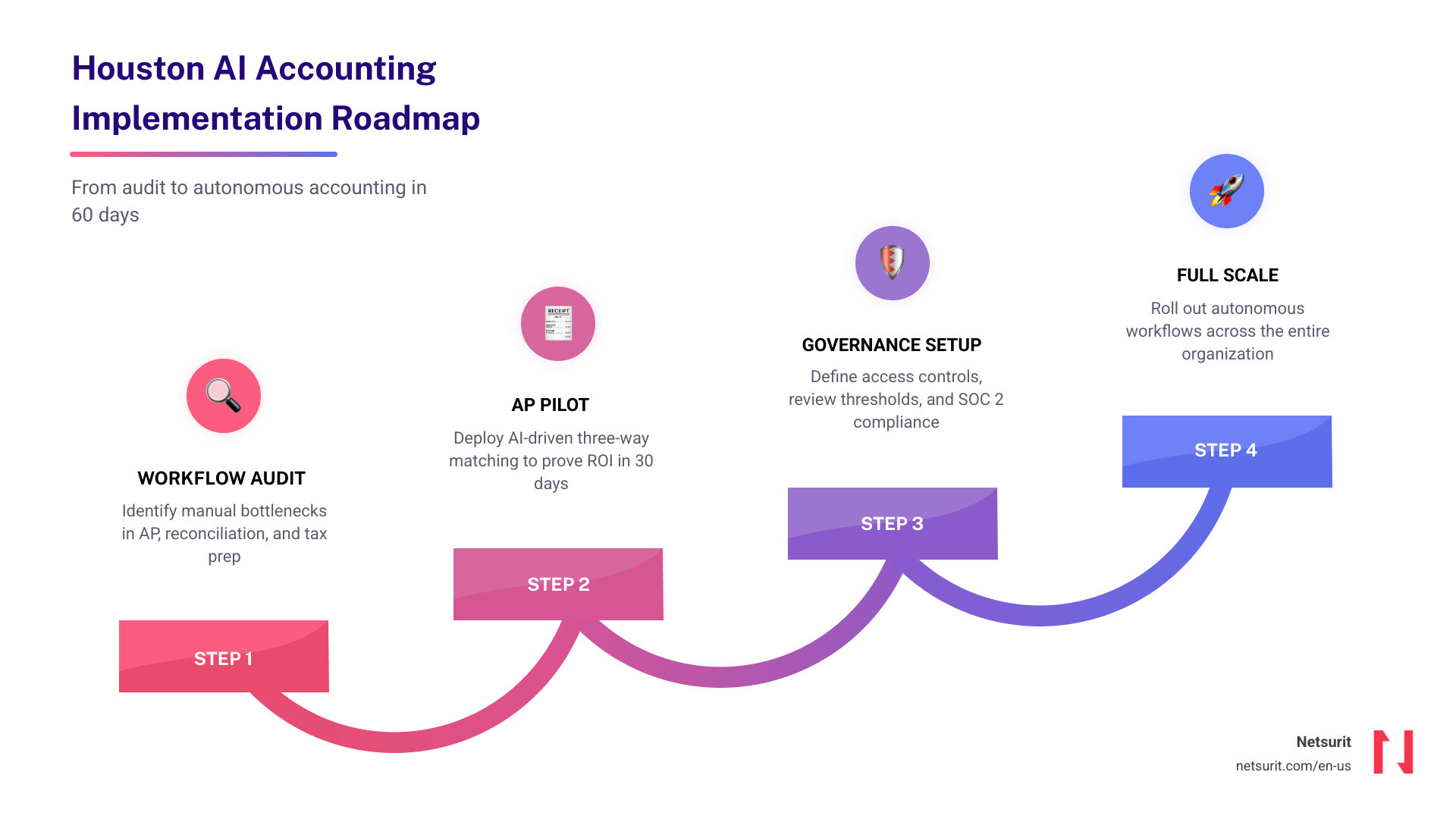
    The Implementation Roadmap

    1. Workflow Audit (Days 1-10): Identify the specific manual tasks that are slowing you down.
    2. AP Pilot (Days 11-40): Implement AI-driven accounts payable for one department to prove the ROI.
    3. Governance Setup (Days 41-50): Define who has access to what data and what the review thresholds are.
    4. Full Scale (Day 60+): Roll out autonomous accounting across the entire organization.

    Microsoft Dynamics 365 Business Central Migration Consulting | Houston TX Deploying AI in Houston: A Roadmap for Modern Accounting

    Security, Governance, and Texas Data Privacy

    Financial data is the crown jewel of your business, making it a prime target for cybercriminals. Implementing AI in locations like Katy or Conroe requires more than just a password; it requires a robust security architecture that complies with Texas-specific privacy expectations.

    Private AI Infrastructure

    The biggest mistake we see is staff using public AI tools (like the free version of ChatGPT) to summarize sensitive financial statements. This can leak your data into public training models. To Houston implement AI accounting safely, you must use private AI instances, such as the Azure OpenAI Service. This ensures your financial data stays within your “tenant”—meaning it is never used to train models for other companies.

    Compliance and Performance

    By 2026, SOC 2 Type II certification and Multi-Factor Authentication (MFA) are the bare minimum. We also implement Zero Trust architectures, where every access request is verified, regardless of where it comes from. Additionally, you need to monitor your network performance. Agentic AI requires low-latency connections to process real-time data. If your network in The Woodlands is lagging, your AI might time out, leading to incomplete data processing or “hallucinations” where the AI tries to fill in the gaps with incorrect information.

    Security layers for AI accounting: Private AI, SOC 2 compliance, Zero Trust, and network monitoring infographic

    AI Server Setup Katy TX 77449 | Private AI for Katy Small Businesses Cybersecurity Services in Houston

    The Human Element: Upskilling for the “Digital Senior” Role

    A common fear in Houston accounting firms is that AI will replace the CPA. In reality, AI replaces the “data entry clerk” portion of the job. This creates a new, more valuable role: the “Digital Senior.” These are professionals who understand the accounting principles but are also experts at managing the AI systems that do the heavy lifting.

    Prompt Engineering for Accountants

    Your staff needs to learn how to talk to these systems. Instead of spending hours digging through a general ledger to find a variance, a Digital Senior uses prompt engineering to query the model: “Explain why our fuel expenses in the Conroe division are 15% over budget compared to the Sugar Land division, accounting for recent regional price spikes.” The AI does the digging; the human does the interpreting.

    Shifting to High-Value Advisory

    When you remove 40 hours of data entry from a bookkeeper’s month, they can spend that time on client relationship management or M&A advisory. Houston firms that embrace this shift are finding that their staff is actually less “bored” and more engaged because they are solving complex business problems rather than just checking boxes.

    How Houston Firms Use AI to Stop Being Bored

    Trade-offs in Staff Transformation

    • Works best when: Training is hands-on and uses your firm’s own anonymized historical data so the team can see the AI’s accuracy for themselves.
    • Avoid when: Leadership treats AI as a “set and forget” tool to cut costs. If the goal is only to reduce headcount, you will lose the institutional knowledge needed to oversee the AI.
    • Risks: Cultural resistance is real. If staff fear they are being replaced, they may “quiet quit” or even sabotage the implementation.
    • Mitigations: We recommend transparent AI roadmaps that show staff how their roles will evolve. Incentive-based upskilling programs can turn skeptics into champions.

    Frequently Asked Questions

    How much time can Houston businesses save? Most businesses can expect to save 30–50% of manual hours within the first six months. This typically manifests as a 30% faster monthly close, allowing your team to provide financial insights to leadership much earlier in the month.

    Is AI accounting secure for sensitive Texas financial data? Yes, but only if you avoid public tools. By using enterprise-grade, private AI environments (like those built on Azure) that carry SOC 2 compliance and strict data non-training clauses, your data remains completely private and secure.

    Does AI replace the need for a CPA? Absolutely not. AI is a powerful tool, but it lacks business context and professional skepticism. You still need a CPA to provide final legal sign-off, handle complex tax strategies, and offer the human touch that clients expect in high-stakes financial decisions.

    Conclusion

    Strategic AI adoption is no longer optional; it is the only viable response to the accounting talent shortage and the increasing complexity of the Houston business environment. Firms that move to Houston implement AI accounting through agentic workflows by 2026 will achieve higher margins and provide significantly more value to their clients than those stuck in the manual past.

    Next Action: Audit your current manual entry bottlenecks. If your team is spending more than 10 hours a week on reconciliation or data entry, it’s time to modernize. Contact Netsurit to discuss a Microsoft-based AI roadmap tailored to your Houston firm’s specific needs.

    Modernize your accounting with Microsoft Solutions

  • The Ultimate Guide to IT Services and Solutions Provider

    The Ultimate Guide to IT Services and Solutions Provider

    What an IT Services and Solutions Provider Actually Does (and Why It Matters)

    An IT services and solutions provider is a company that manages your technology infrastructure so your team can focus on running the business — not fighting fires.

    Here’s a quick breakdown of what they do:

    What They Handle Why It Matters to You
    Infrastructure management Keeps systems running with minimal downtime
    Cybersecurity monitoring Detects and stops threats before they cause damage
    Cloud services Scales your capacity without large upfront costs
    Compliance support Keeps you aligned with regulations like HIPAA, SOX, and GLBA
    Help desk and end-user support Resolves employee issues fast so productivity stays high
    AI and automation integration Reduces manual work and speeds up decision-making
    Disaster recovery and backup Protects your data if something goes wrong

    The core value is simple: stop reacting to IT problems and start preventing them.

    Managing IT in-house sounds controllable — until it isn’t. Cyberattacks now occur every 11 seconds. Sixty-one percent of small and mid-sized businesses are hit each year. And 60% of those that suffer a breach close within six months. That’s not a technology statistic. That’s a business survival statistic.

    Most mid-market firms don’t have the budget for a full internal security team, a cloud architect, a compliance officer, and a help desk. A qualified IT provider gives you all of that under one accountable partner — without the overhead.

    The catch? Not all providers are equal. Some are reactive. Some specialize in one area and patch the rest together. Choosing the wrong one is just as dangerous as having no support at all.

    This guide cuts through the noise. It covers what IT providers actually deliver, how to compare support models, what to look for when vetting a partner, and what measurable outcomes you should expect.

    I’m Orrin Klopper, CEO and co-founder of Netsurit — a global IT services and solutions provider I started in 1995 and have grown to support over 300 organizations across North America, South Africa, and Europe. Over the past 30 years, I’ve seen what separates providers that stabilize and scale businesses from those that slow them down.

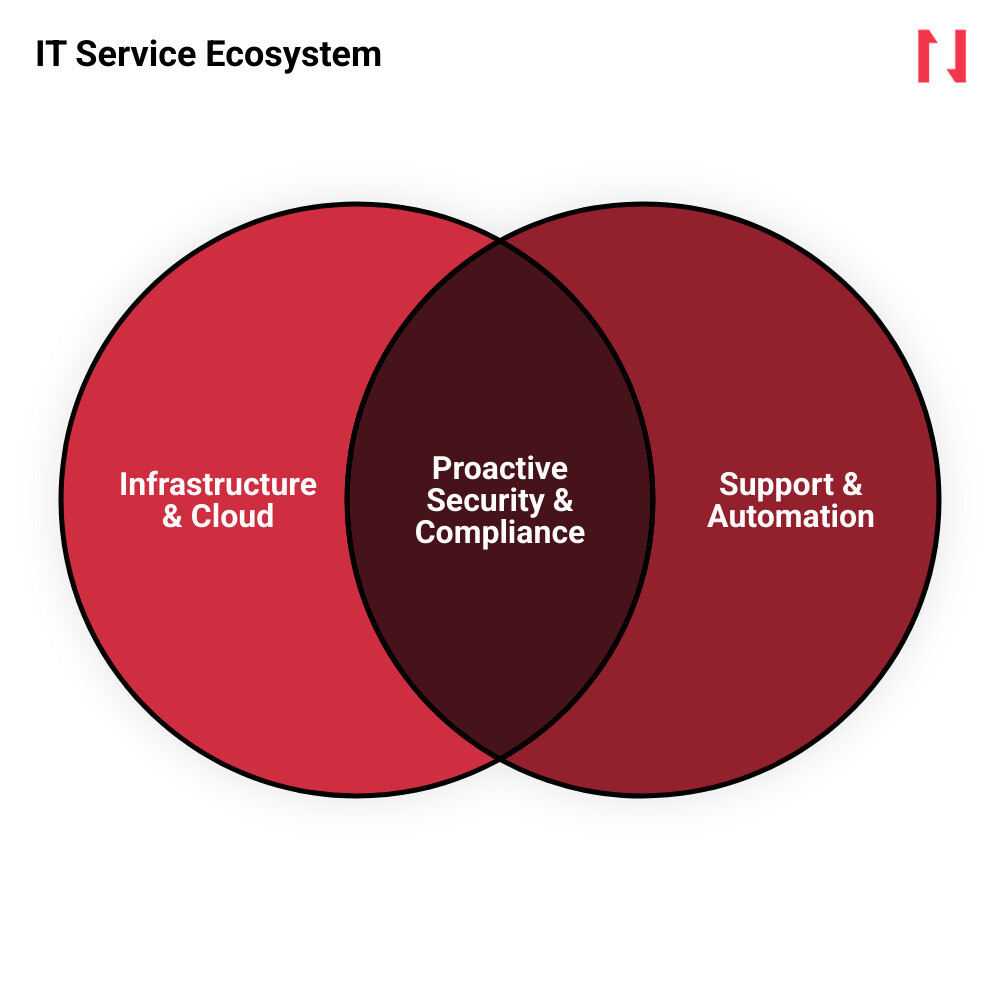
    IT service ecosystem mapping infrastructure security cloud management relationships infographic

    Discover more about it services and solutions provider:

    • global it solutions provider
    • it managed service providers platform

    How Modern IT Providers Streamline Infrastructure and Reduce Downtime

    To keep your business running smoothly, you need more than a technician who shows up only when a server crashes. Modern technology management requires ongoing maintenance, rigorous testing, and strategic foresight.

    By partnering with an experienced provider, you gain access to comprehensive Professional IT Services. These services begin with a deep evaluation of your existing infrastructure, identifying hidden bottlenecks and security gaps before they disrupt your workflows. From there, your provider handles technology deployment, employee training, and continuous system maintenance. This ensures your hardware, software, and networks operate as a single, cohesive unit.

    Defining the Modern IT Partner: Beyond Basic Troubleshooting

    The traditional break-fix model is dead. In the past, businesses called an IT guy only when something broke. This model aligns the provider’s financial incentives with your failure—they only make money when your business suffers downtime.

    A true it services and solutions provider operates on a proactive model. Instead of waiting for systems to fail, we continuously monitor your technology domains to prevent issues entirely. This shift from reactive support to strategic alignment means we customize software, integrate legacy platforms, and optimize workflows to match your business goals.

    By looking at your entire technology stack, we transform IT from a frustrating cost center into a reliable driver of growth. You can explore how these integrated capabilities support your operations by viewing our All Services overview.

    Comparing Support Models: Fully Managed, Co-Managed, and Internal IT

    Every business has different resource constraints and technical requirements. To help you evaluate which path fits your organization, we have compared the three primary support models below:

    Metric Fully Managed IT Co-Managed IT Internal IT
    Cost Predictability High (Flat monthly fee) High (Predictable split fee) Low (Variable hiring, training, and tool costs)
    Security Coverage 24/7/365 monitoring 24/7/365 shared monitoring Limited to standard business hours
    Scalability Instant (Scale resources up or down) High (Co-managed scaling) Slow (Requires hiring and onboarding)
    Strategic Alignment High (Dedicated virtual CIO) Collaborative strategic planning Often bogged down by daily support tickets

    Choosing the right approach depends on your existing staff. For instance, consider a CPA firm in Sugar Land, Texas. During the peak of tax season, their single internal IT administrator is completely overwhelmed resetting passwords and troubleshooting local printer issues. Under a Managed IT Services co-managed model, an external partner steps in to secure their client portals and manage back-end server performance. This setup delivers 99.9% uptime, freeing the internal admin to focus on direct staff support.

    Trade-offs: Managed Services vs. Internal IT

    • Works best when: You require predictable monthly budgeting, need 24/7/365 security monitoring, and cannot afford unexpected operational downtime.
    • Avoid when: Your internal IT department is already fully staffed, possesses deep cybersecurity expertise, and experiences zero coverage or support gaps.
    • Risks: Over-reliance on an external partner can lead to communication gaps if clear operational boundaries are not set.
    • Mitigations: Establish comprehensive Service Level Agreements (SLAs) and maintain co-owned, transparent system documentation.

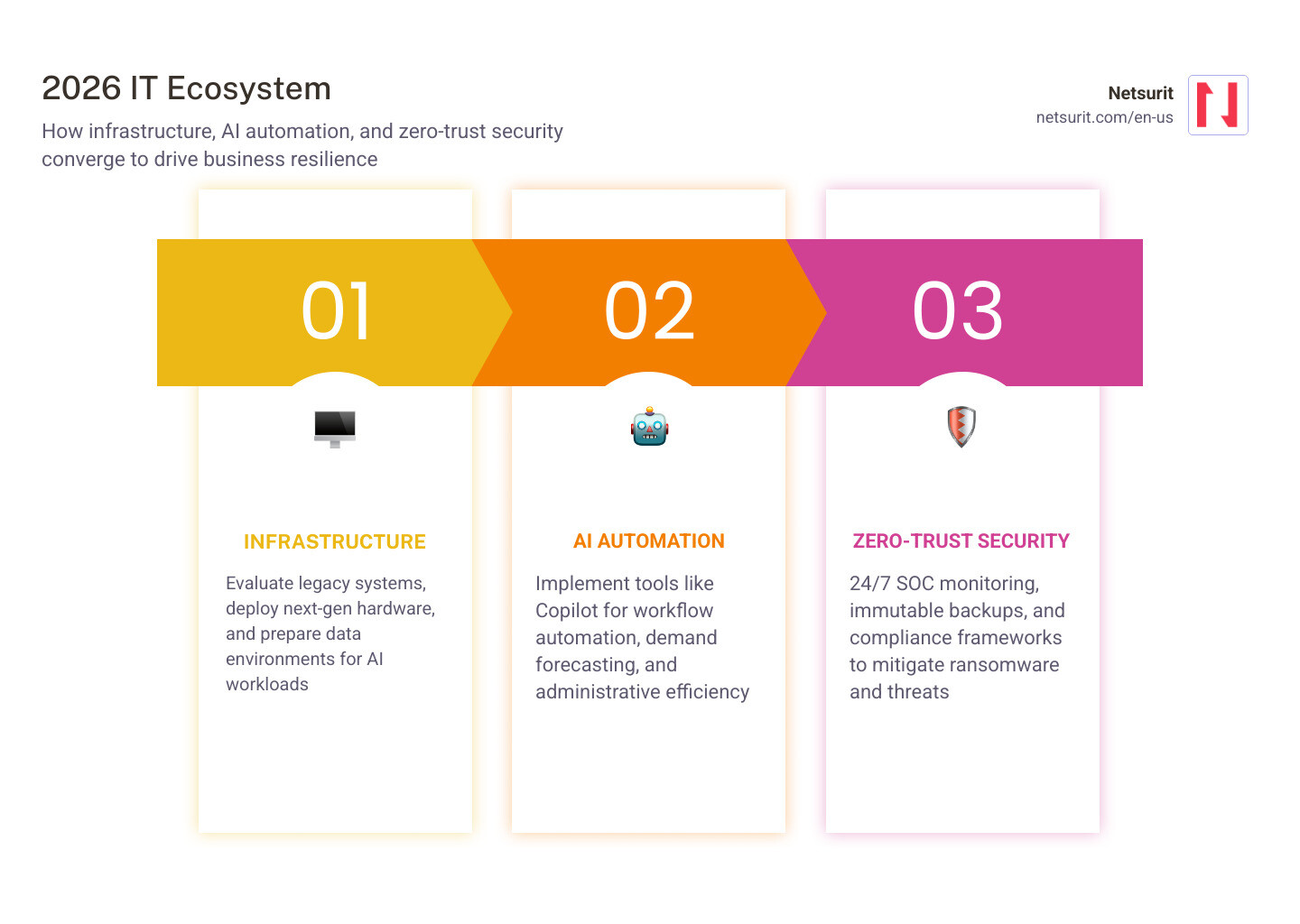
    The technology landscape in June 2026 is defined by rapid AI integration, cloud complexity, and sophisticated cyber threats. To remain competitive, businesses must adapt to these trends rather than relying on outdated software and infrastructure.

    2026 IT trends infographic highlighting AI automation and zero-trust security convergence infographic

    Leveraging AI-Driven Automation and Next-Gen Infrastructure for Growth

    Artificial intelligence is no longer a futuristic concept; it is actively shaping how modern businesses operate. Leading IT providers help organizations cut through the hype to select, deploy, and manage practical AI solutions.

    Whether you are deploying Microsoft Copilot to automate administrative work or integrating demand forecasting models to optimize supply chains, we help you build the right foundation. This includes preparing your data environment, securing user access, and deploying next-generation devices optimized for AI workloads.

    By utilizing our tailored Cloud Services, you can transition from chaotic manual processes to automated workflows. To see how specialized enterprise platforms can be structured, businesses often look to advanced integrations such as Microsoft Dynamics ERP & CRM Solutions.

    Securing Operations with Proactive Threat Detection and Compliance Frameworks

    As technology advances, so do the methods used by cybercriminals. Relying on basic antivirus software is no longer sufficient when a cyberattack occurs every 11 seconds. With 61% of small and mid-sized businesses falling victim to attacks annually, and 60% of those businesses failing within six months of a breach, robust security is non-negotiable.

    An effective it services and solutions provider integrates security into every layer of your network. This involves maintaining strict cyber hygiene, establishing 24/7 Security Operations Center (SOC) monitoring, and deploying rapid ransomware mitigation tools.

    Additionally, we ensure your infrastructure complies with industry regulations like SOX, HIPAA, and GLBA. By combining proactive threat hunting with automated patching and immutable backups, we protect your business from catastrophic data loss.

    To safeguard your organization, explore our Cybersecurity Services and establish robust Backup and Disaster Recovery protocols.

    For example, an accounting firm in Katy, Texas, managing sensitive financial records, cannot risk a ransomware infection. By partnering with a local specialist to implement 24/7 SOC monitoring and off-site immutable backups, the firm ensures that even if a malicious link is clicked, their data remains secure and recoverable within minutes.

    Selecting an IT Partner That Aligns with Your Business Goals

    Choosing an IT partner is a critical business decision. The right provider acts as an extension of your team, aligning technology with your long-term growth strategy.

    Why Specialized IT Providers Outperform Generalists in Complex Industries

    Generalist IT providers often struggle with the unique regulatory and operational demands of specialized industries. A provider with deep technical excellence and industry-specific experience understands how to navigate complex compliance frameworks and integrate specialized software.

    By combining national capabilities with a personalized, local touch, we deliver enterprise-grade security without corporate complexity. Whether you need fully outsourced management or co-managed support to assist your internal team, our IT Consulting Services provide the strategic direction you need.

    For tax and accounting firms in the Houston metro area, maintaining compliance requires strict adherence to federal standards. Working with a partner who understands these mandates ensures your systems align with the IRS Protect Your Clients; Protect Yourself guidelines, safeguarding taxpayer data from unauthorized access.

    Vetting Providers: Key Evaluation Criteria and Red Flags to Avoid

    When evaluating potential IT partners, look beyond their marketing claims. Ask for verified client reviews, review their standard Service Level Agreements (SLAs), and ask about their response times. A reputable provider should maintain a standardized technology catalog based on rigorous testing, while still offering vendor-agnostic guidance that prioritizes your business needs over specific software partnerships.

    Before signing an agreement, it is wise to conduct comprehensive IT Audits and Assessments to identify existing vulnerabilities. For example, a tax office in Conroe, Texas, should audit its legacy server infrastructure before the busy season begins. This proactive step exposes compliance gaps, outdated software, and network bottlenecks, allowing you to address them before they impact your clients.

    Trade-offs: Co-Managed IT vs. Fully Managed IT

    • Works best when: You have an existing internal IT team that is capable but needs specialized security monitoring, cloud migration assistance, or help desk relief.
    • Avoid when: You have no internal IT personnel, as there will be no internal technical point of contact to coordinate with the provider.
    • Risks: Potential overlap in responsibilities, leading to duplicated efforts or missed tasks due to poor communication.
    • Mitigations: Establish a detailed RACI (Responsible, Accountable, Consulted, Informed) matrix to clearly define roles for both teams.

    Measuring Success: Real-World Cost Optimization and Security Outcomes

    Investing in IT services should deliver clear, measurable business value. A successful partnership focuses on reducing complexity, optimizing operational costs, and strengthening your security posture.

    Maximizing ROI Through Cloud Cost Optimization and Software Consolidation

    Many organizations overspend on cloud infrastructure due to poor configuration and redundant software licenses. A professional IT provider conducts thorough cloud cost assessments to identify waste and optimize compute resources.

    By consolidating your software purchasing and streamlining licensing processes, we can significantly lower your operational and compliance costs. These optimizations allow you to transition capital expenditures (CapEx) into predictable operating expenses (OpEx).

    If you are planning to modernize your infrastructure, our Cloud Migration services ensure a seamless transition.

    • Real-World Impact: In the enterprise space, comprehensive cloud optimization assessments have identified opportunities to reduce compute costs by up to 70%, saving organizations as much as $170,000 monthly. Additionally, consolidating software licensing and purchasing processes has helped large entities lower their compliance and software costs to a structured $5 million.

    Eliminating Vulnerabilities Through Infrastructure Modernization

    Outdated software and legacy hardware are primary targets for cybercriminals. By modernizing your network infrastructure, you eliminate security vulnerabilities while boosting overall system performance.

    Implementing zero-touch provisioning and modern endpoint management allows your team to deploy secure devices to employees in weeks rather than months. To align your technology with your business goals, utilize our strategic IT Strategy Services.

    • Real-World Impact: Upgrading legacy network infrastructure can increase system performance significantly, saving organizations up to 30% compared to outdated, high-maintenance solutions. Furthermore, proactive assessments that identify and eliminate end-of-life software have successfully removed hundreds of vulnerabilities—such as purging 689 instances of end-of-life software in a single environment—to secure the network against modern exploits.

    Frequently Asked Questions about IT Service Providers

    What is the difference between fully managed IT and co-managed IT?

    Fully managed IT is a complete outsourcing model where the external IT provider acts as your entire IT department. We handle everything from basic help desk support to high-level cybersecurity and strategic planning.

    Co-managed IT is a collaborative model where we partner with your existing internal IT team. Your internal staff typically manages day-to-day tasks like password resets, while we handle complex, high-liability operations such as 24/7/365 SOC monitoring, compliance documentation, and advanced cloud architecture.

    How do IT providers structure their pricing?

    Most modern IT providers offer predictable, flat-fee monthly pricing models. This approach eliminates unpredictable hourly billing and aligns our goals with yours—since we charge a flat fee, it is in our interest to keep your systems running perfectly. This flat-fee model helps convert unpredictable capital IT expenses (CapEx) into predictable, monthly operational expenses (OpEx).

    What are the immediate steps an IT provider takes in the first 30 days?

    During the first 30 days, a professional provider focuses on discovery and risk mitigation:

    1. Comprehensive Security Assessment: We audit your existing network, endpoints, and cloud configurations to find active vulnerabilities.
    2. Risk Prioritization: We identify and document critical vulnerabilities that require immediate patching.
    3. IT Roadmap & Strategy: We build an 18-to-24-month technology roadmap and budget aligned with your business goals.
    4. Technology Catalog Alignment: We begin standardizing your systems to ensure reliable, scalable support.

    Conclusion

    Selecting the right it services and solutions provider is a strategic business decision, not just an operational one. The right partner protects your business from evolving cyber threats, optimizes your technology spend, and ensures your infrastructure scales alongside your growth.

    At Netsurit, we act as an elite tech partner for mid-market businesses. Operating across New York, New Jersey, Texas (including Houston, Sugar Land, Conroe, and Katy), Seattle, Tacoma, Maine, and Albuquerque, we provide managed IT, cybersecurity, and AI solutions designed to eliminate downtime and drive business momentum.

    Ready to secure and scale your business infrastructure? Contact us today to explore our Managed IT Services and find the right solution for your organization.

  • Everything You Need to Know About CSMS Cyber Security Management System

    Everything You Need to Know About CSMS Cyber Security Management System

    What a CSMS Cyber Security Management System Actually Is (and Why It Matters Now)

    A CSMS cyber security management system is a structured, risk-based framework that defines how an organization governs, manages, and continuously improves cybersecurity across the full lifecycle of a product or operational system — from design through decommissioning.

    Here’s the short version:

    Question Answer
    What is a CSMS? A risk-based governance framework for cybersecurity across product and operational lifecycles
    Who needs one? Automotive OEMs, Tier-1 suppliers, maritime operators, and critical infrastructure organizations
    What drives it? UN Regulation 155, the EU Cybersecurity Act, and ISO/SAE 21434
    How often must it be certified? At least every three years for regulatory compliance
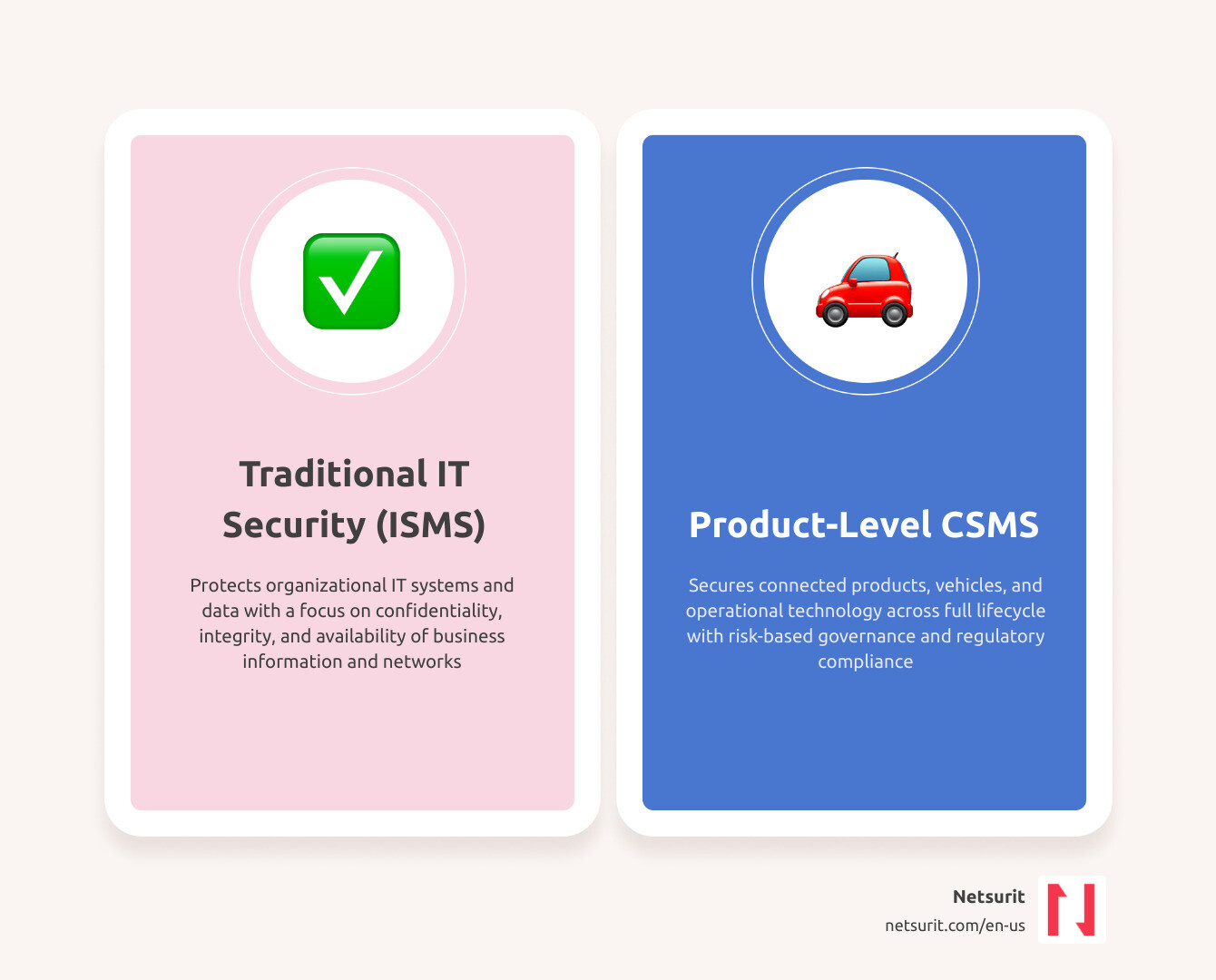
    How is it different from ISO 27001? ISO 27001 protects organizational IT; a CSMS protects products, vehicles, and operational technology

    The stakes are concrete. Modern vehicles now contain up to 150 electronic control units and approximately 100 million lines of code — four times more than a fighter jet. By 2030, that figure is projected to reach 300 million lines. Each line is a potential attack surface. When the Miller and Valasek researchers remotely hijacked a Jeep Cherokee in 2015, it made clear that traditional IT security practices were never designed for this problem.

    Regulators responded. UN Regulation 155 — now mandatory in 59 countries — required all vehicles manufactured from July 2024 onward to be backed by a certified CSMS. Automakers that couldn’t demonstrate compliance, including models from Porsche and Audi, had to discontinue those vehicles rather than sell them in regulated markets. Tier-1 suppliers without mature CSMS processes have lost OEM contracts entirely.

    This isn’t just an automotive problem. The same framework logic applies to maritime systems, industrial control environments, and any organization managing connected operational technology at scale.

    I’m Orrin Klopper, CEO and co-founder of Netsurit, and over nearly three decades building IT and cybersecurity infrastructure for complex organizations across North America and beyond, I’ve seen how a well-implemented CSMS cyber security management system shifts security from a reactive cost center to a strategic foundation for compliance, resilience, and growth. In this guide, I’ll break down exactly how it works and what your organization needs to get it right.

    Core differences between IT security (ISMS) and product-level CSMS framework infographic

    Glossary for csms cyber security management system:

    • airtel cyber security
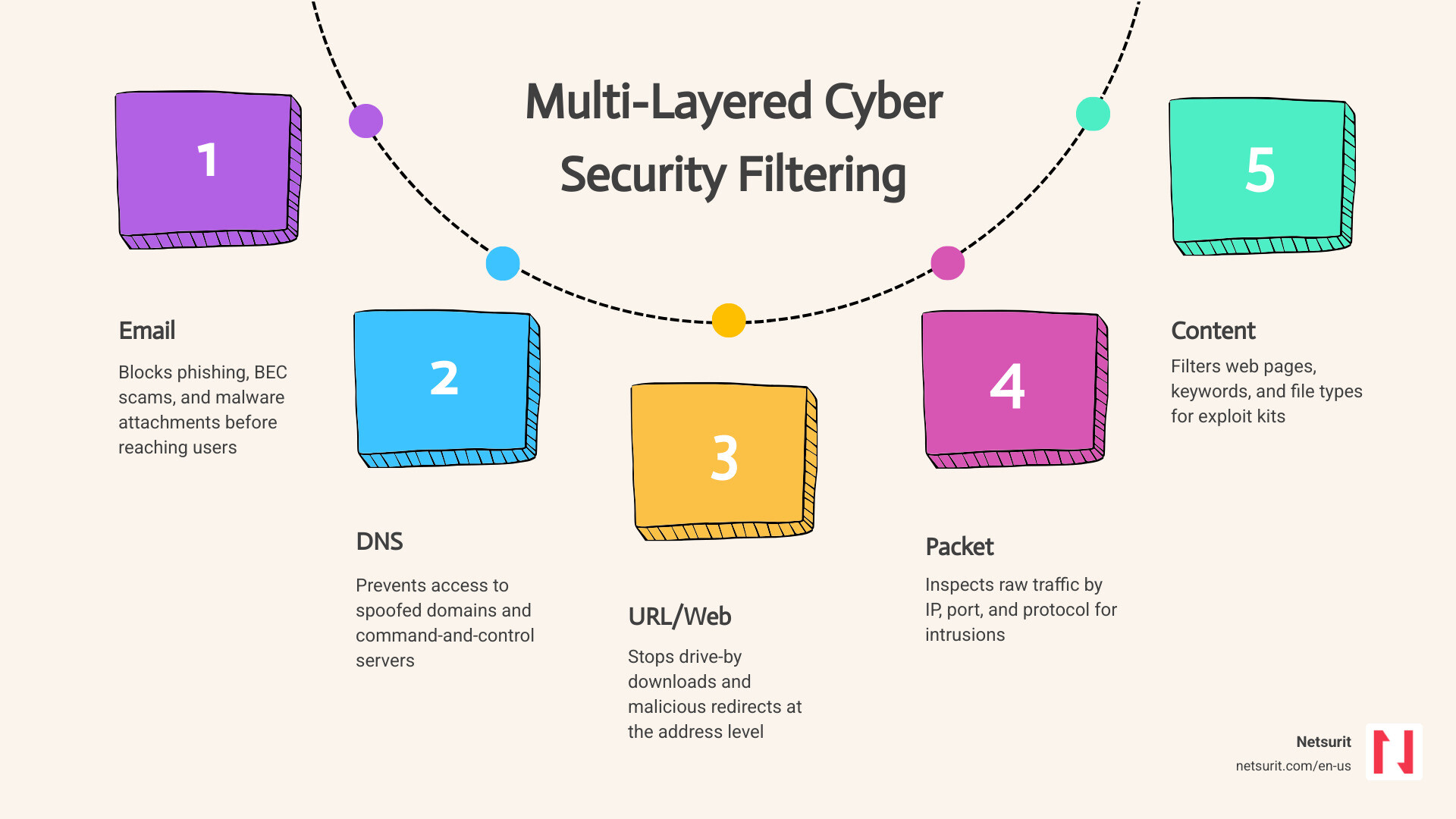
    • cyber security filtering

    What is a CSMS Cyber Security Management System and Why Does It Exist?

    At its core, a csms cyber security management system is an organizational blueprint. It goes beyond deploying firewalls or endpoint protection tools. Instead, it establishes the policies, responsibilities, risk-determination methods, and response procedures required to keep connected products secure throughout their operational lifetime.

    Traditional IT security relies on a perimeter-based approach. If you secure the network and the endpoints, you protect the data. However, as physical assets became connected—ranging from autonomous vehicles to municipal water pumps—this model broke down. A CSMS exists to manage risks that directly impact physical safety, operational uptime, and product integrity. It is designed to be technology-neutral, focusing on governance and processes rather than mandating specific hardware or software protocols.

    To understand how this applies in practice, consider our professional services landscape. Imagine a large corporate tax advisory firm in Houston, Texas, with branch offices in Sugar Land. The firm manages sensitive client financial data and relies on interconnected cloud databases, automated document pipelines, and remote portals. While they might use Cyber Security Consulting to secure their corporate network, their client-facing portal functions like a product.

    If that portal suffers a vulnerability, it exposes thousands of local businesses. A CSMS approach forces the firm to look beyond general office IT. It establishes a dedicated risk-governance model for that specific portal—tracking its code development, monitoring active sessions, and planning for secure, over-the-air software updates to protect the Sugar Land branch’s data flows.

    To build a compliant architecture, organizations often refer to resources like the Cybersecurity Management System (CSMS) | Resource – UL Solutions to align their operational workflows with internationally recognized validation standards.

    The Regulatory Drivers: UN R155 and the EU Cybersecurity Act

    The rapid evolution of connected infrastructure forced regulatory bodies to intervene. The European Union Cybersecurity Act of 2019 laid the groundwork by establishing a European-wide cybersecurity certification framework. Following this, the United Nations Economic Commission for Europe (UNECE) WP.29 working group formalized these principles into UN Regulation 155 (UN R155).

    UN R155 turned cybersecurity from a voluntary best practice into an absolute requirement for market access. If you want to sell vehicles or connected systems in any of the 59 signatory nations, you must prove you have a certified CSMS. The regulation mandates that organizations implement rigorous threat detection, active vulnerability mitigation, and secure software update capabilities.

    For many organizations, achieving this level of structured compliance requires a deep cultural shift. This is where understanding The Importance of Cybersecurity Compliance becomes critical. It is no longer just about avoiding fines; it is about maintaining your license to operate in the global market.

    How a CSMS Cyber Security Management System Differs from Traditional ISMS

    While an Information Security Management System (ISMS)—such as one built on ISO 27001—focuses on protecting an organization’s internal IT systems and data assets, a CSMS focuses on the actual products, operational technology (OT), and vehicles produced or operated by that organization.

    Dimension Traditional ISMS (e.g., ISO 27001) CSMS (e.g., UN R155 / ISO 21434)
    Primary Target Corporate networks, servers, databases, and employee endpoints. Connected products, vehicle fleets, and operational technology (OT).
    Core Objective Maintain confidentiality, integrity, and availability of corporate data. Ensure physical safety, operational resilience, and product integrity.
    Lifecycle Scope Ongoing business operations and enterprise IT systems. From initial concept, design, and production to active operation and decommissioning.
    Threat Impact Financial loss, reputational damage, and regulatory fines. Physical accidents, loss of life, supply chain disruption, and fleet-wide shutdowns.

    Core Components and Lifecycle Phases of a Modern CSMS

    A functional CSMS must cover every phase of a product’s life. You cannot simply build a secure product, ship it, and assume the job is done. The system must actively monitor for new vulnerabilities until the very last unit is decommissioned.

    To manage this complex lifecycle efficiently, organizations utilize specialized compliance tools. Platforms like the CyberManager | CSMS | Cyber Security Management System help teams link risk assessments directly to technical controls, tracking tasks across multiple development stages in a single system of record.

    The Four Pillars of UN R155 Compliance

    To secure regulatory type approval, a CSMS must stand on four distinct pillars defined by UN R155:

    1. Risk Management: The organization must establish systematic processes to identify, assess, and treat cyber risks. This is achieved through a structured Cyber Risk Assessment that models potential threat vectors and calculates their impact.
    2. Vehicle and System Safeguarding: Implementing technical defenses throughout the supply chain to protect systems from unauthorized access or manipulation.
    3. Incident Response: Setting up a dedicated Product Security Incident Response Team (PSIRT) to monitor active threats, analyze security events, and coordinate rapid mitigation.
    4. Remote Software Updates: Integrating a Software Update Management System (SUMS) to ensure that security patches are delivered over-the-air safely, securely, and without interrupting critical operations.

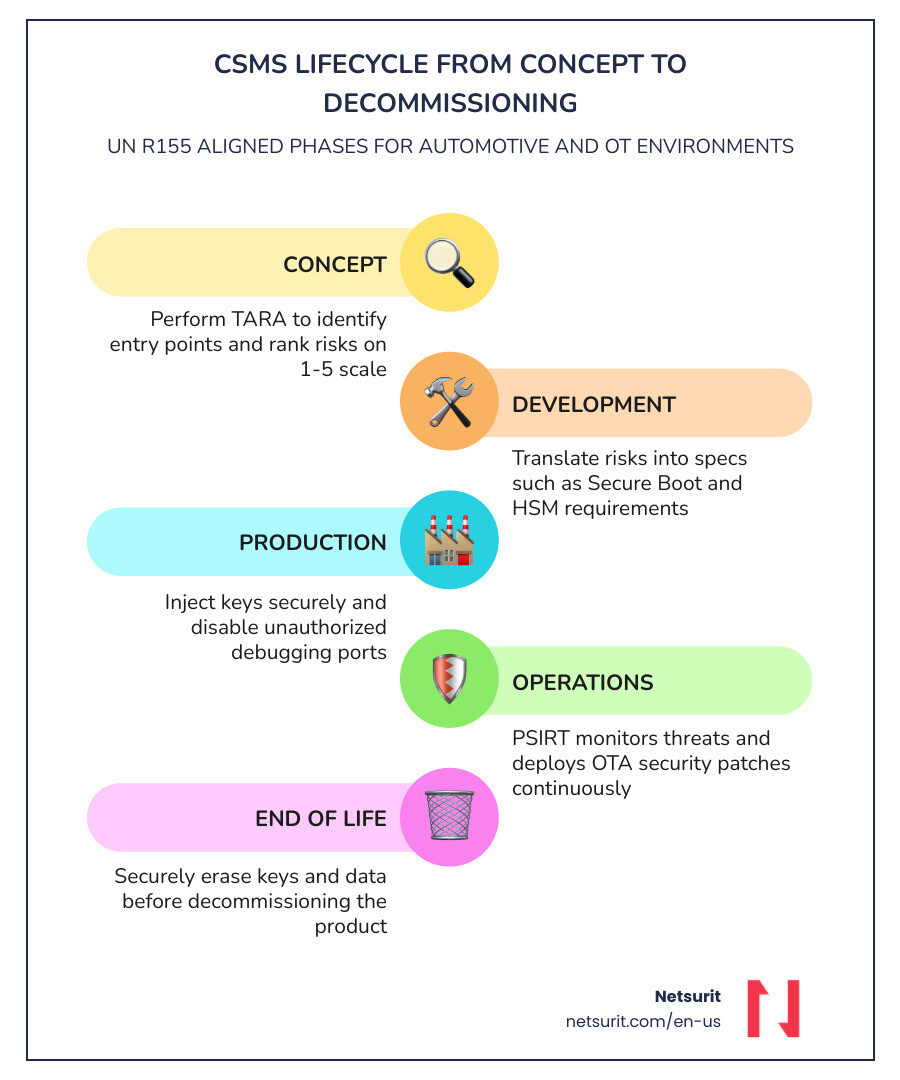
    Managing the Lifecycle: From Concept to Post-Production Operations

    To visualize how these phases work, let’s look at a practical lifecycle breakdown:

    • Concept Phase: Engineers perform a Threat Analysis and Risk Assessment (TARA). This process identifies potential entry points—such as cellular connections, Wi-Fi, or physical ports—and ranks risks on a scale of 1 to 5.
    • Product Development: This phase translates TARA findings into concrete technical specifications. For example, developers might mandate that all firmware must use a cryptographic Secure Boot process backed by a Hardware Security Module (HSM).
    • Production Control: Security measures are integrated into the manufacturing line. This ensures that cryptographic keys are injected securely and that no unauthorized debugging interfaces are left active on the hardware.
    • Operations and Maintenance: Once the product is in the field, the PSIRT monitors threat intelligence feeds, handles vulnerability disclosure programs, and deploys security patches.
    • End of Life: The product is decommissioned securely, ensuring that stored cryptographic keys and user data are completely erased.

    A Local Example: Consider a CPA and advisory firm in Katy, Texas, that develops a proprietary tax planning application for its high-net-worth clients. During the Concept Phase, the firm’s developers identify that the document upload portal is a high-risk entry point. During Product Development, they implement multi-factor authentication and automated malware scanning. During Operations, their security team continuously monitors log files for brute-force attacks, deploying immediate updates when new web-based vulnerabilities are discovered.

    Standards Alignment: ISO/SAE 21434, IEC 62443, and NIST CSF

    No organization should build a CSMS from scratch. Instead, they should align their processes with established international standards that act as the structural framework for compliance.

    Standard mapping between ISO 21434 and IEC 62443 frameworks infographic

    To navigate these overlapping requirements, many enterprises rely on strategic frameworks like CSM | Strategic Cybersecurity, Governance & NIS2 Compliance to align their local operational practices with international governance standards.

    Implementing a CSMS Cyber Security Management System in Automotive and OT Environments

    For automotive manufacturers and their Tier-1 suppliers, ISO/SAE 21434 is the gold standard. Released in 2021, it provides the detailed engineering requirements needed to satisfy UN R155. It defines how to establish a cybersecurity culture, manage project-level risks, and perform continuous verification and validation.

    In industrial and operational technology (OT) environments, IEC 62443 serves a similar purpose. It focuses on securing industrial automation and control systems (IACS). Whether you are managing a manufacturing execution system in Conroe, Texas, or a water treatment plant, IEC 62443 provides the framework to segment networks, secure controllers, and manage supply chain risks.

    Technology Neutrality vs. Prescriptive Frameworks like PCI DSS

    Unlike prescriptive standards like the Payment Card Industry Data Security Standard (PCI DSS)—which mandates specific technical rules like rotating passwords every 90 days—a CSMS is intentionally technology-neutral.

    A technology-neutral approach does not tell you how to secure a system; it tells you what objectives your processes must achieve. This design is critical because technology evolves faster than regulations. If a standard mandated a specific encryption algorithm, that standard would become obsolete the moment that algorithm was cracked. A CSMS forces you to continuously assess and update your defenses, making it highly adaptable to emerging threats like quantum computing or AI-driven exploits.

    Trade-Offs of Implementing a CSMS Framework

    While a CSMS offers unparalleled flexibility, it comes with distinct operational realities:

    • Works best when: Organizations have complex, long-lifecycle products or operational environments that must adapt to evolving global regulations.
    • Avoid when: You are a small business with basic IT needs that can be fully covered by standard, prescriptive security checklists.
    • Risks: The lack of prescriptive rules can lead to “analysis paralysis” or insufficient technical controls if your internal risk assessment processes are weak.
    • Mitigations: Partner with experienced cybersecurity consultants to validate your risk-modeling assumptions and audit your engineering workflows against standards like ISO/SAE 21434.

    Frequently Asked Questions About CSMS Compliance

    Who is required to implement a CSMS?

    Automotive OEMs and Tier-1 suppliers selling into UN R155-regulated markets must implement a CSMS. Additionally, maritime operators (under ClassNK and similar guidelines) and critical infrastructure operators managing industrial control systems under NIS2 or IEC 62443 frameworks require these systems to maintain operational compliance.

    How often must a CSMS certification be renewed?

    Under UN R155, a CSMS certificate of compliance must be assessed and renewed at least every three years. However, the underlying risk assessments and threat monitoring must run continuously to address new vulnerabilities as they emerge in the field.

    What are the consequences of non-compliance for suppliers?

    Tier-1 and Tier-2 suppliers who cannot demonstrate a mature CSMS lose business to compliant competitors. For OEMs, non-compliance means a denial of vehicle type approval, preventing them from selling their vehicles in 59 major countries.

    Securing Your Operational and Compliance Frameworks

    Implementing a csms cyber security management system is a complex, multi-departmental challenge. It requires close collaboration between executive leadership, product engineering, supply chain managers, and IT security teams.

    At Netsurit, we act as an elite technology partner for mid-market and enterprise organizations across New York, New Jersey, Texas, and Washington. We provide the managed IT, Cybersecurity, and compliance consulting needed to align your operational workflows with modern regulatory standards. Whether you are securing a local supply chain in Houston or managing complex compliance frameworks across multiple states, our team is built to help you mitigate risks, eliminate operational downtime, and scale your business with confidence.

    What to watch next: As we move further into 2026, keep a close eye on the integration of AI-driven threat modeling within CSMS workflows, which is expected to automate up to 40% of standard vulnerability analysis by 2028.

    If you need help building, auditing, or managing your cybersecurity compliance framework, contact Netsurit today to speak with a senior security advisor.

  • Step-by-Step Guide to Android System Programming

    Step-by-Step Guide to Android System Programming

    What Android System Programming Actually Is (And Why It Matters)

    Android system programming sits at the lowest level of the Android software stack — below apps, below the Java framework, right down to the kernel, hardware drivers, and system services written in C and C++.

    Here’s a quick breakdown of what it covers:

    Layer What It Is Who Touches It
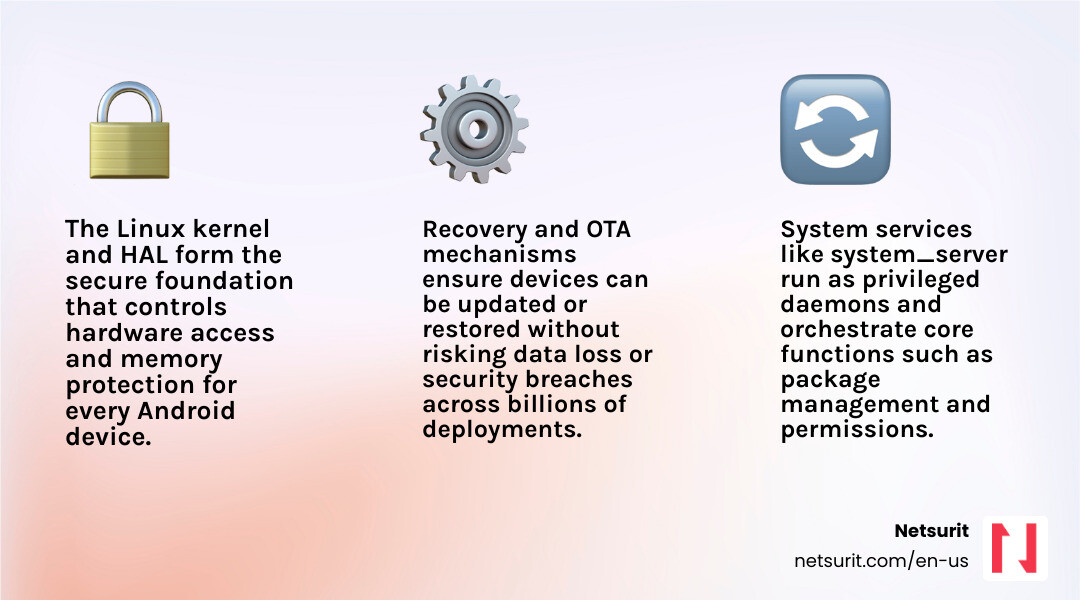
    Linux Kernel Core OS, memory, threading, security System programmers
    HAL (Hardware Abstraction Layer) Bridges hardware to Android framework Device engineers
    System Services Core daemons like system_server Platform developers
    Android Framework Java APIs apps consume App + system devs
    Recovery Minimal OS for updates and resets System programmers

    Android runs on roughly 80% of mobile devices worldwide. That scale means the decisions made at the system level — how a device boots, how hardware is abstracted, how updates are delivered — affect billions of devices. Getting those decisions wrong causes downtime, security gaps, and hardware incompatibility.

    This guide is for developers and IT leaders who need to go deeper than app development: building custom AOSP images, porting Android to new hardware, locking down devices for enterprise use, or pushing reliable OTA updates across a fleet.

    System-level work is powerful, but it carries real risk. A misconfigured init.rc or a broken recovery image can brick a device. You need to understand the trade-offs before you start.

    I’m Orrin Klopper, CEO of Netsurit, and while my background is in enterprise IT infrastructure and managed services rather than Android system programming directly, I’ve spent over 30 years helping organizations manage complex, security-critical technology environments where understanding the OS layer is essential to keeping systems reliable and protected. That operational lens shapes how this guide approaches every topic — not just “how to build it,” but “how to build it so it doesn’t fail in production.”

    Android OS boot sequence showing kernel, HAL, system services, framework, and recovery layers infographic

    Basic android system programming terms:

    • android game development company
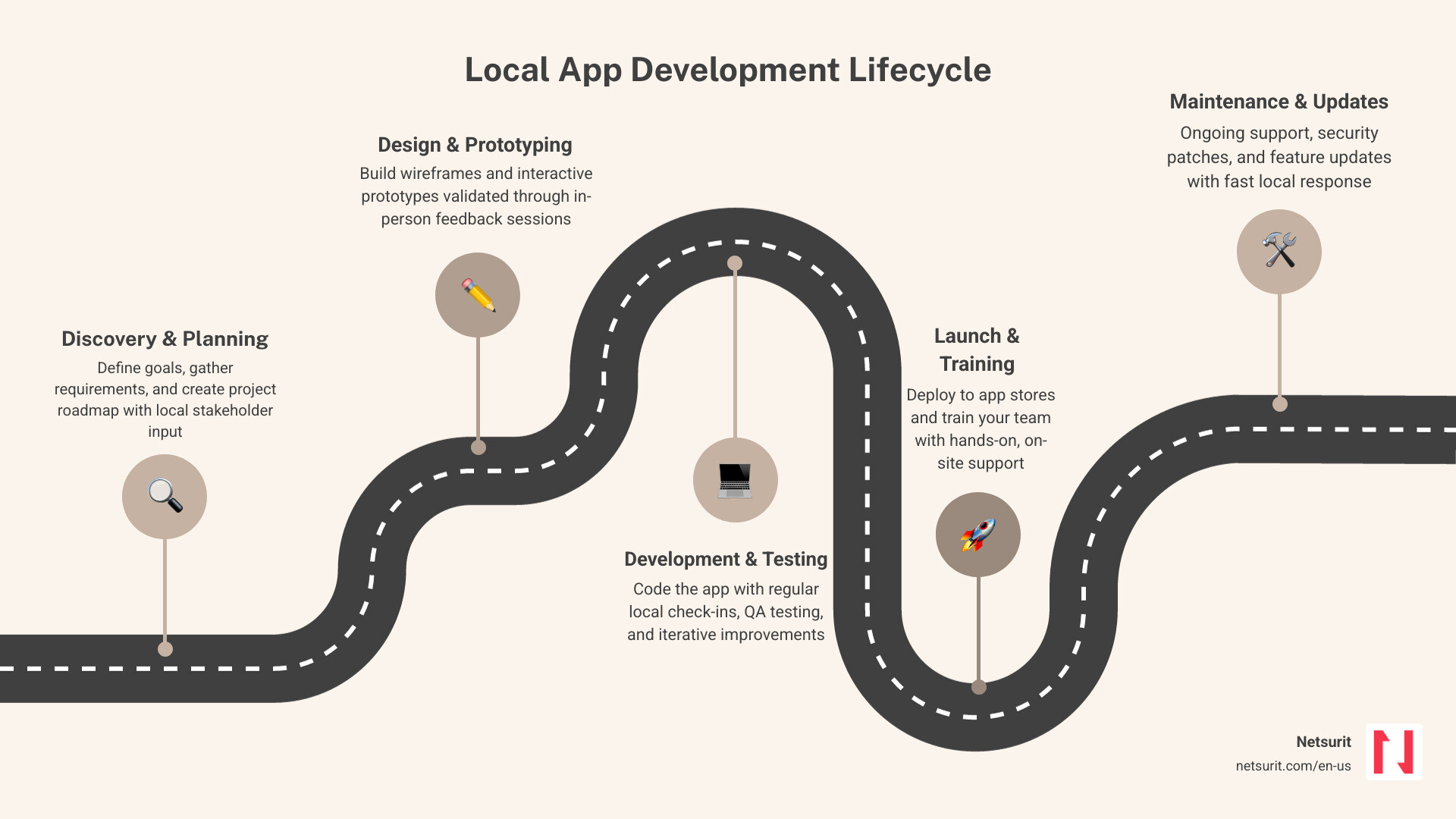
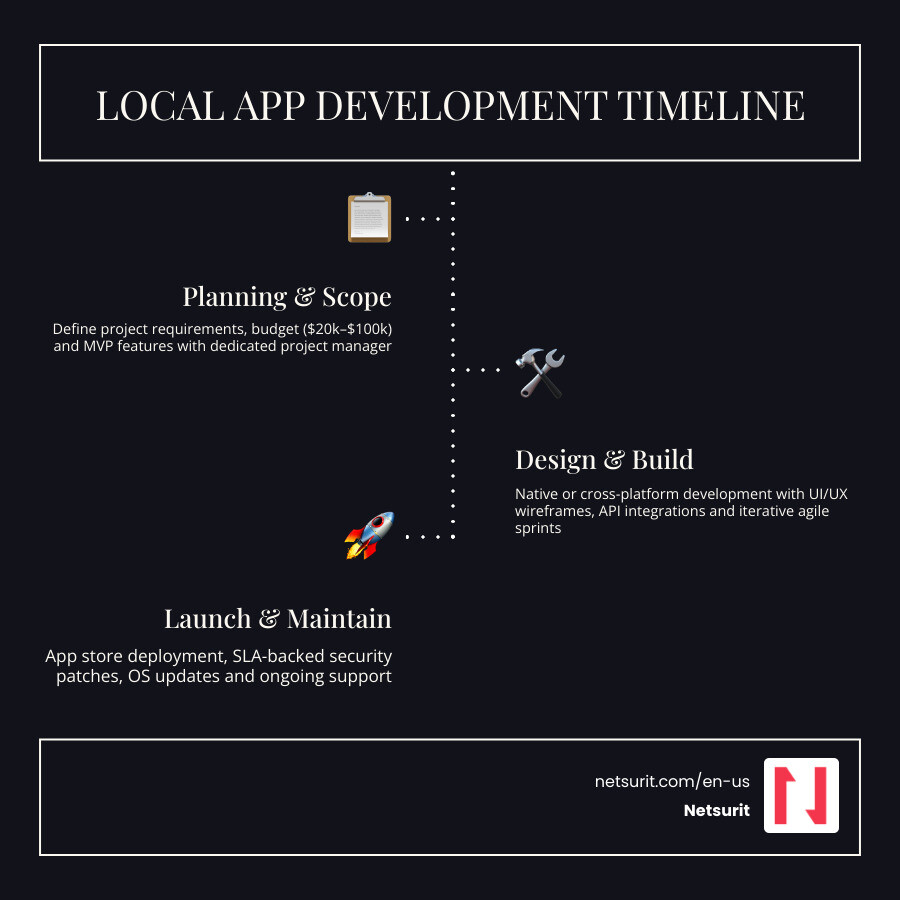
    • app development company near me

    Securing the Core: Understanding Android’s System Architecture

    At its core, Android is not just a Java runtime; it is a highly customized Linux-based operating system. To customize it successfully, you must understand how the underlying system components interact.

    The foundation relies heavily on the platform/system/core – Git at Google repository, which contains the essential startup code, the initialization daemon (init), and low-level utilities.

    When an Android device powers on, the kernel initializes and launches the init process. This process parses init.rc scripts to start core daemons, mount filesystems, and eventually start the Android runtime.

    A critical point in the boot sequence is the launch of the system_server process. This process is bootstrapped by the Zygote daemon and is responsible for initializing almost all system services. You can inspect its initialization sequence in the services/java/com/android/server/SystemServer.java – platform/frameworks/base – Git at Google file.

    System services running inside this process extend the services/core/java/com/android/server/SystemService.java – platform/frameworks/base – Git at Google base class, which defines their lifecycle and manages transitions through various boot phases.

    Simultaneously, the user interface elements that sit outside regular applications are handled by SystemUI. This persistent process manages the status bar, navigation bar, and keyguard.

    For a deep dive into how these components are structured and initialized via dependency injection, refer to the SystemUI Architecture Documentation and the packages/SystemUI – platform/frameworks/base – Git at Google repository.

    Scenario: Custom Auditing Tablets in Sugar Land, TX

    Consider a tax and accounting firm in Sugar Land, TX that conducts sensitive, on-site client audits. To prevent data leakage, they cannot use off-the-shelf mobile devices.

    By utilizing android system programming techniques, we can build a custom system image. We modify SystemServer.java to block USB debugging entirely at the system level and strip down the SystemUI packages to remove public Wi-Fi notifications and quick-setting tiles that might expose the device to rogue networks. This ensures that the auditing tablet remains locked down to a single, secure auditing application.

    Shifting from App Development to Low-Level System Programming

    Transitioning from application development to system programming requires a fundamental shift in how you view the OS. App developers write Java or Kotlin code that targets the Java API framework. System programmers, however, write C, C++, and assembly code that interacts directly with native libraries, kernel drivers, and the Hardware Abstraction Layer (HAL).

    Feature Android Application Development Android System Programming
    Primary Languages Kotlin, Java C, C++, Assembly, Go, Rust
    Execution Environment Android Runtime (ART) sandbox Native user space / Kernel space
    API Access Restricted to public Android SDK Direct access to private APIs and drivers
    Build System Gradle / Android Studio Soong / Make / Ninja (via AOSP)
    Hardware Access Mediated by system services Direct communication via HAL and /dev nodes

    To begin modifying this stack, you must pull source code directly from the Android Source Code Directory and follow the official AOSP Build Instructions.

    For businesses in the Houston area looking to architect these custom platforms, leveraging Netsurit Houston IT Support & Managed Services can help bridge the gap between low-level OS customization and corporate network infrastructure.

    Mapping the Five Layers of the Android Software Stack

    To successfully program at the system level, you must understand how data flows across the five primary layers:

    1. Linux Kernel: Handles low-level memory management, process threading, permissions, and device driver communication.
    2. Hardware Abstraction Layer (HAL): Exposes standard C/C++ interfaces that allow the higher-level framework to communicate with hardware drivers without knowing the underlying chip implementation.
    3. Android Runtime (ART) & Native Libraries: Executes DEX bytecode and provides core C/C++ libraries (like libc and libart) for system operations.
    4. Java API Framework: Exposes the services and managers (like the ActivityManagerService and WindowManagerService initialized in SystemServer) to applications.
    5. System Applications & UI: Includes the launcher, settings, and SystemUI components that define the user experience.

    If a change is made to a physical sensor, the developer must modify the kernel driver, write a corresponding HAL module to expose the sensor data, register the service within the system server, and expose it via the framework API for applications to consume.

    Compiling and Customizing Your First AOSP Image

    Building Android from source allows you to control exactly what binaries, drivers, and configurations go into your target hardware.

    Trade-offs: Custom AOSP Builds vs. Commercial MDM Solutions

    • Works best when: You require total control over the OS, need to eliminate pre-installed carrier bloatware, or are porting Android to non-standard, proprietary hardware.
    • Avoid when: You are managing standard consumer devices (like Google Pixels or Samsung Galaxys) where standard Google Mobile Services (GMS) are required, and standard MDM policies can achieve the necessary security restrictions.
    • Risks: High maintenance overhead, loss of automatic security patches from Google, and potential app compatibility issues due to the lack of official Play Store certification.
    • Mitigations: Establish a rigid upstream tracking pipeline to merge monthly Android Security Bulletins (ASBs) into your custom branch, and perform automated regression testing.

    Scenario: Kiosk Deployment in Katy, TX

    Imagine a tax preparation office in Katy, TX that wants to deploy customer-facing kiosks for document uploads.

    Using standard Android tablets with a commercial Mobile Device Management (MDM) app works initially, but users can occasionally bypass the MDM lock screen via hardware key combinations or notification exploits.

    By building a custom AOSP image targeted at an x86 emulator or x86-based physical kiosk hardware, the firm can compile an image that contains only the single upload application, completely removing the launcher, status bar, and settings app from the system build.

    Configuring Your Build Environment for AOSP Compilation

    To compile AOSP, you need a powerful Linux workstation (Ubuntu 20.04 or later is recommended) with at least 32GB of RAM and 400GB of free disk space.

    Install the required build dependencies:

    sudo apt-get update
    sudo apt-get install git-core gnupg flex bison build-essential zip curl zlib1g-dev libc6-dev-i386 libncurses5 x11proto-core-dev libx11-dev libgl1-mesa-dev libxml2-utils xsltproc unzip fontconfig
    

    Next, initialize the repo client and download the source tree:

    mkdir aosp && cd aosp
    repo init -u https://android.googlesource.com/platform/manifest -b android-13.0.0_r1
    repo sync -j$(nproc)
    

    Once synchronized, initialize the build environment and select your target variant (such as aosp_x86_64-eng for an emulator build with debugging tools enabled):

    source build/envsetup.sh
    lunch aosp_x86_64-eng
    m -j$(nproc)
    

    For firms that require specialized build server infrastructure, consulting with Netsurit IT Consulting Services ensures that your build pipelines are optimized for speed and version control security.

    Optimizing the x86emu Device and Integrating Houdini

    When running Android on x86 virtualized environments, you will quickly run into compatibility issues with applications compiled solely for ARM architectures.

    To resolve this, system programmers integrate Houdini, an ARM-to-x86 translation layer developed by Intel. Houdini functions as a Native Bridge, intercepting ARM-specific system calls and translating them on-the-fly to x86 instructions.

    To configure Houdini, you must modify your device’s BoardConfig.mk file to enable the native bridge:

    TARGET_ENABLE_MEDIATEK_HOUDINI := true
    TARGET_BOARD_PLATFORM := x86emu
    

    Additionally, you must configure the device’s init scripts to register the binfmt_misc handler, which tells the Linux kernel to pass ARM executables directly to the Houdini translator daemon at runtime.

    For networking, ensure that wpa_supplicant is correctly configured in your init.rc file to bridge the virtual QEMU network interface to a simulated Wi-Fi adapter within the guest OS.

    Virtualizing Android on VirtualBox: Deployment Steps and Hardware Challenges

    Virtualizing Android on standard hypervisors like VirtualBox (often referred to as the x86vbox target) presents unique challenges, particularly regarding graphics acceleration and hardware integration.

    Trade-offs: VirtualBox Virtualization vs. Physical Hardware Testing

    • Works best when: Developing system services, testing installer scripts, or validating framework-level API changes without wearing out physical flash storage.
    • Avoid when: Testing precise sensor inputs, camera drivers, cellular radio interfaces, or high-performance graphics applications.
    • Risks: VirtualBox’s emulated hardware may behave differently than real silicon, masking race conditions or driver bugs.
    • Mitigations: Use virtualization for rapid prototyping, but maintain a dedicated pool of real hardware reference boards for nightly automated testing.

    Scenario: Remote Auditing in Conroe, TX

    A CPA firm in Conroe, TX employs remote auditors who access corporate systems via virtual desktop infrastructure (VDI).

    Instead of shipping physical secure tablets to these remote workers, the firm deploys a customized, hardened Android image inside VirtualBox on the remote desktops. This virtualized environment is configured with strict networking rules, allowing it to communicate only with the firm’s private document servers.

    Resolving Graphics Latency with VirtualBox Guest Additions

    Without hardware graphics acceleration, Android’s UI rendering pipeline (SurfaceFlinger) falls back to software rendering, resulting in massive latency.

    To resolve this, you must integrate VirtualBox Guest Additions into your AOSP build. This involves compiling the vboxvideo kernel module and linking it to Android’s graphics HAL.

    First, download the guest additions source and point your target build’s device directory to compile the driver. You must also configure the uvesafb framebuffer driver in your kernel configuration to match VirtualBox’s emulated display adapter.

    Refer to the VirtualBox Guest Additions Documentation for detailed specifications on video memory allocation and shared folder integration (vboxsf), which allows secure file transfers between the host and the virtualized Android system.

    Enabling Diskless Booting via PXE and NFS

    For large enterprise deployments, maintaining local storage on every virtual machine is inefficient. System programmers configure Android to boot over the network using PXE (Preboot Execution Environment) and mount its root filesystem via NFS (Network File System).

    1. Configure the DHCP Server: Set up your network router or DHCP server to point PXE clients to a TFTP bootloader.
    2. Build a Custom initrd.img: Modify the ramdisk (initrd.img) to include network drivers (such as e1000 or virtio_net) and configure the init script to initialize the network interface before mounting the root partition.
    3. Export the NFS Share: Export your compiled AOSP system directory from your build server:

      /export/aosp_root 192.168.1.0/24(rw,sync,no_subtree_check,no_root_squash)
      
    4. Kernel Command Line: Pass the NFS boot parameters to the kernel via your PXE configuration:

      APPEND initrd=initrd.img root=/dev/nfs nfsroot=192.168.1.100:/export/aosp_root ip=dhcp androidboot.hardware=x86vbox
      

    Implementing secure, diskless booting requires robust local network design. Partnering with Netsurit Network Security & Infrastructure ensures that your PXE/NFS environments are protected from unauthorized access or packet injection.

    Securing the Fleet: Customizing Android Recovery and OTA Updates

    The Android recovery system is a minimal, self-contained execution environment stored on a separate partition. It is designed to apply system updates, perform factory resets, and repair corrupted installations.

    Scenario: Secure Update Distribution in Houston, TX

    A large tax advisory corporation in Houston, TX manages a fleet of 500 mobile devices used by field consultants.

    To comply with federal data protection standards, these devices cannot receive standard public operating system updates.

    Using custom android system programming, we can configure a private Over-The-Air (OTA) update system. We modify the recovery image to accept only updates signed with the corporation’s private cryptographic key, preventing unauthorized or modified firmware from being flashed onto the devices.

    Modifying Recovery Images and Edify Updater Scripts

    To customize the recovery process, you must modify the ramdisk of the recovery image (recovery.img). This allows you to run custom shell scripts or binaries before the main OS boots.

    The update installation process is controlled by an Edify updater script (updater-script) packaged inside the OTA update zip file. This script is parsed by the updater binary in recovery.

    An example of a custom Edify script that formats the cache partition and writes a new system image is shown below:

    ui_print("Starting Custom System Update...");
    show_progress(0.800000, 40);
    format("ext4", "EMMC", "/dev/block/bootdevice/by-name/system", "0", "/system");
    package_extract_file("system.new.dat.br", "/tmp/system.new.dat.br");
    simg2img("/tmp/system.new.dat.br", "/dev/block/bootdevice/by-name/system");
    show_progress(0.200000, 10);
    ui_print("Update Completed Successfully!");
    

    Packaging and Cryptographically Signing OTA Updates

    To generate a secure OTA update package, you must compare your target build with your source build to generate a block-based differential update.

    AOSP provides Python scripts to automate this process:

    ./build/tools/releasetools/ota_from_target_files -i source_files.zip target_files.zip ota_update.zip
    

    Before the recovery console will apply the update, it must be signed. Generate your release keys and sign the package:

    java -jar out/host/linux-x86/framework/signapk.jar -w releasekey.x509.pem releasekey.pk8 ota_update.zip signed_ota_update.zip
    

    Diagnosing Boot Failures: Advanced System-Level Debugging

    When writing system-level code, you will frequently encounter boot loops and kernel panics. Because the standard Android logging daemon (logd) starts late in the boot sequence, standard tools like logcat are useless for diagnosing early boot failures.

    Scenario: Debugging Virtualized Accounting Software

    Suppose a custom Android build boots fine on physical testing tablets, but crashes immediately when run inside the remote auditing VirtualBox environment in Houston.

    Without early-stage logging, the screen simply remains black. By using the following debugging pipeline, we can isolate the issue.

    The Debugging Pipeline

    To debug early boot issues, you must redirect kernel console output to a virtual serial port or capture it using a custom ramdisk.

    1. Enable Kernel Console: Modify your bootloader configuration or virtual machine settings to append console=ttyS0 to the kernel command line. In VirtualBox, map COM1 to a host pipe.
    2. Utilize ADB over TCP/IP: If the boot process completes far enough to initialize the network interface, you can connect via the Android Debug Bridge (ADB) Documentation:

      adb connect 192.168.1.150:5555
      adb shell dmesg > kernel_boot_log.txt
      
    3. Attach GDB to QEMU/VirtualBox: If the kernel hangs immediately, run the emulator with the -s -S flags to freeze execution at the first instruction. Attach GDB from your host machine to step through the assembly code:

      gdb-multiarch out/target/product/generic_x86_64/obj/KERNEL_OBJ/vmlinux
      (gdb) target remote localhost:1234
      (gdb) break start_kernel
      (gdb) continue
      
    4. Inspect Ramdisk initrd.img: If the boot loop is caused by a syntax error in your init.rc, unpack the initrd.img file to verify the script parsing rules:

      mkdir ramdisk && cd ramdisk
      gzip -dc ../initrd.img | cpio -imd
      # Correct the init.rc syntax error here
      find . | cpio -o -H newc | gzip > ../new_initrd.img
      

    Frequently Asked Questions about Android System Programming

    What is the difference between Android system programming and application development?

    Application development focuses on building user-facing features using the standard Android SDK in Java or Kotlin, running within the restricted sandbox of the Android Runtime (ART).

    System programming involves modifying the operating system itself, writing C/C++ native services, customizing the Linux kernel, writing Hardware Abstraction Layer (HAL) modules, and compiling custom operating system images from the Android Open Source Project (AOSP).

    How do you enable Wi-Fi on a custom Android emulator image?

    To enable Wi-Fi in a custom emulator, you must ensure that your kernel has support for the virtual network interface card (typically virtio-net or e1000).

    You must then configure wpa_supplicant within your device-specific init.rc file to bind to the virtual interface, and set up a DHCP daemon to assign an IP address to the virtual network adapter (wlan0) bridged through the host machine’s network.

    What is the role of the Native Bridge (Houdini) in x86 Android builds?

    Because the vast majority of commercial Android applications are compiled specifically for ARM processor architectures, they cannot run natively on x86-based virtual machines or hardware.

    The Native Bridge (most commonly Intel’s Houdini) acts as a dynamic binary translator. It intercepts ARM instructions at runtime and translates them into equivalent x86 instructions, allowing x86 Android builds to run ARM-compiled applications with minimal performance degradation.

    Conclusion

    Mastering android system programming unlocks complete control over mobile hardware, allowing organizations to deploy highly specialized, secure, and resilient environments. Whether you are building custom auditing tablets in Sugar Land, deploying virtualized environments for remote staff in Conroe, or managing a fleet of secure kiosks in Katy, understanding the low-level mechanics of the Linux kernel, the HAL, and the recovery system is critical to preventing downtime and protecting data.

    At Netsurit, we act as an elite technology partner, providing managed IT, robust cybersecurity, and strategic consulting to keep your systems running smoothly. If your Houston-area business needs assistance securing mobile infrastructure, managing custom OS deployments, or optimizing network security, contact Netsurit Managed IT Services today to keep your business moving forward.

  • The Complete Guide to IT Managed Service Providers

    The Complete Guide to IT Managed Service Providers

    Why Your IT Platform Choice Defines Your MSP Partnership

    An IT managed service providers platform is the technology backbone that determines whether your MSP can monitor, protect, and scale your infrastructure — or simply react after things break.

    Quick answer: Here’s what an IT MSP platform does and why it matters:

    Feature What It Means for Your Business
    Remote Monitoring & Management (RMM) Detects and fixes issues before you notice them
    Professional Services Automation (PSA) Tracks tickets, SLAs, and billing in one place
    Security Operations Center (SOC) 24/7 threat monitoring and incident response
    Automated patch management Keeps systems current without manual intervention
    Compliance reporting Continuous audit trails for regulations like HIPAA or GLBA

    The managed services market is projected to grow from $390 billion in 2025 to over $430 billion in 2026. That growth reflects a real shift: businesses are moving away from reactive, break-fix IT toward structured, platform-driven partnerships. The difference is significant — organizations using managed IT services report up to 40% lower operational IT costs compared to fully in-house teams.

    But not every MSP platform delivers equally. The tools your provider runs — and how tightly integrated they are — directly affect your uptime, security posture, and cost predictability. A platform that automates patch deployment and compliance reporting is fundamentally different from one that relies on manual processes and siloed tools.

    This guide breaks down what separates strong MSP platforms from weak ones, which delivery model fits your situation, and what to verify before signing a contract.

    I’m Orrin Klopper, CEO and co-founder of Netsurit — a global IT services company I started in 1995 and expanded into the US in 2016, where we now support over 300 organizations through an IT managed service providers platform built around always-on, secure, and scalable infrastructure. Across 30 years, I’ve seen which platform decisions drive real business outcomes and which ones create expensive problems.

    Infographic comparing managed IT services vs break-fix: cost predictability, response times, proactive vs reactive

    1. Choose Your Delivery Model: Fully Managed vs. Co-Managed IT Services

    Selecting the wrong IT support model is a fast way to waste money. If you buy more support than you need, you pay for idle technicians. If you buy too little, your internal team burns out, and system outages drag on for hours.

    To make the right choice, you must understand how different service scopes align with your existing staff and business size.

    Service Model Service Scope Operational Control Ideal Business Size
    Fully Managed IT Complete outsourcing of all IT operations, security, and strategic planning. Strategic control remains with you; daily operations live with the MSP. 20 to 500 employees with no internal IT staff.
    Co-Managed IT Shared responsibility; the MSP handles specialized or routine tasks while your team focuses on core projects. Shared control; clear boundaries define who owns which systems. 100 to 2,000 employees with a small internal IT team.
    Specialized IT Targeted projects or ongoing monitoring of specific areas (e.g., cybersecurity or cloud architecture). High internal control; the MSP acts as a specialized extension. Any size business facing complex regulatory or technical demands.

    To understand how these subscription-based approaches differ from traditional, hourly emergency support, read our breakdown of Managed Service vs Break Fix. You can also explore the specific Types of Managed IT Services to see which technical disciplines fit your operational needs.

    Fully Managed IT Services

    Fully managed IT services transfer the day-to-day operational risk of your technology to your partner. The provider uses their centralized IT managed service providers platform to deploy software updates, monitor network switches, and resolve employee helpdesk tickets around the clock.

    Houston Example: A mid-sized accounting firm in downtown Houston has zero internal IT staff. To prevent devastating system crashes during the peak tax season (January through April), they outsource their entire infrastructure to a fully managed partner. The MSP monitors their local network, manages their tax software hosting, and provides instant remote support so CPAs never lose billable hours to blue screens.

    Co-Managed IT Services

    Co-managed IT services do not replace your trusted in-house staff. Instead, they give your team the breathing room they need to focus on strategic business growth. Under this model, the MSP handles the repetitive, mundane tasks — like patch management, automated backups, and overnight server alerts — while your internal director retains control over your custom business software and strategic projects.

    Houston Example: An energy services firm in Sugar Land has a two-person internal IT team. These technicians are highly skilled but spend all day resetting passwords and troubleshooting printer connections, leaving no time to upgrade the company’s core enterprise resource planning (ERP) system. By partnering with an MSP to handle helpdesk tickets and overnight server monitoring, the internal team can finally ship the ERP project on schedule.

    To see how this model can scale your department without doubling your payroll, read our guide on Co-Managed IT Services.

    Specialized Managed Services

    Specialized managed services are narrow, deep engagements designed to solve a single, complex problem. This model is common when a business must comply with strict federal security standards or migrate legacy on-premises databases to the cloud. You retain your existing IT support structure but bring in a partner to run a 24/7 Security Operations Center (SOC) or design a high-availability cloud environment.

    =========================================
    TRADE-OFFS: FULLY MANAGED VS. CO-MANAGED IT
    =========================================
    * Works best when: You have zero internal IT staff (Fully Managed) or your current team is entirely overwhelmed by routine maintenance tasks (Co-Managed).
    * Avoid when: You run highly customized, proprietary software that requires constant, in-house developer oversight and has no standard documentation.
    * Risks: Misaligned expectations regarding who owns specific troubleshooting tasks, leading to slower resolution times.
    * Mitigations: Establish a clear responsibility matrix (RACI chart) during the first 30 days of onboarding to define exact ownership boundaries.
    =========================================
    

    2. Evaluate the MSP Technology Stack to Prevent Operational Downtime

    When you partner with an MSP, you are not just hiring people; you are buying into their software ecosystem. A mature IT managed service providers platform integrates multiple specialized tools into a single, automated dashboard. This integration allows the provider to manage your devices, secure your network, and resolve tickets with minimal human delay.

    Before signing an agreement, you should understand how to evaluate a provider’s technical capabilities. Read our structured advice on How to Choose a Managed Services Provider to learn what to look for during your technical evaluation.

    Core Capabilities of an Enterprise MSP Platform

    An enterprise-grade MSP platform relies on two primary software engines:

    1. Remote Monitoring and Management (RMM): Lightweight software agents installed on your laptops, servers, and network switches. These agents continuously stream performance telemetry back to the MSP. If a hard drive in your Tacoma office begins to fail or a server in Albuquerque runs out of memory, the platform automatically alerts a technician before your employees experience a crash.
    2. Professional Services Automation (PSA): The central nervous system of the MSP’s business. It tracks service tickets, documents your network configuration, manages software licenses, and measures response times against your contract.

    When these two tools are deeply integrated, the platform can automate routine tasks. For example, if a critical security patch is released, the platform can test the update on a small group of machines, validate that it does not cause errors, and deploy it to all your company’s endpoints overnight without human intervention.

    To see what this looks like in practice, platforms like the ignio™ Platform: SaaS-Based platform for Autonomous Enterprises utilize advanced AI and closed-loop automation to resolve up to 90% of routine infrastructure alerts automatically, preventing minor system glitches from turning into major business outages.

    How an Integrated Platform Automates Compliance

    For businesses operating in regulated sectors, compliance is not a once-a-year event; it requires continuous, daily enforcement. Modern MSP platforms use automated policy engines to monitor your systems for compliance drift.

    If an employee disables encryption on their laptop or attempts to uninstall their endpoint security software, the platform detects the violation within minutes. It can automatically block the device from the corporate network and alert the security team, creating an immutable audit log that proves your business maintained its security standards.

    Houston Example: A financial planning firm in Sugar Land must comply with strict IRS security standards. By partnering with a provider using a compliant managed IT services platform, the firm receives automated monthly reports proving that all customer data remains encrypted at rest, multi-factor authentication (MFA) is active across all accounts, and operating system patches are fully up to date.

    3. Neutralize Security Threats with Proactive Monitoring and Compliance

    Mid-sized businesses are prime targets for modern cybercriminals. Attackers know that mid-market firms hold valuable customer data but rarely have the budget to hire a dedicated, in-house security team.

    An experienced MSP acts as a protective shield, deploying enterprise-grade security tools and monitoring your digital environment around the clock.

    24/7 Monitoring and Incident Response

    Relying on basic antivirus software is no longer sufficient to stop modern threats. Security requires a layered approach:

    • Endpoint Detection and Response (EDR): Advanced software that monitors device behavior in real-time to block zero-day threats and ransomware execution.
    • Security Information and Event Management (SIEM): A centralized platform that aggregates security logs from your cloud applications, local firewalls, and employee devices to detect subtle patterns of malicious activity.
    • Security Operations Center (SOC): A team of specialized security analysts who monitor SIEM alerts 24/7/365 to investigate and contain active threats.

    Houston Example: An accounting firm in Conroe is targeted by a sophisticated credential-stuffing attack at 2:00 AM on a Sunday. The attacker attempts to log into several employee email accounts from a foreign IP address. Because the firm’s IT services platform is monitored by a 24/7 SOC, the automated system immediately flags the anomalous login attempts, blocks the malicious IP, and forces a password reset across all accounts before the attacker can access sensitive tax files.

    Compliance mandates are growing more complex every year. Whether you must satisfy the FTC Safeguards Rule for consumer financial data, HIPAA for healthcare records, or the Gramm-Leach-Bliley Act (GLBA) for taxpayer information, your IT infrastructure must be designed to meet these specific legal standards.

    A qualified MSP helps you navigate these requirements by implementing strict access controls, configuring secure data storage, and generating the detailed documentation required by regulatory auditors.

    Houston Example: A growing tax advisory practice in Katy must secure its customer portals to comply with the GLBA. They partner with a specialized provider of managed IT services in Katy to implement end-to-end data encryption, enforce multi-factor authentication, and run quarterly vulnerability scans, ensuring they remain fully compliant while protecting their clients’ private financial data.

    For businesses outside of Texas, selecting a regional partner with local compliance expertise is just as critical. If you operate in the Pacific Northwest, you can leverage Tacoma managed IT services to secure your local infrastructure. Similarly, organizations in the Southwest can evaluate top regional partners in Albuquerque to find providers with proven local track records.

    4. Control IT Spending and Enforce Accountability with Service Level Agreements

    One of the biggest friction points in IT outsourcing is accountability. If your provider is slow to respond to critical outages, your business loses money.

    To protect your organization, you must understand how MSPs structure their pricing and how to use Service Level Agreements (SLAs) to guarantee high performance.

    Before signing a contract, it is wise to prepare for common pitfalls. Review the typical Challenges with Managed Service Providers to learn how to avoid communication breakdowns and hidden fees. You can also read our guide on Managed IT Services Pricing to understand the different billing models available in the market.

    Service Level Agreements and Governance

    A Service Level Agreement is a legally binding commitment within your contract that defines the exact standards of service your MSP must deliver. It outlines how quickly the provider must respond to issues based on their severity:

    Ticket Severity Example Scenario Guaranteed Response Time Target Resolution Time
    P1 – Critical Core server is down; tax software is inaccessible for all employees. Under 15 minutes Under 4 hours
    P2 – High A department cannot print tax returns; local network is slow. Under 1 hour Under 8 hours
    P3 – Medium A single employee’s laptop is experiencing software errors. Under 4 hours Under 24 hours
    P4 – Low Requesting a password reset or onboarding a new employee. Under 8 hours Under 48 hours

    To ensure your provider meets these standards, your contract should include monthly SLA reporting and regular Quarterly Business Reviews (QBRs). During these reviews, your MSP should present data showing their average response times, patch compliance rates, and open ticket trends.

    Houston Example: A fast-growing logistics and tax services firm in Houston partners with an enterprise-grade managed service provider. The firm writes a strict 15-minute response SLA into their contract for all P1 critical dispatch system outages, ensuring that any system failures during peak operational hours are addressed immediately by a senior technician.

    Cost Optimization and ROI Measurement

    Partnering with an MSP allows you to convert unpredictable capital expenditures (CapEx) — like buying expensive physical servers every five years — into predictable operating expenditures (OpEx).

    An experienced MSP will continuously audit your technology stack to identify waste. They can help you consolidate redundant software licenses, transition underutilized local servers to cost-effective cloud environments, and extend the lifespan of your employee laptops through proactive maintenance.

    To learn how this predictable, monthly cost structure can reduce your operational stress and protect your cash flow, read our article on Why Managed IT as a Service is the Secret to Sleeping at Night.

    5. Scale Infrastructure and Transition to a New MSP Without Downtime

    As your business grows, your technology must scale with you. If you open new offices, acquire a competitor, or transition to a hybrid remote work model, your IT environment must adapt quickly without disrupting your daily operations.

    Structuring the Transition to a New MSP

    Many business leaders stay with poor IT providers because they fear the transition to a new one will cause chaotic downtime. However, a professional MSP uses a highly structured, phased onboarding process to transfer service seamlessly over 30 to 60 days.

    Onboarding Phase Timeline:
    [Day 1-15: Discovery & Documentation] ---> [Day 16-30: Tool Deployment & Backup Verification] ---> [Day 31-45: Shadow Support & Training] ---> [Day 46+: Go-Live & Continuous Optimization]
    

    During the discovery phase, the incoming MSP uses automated scanning tools to map your entire network, document your software licenses, and identify hidden security vulnerabilities. They build a comprehensive system of record before taking over support, ensuring that when the transition occurs, their helpdesk technicians already know your environment inside and out.

    Houston Example: A Houston-based accounting firm merges with a smaller practice in Katy. By leveraging their MSP’s structured onboarding platform, the firm consolidates the two separate IT environments, migrates all client files to a unified cloud database, and trains the new employees on security protocols within a 45-day transition window — all without missing a single day of client billing.

    Key Questions to Ask Potential Providers

    When interviewing prospective IT partners, look past generic sales pitches. Ask these specific questions to verify their technical capabilities, security standards, and operational maturity:

    1. “Can you walk me through exactly what happens during a P1 security incident at 2:00 AM on a Sunday?” (Look for a clear escalation path involving an active, human-monitored SOC, not just automated email alerts.)
    2. “How do you distinguish between response time and resolution time in your SLA reports?” (A fast response time is meaningless if the technician takes three days to resolve the underlying issue.)
    3. “Do you have active clients in my specific industry who face the same compliance regulations?” (You do not want to be an MSP’s first client in a highly regulated sector like finance or healthcare.)
    4. “What is your average employee retention rate for your helpdesk technicians?” (High employee turnover at an MSP leads to poor service consistency and forces you to constantly re-explain your business processes to new technicians.)
    =========================================
    TRADE-OFFS: RAPID CLOUD MIGRATION
    =========================================
    * Works best when: Your physical office servers are at end-of-life, and your employees require secure, high-performance remote access from multiple locations.
    * Avoid when: Your business relies on legacy, custom-built databases that lack cloud-native compatibility and would require expensive software redevelopment.
    * Risks: Uncontrolled cloud resource consumption leading to unexpectedly high monthly bills, and potential data exposure during the migration process.
    * Mitigations: Run a comprehensive pre-migration audit to estimate cloud costs, and enforce strict identity and access management (IAM) controls before moving any data.
    =========================================
    

    Frequently Asked Questions about MSP Platforms

    What is the difference between response time and resolution time in an SLA?

    Response time is the guaranteed period in which a technician will acknowledge your ticket and begin working on the issue. Resolution time is the target timeframe for fully fixing the underlying technical problem. Always ensure your contract defines clear expectations for both metrics.

    Can an MSP platform integrate with our existing internal IT tools?

    Yes. Modern, enterprise-grade MSP platforms utilize secure API integrations to connect with your existing IT Service Management (ITSM) frameworks, cloud directories, and security tools. This integration allows your internal IT staff and the external MSP to work out of a single, unified database without duplicating tickets.

    How do MSPs handle data security during a cloud migration?

    MSPs secure your data during migration by using end-to-end encryption for all files in transit and at rest. Before moving any production data, the provider will perform a complete backup of your systems, validate the integrity of those backups, and run a test migration with a small batch of files to ensure no data is lost or corrupted.

    Conclusion

    Your technology should be a strategic engine that drives your business forward, not a constant source of operational friction and security risk. Partnering with the right managed service provider stabilizes your monthly IT spending, protects your proprietary client data, and gives your business the scalability it needs to grow.

    Ready to eliminate IT headaches and secure your business infrastructure? Partner with Netsurit for elite managed IT services and let our team of experts keep your systems running at peak performance.

  • The Ins and Outs of Cyber Security Filtering

    The Ins and Outs of Cyber Security Filtering

    Your Network Is Being Tested Every Day — Here’s How Filtering Stops the Attacks

    Cyber security filtering is the process of inspecting, categorizing, and blocking malicious network traffic — including dangerous emails, websites, and data packets — before it reaches your systems or users.

    Quick answer: What is cyber security filtering?

    Layer What It Filters Example Threat Blocked
    Email filtering Inbound and outbound messages Phishing, BEC, malware attachments
    DNS filtering Domain name requests Spoofed IRS portals, C2 callbacks
    URL/web filtering Full web addresses and page content Drive-by downloads, malicious redirects
    Packet filtering Raw network traffic by IP, port, protocol Port scans, unauthorized intrusions
    Content filtering Web page content, keywords, file types Exploit kits, inappropriate content
    Proxy filtering Traffic routed through an intermediary Bypassed security controls, data exfiltration

    Tax and accounting firms in the Houston metro area — handling mountains of sensitive financial data for thousands of clients — sit squarely in the crosshairs of attackers. Phishing attacks surged 147% between 2023 and 2024, and nearly 96% of those attacks arrive via email. Business Email Compromise alone has cost organizations over $50 billion in reported losses.

    A multi-layered filtering strategy blocks most of these threats before they reach a single employee. But filtering is not a one-size-fits-all tool. Misconfigured filters block legitimate client invoices during tax season. Overly permissive filters let ransomware slip through. Getting the balance right takes deliberate design and continuous tuning.

    That’s exactly what this guide covers.

    I’m Orrin Klopper, CEO and co-founder of Netsurit — a global IT services company that has been helping businesses stay secure since 1995, and one where cyber security filtering is a cornerstone of the managed security strategies we build for clients across North America. In the sections ahead, I’ll walk you through how filtering works at each layer, where it succeeds, where it fails, and how to configure it so your firm stays protected without grinding operations to a halt.

    Multi-layered cyber security filtering process from email to DNS to packet inspection infographic

    Stopping Threats at the Perimeter: How Filtering Blocks Attacks Before Entry

    To understand how cyber security filtering protects your firm, you must first understand how data moves. Every email, webpage request, and file download is broken down into small units called packets. As these packets travel from the public internet toward your internal network, they must pass through your security perimeter.

    If you do not inspect these packets, you are essentially leaving your front door wide open. Attackers exploit this lack of visibility to deliver ransomware payloads, establish command-and-control (C2) connections, or harvest user credentials. Implementing a robust filtering strategy at your perimeter ensures that every piece of data is scrutinized before it enters your trusted environment.

    For tax and accounting firms, this isn’t just about general security; it is about protecting the lifeblood of your practice.

    For example, consider a CPA firm in Sugar Land, TX. During the peak of tax season, employees are working under tight deadlines and frequently accessing online tax portals, state municipal sites, and client databases. An attacker registers a domain designed to look identical to an official IRS portal (e.g., irsgov-tax-portal-login.com). Without perimeter defenses, a distracted accountant might click a link in an email and navigate directly to this credential-harvesting site.

    By deploying localized Sugar Land Cybersecurity Services paired with DNS filtering, the firm automatically blocks the connection. The filter recognizes that the domain is newly registered and lacks a trustworthy reputation, stopping the credential theft before the page can even load.

    Understanding the difference between raw packet analysis and deeper content evaluation is critical when choosing your defense tools. Here is how traditional packet filtering compares to Deep Packet Inspection (DPI):

    Capability Traditional Packet Filtering Deep Packet Inspection (DPI)
    Inspection Layer Network & Transport Layers (Layers 3 & 4) Application Layer (Layer 7)
    Data Inspected Source IP, Destination IP, Port, Protocol Full payload content, application behavior, file signatures
    Performance Impact Negligible (extremely fast) Moderate to High (requires hardware acceleration or optimization)
    Encryption Support None (cannot read encrypted data) Yes (with HTTPS/SSL decryption enabled)
    Primary Use Case Blocking unauthorized network access by port/IP Detecting malware, exploits, and data exfiltration

    By combining these methods, you create a resilient perimeter that stops attacks at the earliest possible stage. This proactive stance is the foundation of modern Network Security and explains Why is Cyber Security Important for protecting business continuity.

    Packet-Level Inspection and DNS Resolution

    At the lowest level of network defense, packet-level inspection examines the headers of incoming and outgoing data. It checks the source IP address, the destination IP address, the protocol type (such as TCP or UDP), and the port numbers. This is a stateless process, meaning the filter evaluates each packet in isolation without knowing the context of the overall session. While incredibly fast, packet-level filtering cannot see what is inside the packet’s payload.

    DNS (Domain Name System) filtering adds a critical layer of context during the domain resolution phase. Before your browser connects to a website, it must translate the domain name (like google.com) into an IP address. A DNS filter intercepts this request. If the domain is flagged as malicious, the filter blocks the resolution, preventing your device from establishing a connection in the first place.

    Implementing these protocols aligns with federal standards, such as those outlined in the CISA Guide on Securing DNS, to prevent early-stage network intrusions.

    Application-Layer Analysis and HTTPS Decryption

    Traditional firewalls are blind to the actual content of modern web traffic because more than 90% of web sessions are encrypted via HTTPS (using TLS 1.3). If an attacker hides a malicious payload inside an encrypted session, a standard packet filter will let it pass right through port 443.

    To solve this, modern firewalls use HTTPS inspection (also known as SSL decryption or SSL/TLS bridging). The firewall acts as an authorized intermediary: it decrypts the incoming traffic, scans the payload for malware using application-layer analysis, and then re-encrypts the traffic before sending it to the user. This ensures that you maintain full visibility over your network traffic without creating unmonitored blind spots.

    HTTPS Decryption Trade-offs

    • Works best when: Decrypting standard, non-sensitive web traffic to scan for hidden malware payloads, exploit kits, and unauthorized file transfers.
    • Avoid when: Handling highly sensitive, regulated transactions—such as direct banking portals, healthcare portals, or trusted accounting repositories—where decryption could violate compliance mandates.
    • Risks: User privacy concerns, legal compliance issues, and the potential exposure of sensitive credentials or personal data if the decryption keys or decrypted traffic are mismanaged.
    • Mitigations: Implement strict bypass lists within your Network Security policies to ensure financial, medical, and trusted government domains are never decrypted.

    Deploying Core Content Filters to Secure Your Digital Perimeter

    To build a modern security posture, you must deploy specialized content filters across your entire digital perimeter. Relying on a single firewall is no longer sufficient. Instead, you need a coordinated, multi-layered security stack that addresses the specific vectors attackers use to target your firm.

    Deploying Email Filters to Stop Inbound Phishing

    Email is the single most abused vector in corporate cyberattacks. Phishing campaigns have evolved far beyond poorly written messages; today, they leverage sophisticated social engineering and Business Email Compromise (BEC) techniques that contain no malicious links or attachments, making them incredibly difficult for legacy spam filters to catch.

    For a tax firm in Katy, TX, the risks peak during busy season when the office is flooded with urgent client requests. An attacker might send an email to the billing department that looks exactly like an urgent wire transfer request from the managing partner, using a spoofed domain.

    Without advanced Email Security filters, this email lands directly in the employee’s inbox. By deploying localized Katy Cybersecurity Services – Texas , the firm can block these highly targeted attacks. Modern filters inspect the sender’s domain alignment (DKIM, SPF, and DMARC), analyze the email’s sentiment using machine learning to detect coercion, and block the message before it can cause financial damage.

    This layer of defense is critical to Protect Your Business from BEC Scams and secure your communication channels.

    Email Filtering Trade-offs

    • Works best when: Integrated directly with API-based cloud mailboxes (such as Microsoft 365 or Google Workspace) to enable real-time, behavioral analysis of incoming messages.
    • Avoid when: Relying solely on legacy on-premises email gateways that lack API access and fail to analyze internal, east-west email traffic.
    • Risks: Aggressive filtering can result in false positives, quarantining legitimate client communications, tax documents, or time-sensitive invoices.
    • Mitigations: Configure automated quarantine digests for users, establish clear allowlists for known business partners, and implement a rapid-release feedback loop for your IT team.

    Web and URL Filtering to Control Network Access

    Web filtering prevents users from navigating to dangerous, inappropriate, or non-compliant websites. Rather than blocking the entire internet, modern web filters categorize billions of domains into specific classifications (such as “Malware Sites,” “Gambling,” or “Social Media”) and assign reputation scores to each URL based on real-time threat intelligence.

    When a user attempts to visit a page, the filter checks the URL against these categories. If your firm’s policy blocks “High-Risk” domains, access is denied immediately. To achieve this level of granular control, many organizations deploy advanced tools like KyberFilter — AI-Powered Web Filtering with HTTPS Inspection | KyberGate , which decrypts and inspects encrypted web traffic in real-time.

    Additionally, enterprise platforms rely on robust policy frameworks, such as those found in the Cisco Secure Firewall Management Center Device Configuration Guide, 7.3 – URL Filtering Rules [Cisco Secure Firewall Management Center] – Cisco or the steps to Set up URL filtering service in your network | Cloud Next Generation Firewall | Google Cloud Documentation , to enforce consistent access rules across distributed offices.

    For businesses operating in metropolitan hubs, partnering with a provider that understands the local threat landscape—such as utilizing Cybersecurity Services in Houston—ensures that web filtering policies are tailored to block localized phishing domains and malicious regional hosting sites.

    Optimizing Sensor Performance with Pre-DPI Filtering

    While Deep Packet Inspection (DPI) provides unparalleled security by analyzing the actual payload of network traffic, it is highly resource-intensive. Running DPI on every single packet—including trusted, high-volume data streams like internal backups or video calls—can severely degrade network throughput and cause performance bottlenecks.

    To prevent this, organizations use stateless pre-DPI filters. These filters evaluate basic packet headers (IP addresses, ports, and protocols) and apply quick “Accept” or “Drop” rules before passing traffic to the heavy DPI scanning engine.

    By defining rules using tcpdump or Wireshark syntax, as detailed in the Pre-DPI Filters documentation, you can discard unnecessary or trusted traffic early. This optimization strategy aligns with the NIST Guidelines on Firewalls and Firewall Policy, ensuring your security appliances maintain high throughput without compromising on deep security analysis when it is actually needed.

    Why Multi-Layered Filtering is Essential for Regulatory Compliance

    In the accounting and financial sectors, cybersecurity is not just a operational preference; it is a strict regulatory requirement. Firms that fail to protect client data face massive fines, reputational ruin, and potential legal action. Multi-layered filtering serves as a primary control for meeting these compliance mandates while keeping your network running efficiently.

    Deploying these layers helps protect your infrastructure from external disruption, which is a core reason Why is Network Security Important for long-term business viability.

    Mitigating Malware and Exploit Kits

    Exploit kits target vulnerabilities in web browsers, PDF readers, and browser extensions to install malware without the user’s active cooperation. Known as “drive-by downloads,” these attacks occur silently when a user visits an infected, otherwise legitimate website.

    Consider an accounting firm in Conroe, TX. During a lunch break, an employee visits a compromised local news website to check the weather. An exploit kit hosted on the site immediately scans the employee’s browser for unpatched vulnerabilities. If it finds one, it attempts to download and execute a ransomware payload.

    By working with localized Conroe Cybersecurity Services , the firm can implement web filters that detect the malicious redirect or block the download of executable files from unclassified domains. This proactive blocking is an essential step in Building a Ransomware Proof Business and stopping threats before they execute on endpoints.

    Ensuring Regulatory Compliance and Bandwidth Optimization

    For tax preparers and financial advisors, regulatory frameworks dictate exactly how sensitive data must be handled:

    • FTC Safeguards Rule: Mandates that non-banking financial institutions (including tax preparers) implement comprehensive administrative, technical, and physical safeguards to protect customer information. Multi-layered filtering satisfies the technical requirement for monitoring and protecting data in transit.
    • HIPAA Compliance: If your firm handles tax preparation for medical offices or healthcare providers, you are bound by HIPAA rules to secure Protected Health Information (PHI). Email and web filtering prevent the accidental transmission of PHI over unencrypted channels.
    • PCI-DSS: If you accept credit card payments, you must comply with strict standards regarding firewall configurations and network segmentation, both of which rely on robust packet and content filtering.

    Beyond compliance, filtering acts as an excellent tool for bandwidth optimization. By blocking high-bandwidth, non-business traffic—such as video streaming, online gaming, and large file-sharing networks—you preserve your network’s capacity for business-critical applications. This reduces latency, prevents slow-downs during critical client calls, and lowers overall operational costs.

    Understanding these regulatory and operational impacts is a key element highlighted in The Importance of Cybersecurity Compliance.

    Overcoming Filtering Friction and Tuning Policies for Peak Performance

    While the security benefits of filtering are clear, overly aggressive policies can create operational friction. If your employees cannot access the tools they need to do their jobs, they will find ways to bypass your security controls, creating even larger vulnerabilities.

    To maintain a secure yet productive environment, you must perform regular assessments to tune your policies. Utilizing a structured Cyber Security Assessment Checklist helps identify where your filters are too restrictive or too permissive.

    Managing False Positives and Over-Filtering

    Over-filtering occurs when security policies block legitimate, safe websites or emails because they match generic threat signatures or broad category classifications. This is a common issue for accounting firms that frequently interact with obscure local, state, and municipal portals.

    For example, a Houston-based accounting firm preparing quarterly filings might find that its web filter blocks access to a small municipal tax portal because the portal lacks a modern SSL certificate or is hosted on a newly registered domain.

    If this block happens on the day of a major filing deadline, it can cause severe disruption. By working with Cybersecurity Services in Houston, the firm can establish a rapid-response override protocol. Rather than turning off the filter entirely, the IT team can inspect the blocked URL, verify its safety, and add a specific exception rule in the firewall, resolving the issue in minutes.

    Disabling or Tuning Filters for Legitimate Access

    When a legitimate site is blocked, you need a safe, controlled method to grant access without exposing your network to risk. You should never completely disable your firewall or router-based content filters. Instead, you should apply targeted policy adjustments.

    To configure these exceptions properly, administrators can refer to the Security Configuration Guide: Unified Threat Defense, Cisco IOS XE 17 – Web Filtering [Cisco IOS XE 17] – Cisco or follow the steps outlined in the Security and VPN Configuration Guide, Cisco IOS XE 17.x – Web Filtering [Cisco IOS XE 17] – Cisco . These guides explain how to create parameter maps, define regex patterns, and associate specific domains with “Allowed Lists.”

    For organizations looking to secure distributed offices beyond Texas, such as those requiring Cyber Security Services in Albuquerque, New Mexico , implementing centralized policy management ensures that when a trusted domain is whitelisted, the rule propagates across all office locations instantly. This keeps security tight and operations smooth, regardless of where your team is working.

    Frequently Asked Questions About Cyber Security Filtering

    Can cyber security filtering stop zero-day threats?

    Traditional signature-based filters cannot stop zero-day threats because they rely on databases of known bad files and domains. However, modern filters that utilize behavioral analysis, virtual sandboxing, and machine learning can identify and block anomalous behavior associated with zero-day exploits. For example, if an unknown PDF attachment attempts to execute code in a isolated sandbox, the email filter will block it before it reaches the user’s inbox.

    How does HTTPS inspection affect user privacy?

    HTTPS inspection decrypts web traffic to scan for hidden threats, which means it can theoretically expose personal data, such as banking passwords or medical records, to the firewall’s logs. To protect employee privacy, firms must implement strict decryption bypass policies. These policies ensure that traffic to financial institutions, healthcare portals, and personal communication sites remains fully encrypted and is never inspected by the security appliance.

    What is the difference between DNS filtering and URL filtering?

    DNS filtering blocks access at the domain level during the initial name resolution phase (for example, blocking malicious-site.com). This is highly efficient and stops connections before they are even established. URL filtering, on the other hand, inspects the full path of the web request (for example, allowing access to trusted-site.com but blocking trusted-site.com/malicious-payload.zip). This provides much more granular control but requires deeper inspection capabilities.

    Conclusion

    Effective cyber security filtering is not a set-it-and-forget-it tool. It requires continuous monitoring, tuning, and expert management to balance robust threat protection with day-to-day operational efficiency. By securing your email, DNS, web, and network layers, you build a resilient defense that stops modern cyber threats before they can impact your business.

    What to watch next (2026 and beyond): As we move through 2026, keep an eye on the rise of AI-driven polymorphic threat filtering. These advanced systems do not rely on static blocklists; instead, they analyze and block rapidly mutating malware variants and AI-generated phishing content in real-time at the network edge.

    Ready to secure your firm’s digital perimeter without slowing down your team’s momentum? Partner with Netsurit to design, implement, and manage a tailored cybersecurity strategy. Learn more about our Fully Managed Cybersecurity options or explore our comprehensive Cybersecurity services today.

  • Why an App Development Company Near Me is Right for You

    Why an App Development Company Near Me is Right for You

    Choose a Local App Developer When Accountability Matters

    Finding an app development company near me makes sense when your app affects revenue, client data, or daily operations. For Houston-area tax and accounting firms, a local partner can reduce coordination delays before filing season, payroll deadlines, or client onboarding waves.

    Use this short list to find credible local options:

    1. Search independent review directories filtered by your city or metro area
    2. Check Google Business Profiles for verified local reviews and business details
    3. Ask your professional network for referrals from firms with similar compliance needs
    4. Review live apps and code samples for shipped work, not mockups
    5. Request a consultation to test communication, scope discipline, and technical judgment

    A mobile app is not automatically the right investment. A Houston CPA firm with 200 clients may be better served by improving its secure client portal first. A firm with 2,000 clients, repeated document requests, and seasonal support spikes may need a mobile workflow for uploads, reminders, and status updates.

    Local developers help most when accountability matters. Face-to-face planning can shorten decisions, shared business hours reduce waiting, and local references are easier to verify. The trade-off is that nearby teams still vary in security skill, product discipline, and post-launch support.

    For 2026 planning, watch three areas: stricter app privacy disclosures, more client demand for mobile document capture, and growing use of AI-assisted support inside client service tools. Build your app so you can update security, privacy language, and workflow automation without rebuilding from scratch.

    Orrin Klopper, CEO and co-founder of Netsurit, has helped grow a global IT services company since 1995, supporting more than 300 client organizations through vendor selection, infrastructure decisions, and long-term technology planning. That experience shapes the practical guidance below.

    Local app development lifecycle from discovery to post-launch support infographic infographic

    Choose a Local Developer Who Can Prove Delivery

    A polished website does not prove a team can ship a secure app. Ask for evidence that connects their past work to your workflow, your risk level, and your launch date.

    Step 1: Test Their Portfolio Like a User

    Do not stop at screenshots. Ask for links to live apps in the Apple App Store or Google Play Store, then download them. Check load time, login flow, crash behavior, review patterns, and whether the app still receives updates.

    For a Houston CPA firm building a secure tax document portal, look for proof of encrypted uploads, role-based access, audit trails, and database integrations. A developer who has only built simple marketing apps may not be ready for sensitive financial workflows.

    Use official platform rules during evaluation. Review Apple’s App Store Review Guidelines and Google Play’s developer policy center so you understand what the finished app must satisfy before launch.

    Step 2: Read Reviews for Delivery Patterns

    Reviews matter most when they describe scope control, budget discipline, and response to production bugs. Look for comments that mention missed milestones, change-order handling, communication cadence, and post-launch support.

    For a tax practice in Katy, one useful question is simple: did the developer protect the launch date when new feature requests appeared? A reliable team will separate must-have filing-season features from later improvements.

    Step 3: Set Communication Rules Before You Sign

    A local partner should offer more than email updates. Require weekly or bi-weekly sprint demonstrations where the team shows working software, not slide decks. If you cannot see progress every two weeks, you cannot catch scope drift early.

    Your contract should name a project manager, define approval deadlines, and specify the collaboration channel. Microsoft Teams, Slack, or a shared project board can work, but only if the team uses it consistently.

    Trade-offs: Local vs. Remote

    • Works best when:
      • Your app connects to local office workflows, scanners, onsite servers, or client service teams.
      • Your partners need live workshops to map intake, billing, tax preparation, or approval steps.
    • Avoid when:
      • You need a basic proof of concept and have limited budget for discovery or project management.
    • Risks:
      • Local teams may have limited bench strength in niche areas such as advanced machine learning or device-level engineering.
    • Mitigations:
      • Choose a hybrid model with a local architect and project manager backed by specialized engineering capacity.

    Match Local Services to the Workflow You Need to Fix

    Local development companies should do more than write code. The right team translates a business process into software your staff and clients will actually use.

    • Custom Software Development: Build specialized tools for client intake, approvals, workflow routing, and reporting.
    • UI/UX Design: Create wireframes, user journeys, and responsive interfaces before development starts.
    • API Integration: Connect the app to systems you already use, such as Salesforce, QuickBooks, Microsoft 365, or internal databases.
    • Legacy System Modernization: Move outdated desktop tools into secure, cloud-hosted applications with role-based access.

    For a Sugar Land accounting firm, the practical value is not the app itself. The value is fewer missing documents, fewer phone calls during filing season, and a clearer record of who approved each step.

    Many firms are also adding conversational AI for scheduling, basic support, and document status questions. If you want to automate client scheduling or first-line support, consult The Lone Star Guide to AI Chatbot Development to see how businesses can evaluate secure AI agents.

    Pick the Right iOS and Android Build Path

    One of your first technical decisions is whether to build native apps or use a cross-platform framework.

    • Native Development: Swift for iOS and Kotlin for Android. This approach fits apps that need high-performance graphics, complex offline processing, or deep integration with device hardware.
    • Cross-Platform Development: Flutter or React Native. This approach uses one codebase for iOS and Android, which can reduce development time and maintenance cost.

    If you run an accounting office in Sugar Land, a cross-platform app is often the practical choice. It gives clients a consistent experience on iPhones and Android devices without funding two separate builds.

    Trade-offs: Native vs. Cross-Platform

    • Works best when:
      • Cross-platform works for client portals, appointment scheduling, document uploads, and dashboards.
      • Native works for apps with heavy offline processing, device sensors, or platform-specific performance needs.
    • Avoid when:
      • You choose cross-platform only to cut cost while ignoring security, testing, or integration complexity.
    • Risks:
      • A poorly structured shared codebase can become hard to maintain as features expand.
    • Mitigations:
      • Require architecture documentation, automated testing, and a clear release process for both app stores.

    For 2026 and beyond, watch on-device AI features, passkey adoption, and stronger privacy controls. These changes can affect login design, client consent flows, and support automation.

    Set a Budget and Timeline Before Scope Expands

    Understanding development phases prevents budget overruns and missed launch windows. Define the first release around one business outcome, then add features only when they support that outcome.

    App development project budget and timeline breakdown infographic infographic

    Local app budgets vary by scope, security requirements, integrations, and the seniority of the team. A practical planning range for many business apps is $20,000 to $100,000 for initial design and development. Hourly rates can help compare vendors, but total cost depends more on scope control than a single rate card.

    For a Conroe accounting firm, an MVP might include client login, document upload, push notifications, and administrator review. Payroll integrations, dashboards, e-signature workflows, and AI support can wait until the firm validates usage.

    Development Option Average Timeline Code Quality & Security Project Management Best Suited For
    Local Agency 3-6 Months High when security and support are contractually defined Dedicated PM included Enterprise tools, secure client portals
    Freelancer Variable Moderate to high, depending on experience Usually self-managed Simple MVPs and rapid prototypes
    Offshore Team 4-9 Months Variable Higher risk of communication gaps Low-budget, non-critical utilities

    If your app supports payments, digital commerce, or retail operations, read How to Scale Your Store with Ecommerce App Development Services for guidance on transaction security and integrations.

    Budget for the First Useful Release

    A basic Minimum Viable Product, or MVP, with registration, user roles, and database features can often be completed in 8 to 10 weeks. A more advanced app with multiple third-party integrations, custom dashboards, and stronger security controls often takes 3 to 6 months from planning to app store launch.

    Consider a Katy tax consultancy preparing for filing season. If it starts with document scanning, secure messaging, and onboarding checklists, it can launch faster and measure adoption. If it adds every internal workflow in version one, it risks missing the season it intended to support.

    Trade-offs: MVP vs. Full Build

    • Works best when:
      • An MVP solves one urgent workflow, such as client document intake before tax season.
      • A full build supports a stable process with clear requirements and budget approval.
    • Avoid when:
      • Stakeholders cannot agree on which features belong in the first release.
    • Risks:
      • Underfunded MVPs can create technical debt if the team skips architecture and security.
    • Mitigations:
      • Fund discovery, define must-have workflows, and reserve budget for maintenance after launch.

    Protect the App After Launch

    An app is not a one-time purchase. After launch, Apple and Google operating system changes, security patches, and user feedback all create ongoing work.

    Before signing a development contract, require a Service Level Agreement, or SLA, for post-launch support. The SLA should define response times, severity levels, release responsibilities, and ownership of app store accounts.

    A standard support plan should cover:

    • Bug Fixes: Resolve crashes, failed uploads, login failures, and performance bottlenecks.
    • OS Compatibility Updates: Keep the app working on new iOS and Android versions and phone models.
    • App Store Optimization: Update descriptions, screenshots, keywords, and release notes when features change.
    • Security Patching: Patch libraries, APIs, and hosting components before known vulnerabilities become incidents.

    For a Houston tax firm, one broken document upload flow in March can create hundreds of support calls. A support plan with a 4-hour response target for critical issues gives the firm a defined path to recovery.

    Trade-offs: Retainer vs. Pay-As-You-Go Support

    • Works best when:
      • A retainer fits apps that handle client data, payments, deadlines, or regulated workflows.
      • Pay-as-you-go support fits low-risk internal tools with limited users.
    • Avoid when:
      • The developer offers launch support without defined response times or ownership terms.
    • Risks:
      • Unsupported apps fall behind platform updates and become expensive to rescue.
    • Mitigations:
      • Keep source code, credentials, deployment pipelines, and documentation under your control.

    Frequently Asked Questions

    How long does it take to build a mobile app with a local developer?

    A simple MVP typically takes 8 to 10 weeks. A customized application with advanced integrations, dashboards, and stronger security controls usually takes 3 to 6 months.

    For a Houston CPA firm, the schedule depends on how quickly stakeholders approve workflows and content. Weekly or bi-weekly agile sprints help the team show working software and fix issues before launch.

    Who owns the app code after development is complete?

    You should own 100% of the source code, design files, deployment assets, and intellectual property after payment. Put that requirement in the contract before work begins.

    Avoid agreements that lock your firm into a proprietary platform without export rights. If you later change vendors, you need clean access to the code, documentation, and app store accounts.

    Do local developers sign Non-Disclosure Agreements?

    Yes. Reputable developers will sign an NDA before you share sensitive workflows, database structures, client records, or proprietary service processes.

    For tax and accounting firms in Katy, Conroe, Sugar Land, and Houston, confidentiality is not optional. The NDA should support a broader security review that covers data handling, access control, and vendor staff permissions.

    Conclusion

    Choosing an app development company near me is a practical decision when local accountability, security, and workflow knowledge matter. The best partner will prove delivery with live apps, clear sprint demos, written ownership terms, and a support plan that survives launch.

    Netsurit helps businesses build the IT foundations, cloud environments, cybersecurity controls, and AI strategy needed to run custom applications safely. Explore Netsurit Services to plan the infrastructure and support behind your next digital tool.

  • Ultimate Checklist for Global IT Solutions Providers

    Ultimate Checklist for Global IT Solutions Providers

    Defining the Role and Scope of Global IT Services

    A global IT solutions provider runs the systems that keep multi-site businesses operating without interruption. Unlike a local repair shop, these firms handle high-impact work such as Professional IT Services, ERP implementation, Product Lifecycle Management (PLM), and cloud architecture.

    By May 2026, the role has expanded well beyond maintenance. These providers design the platforms, controls, and support models that let a firm in Houston access the same systems as its office in London, with consistent performance and security. The practical benefit is simple: you replace fragmented IT with one operating model that scales.

    Distinguishing Providers from Local MSPs

    A local Managed Service Provider (MSP) is useful for on-site support and day-to-day hardware issues. A global IT solutions provider solves a different problem: complexity across locations, platforms, and compliance regimes.

    • Follow-the-sun support: Teams across the U.S., India, and Europe can provide continuous coverage. When your Houston office closes, another team picks up Managed IT Services work without a handoff gap.
    • Specialized engineering: Large global providers can staff niche expertise in cloud, ERP, AI, and integration work that smaller local firms usually cannot maintain full time.
    • Global reach: They manage connectivity, vendor coordination, and regulatory requirements across multiple countries at once.

    For example, a tax and accounting firm with offices in Houston and Sugar Land may need secure access to client files after hours during filing season. A local MSP can support desktops and printers. A global provider is better suited to run the cloud environment, enforce access controls, and keep support available around the clock.

    Trade-offs of Global Engagement

    Works best when… Avoid when…
    Scaling operations across multiple states or countries. You only have one office and need a technician to physically move cables.
    Requiring deep expertise in SAP, AI, or complex ERPs. Your budget is extremely limited and your IT needs are basic.
    Needing 24/7 proactive security monitoring. You prefer a “break-fix” relationship over a strategic partnership.

    Risks & Mitigations: The biggest risk is cultural or communication misalignment. We mitigate this at Netsurit by providing localized account management in hubs like Houston and Seattle, so you get a local point of contact backed by broader delivery capacity.

    Core Services of a Global IT Solutions Provider

    The best providers focus on one outcome: less downtime and fewer surprises. That means building an IT Strategy that ties security, infrastructure, and application support into one operating model instead of a set of disconnected tools.

    Core offerings typically include:

    1. Cybersecurity and managed SOC: Continuous monitoring through a Security Operations Center (SOC) to detect and contain threats early. The practical advantage of a global SOC is shared threat intelligence. If analysts identify a new ransomware pattern in Europe, your Houston environment can be protected before your staff logs in.
    2. Application development: Building and supporting custom software that fits your workflows. In 2026, that often includes AI-assisted development, integration work, and modernization of aging internal tools.
    3. Business continuity: Keeping data available and staff productive during outages, storms, or office disruptions. This usually includes geo-redundant backups and tested recovery procedures across multiple secure locations.

    Scenario: International Tax Compliance in Houston

    Consider a mid-sized accounting firm headquartered in Houston with satellite offices in Sugar Land and Conroe. It manages tax filings for clients with international assets and must align reporting with both US GAAP and international standards.

    • The problem: Staff manually reconcile data across jurisdictions, which slows close cycles and increases error risk. The internal IT team also struggles to secure cross-border data transfers.
    • The global solution: A global provider implements automated IFRS reporting, cutting document processing time by 20%. The provider also sets up encrypted data tunnels and policy controls that support both Texas privacy requirements and international data sovereignty rules.
    • The result: The firm handles more client work without adding headcount, using Large Business IT Services in a way that fits a mid-sized operation.

    Maximizing ROI with a Global IT Solutions Provider

    Many mid-sized businesses underestimate the cost of a small internal IT team. One or two in-house specialists can become a single point of failure, especially during tax season, audits, or employee turnover.

    Infographic comparing internal IT costs versus global outsourcing ROI infographic

    Factor Internal IT Team Global IT Provider
    Talent Access Limited to local hires Global pool of certified experts
    Availability Business hours + “Best effort” Guaranteed 24/7/365
    Cost High (Salary, benefits, training) Predictable monthly OpEx
    Scalability Slow (Must hire/onboard) Resources on demand
    Security Reactive (Firefighting) Proactive (Managed SOC)

    A Katy-based boutique tax firm is a good example. Hiring one security engineer, one cloud admin, and one support lead may be unrealistic. A provider spreads those skills across many clients, which often gives you broader coverage for a lower and more predictable monthly cost.

    Accelerating Digital Transformation with AI and Cloud

    By May 2026, digital transformation is no longer optional for firms with distributed teams, compliance exposure, or tight reporting cycles. A global it solutions provider uses Cloud Services and AI to automate routine work, improve visibility, and reduce the drag of legacy systems.

    One clear shift is toward agentic AI, which means AI systems that complete defined tasks instead of only generating responses. For example, an AI agent can monitor cloud spend across Azure and AWS, flag anomalies, and resize underused resources automatically based on policy. The value is operational, not theoretical: lower waste, fewer manual reviews, and faster decisions.

    Modernizing Legacy Systems for Accounting Firms

    For a tax practice in Conroe, TX, the main blocker is often an old ERP that does not connect cleanly to newer apps. That creates data silos, duplicate entry, and audit headaches.

    • The solution: Migrate to Microsoft Solutions such as Azure and Microsoft 365, with the provider handling data mapping, security controls, and cutover planning.
    • The impact: The firm gains real-time audit trails and stronger document control, both of which matter during reviews and filing periods. Low-code tools can also reduce application development effort by 45%, which helps the firm launch client portals and workflow apps faster.

    A Sugar Land accounting firm can use this model to connect tax prep, document storage, and approval workflows in one environment. That shortens turnaround times and reduces the manual handoffs that usually cause delays.

    As 2027 approaches, three shifts are worth watching:

    • Nearshoring evolution: More delivery work is moving closer to U.S. time zones, including Mexico and Canada. That can improve collaboration speed for firms in Houston, Tacoma, or Seattle.
    • 5G-enabled edge computing: Businesses that need low-latency processing, especially in logistics or manufacturing, will process more data locally instead of sending everything back to centralized systems.
    • Quantum-resistant encryption: Providers are starting to test post-quantum cryptography now. If your provider has no roadmap for it, ask why.

    The trade-off is that newer platforms need governance. AI agents, low-code apps, and multi-cloud environments save time only when you define access rules, approval steps, and rollback plans upfront.

    Selection Criteria and Risk Management

    Choosing a global it solutions provider is a risk decision as much as a technology decision. You are selecting a partner that will influence your Cyber Risk Compliance, uptime, and recovery speed when something goes wrong.

    A weak provider can create two expensive problems: vendor lock-in and uneven security across regions. A strong one gives you clear controls, measurable service levels, and a practical path to scale.

    Evaluating a Global IT Solutions Provider for Security

    Security should be visible and testable. A reputable provider explains which frameworks it follows, how it enforces policy, and what happens during an incident.

    • Zero Trust architecture: Every user and device must be verified, whether they work in a Houston office or from home in Katy. This limits lateral movement if an account is compromised.
    • Multi-factor authentication (MFA): A baseline requirement for all Security Services. In 2026, stronger options include biometrics or hardware keys for higher-risk users.
    • Incident response: Ask for a documented process with named responsibilities and response targets. You need to know how quickly the provider can isolate affected systems, preserve evidence, and restore operations.

    For example, a Houston-area CPA firm handling payroll and tax records should ask for proof of logging coverage, endpoint controls, and backup testing. If the provider cannot show recent reports or explain the escalation path in plain English, that is a warning sign.

    Trade-offs in Provider Selection

    Works best when… Avoid when…
    Compliance (HIPAA, SOC 2) is a legal requirement for your firm. You are looking for the “cheapest possible” option without regard for risk.
    You want a long-term roadmap and IT Strategy. You have a highly proprietary, non-standard tech stack you refuse to modernize.
    You need to scale rapidly across new geographic regions. You prefer to manage all IT decisions at a granular, daily level.

    Risks & Mitigations: The main risk is vendor lock-in, where switching becomes costly or disruptive. To reduce that risk, use Microsoft 365 and multi-cloud approaches where appropriate, and require clear contract terms for data ownership, export rights, and transition support.

    Frequently Asked Questions about Global IT

    How do global providers handle local compliance like HIPAA?

    Global providers use specialized compliance-as-a-service models. They map international standards to local requirements (like HIPAA for healthcare firms in Texas or GDPR for European branches), ensuring that data storage and access meet US federal laws regardless of where the support team is located. This includes signing Business Associate Agreements (BAAs) and ensuring all support staff are trained on specific US privacy regulations.

    What is the typical onboarding timeline for enterprise solutions?

    For standard Managed IT Services, onboarding typically takes 30 to 90 days. This period includes a full audit of your existing infrastructure, security hardening, and staff training. Complex ERP migrations or global cloud deployments can take 6 to 12 months, depending on the volume of data and the number of global locations involved. A phased approach is usually recommended to minimize business disruption.

    Can a global provider support small boutique firms in Katy, TX?

    Yes. Many global providers offer Small Business and Non-profit IT Services that provide “enterprise-grade” security and cloud tools at a scale that fits a smaller headcount. This allows boutique firms to “punch above their weight class” technologically, using the same AI and cybersecurity tools as Fortune 500 companies without the Fortune 500 price tag.

    What happens if the global provider’s international office goes offline?

    Top-tier providers use a redundant delivery model. If a service center in one region experiences an outage (due to weather, political instability, or technical failure), traffic is automatically rerouted to another global hub. This is the core benefit of the “Follow-the-Sun” model—your support is never dependent on a single geographic location.

    Conclusion

    Partnering with a global it solutions provider is about more than just outsourcing; it’s about gaining a strategic ally that can help you scale, secure your assets, and innovate with AI. At Netsurit, we focus on helping you achieve your “Dream 20” — your most ambitious business goals — by removing the technical friction that holds you back.

    Whether you are an accounting firm in Houston or a growing mid-sized business in Seattle, the right technology partner will turn IT from a cost center into a momentum-builder. The checklist is clear: prioritize security, demand scalability, and ensure your provider has the global reach to match your aspirations. Explore Our Services to see how we can support your journey toward a more resilient and innovative future.