What Android System Programming Actually Is (And Why It Matters)
Android system programming sits at the lowest level of the Android software stack — below apps, below the Java framework, right down to the kernel, hardware drivers, and system services written in C and C++.
Here’s a quick breakdown of what it covers:
| Layer | What It Is | Who Touches It |
|---|---|---|
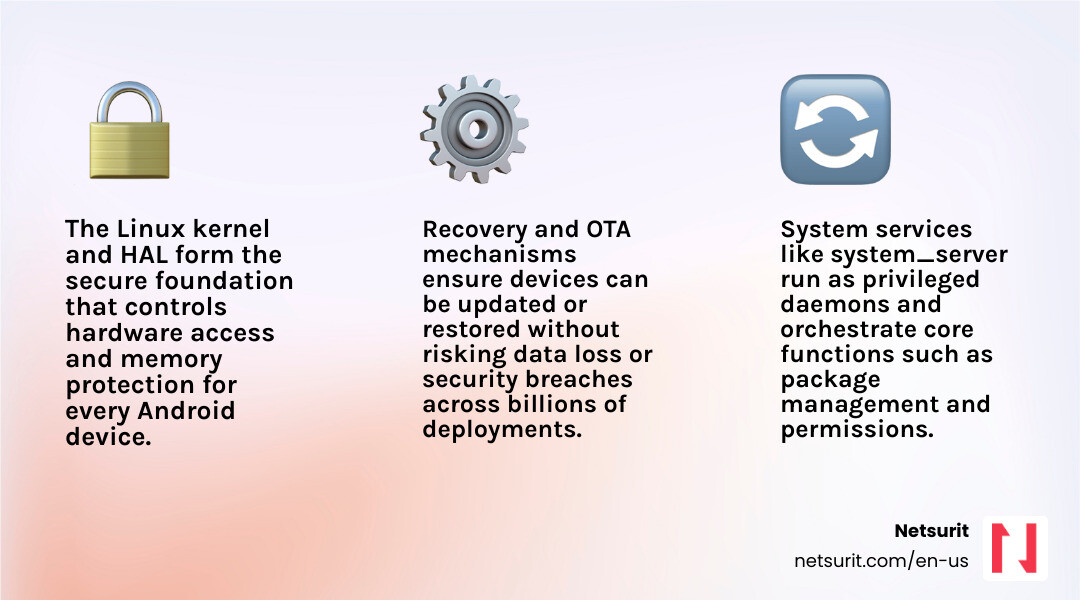
| Linux Kernel | Core OS, memory, threading, security | System programmers |
| HAL (Hardware Abstraction Layer) | Bridges hardware to Android framework | Device engineers |
| System Services | Core daemons like system_server |
Platform developers |
| Android Framework | Java APIs apps consume | App + system devs |
| Recovery | Minimal OS for updates and resets | System programmers |
Android runs on roughly 80% of mobile devices worldwide. That scale means the decisions made at the system level — how a device boots, how hardware is abstracted, how updates are delivered — affect billions of devices. Getting those decisions wrong causes downtime, security gaps, and hardware incompatibility.
This guide is for developers and IT leaders who need to go deeper than app development: building custom AOSP images, porting Android to new hardware, locking down devices for enterprise use, or pushing reliable OTA updates across a fleet.
System-level work is powerful, but it carries real risk. A misconfigured init.rc or a broken recovery image can brick a device. You need to understand the trade-offs before you start.
I’m Orrin Klopper, CEO of Netsurit, and while my background is in enterprise IT infrastructure and managed services rather than Android system programming directly, I’ve spent over 30 years helping organizations manage complex, security-critical technology environments where understanding the OS layer is essential to keeping systems reliable and protected. That operational lens shapes how this guide approaches every topic — not just “how to build it,” but “how to build it so it doesn’t fail in production.”
Basic android system programming terms:
- android game development company
- app development company near me
Securing the Core: Understanding Android’s System Architecture
At its core, Android is not just a Java runtime; it is a highly customized Linux-based operating system. To customize it successfully, you must understand how the underlying system components interact.
The foundation relies heavily on the platform/system/core – Git at Google repository, which contains the essential startup code, the initialization daemon (init), and low-level utilities.
When an Android device powers on, the kernel initializes and launches the init process. This process parses init.rc scripts to start core daemons, mount filesystems, and eventually start the Android runtime.
A critical point in the boot sequence is the launch of the system_server process. This process is bootstrapped by the Zygote daemon and is responsible for initializing almost all system services. You can inspect its initialization sequence in the services/java/com/android/server/SystemServer.java – platform/frameworks/base – Git at Google file.
System services running inside this process extend the services/core/java/com/android/server/SystemService.java – platform/frameworks/base – Git at Google base class, which defines their lifecycle and manages transitions through various boot phases.
Simultaneously, the user interface elements that sit outside regular applications are handled by SystemUI. This persistent process manages the status bar, navigation bar, and keyguard.
For a deep dive into how these components are structured and initialized via dependency injection, refer to the SystemUI Architecture Documentation and the packages/SystemUI – platform/frameworks/base – Git at Google repository.
Scenario: Custom Auditing Tablets in Sugar Land, TX
Consider a tax and accounting firm in Sugar Land, TX that conducts sensitive, on-site client audits. To prevent data leakage, they cannot use off-the-shelf mobile devices.
By utilizing android system programming techniques, we can build a custom system image. We modify SystemServer.java to block USB debugging entirely at the system level and strip down the SystemUI packages to remove public Wi-Fi notifications and quick-setting tiles that might expose the device to rogue networks. This ensures that the auditing tablet remains locked down to a single, secure auditing application.
Shifting from App Development to Low-Level System Programming
Transitioning from application development to system programming requires a fundamental shift in how you view the OS. App developers write Java or Kotlin code that targets the Java API framework. System programmers, however, write C, C++, and assembly code that interacts directly with native libraries, kernel drivers, and the Hardware Abstraction Layer (HAL).
| Feature | Android Application Development | Android System Programming |
|---|---|---|
| Primary Languages | Kotlin, Java | C, C++, Assembly, Go, Rust |
| Execution Environment | Android Runtime (ART) sandbox | Native user space / Kernel space |
| API Access | Restricted to public Android SDK | Direct access to private APIs and drivers |
| Build System | Gradle / Android Studio | Soong / Make / Ninja (via AOSP) |
| Hardware Access | Mediated by system services | Direct communication via HAL and /dev nodes |
To begin modifying this stack, you must pull source code directly from the Android Source Code Directory and follow the official AOSP Build Instructions.
For businesses in the Houston area looking to architect these custom platforms, leveraging Netsurit Houston IT Support & Managed Services can help bridge the gap between low-level OS customization and corporate network infrastructure.
Mapping the Five Layers of the Android Software Stack
To successfully program at the system level, you must understand how data flows across the five primary layers:
- Linux Kernel: Handles low-level memory management, process threading, permissions, and device driver communication.
- Hardware Abstraction Layer (HAL): Exposes standard C/C++ interfaces that allow the higher-level framework to communicate with hardware drivers without knowing the underlying chip implementation.
- Android Runtime (ART) & Native Libraries: Executes DEX bytecode and provides core C/C++ libraries (like
libcandlibart) for system operations. - Java API Framework: Exposes the services and managers (like the
ActivityManagerServiceandWindowManagerServiceinitialized inSystemServer) to applications. - System Applications & UI: Includes the launcher, settings, and SystemUI components that define the user experience.
If a change is made to a physical sensor, the developer must modify the kernel driver, write a corresponding HAL module to expose the sensor data, register the service within the system server, and expose it via the framework API for applications to consume.
Compiling and Customizing Your First AOSP Image
Building Android from source allows you to control exactly what binaries, drivers, and configurations go into your target hardware.
Trade-offs: Custom AOSP Builds vs. Commercial MDM Solutions
- Works best when: You require total control over the OS, need to eliminate pre-installed carrier bloatware, or are porting Android to non-standard, proprietary hardware.
- Avoid when: You are managing standard consumer devices (like Google Pixels or Samsung Galaxys) where standard Google Mobile Services (GMS) are required, and standard MDM policies can achieve the necessary security restrictions.
- Risks: High maintenance overhead, loss of automatic security patches from Google, and potential app compatibility issues due to the lack of official Play Store certification.
- Mitigations: Establish a rigid upstream tracking pipeline to merge monthly Android Security Bulletins (ASBs) into your custom branch, and perform automated regression testing.
Scenario: Kiosk Deployment in Katy, TX
Imagine a tax preparation office in Katy, TX that wants to deploy customer-facing kiosks for document uploads.
Using standard Android tablets with a commercial Mobile Device Management (MDM) app works initially, but users can occasionally bypass the MDM lock screen via hardware key combinations or notification exploits.
By building a custom AOSP image targeted at an x86 emulator or x86-based physical kiosk hardware, the firm can compile an image that contains only the single upload application, completely removing the launcher, status bar, and settings app from the system build.
Configuring Your Build Environment for AOSP Compilation
To compile AOSP, you need a powerful Linux workstation (Ubuntu 20.04 or later is recommended) with at least 32GB of RAM and 400GB of free disk space.
Install the required build dependencies:
sudo apt-get update
sudo apt-get install git-core gnupg flex bison build-essential zip curl zlib1g-dev libc6-dev-i386 libncurses5 x11proto-core-dev libx11-dev libgl1-mesa-dev libxml2-utils xsltproc unzip fontconfig
Next, initialize the repo client and download the source tree:
mkdir aosp && cd aosp
repo init -u https://android.googlesource.com/platform/manifest -b android-13.0.0_r1
repo sync -j$(nproc)
Once synchronized, initialize the build environment and select your target variant (such as aosp_x86_64-eng for an emulator build with debugging tools enabled):
source build/envsetup.sh
lunch aosp_x86_64-eng
m -j$(nproc)
For firms that require specialized build server infrastructure, consulting with Netsurit IT Consulting Services ensures that your build pipelines are optimized for speed and version control security.
Optimizing the x86emu Device and Integrating Houdini
When running Android on x86 virtualized environments, you will quickly run into compatibility issues with applications compiled solely for ARM architectures.
To resolve this, system programmers integrate Houdini, an ARM-to-x86 translation layer developed by Intel. Houdini functions as a Native Bridge, intercepting ARM-specific system calls and translating them on-the-fly to x86 instructions.
To configure Houdini, you must modify your device’s BoardConfig.mk file to enable the native bridge:
TARGET_ENABLE_MEDIATEK_HOUDINI := true
TARGET_BOARD_PLATFORM := x86emu
Additionally, you must configure the device’s init scripts to register the binfmt_misc handler, which tells the Linux kernel to pass ARM executables directly to the Houdini translator daemon at runtime.
For networking, ensure that wpa_supplicant is correctly configured in your init.rc file to bridge the virtual QEMU network interface to a simulated Wi-Fi adapter within the guest OS.
Virtualizing Android on VirtualBox: Deployment Steps and Hardware Challenges
Virtualizing Android on standard hypervisors like VirtualBox (often referred to as the x86vbox target) presents unique challenges, particularly regarding graphics acceleration and hardware integration.
Trade-offs: VirtualBox Virtualization vs. Physical Hardware Testing
- Works best when: Developing system services, testing installer scripts, or validating framework-level API changes without wearing out physical flash storage.
- Avoid when: Testing precise sensor inputs, camera drivers, cellular radio interfaces, or high-performance graphics applications.
- Risks: VirtualBox’s emulated hardware may behave differently than real silicon, masking race conditions or driver bugs.
- Mitigations: Use virtualization for rapid prototyping, but maintain a dedicated pool of real hardware reference boards for nightly automated testing.
Scenario: Remote Auditing in Conroe, TX
A CPA firm in Conroe, TX employs remote auditors who access corporate systems via virtual desktop infrastructure (VDI).
Instead of shipping physical secure tablets to these remote workers, the firm deploys a customized, hardened Android image inside VirtualBox on the remote desktops. This virtualized environment is configured with strict networking rules, allowing it to communicate only with the firm’s private document servers.
Resolving Graphics Latency with VirtualBox Guest Additions
Without hardware graphics acceleration, Android’s UI rendering pipeline (SurfaceFlinger) falls back to software rendering, resulting in massive latency.
To resolve this, you must integrate VirtualBox Guest Additions into your AOSP build. This involves compiling the vboxvideo kernel module and linking it to Android’s graphics HAL.
First, download the guest additions source and point your target build’s device directory to compile the driver. You must also configure the uvesafb framebuffer driver in your kernel configuration to match VirtualBox’s emulated display adapter.
Refer to the VirtualBox Guest Additions Documentation for detailed specifications on video memory allocation and shared folder integration (vboxsf), which allows secure file transfers between the host and the virtualized Android system.
Enabling Diskless Booting via PXE and NFS
For large enterprise deployments, maintaining local storage on every virtual machine is inefficient. System programmers configure Android to boot over the network using PXE (Preboot Execution Environment) and mount its root filesystem via NFS (Network File System).
- Configure the DHCP Server: Set up your network router or DHCP server to point PXE clients to a TFTP bootloader.
- Build a Custom initrd.img: Modify the ramdisk (
initrd.img) to include network drivers (such ase1000orvirtio_net) and configure theinitscript to initialize the network interface before mounting the root partition. Export the NFS Share: Export your compiled AOSP system directory from your build server:
/export/aosp_root 192.168.1.0/24(rw,sync,no_subtree_check,no_root_squash)Kernel Command Line: Pass the NFS boot parameters to the kernel via your PXE configuration:
APPEND initrd=initrd.img root=/dev/nfs nfsroot=192.168.1.100:/export/aosp_root ip=dhcp androidboot.hardware=x86vbox
Implementing secure, diskless booting requires robust local network design. Partnering with Netsurit Network Security & Infrastructure ensures that your PXE/NFS environments are protected from unauthorized access or packet injection.
Securing the Fleet: Customizing Android Recovery and OTA Updates
The Android recovery system is a minimal, self-contained execution environment stored on a separate partition. It is designed to apply system updates, perform factory resets, and repair corrupted installations.
Scenario: Secure Update Distribution in Houston, TX
A large tax advisory corporation in Houston, TX manages a fleet of 500 mobile devices used by field consultants.
To comply with federal data protection standards, these devices cannot receive standard public operating system updates.
Using custom android system programming, we can configure a private Over-The-Air (OTA) update system. We modify the recovery image to accept only updates signed with the corporation’s private cryptographic key, preventing unauthorized or modified firmware from being flashed onto the devices.
Modifying Recovery Images and Edify Updater Scripts
To customize the recovery process, you must modify the ramdisk of the recovery image (recovery.img). This allows you to run custom shell scripts or binaries before the main OS boots.
The update installation process is controlled by an Edify updater script (updater-script) packaged inside the OTA update zip file. This script is parsed by the updater binary in recovery.
An example of a custom Edify script that formats the cache partition and writes a new system image is shown below:
ui_print("Starting Custom System Update...");
show_progress(0.800000, 40);
format("ext4", "EMMC", "/dev/block/bootdevice/by-name/system", "0", "/system");
package_extract_file("system.new.dat.br", "/tmp/system.new.dat.br");
simg2img("/tmp/system.new.dat.br", "/dev/block/bootdevice/by-name/system");
show_progress(0.200000, 10);
ui_print("Update Completed Successfully!");
Packaging and Cryptographically Signing OTA Updates
To generate a secure OTA update package, you must compare your target build with your source build to generate a block-based differential update.
AOSP provides Python scripts to automate this process:
./build/tools/releasetools/ota_from_target_files -i source_files.zip target_files.zip ota_update.zip
Before the recovery console will apply the update, it must be signed. Generate your release keys and sign the package:
java -jar out/host/linux-x86/framework/signapk.jar -w releasekey.x509.pem releasekey.pk8 ota_update.zip signed_ota_update.zip
Diagnosing Boot Failures: Advanced System-Level Debugging
When writing system-level code, you will frequently encounter boot loops and kernel panics. Because the standard Android logging daemon (logd) starts late in the boot sequence, standard tools like logcat are useless for diagnosing early boot failures.
Scenario: Debugging Virtualized Accounting Software
Suppose a custom Android build boots fine on physical testing tablets, but crashes immediately when run inside the remote auditing VirtualBox environment in Houston.
Without early-stage logging, the screen simply remains black. By using the following debugging pipeline, we can isolate the issue.
The Debugging Pipeline
To debug early boot issues, you must redirect kernel console output to a virtual serial port or capture it using a custom ramdisk.
- Enable Kernel Console: Modify your bootloader configuration or virtual machine settings to append
console=ttyS0to the kernel command line. In VirtualBox, map COM1 to a host pipe. Utilize ADB over TCP/IP: If the boot process completes far enough to initialize the network interface, you can connect via the Android Debug Bridge (ADB) Documentation:
adb connect 192.168.1.150:5555
adb shell dmesg > kernel_boot_log.txt
Attach GDB to QEMU/VirtualBox: If the kernel hangs immediately, run the emulator with the
-s -Sflags to freeze execution at the first instruction. Attach GDB from your host machine to step through the assembly code:gdb-multiarch out/target/product/generic_x86_64/obj/KERNEL_OBJ/vmlinux (gdb) target remote localhost:1234 (gdb) break start_kernel (gdb) continueInspect Ramdisk initrd.img: If the boot loop is caused by a syntax error in your
init.rc, unpack theinitrd.imgfile to verify the script parsing rules:mkdir ramdisk && cd ramdisk gzip -dc ../initrd.img | cpio -imd # Correct the init.rc syntax error here find . | cpio -o -H newc | gzip > ../new_initrd.img
Frequently Asked Questions about Android System Programming
What is the difference between Android system programming and application development?
Application development focuses on building user-facing features using the standard Android SDK in Java or Kotlin, running within the restricted sandbox of the Android Runtime (ART).
System programming involves modifying the operating system itself, writing C/C++ native services, customizing the Linux kernel, writing Hardware Abstraction Layer (HAL) modules, and compiling custom operating system images from the Android Open Source Project (AOSP).
How do you enable Wi-Fi on a custom Android emulator image?
To enable Wi-Fi in a custom emulator, you must ensure that your kernel has support for the virtual network interface card (typically virtio-net or e1000).
You must then configure wpa_supplicant within your device-specific init.rc file to bind to the virtual interface, and set up a DHCP daemon to assign an IP address to the virtual network adapter (wlan0) bridged through the host machine’s network.
What is the role of the Native Bridge (Houdini) in x86 Android builds?
Because the vast majority of commercial Android applications are compiled specifically for ARM processor architectures, they cannot run natively on x86-based virtual machines or hardware.
The Native Bridge (most commonly Intel’s Houdini) acts as a dynamic binary translator. It intercepts ARM instructions at runtime and translates them into equivalent x86 instructions, allowing x86 Android builds to run ARM-compiled applications with minimal performance degradation.
Conclusion
Mastering android system programming unlocks complete control over mobile hardware, allowing organizations to deploy highly specialized, secure, and resilient environments. Whether you are building custom auditing tablets in Sugar Land, deploying virtualized environments for remote staff in Conroe, or managing a fleet of secure kiosks in Katy, understanding the low-level mechanics of the Linux kernel, the HAL, and the recovery system is critical to preventing downtime and protecting data.
At Netsurit, we act as an elite technology partner, providing managed IT, robust cybersecurity, and strategic consulting to keep your systems running smoothly. If your Houston-area business needs assistance securing mobile infrastructure, managing custom OS deployments, or optimizing network security, contact Netsurit Managed IT Services today to keep your business moving forward.