Tag: Blog

  • How to Audit Your Way Out of a Data Breach Disaster

    How to Audit Your Way Out of a Data Breach Disaster

    When a Breach Hits, Here’s How a Vulnerability Audit Gets You Back in Control

    A post-breach vulnerability audit is the work that tells you whether your recovery is real or cosmetic. It answers three hard questions: how the attacker got in, what they touched, and whether they left a way back. That matters most for firms that hold sensitive financial or personal data, including tax and accounting practices across Houston, Sugarland, Conroe, and Katy.

    A standard vulnerability scan looks for weaknesses that could be exploited. A post-breach audit looks for evidence of weaknesses that were exploited. It goes beyond patch status and configuration checks by reviewing forensic artifacts, persistence mechanisms, identity misuse, and signs of lateral movement between systems.

    Quick answer – what a post-breach vulnerability audit covers:

    Phase What It Does
    Forensic investigation Identifies entry points, lateral movement, and backdoors
    Gap analysis Finds security controls that failed or were bypassed
    Risk prioritization Ranks vulnerabilities by exploitability and business impact
    Remediation roadmap Assigns fixes with timelines, owners, and validation
    Compliance mapping Documents findings against HIPAA, GDPR, or Texas law

    Containment is not recovery. Many organizations patch the obvious issue, restore from backup, and assume the incident is over. In practice, attackers often leave scheduled tasks, rogue accounts, remote access tools, or stolen credentials that survive the initial cleanup. If those remain, the second incident is usually faster and harder to spot.

    For a Houston-area tax firm, the pattern is familiar. An employee clicks a phishing link during filing season, an attacker steals Microsoft 365 credentials, and the team resets the mailbox password. The firm feels relief. A proper audit then shows the attacker also registered a new MFA method, created inbox forwarding rules, and accessed a file share with client tax returns. Without that second layer of review, the firm would call the incident closed while the attacker still had options.

    This is also a time issue. The longer an attacker stays inside your environment, the more expensive the recovery becomes. In 2024, reported dwell times in EMEA and Asia Pacific still averaged six to seven months. Organizations that cut dwell time to 21 days reduce business impact by about 40%; those that reduce it to one day see reductions closer to 96%. The lesson is plain: speed matters, but speed without forensic depth leaves blind spots.

    There are trade-offs. Deep forensic work takes time, specialized tooling, and disciplined evidence handling. You cannot get reliable answers if systems are wiped too early or if logs are overwritten during rushed recovery. But the alternative is worse: a partial cleanup that satisfies no regulator, no cyber insurer, and no board.

    Trade-offs of a post-breach audit:

    • Works best when: You preserve evidence early and give investigators access to systems, logs, and identities.
    • Avoid when: You have not contained active attacker activity; stopping ongoing damage comes first.
    • Risks: Premature restoration can destroy evidence and hide persistence.
    • Mitigations: Capture disk and memory images before major changes, then document every action.

    I’m Orrin Klopper, CEO of Netsurit. For 30 years, I have worked with organizations that needed more than a patch-and-restore response. This guide shows you how a post-breach vulnerability audit helps you regain control, prove due diligence, and reduce the odds of a repeat event.

    Identify Hidden Threats with a Post-Breach Audit

    A post-breach vulnerability audit is a root-cause investigation, not just a security checklist. Its job is to explain the failure in practical terms: where the attacker entered, how they moved, what controls failed, and what remains exposed. If you skip that analysis, you tend to fix the symptom and miss the system weakness that caused the breach.

    A network-vulnerability-assessment still matters. It helps you find patch gaps, open ports, unsupported systems, and weak configurations before an incident. But after a breach, that level of review is not enough. You need to examine evidence tied to attacker behavior, not just a list of known vulnerabilities.

    This is where Forensic Depth Analysis (FDA) matters. FDA uses volatile evidence, endpoint artifacts, registry changes, identity events, and low-level OS structures to reconstruct what happened. Attackers know defenders rely on logs and EDR alerts. Skilled operators disable logging, clear traces, or use built-in tools that blend into normal admin activity. FDA assumes that possibility and looks below the surface.

    Feature Standard Vulnerability Assessment Post-Breach Vulnerability Audit
    Primary Goal Identify potential entry points. Identify exploited holes and backdoors.
    Data Source Network scans and patch versions. RAM, registry keys, and persistence logs.
    Timing Periodic (Quarterly/Annual). Immediate post-incident.
    Scope Known CVEs and misconfigurations. Root cause and lateral movement.

    For a Sugarland tax firm, this difference is more than technical. A standard scan may report that a server is fully patched and compliant. A deeper it-audits-and-assessments review may still uncover a hidden administrative account, a suspicious remote management tool, or a mailbox rule forwarding client records outside the business. The scan says the machine looks healthy. The audit shows the environment was abused.

    Differentiating Audit from Remediation

    Remediation fixes what you already know is broken. You patch a server, rotate credentials, remove malware, and harden settings. The audit decides whether those actions are sufficient and whether you are fixing the right systems in the right order.

    Incident response and audit work overlap, but they are not the same. Response aims to contain damage fast. The audit aims to explain why containment was necessary and whether it actually worked. That distinction matters because rushed teams often declare victory too early.

    Example: a Conroe accounting office isolates one infected laptop after a user opens a malicious attachment. Containment succeeds on day one. The audit then finds the same credentials were used to access a VPN account, create a service account, and probe a tax application server. The laptop was the visible problem. The credential abuse was the business risk.

    Trade-offs of separating audit from remediation:

    • Works best when: Different owners track evidence, technical fixes, and final validation.
    • Avoid when: A single overstretched team is making cleanup decisions without independent review.
    • Risks: Teams focus on the loudest alert and miss identity abuse or cloud exposure.
    • Mitigations: Set a written scope that includes endpoints, cloud apps, IAM, email, and third-party connections.

    The Role of Forensic Depth Analysis (FDA)

    FDA is useful because modern attackers often “live off the land.” They use PowerShell, remote desktop tools, WMI, built-in admin accounts, and legitimate cloud features to avoid detection. Those actions can leave light disk evidence and incomplete logs, but they still create artifacts in RAM and system internals.

    That is why evidence preservation comes first. If a compromised machine is powered down too early, you lose volatile memory data that can reveal active processes, injected code, command history, and network connections. If an email tenant is cleaned before investigators collect audit logs, you lose evidence about forwarding rules, token abuse, and unauthorized admin changes.

    The limit is important to state clearly: FDA is not magic. It depends on timing, access, and the quality of preserved evidence. If systems were rebuilt before collection or if cloud logging was never enabled, some answers remain incomplete. Even then, a disciplined audit still narrows the risk, identifies likely paths, and gives you a defensible remediation plan.

    Eliminate Persistence with a Step-by-Step Recovery Framework

    A strong recovery framework does not chase every indicator at once. It follows a sequence: preserve evidence, confirm scope, remove persistence, validate controls, and only then declare recovery. If you rush the order, you can erase proof, miss secondary access paths, and invite reinfection.

    When helping a client in Tacoma or Albuquerque recover, we use a framework built for messy real-world incidents, not clean lab conditions. The same structure applies to a Houston tax practice dealing with stolen credentials during filing season or a Katy accounting office trying to prove that attacker access ended.

    1. Preserve Evidence: Capture disk images and RAM dumps before wiping systems. Turning off a machine can erase volatile memory data that explains what the attacker was doing in real time.
    2. Analyze Entry Points: Determine whether the breach began with a vulnerability-test gap, a what-is-a-security-misconfiguration issue, exposed remote access, or a phishing link.
    3. Map Lateral Movement: Identify compromised IAM roles, service accounts, remote sessions, and privileged tools used to move between endpoints, servers, and cloud apps.
    4. Identify Persistence: Search for scheduled tasks, new registry keys, startup items, modified binaries, mailbox rules, MFA tampering, and unauthorized OAuth grants.
    5. Validate Remediation: Re-scan, re-test, and confirm that credentials, trust relationships, and logging controls are restored to a known-good state.

    For more on this, see How to Conduct a Post-Incident Analysis for Continuous Improvement.

    A practical example helps. A Sugarland CPA firm restores several workstations after ransomware hits a document management system. Backups work, and business resumes within 48 hours. The audit then shows the attacker entered through an exposed remote access tool, used a dormant service account to move laterally, and placed a scheduled task on a file server. Without that structured review, the firm would have restored operations while preserving the attacker’s foothold.

    Prioritizing Risks in a Post-Breach Vulnerability Audit

    Not every finding deserves the same urgency. We rank issues by combining CVSS severity with business impact, asset sensitivity, ease of exploitation, and how directly the weakness affects your core operation. That prevents teams from wasting days on technically serious but commercially secondary problems.

    For a Houston accounting firm, the top priority is often client data integrity and access continuity. A vulnerability on a tax preparation server or identity platform is critical because it can expose Social Security numbers, returns, payroll records, and banking details. A weakness on a guest Wi-Fi segment still matters, but it does not carry the same immediate legal and operational impact. That is how we help you uncover-hidden-it-infrastructure-risks-now without spreading effort too thin.

    Trade-offs of risk prioritization:

    • Works best when: You rank findings by exploitability, asset value, and business disruption.
    • Avoid when: Teams patch only by CVSS score and ignore where sensitive tax data actually lives.
    • Risks: Low-visibility identity issues can be underrated if the model focuses too heavily on infrastructure.
    • Mitigations: Include IAM, email, cloud storage, and privileged access in the scoring model.

    Integrating Breach and Attack Simulation (BAS)

    Once the environment is clean, Breach and Attack Simulation (BAS) helps verify that the fixes work under realistic conditions. BAS safely replays attack paths so you can test whether new controls stop the same techniques that succeeded before. It is especially useful for validating segmentation, endpoint controls, IAM policies, and alerting rules.

    Example: after a Conroe tax office removes a malicious persistence mechanism, BAS can test whether a stolen account still reaches the tax file repository, whether PowerShell abuse is blocked, and whether suspicious sign-ins trigger the right alert. That gives leadership evidence that the remediation changed the outcome, not just the settings.

    We include this validation step in our penetration-testing-services, but timing matters.

    Trade-offs of BAS Integration:

    • Works best when: You have a stable, post-containment environment and need to test specific defensive layers.
    • Avoid when: The network is under active forensic investigation; simulation traffic can confuse analysts.
    • Risks: Potential for minor service disruptions on legacy systems.
    • Mitigations: Run simulations during off-peak hours and exclude “brittle” legacy systems from the initial scope.

    Satisfy Regulators with Precise Compliance Reporting

    Texas businesses must comply with Data Breach Reporting | Office of the Attorney General requirements. If you handle patient data, HIPAA is the baseline. A post-breach vulnerability audit provides the “proof of due diligence” regulators demand.

    Managing Third-Party and Vendor Risk

    Breaches often start with a vendor—like a compromised HVAC controller or a third-party billing app. A Conroe tax practice must ensure their third-party document storage vendor complies with Texas law. We perform cyber-risk-assessment on your entire supply chain to ensure a weak link doesn’t compromise your Houston headquarters.

    Documentation and Evidence Validation

    Regulators require an audit trail, including:

    • Chain of Custody: Who handled the forensic data?
    • Timeline of Events: When was the first indicator of compromise (IoC) detected?
    • Validation of Remediation: Which cybersecurity-checklist items were verified?

    Strengthen Resilience with AI-Driven Security Tools

    By 2026, AI will compress the time between “finding a hole” and “exfiltrating data.” To counter this, we use Cloud-Native Application Protection Platforms (CNAPP) and AI-driven cloud-security-assessments. These tools spot “drift”—when a configuration changes from its secure baseline—in real-time.

    Reducing Dwell Time with a Post-Breach Vulnerability Audit

    Dwell time is the enemy. Reducing it to under 21 days can slash business impact by half. The post-breach vulnerability audit identifies detection gaps. If an attacker was inside for 100 days, why didn’t your antivirus catch them? Was it a network-security-threats-and-vulnerabilities issue or unmonitored logs?

    Future-Proofing with Continuous Monitoring

    The audit is a snapshot; security is a movie. We transition clients to continuous threat hunting.

    What to watch next (2026 and beyond): Security is shifting toward “identity-first” models. Attackers are moving from malware to compromised credentials. Future audits will focus on “behavioral anomalies” in IAM systems. If a Katy-based accountant suddenly logs in from a new device in a different country and starts downloading a client database, the system must kill that session automatically.

    Conclusion

    A data breach is a disaster, but it can be a turning point. A thorough post-breach vulnerability audit transforms a moment of weakness into a blueprint for resilience. Netsurit helps businesses in Texas, Washington, and beyond ensure that when they recover, they stay recovered.

    Stop relying on “patch and pray.” Look at your infrastructure through a forensic lens.

    Next Action: Review your incident response plan. If it ends at “restore from backup” without a post-remediation audit, schedule a network vulnerability assessment to build a robust strategy.

    Frequently Asked Questions

    What is the difference between a vulnerability assessment and a post-breach audit? An assessment is proactive and identifies potential holes. A post-breach vulnerability audit is reactive and forensic; it identifies how a hole was exploited and hunts for backdoors left behind.

    How long does a typical post-breach audit take? Initial containment takes hours, but a full forensic audit typically takes 1 to 3 weeks, depending on environment complexity and attacker lateral movement.

    Is a post-breach audit required by law? Statutes like HIPAA and GDPR require “risk analysis” after a breach to ensure mitigation. Failing to do so can lead to higher fines if a second breach occurs.

    Can we do this ourselves? Internal teams are often too close to the incident or exhausted from response. An external partner like Netsurit provides the objective, expert view required by stakeholders and regulators.

  • The Ultimate Guide to Filing Taxes with AI

    The Ultimate Guide to Filing Taxes with AI

    AI for Tax Prep in 2026: What Actually Works (and What Doesn’t)

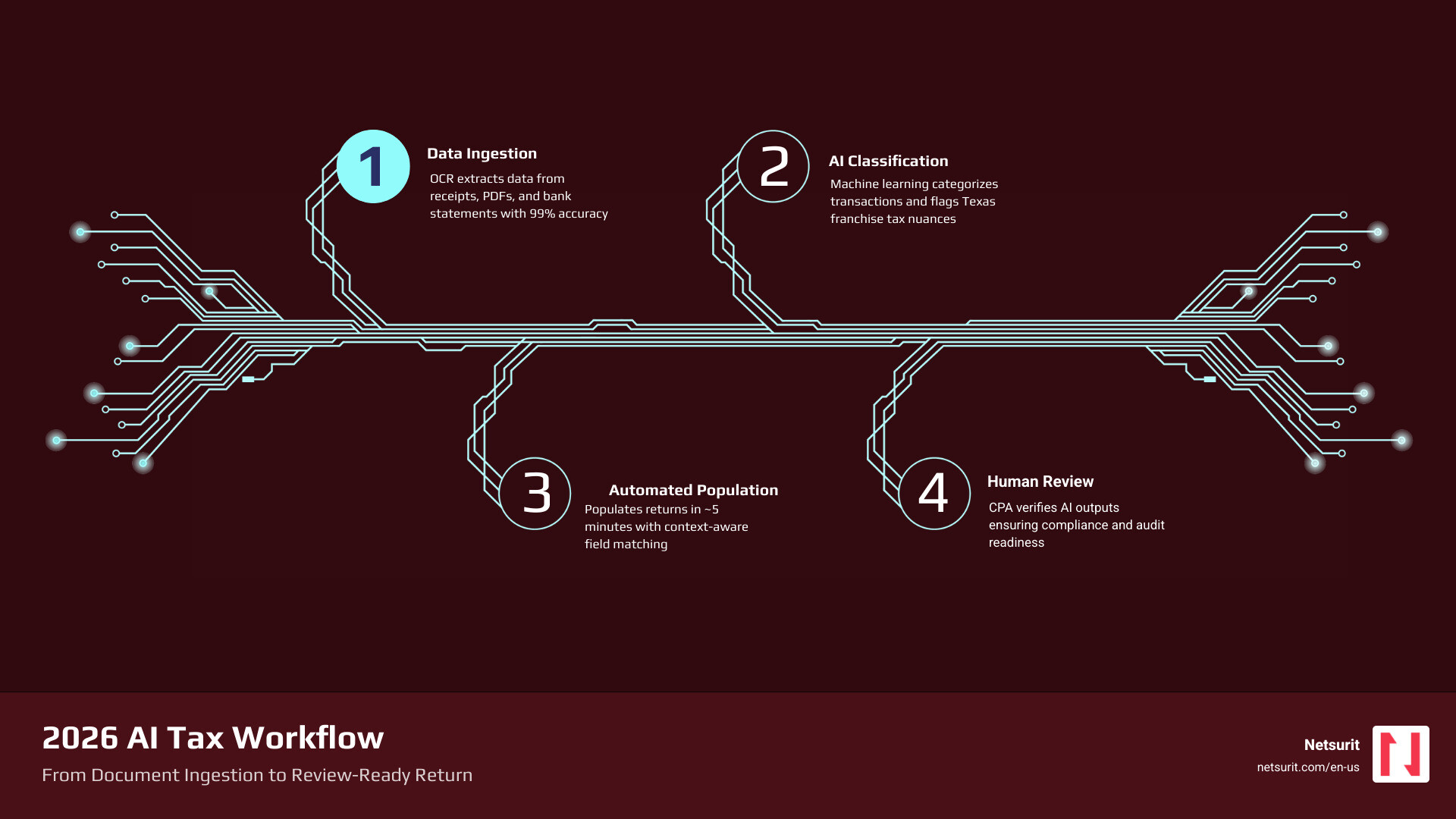
    AI for tax prep is now a practical reality — not a future promise. Whether you file your own return or run a firm handling thousands of clients, AI tools can cut preparation time, reduce manual data entry, and surface tax strategies that humans miss.

    Here’s a quick answer to what AI tax prep can do for you right now:

    What You Want What AI Delivers
    Faster return prep Automates document extraction and data entry
    Fewer errors Flags outliers, cites IRS sources, verifies math
    Tax strategy Scans completed returns for missed deductions
    Research speed Answers complex tax questions in seconds
    Scalability Small teams can handle 1,000+ returns per season

    The honest caveat: AI handles the heavy lifting, but a licensed professional still needs to review and sign off. The IRS holds you responsible for your return — not the software.

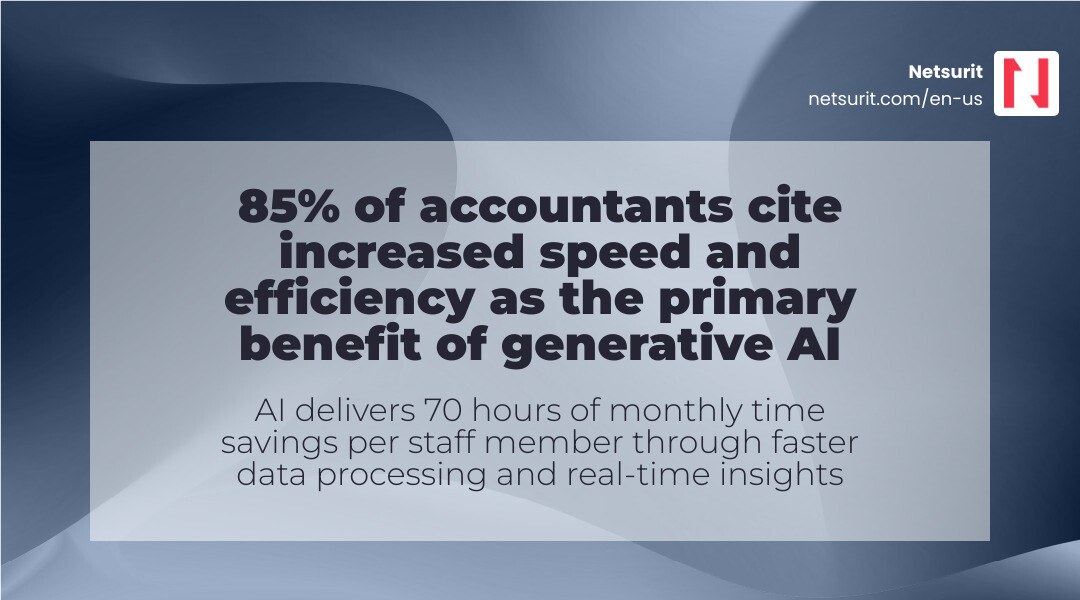
    Tax professionals are already adopting these tools fast. Research shows 72% use AI weekly, and more than a third use it daily. One solo practitioner reported saving five hours a day on research and client questions alone.

    I’m Orrin Klopper, CEO of Netsurit, a digital transformation and IT services company that helps businesses adopt AI tools — including in finance and accounting — safely and effectively. My work at the intersection of IT strategy and AI for tax prep gives me a practical view of what these tools actually deliver versus what vendors promise.

    AI tax preparation workflow: upload documents, AI extraction, review, and final sign-off - AI for tax prep infographic

    How AI for Tax Prep Outperforms Traditional Software

    Traditional tax software is essentially a digital form-filler. It relies on “if-then” logic: if you check box A, it opens form B. AI for tax prep represents a shift from static logic to active reasoning. Instead of you manually typing data from a PDF into a field, AI “reads” the document, understands the context of a line item, and places it correctly while cross-referencing IRS guidelines.

    This technology solves the “garbage in, garbage out” problem that plagued older systems. Modern platforms use advanced document analysis to handle messy scans, varied formats, and complex multi-page statements that traditional Optical Character Recognition (OCR) often failed to process. By integrating AI tools to reduce manual data entry, firms are moving away from the “gatherer” phase and straight into the “reviewer” phase.

    Real-time Accuracy and Hallucination Control

    The biggest fear with AI is “hallucination”—when a model confidently states a fact that is entirely false. Leading tax AI platforms mitigate this using Retrieval-Augmented Generation (RAG). Instead of guessing, the AI is tethered to a specific, vetted database of tax law, such as the Internal Revenue Code (IRC) and Treasury Regulations.

    When you ask a question about Section 174 research credits, the AI doesn’t just answer; it provides a direct citation. This creates an audit trail that allows a CPA to verify the logic instantly. It’s the difference between a chatbot and a digital researcher. For a deeper dive into these mechanics, see Your Guide to AI in Tax and Accounting.

    Shifting from Preparer to Reviewer

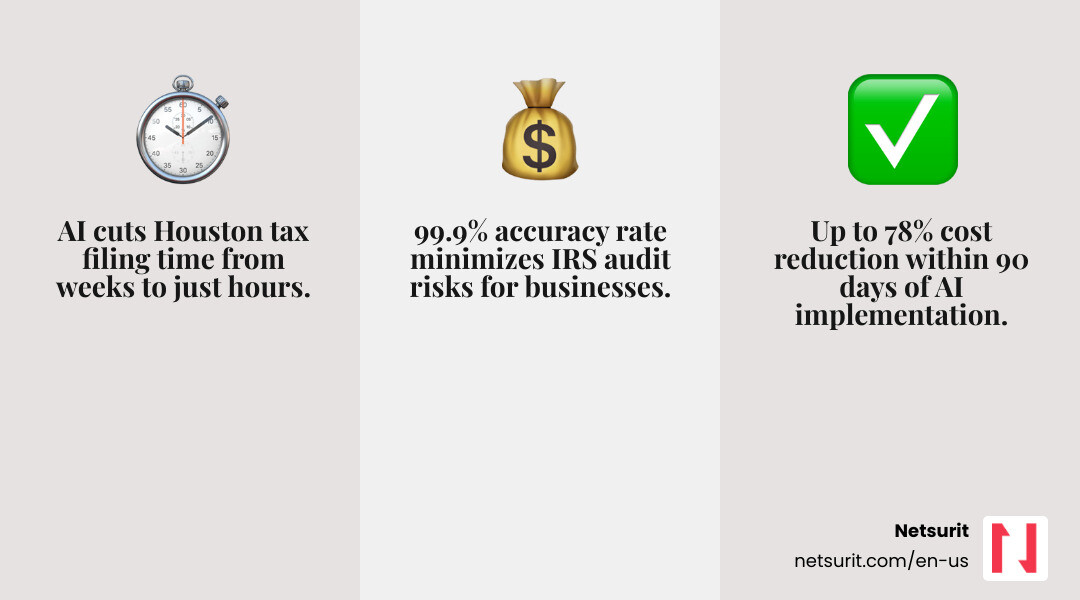
    The most significant impact of AI for tax prep is the 90% time savings reported on data extraction. For a firm in the Houston metro area, this means a junior associate who used to spend 40 hours a week on data entry can now spend that time reviewing 5x the volume of returns.

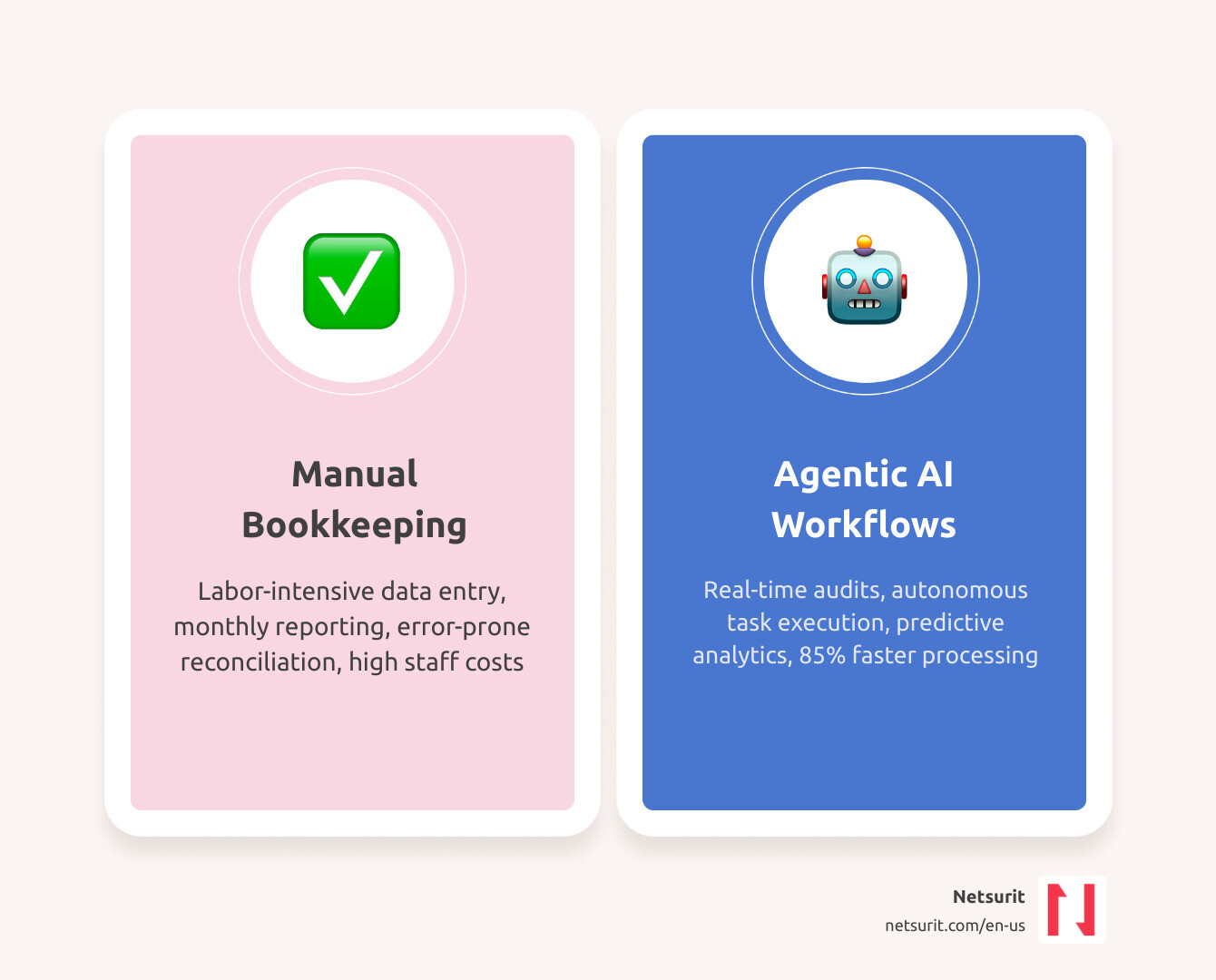
    Feature Traditional Software AI-Powered Platforms
    Data Entry Manual or basic OCR Automated via agentic extraction
    Research Manual search in databases Instant answers with IRC citations
    Error Detection Basic math checks Contextual “red flag” outlier detection
    Workflow Linear and manual Agentic (AI executes steps)

    Example: A solo practitioner in Katy, TX, recently used an AI assistant to handle over 1,000 K-1s. By automating the extraction of footnotes and complex line items, they cut preparation time by two-thirds and virtually eliminated the transposition errors common in manual entry.

    Leading AI Tax Assistants for Individuals and Professionals

    The market in April 2026 is split between tools for the “Do-It-Yourself” (DIY) filer and “Pro” tools designed for accounting firms. Both use generative AI to simplify the user experience, but the professional versions offer deeper integration with existing tax stacks.

    Consumer-Facing Tools: H&R Block vs. TurboTax

    For the individual filer, AI Tax Assist from H&R Block and Intuit Assist (TurboTax) provide 24/7 support. These tools excel at answering “plain English” questions like, “Why is my refund lower than last year?” or “Can I deduct my home office in Sugarland?”

    These consumer tools use Azure AI to provide personalized explanations. Instead of a generic help article, you get a response tailored to your specific data, such as: “Your refund decreased because your 1099-K income from your side gig increased by $12,000, moving you into a higher bracket.”

    Professional-Grade AI for Tax Prep: Black Ore and TaxGPT

    For CPAs and EAs, platforms like Black Ore and TaxGPT offer “agentic” workflows. These aren’t just chatbots; they are agents that can log into your existing software—like UltraTax, Drake, or ProConnect—and populate the returns.

    Professional tools like Filed focus on “amplifying” the firm. They standardize binders and automate the heavy lifting of document sorting. This allows firms to scale without the traditional “busy season” burnout. Many firms have found that tax practices can’t afford to ignore IT planning when integrating these advanced agents into their tech stack.

    Trade-offs of AI Tax Assistants

    While the benefits are high, AI is not a “set it and forget it” solution.

    • Works best for: Standard 1040s, K-1 heavy portfolios, and clear digital documentation.
    • Avoid when: Handling undocumented cash-only businesses or highly speculative, unlegislated crypto assets where IRS guidance is non-existent.
    • Risks: Over-reliance on AI without human review; potential for outdated state-specific rules if the model’s training data lags.
    • Mitigations: Mandatory CPA sign-off on every return; using tools with real-time IRS link verification and RAG technology.

    Automating Complex Returns with Agentic AI Workflows

    The real “magic” of AI for tax prep happens with complex business entities. Handling Form 1065 or 1120-S involves navigating dense K-1s and K-3s. Traditionally, this required hours of manual spreadsheet work.

    Tools like Abacus specialize in this high-complexity data extraction. They don’t just see numbers; they read footnotes. If a K-1 has a specific 11ZZ or QBI (Qualified Business Income) component buried in the back pages, the AI identifies and extracts it into an Excel workpaper. This is the best way to automate accounting firm workflows with AI, as it turns the preparer into a high-level auditor.

    Handling 1040, 1065, and 1120 Forms with AI for Tax Prep

    Multi-agent reasoning allows different AI “specialists” to work on a return. One agent might focus on document verification, while another focuses on state-specific compliance. This is crucial for Texas-based businesses that may have nexus in other states. The AI ensures that state-specific deductions and exemptions are applied correctly across all 50 states, significantly reducing the risk of multi-state filing errors.

    Case Study: High-Volume Efficiency in Houston

    A mid-sized firm in Conroe, TX, faced a 25% increase in client volume with no new hires. By deploying an agentic AI workflow, they processed 1,000 returns using their existing staff of three. The AI handled the initial document sort and data entry for 1040s and 1065s, saving over 20 hours per week per staff member. This allowed the partners to focus on tax advisory services—like estate planning and entity restructuring—which carry much higher profit margins than basic compliance.

    Security Protocols for Sensitive Financial Data

    When dealing with AI for tax prep, security is the non-negotiable foundation. You are handling Social Security numbers, bank details, and income history. A data breach isn’t just a PR nightmare; it’s a regulatory catastrophe.

    Professional AI platforms utilize U.S.-based servers and Azure’s enterprise-grade encryption. Crucially, reputable providers ensure that your client data is not used to train their global models. Your data stays in a “siloed” environment. This is a key part of AI compliance and SEC rules for financial firms.

    Data Privacy and Redaction

    Before an AI even processes a document, many systems use PII (Personally Identifiable Information) anonymization. They redact SSNs and names, replacing them with unique identifiers. The AI performs the “math” and “logic” on the anonymized data, and the system re-attaches the PII only when the final return is generated in your secure local environment. This “privacy-by-design” approach is essential for staying ahead of the curve in financial compliance.

    Compliance and Audit Readiness

    To be “audit-ready,” you need to show your work. AI tools now generate traceable ledgers. If the IRS asks why a specific deduction was taken on Line 16, the software provides a “traceable PDF” that links that number directly to the source document (e.g., a specific 1099-INT) and the corresponding IRS rule. Most professional tools are SOC 2 Type II compliant, ensuring they meet the highest industry standards for data security and operational reliability.

    Frequently Asked Questions about AI Tax Prep

    Can AI fully automate my tax return without a human?

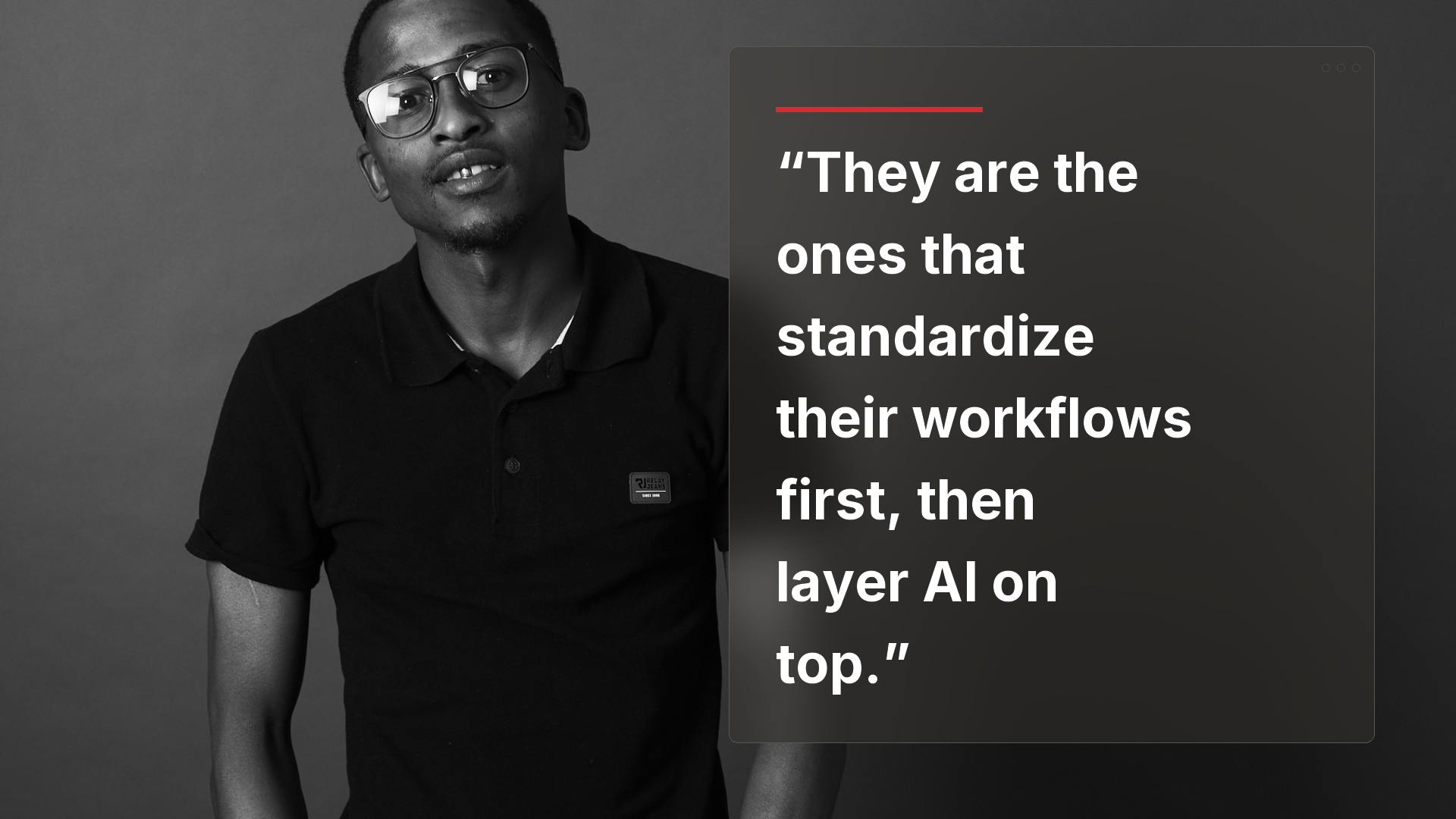
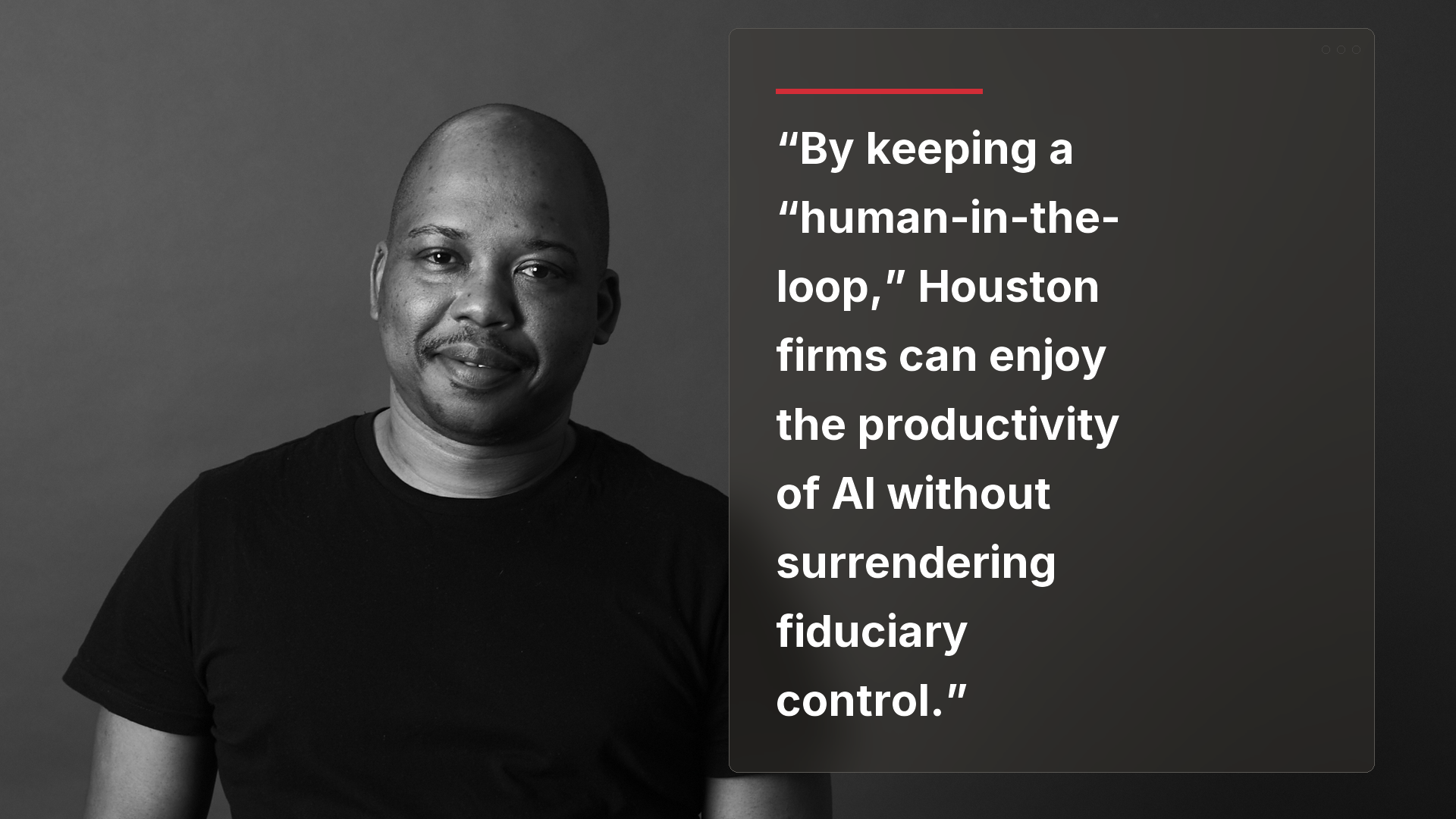
    No. While AI can do 90% of the work, the “human-in-the-loop” is a legal and ethical requirement. A qualified human must review the AI’s output, verify the context, and provide the final sign-off. You are the “pilot,” and the AI is the “autopilot.”

    How does AI handle complex state-specific tax laws?

    Top-tier tools have 50-state coverage. They are trained on state-specific tax codes, which is vital for residents in states like New Mexico or Washington. For example, BasilTax currently supports 18+ states with full bracket and deduction logic, with more being added as state agencies digitize their guidance.

    Is my data safe with AI tax software?

    Yes, provided you use professional-grade tools. Look for SOC 2 compliance, PII filtering, and Azure-based encryption. Avoid using public, “open” AI chatbots (like the free version of ChatGPT) for tax prep, as those may use your data for training. Professional tools keep your data encrypted at rest and in transit.

    Conclusion

    The adoption of AI for tax prep is the single biggest productivity jump for the accounting industry in decades. It allows firms to move from being “historians” who record the past to “advisors” who plan the future. By crushing the downtime associated with manual entry, you unlock the momentum needed to scale your practice or simply enjoy a stress-free tax season.

    At Netsurit, we help firms in Houston, Albuquerque, and beyond navigate this transition. Whether you need to secure your data or integrate these new AI agents into your workflow, we are your elite tech partner. Ready to transform your tax season? Explore our Managed IT Services and Support in Texas to get started.

  • AI, Compliance, and SEC Rules: What Financial Firms Must Understand Before Deploying AI 

    AI, Compliance, and SEC Rules: What Financial Firms Must Understand Before Deploying AI 

    Deploying AI in a financial services firm does not reduce your regulatory obligations under the SEC. AI-generated client communications, investment rationale, and recommendation outputs may qualify as regulated records and advisory activity subject to SEC Rule 204-2 and Regulation Best Interest. Firms that treat AI as a productivity tool rather than a regulated infrastructure are taking on compliance risk they may not fully see yet. 
     
    I’m Robert Kyslinger, EVP for the Central Region at Netsurit. With over three decades in managed IT for regulated industries and firsthand experience on a bank’s IT committee, I’ve seen what happens when compliance infrastructure doesn’t keep pace with technology. AI adoption in financial services is accelerating fast and the compliance gaps are following right behind it. 
     

    Why AI Is Creating a New Category of Regulated Records 

    Under the SEC’s Books and Records Rule, registered investment advisers must maintain records that are true, accurate, and current as they relate to their advisory business. The rule covers written communications relating to recommendations, investment advice, documentation supporting securities transactions, and client communications involving orders or strategies. 

    Historically, those records were emails, analyst reports, spreadsheets, and meeting notes. AI introduces a new class of artifacts that many compliance programs have not yet accounted for. 

    What AI Outputs May Qualify as SEC Records? 

    If AI tools generate or assist with content related to investment advice, those outputs may fall under SEC recordkeeping requirements. Examples include: 

    • AI-generated client emails explaining portfolio allocations 
    • AI-generated investment rationale stored in Customer Relationship Management (CRM) systems 
    • Chatbot conversations discussing investment strategies 
    • Automated market commentary distributed to clients 
    • AI-assisted proposal generation 

    Regulators focus on the substance of the communication, not the technology used to create it. Legal analysis of SEC recordkeeping obligations confirms that digital communications, including outputs generated by new technologies, fall under supervisory and archival requirements. You can review Skadden’s analysis of when SEC recordkeeping rules apply to digital communications for a detailed breakdown. 

    What Does AI Governance Actually Require for Recordkeeping? 

    Many firms are using AI tools informally across productivity platforms without integrating them into compliance frameworks. That creates exposure if an SEC examination requires a firm to reconstruct how advice was generated. Understanding how machine learning fits into your compliance posture is covered in depth in our post on how machine learning strengthens regulatory compliance programs

    How Do Firms Handle Prompt and Output Traceability? 

    If advisors use AI to generate investment commentary, firms may need the ability to reconstruct: 

    • The prompt submitted 
    • The AI output generated 
    • Any edits made before the recommendation was finalized 
    • The final client communication 

    Which AI Communication Channels Require Archiving? 

    Most compliance archiving systems capture email, messaging platforms, and recorded calls. AI introduces additional channels that may not yet be covered, including: 

    • LLM chat sessions used in advisory workflows 
    • AI-generated CRM entries 
    • Automated client chatbots 
    • Generative proposal tools 

    Global Relay’s compliance hub has a useful reference on SEC Rule 204 recordkeeping requirements and retention timelines

    Does Regulation Best Interest Apply to AI-Generated Advice? 

    Yes. For broker-dealers, Regulation Best Interest governs how recommendations are made to retail investors, and those obligations do not change based on who or what generated the recommendation. Reg BI requires broker-dealers to act in the best interest of the retail customer and not place the firm’s interest ahead of the client. 

    Reg BI includes four core obligations: 

    1. Disclosure Obligation 
    1. Care Obligation 
    1. Conflict of Interest Obligation 
    1. Compliance Obligation 

    FINRA provides a useful summary of Regulation Best Interest key requirements and conflict disclosure obligations

    The Care Obligation in an AI-Driven Advisory Environment 

    Under Reg BI, broker-dealers must exercise reasonable diligence, care, and skill when making recommendations. That includes evaluating investment risks, potential rewards, costs, and the customer’s investment profile, including risk tolerance, financial situation, investment objectives, and liquidity needs. 

    If an AI model recommends a complex yield product based purely on return optimization but ignores liquidity requirements or risk tolerance, that recommendation could violate the care obligation. The regulatory responsibility remains with the firm, not the AI provider. 

    Algorithmic Conflicts of Interest 

    Reg BI requires firms to identify and address conflicts that could incentivize recommendations favoring the firm over the client. When AI systems influence recommendations, those systems may introduce their own conflicts through: 

    • Compensation incentives embedded in training data 
    • Proprietary product distribution weighting 
    • Platform revenue model optimization 
    • Algorithmic choices that favor certain outcomes 

    The SEC’s regulatory framework under 17 CFR 240.15l-1 requires firms to implement policies and procedures designed to identify and mitigate these conflicts. 

    What AI Governance Controls Should Financial Firms Implement? 

    As AI adoption accelerates, governance is becoming a core part of compliance programs, not an optional add-on. Firms should build the following controls before expanding AI use across advisory workflows. 

    Document AI Models and Use Cases 

    Each AI system in use should have documented coverage of: 

    • Purpose and scope of the model 
    • Data sources used for training or input 
    • Known model limitations 
    • Validation and testing procedures 

    Monitor AI Outputs Continuously 

    Monitoring systems should be able to detect problematic outputs, including: 

    • Inaccurate financial claims 
    • Unsupported performance statements 
    • Missing disclosures 
    • Unsuitable recommendations given the client’s profile 

    Maintain Human Oversight at Every Client-Facing Stage 

    AI should augment advisors, not replace them. Compliance teams and advisors must review AI-generated recommendations before they reach clients. This is not just best practice. It is the only defensible position under current SEC oversight expectations. 

    Key Takeaways for Financial Firms Using AI 

    AI adoption in financial services is accelerating. Regulatory obligations are not waiting for the technology to catch up. Firms deploying AI should confirm: 

    • AI-generated communications are captured in record retention systems 
    • Advisory workflows using AI are supervised and documented 
    • Recommendation engines incorporate client suitability factors 
    • Governance frameworks address algorithmic conflicts of interest 
    • Compliance teams have visibility into AI-generated artifacts at every stage 

    Organizations that treat AI as regulated infrastructure, rather than a productivity tool, will be better positioned to innovate while maintaining compliance. 

    Frequently Asked Questions: AI and SEC Compliance 

    Does AI change SEC recordkeeping requirements? 

    No. SEC Rule 204-2 requires firms to retain records relating to advisory activity regardless of how those records are generated. AI does not create an exemption. 

    Are AI-generated client emails considered regulatory records? 

    Yes, if the email relates to recommendations, investment advice, or securities transactions. The substance of the communication determines its regulatory status, not the tool used to create it. 

    Can AI make investment recommendations under Regulation Best Interest? 

    AI may assist advisors in generating recommendations, but broker-dealers remain responsible for ensuring those recommendations meet Reg BI’s disclosure, care, conflict-management, and compliance obligations. Responsibility does not transfer to the AI provider. 

    What should a financial firm document when deploying AI? 

    Firms should document each AI system’s purpose, data sources, known limitations, and validation procedures. Advisory workflows that incorporate AI should have clear oversight protocols and audit trails for any client-facing outputs. 

    How does Reg BI apply to AI-generated financial advice? 

    Reg BI’s care obligation requires broker-dealers to exercise reasonable diligence and skill in making recommendations. If an AI system generates advice that fails to account for a client’s risk tolerance, liquidity needs, or financial situation, the firm may be in violation regardless of whether a human advisor reviewed the output. 

    Does AI introduce new conflicts of interest under Reg BI? 

    It can. Algorithmic systems may favor certain products or outcomes based on how they are trained or optimized. Firms must evaluate AI systems for undisclosed conflicts and implement policies to identify and mitigate them. 
     

    Need Help? Netsurit is Your Managed AI Partner 

    Adopting AI in a regulated environment is not just a technology decision. It is a compliance decision. 

    Netsurit’s Innovate solution is built to help firms move from AI curiosity to AI implementation — with the governance, structure, and oversight that financial services firms actually need. Rather than dropping a generic AI tool into your workflow and hoping for the best, we help deliver a structured path to AI adoption that accounts for auditability, access control, and the regulatory obligations this article covers. 

    For financial firms operating under SEC oversight, that distinction matters. The question is not whether to use AI. It is whether your AI deployment can survive an examination. 

    Explore Netsurit Innovate and see how structured AI adoption keeps your firm ahead of both the technology curve and the compliance curve. 

    Conclusion 

    The SEC’s recordkeeping and suitability rules were designed around principles that apply regardless of how communications and recommendations are created. AI does not create new regulatory obligations so much as it creates new ways to accidentally fail existing ones. 

    Financial firms that build AI governance into their compliance programs early, before an SEC examination surfaces the gaps, will be in a far stronger position than those treating it as a future problem. 

  • Why managed it as a service is the secret to sleeping at night

    Why managed it as a service is the secret to sleeping at night

    What Is a Managed Service Provider Business (and Why It Matters for Yours)

    A managed service provider business is a third-party company that takes over the ongoing management, monitoring, and maintenance of a client’s IT systems — under a contract with defined service standards. Instead of calling someone after something breaks, you have a team watching your systems around the clock, fixing problems before you even notice them.

    Here’s a quick breakdown of what that means in practice:

    Term What It Means
    Managed Service Provider (MSP) A company you hire to run and maintain your IT infrastructure on an ongoing basis
    Service Level Agreement (SLA) A contract defining what the MSP will deliver, how fast, and to what standard
    Proactive monitoring 24/7 system surveillance to catch issues before they cause downtime
    Break-fix model The old alternative — you pay for repairs only when something goes wrong
    Recurring contract Fixed monthly engagement replacing unpredictable, one-off IT bills

    MSPs handle everything from network monitoring and cybersecurity to cloud management, helpdesk support, and vendor relationships. The scope goes beyond IT maintenance — the right MSP acts as a strategic technology partner, helping your business stay secure, compliant, and ready to grow.

    Think about tax season in Houston. Servers go down. Ransomware hits. A critical file won’t open. For accounting firms, that’s not just an inconvenience — it’s a client trust problem and a compliance risk. A managed service provider eliminates that scenario by shifting your IT from reactive firefighting to structured, predictable protection.

    The numbers back the trend. The global managed services market is projected to reach $711 billion by 2028, reflecting how many businesses have already made this shift. They’re not just outsourcing IT tasks — they’re buying back their focus and their sleep.

    I’m Orrin Klopper, CEO and co-founder of Netsurit, and I’ve spent nearly 30 years building and running a managed service provider business — starting in 1995 and expanding to the US in 2016, where we now support over 300 client organizations. What I’ve seen consistently is that the firms who treat managed IT as a strategic investment, not a cost to minimize, are the ones who scale without chaos.

    Define Your Role in the Managed Service Provider Business Ecosystem

    In the modern business landscape, technology is no longer just a “support” function; it is the engine. However, managing that engine in-house is increasingly difficult. A managed service provider business fills the gap between needing high-end enterprise technology and having the budget or desire to hire a 20-person internal IT department.

    We act as an extension of your team. While an in-house IT manager might be great at day-to-day troubleshooting, they often lack the bandwidth to stay current on the latest AI-driven cybersecurity threats or complex cloud migrations. MSPs bring a “hive mind” of certified engineers and specialists who see thousands of environments, allowing us to spot trends and vulnerabilities before they affect your specific office.

    Feature In-house IT Managed Service Provider (MSP)
    Availability Typically 8-5, minus holidays/sick days 24/7/365 coverage
    Cost Structure Salaries, benefits, training, overhead Predictable monthly subscription
    Expertise Limited to the individual’s knowledge Access to a broad team of specialists
    Scalability Hard to scale quickly (requires hiring) Instant scaling as you add users/locations
    Strategy Often reactive (putting out fires) Proactive (vCIO and strategic roadmapping)

    Managed service vs break-fix comparisons show that the primary difference is the incentive. In the break-fix world, the provider makes money when you have a problem. In the managed service provider business model, we make money when your systems are stable. Our goals are finally aligned.

    Example: Consider a tax preparation service in Sugarland. For years, they relied on a single “IT guy” who was excellent but overwhelmed. During the April rush, he went on vacation, and their main server began throwing errors. The resulting three days of downtime cost them thousands in billable hours. After switching to an MSP, they now have a team that monitors that server 24/7. If a drive shows signs of failure at 2 AM, it is replaced before the office opens at 8 AM.

    Transitioning to a Managed Service Provider Business Model

    Moving from a reactive “call when it breaks” mindset to a managed model is a significant shift for any firm. It involves moving away from unpredictable invoices to a recurring revenue structure that covers a bundle of essential services.

    This transition isn’t just about software; it’s about shifting the responsibility of “uptime” to the provider. We use Types of managed IT services to create a baseline of health for your network, including patch management, antivirus, and backup.

    Trade-offs: The MSP Model

    • Works best when: You need 99.9% uptime, must meet strict compliance (like HIPAA or NIST), and want to budget IT as a fixed operating expense.
    • Avoid when: Your business is extremely small (1-2 people) with no sensitive data and can afford occasional downtime without financial ruin.
    • Risks: Choosing a “cheap” MSP that overpromises and under-delivers on security.
    • Mitigations: Reviewing Service Level Agreements (SLAs) carefully and checking local Houston or Katy references.

    Core Responsibilities and Modern Roles

    Today’s MSP does much more than “fix computers.” We are increasingly focused on Managed SOC (Security Operations Center) duties and AI integration. Our core responsibilities include:

    1. Cybersecurity: Implementing multi-layered defense, from employee security training to advanced threat detection.
    2. Cloud Management: Navigating the shift from on-premise servers to Azure or AWS.
    3. Strategic Consulting: Acting as a Virtual CIO (vCIO) to ensure your tech budget aligns with your 3-year growth plan.
    4. Helpdesk Support: Providing tiered assistance so that a simple password reset doesn’t wait in the same queue as a network outage. What is the difference between IT support tiers?

    Example: A Conroe-based accounting firm recently needed to migrate 20 years of sensitive client records to the cloud to support a new hybrid work policy. We managed the entire migration, ensuring every file was encrypted and that the firm met all financial data privacy regulations without a single hour of lost productivity.

    Understanding How a Scalable Managed Service Provider Operates for Your Benefit

    To deliver high-quality service to hundreds of clients simultaneously, a managed service provider business must be a marvel of operational efficiency. We don’t just “log in” to your computers; we use a sophisticated tech stack designed to automate the boring stuff so our engineers can focus on the complex stuff.

    The backbone of this operation includes:

    • RMM (Remote Monitoring and Management): Tools that allow us to see the health of every laptop and server in your Katy office in real-time.
    • PSA (Professional Services Automation): Software that manages ticketing, time tracking, and project management to ensure no request falls through the cracks.
    • Security Stack: A curated set of tools for endpoint protection, email filtering, and identity management.

    Example: A financial advisory firm in Katy needed to double its headcount in six months. Because their MSP had a standardized “tech stack” and automated onboarding scripts, adding 15 new employees took hours instead of weeks. Each new hire received a pre-configured laptop with all necessary security protocols already active.

    When you enter a partnership with an MSP, the Service Level Agreement (SLA) is your most important document. It defines the “rules of engagement.” If your server goes down at a Houston law firm, how fast will we respond? The SLA tells you.

    Beyond response times, modern agreements must address compliance. For accounting and tax firms, staying compliant with federal and state regulations is non-negotiable. Your MSP should be well-versed in the specific requirements of your industry, ensuring that data handling and storage meet the highest standards.

    Trade-offs: Formal SLAs

    • Works best when: You need accountability and want to know exactly what you are paying for.
    • Avoid when: You are looking for a “handshake deal” with no paper trail (which we strongly advise against).
    • Risks: SLAs that only measure “response time” (how fast we say hello) rather than “resolution time” (how fast we fix it).
    • Mitigations: Insist on resolution-based metrics and quarterly business reviews to audit performance.

    Evaluating an MSP’s Technology Stack and Service Offerings

    Not all MSPs are created equal. Some are just “break-fix shops with a subscription,” while others are elite tech partners. When evaluating a managed service provider business, look for a “security-first” mentality.

    A robust offering should include:

    • Disaster Recovery: If a hurricane hits Houston and floods your office, can you be back up and running in the cloud by the next morning?
    • Managed SOC: 24/7 monitoring of security logs to catch hackers in the act.
    • Vendor Management: We talk to your internet provider or software vendors so you don’t have to spend three hours on hold.

    Example: During a recent power outage in Houston, one of our accounting clients lost access to their physical office. Because we had implemented a robust cloud-based disaster recovery plan, their staff simply went home, logged in securely, and continued working as if nothing had happened.

    Optimize Operations with Automation and Checklists

    The secret to a “sleeping at night” experience is automation. If a human has to remember to check your backups every morning, there is a chance they will forget. If an automated script checks the backup and alerts a technician only if it fails, the system is much more reliable.

    Automation allows us to:

    • Deploy patches instantly: Ensuring every computer in your Sugarland office is protected against the latest Windows vulnerability the moment a fix is released.
    • Self-heal common issues: If a specific print service stops working, our system can automatically restart it without a human ever touching a keyboard.
    • Standardize Security: Ensuring that MFA (Multi-Factor Authentication) is turned on for every single user, every single time.

    Example: At 2 AM on a Tuesday, our automated monitoring system detected a “brute force” login attempt on a client’s workstation in Sugarland. The system automatically blocked the IP address and alerted our night-shift security team. By the time the client sat down with their coffee at 8 AM, the threat had been neutralized and a report was waiting in their inbox.

    What to Expect from Your MSP’s Operational Excellence

    Running a successful managed service provider business requires a fanatical devotion to checklists. We use them for onboarding, offboarding, server migrations, and monthly audits. This “operational excellence” is what prevents small errors from becoming big disasters.

    You should expect:

    • Proactive Maintenance: We don’t wait for your computer to get slow; we clear out the “digital cobwebs” regularly.
    • Performance Reporting: Monthly or quarterly reports that show you exactly how your systems are performing and where the risks are.
    • Strategic Roadmaps: A clear plan for the next 18–24 months so you aren’t surprised by hardware replacement costs.

    Trade-offs: Proactive Maintenance

    • Works best when: You want to avoid the “emergency” tax that comes with reactive repairs.
    • Avoid when: You have legacy systems that are so fragile that touching them for maintenance might cause a crash (in which case, they need to be replaced!).
    • Risks: Over-automation can sometimes lead to “alert fatigue” for the MSP if not tuned correctly.
    • Mitigations: Choosing a provider that uses AI to filter out noise and focus on critical alerts.

    How MSPs Leverage Advanced Tools for Your Benefit

    The newest frontier for the managed service provider business is AI and predictive analytics. Leading providers are moving beyond “monitoring” to “predicting.” We use tools that can analyze the heat and vibration of a server fan or the performance of a hard drive to predict a failure weeks before it happens.

    This intelligence extends to the helpdesk. AI-powered ticketing systems can categorize and route your issues faster than any human dispatcher, ensuring that the right specialist gets your request immediately.

    Example: A tax firm in Conroe was using aging workstations. Our predictive tools flagged three specific machines that were showing signs of imminent motherboard failure. We replaced them during a scheduled maintenance window, preventing a crash that would have surely happened during the peak of tax season.

    Maximizing Value: Understanding MSP Pricing Models

    One of the biggest hurdles for businesses is understanding Managed IT Services Pricing. Historically, IT was a “black hole” of expenses. You never knew if this month would cost $500 or $5,000.

    The managed service provider business model fixes this by offering predictable, subscription-based pricing. This allows you to treat IT as a utility, like electricity or water.

    Common pricing structures include:

    1. Per-User Pricing: A flat fee for every employee. This is the most popular because it’s easy to calculate as you grow.
    2. Per-Device Pricing: You pay for every computer, server, or firewall managed.
    3. Tiered Packages: “Silver, Gold, Platinum” levels that offer different amounts of support or security features.

    Example: A Katy accounting firm with 20 employees can budget exactly what their IT will cost for the entire year. When they hire two new accountants, they know their monthly IT bill will increase by a specific, pre-agreed amount. No surprises, no hidden fees.

    Selecting the Best Pricing Model for Your Business Needs

    The “All-You-Can-Eat” model is generally the gold standard. It includes unlimited remote and on-site support for a flat fee. This is the ultimate “sleep at night” model because you never have to hesitate to call for help out of fear of getting a “billable hour” invoice.

    Trade-offs: Pricing Models

    • Works best when: You want to align your costs with your actual business growth.
    • Avoid when: You are looking for the absolute lowest price point, as “cheap” plans often exclude critical security or 24/7 support.
    • Risks: “All-inclusive” plans that actually have a long list of exclusions in the fine print.
    • Mitigations: Ask for a “Services Catalog” that explicitly lists what is included and what is considered an “out-of-scope” project.

    Seamless Onboarding: What to Expect When Partnering with an MSP

    The first 90 days with a new managed service provider business are critical. This is the “onboarding” phase where we learn your environment, fix the immediate “low-hanging fruit” problems, and set up our monitoring tools.

    A typical Houston onboarding looks like this:

    1. Initial Assessment: A deep dive into your current hardware, software, and security.
    2. Stabilization: Fixing any urgent security holes or performance bottlenecks.
    3. Deployment: Installing our RMM and security tools on all devices.
    4. Training: Showing your staff how to use the new helpdesk and security protocols (like MFA).

    Example: A small Houston tax firm recently joined Netsurit. During onboarding, we discovered their “backup” system hadn’t successfully run in six months. We immediately implemented a cloud-based backup and had their data protected within the first 48 hours of our partnership.

    Evaluating Top Managed Service Providers for Your Business

    Choosing the right partner is a high-stakes decision. You are essentially handing the keys to your digital kingdom to another company. You should look for providers who are nationally recognized for technical excellence but have a strong local heartbeat.

    Key evaluation criteria:

    • Industry Rankings: Are they listed on the Cloudtango Top 100 or MSP 501?
    • Certifications: Do they have elite partnerships with Microsoft (Tier 1 Cloud Solution Provider), Cisco, or VMware?
    • Longevity: Have they survived multiple “tech cycles” (e.g., been in business 20+ years)?
    • Local Presence: Do they have engineers in Houston, Sugarland, or Katy who can be on-site if the internet goes down?

    Regional Leaders and Specialized Providers

    Geography matters. While cloud management can be done from anywhere, there is no substitute for a local team that understands the challenges of doing business in Texas—from hurricane preparedness to the local regulatory environment.

    Specialization is also key. If you are in the financial or accounting sector, you need an MSP that understands Co-managed IT services and specific compliance audits.

    Example: A tax firm in Conroe specifically sought us out because of our experience with financial services. They didn’t want to explain to their IT provider why “data sovereignty” or “encrypted email” was important—they wanted a partner who already knew.

    How to Choose the Right Partner for Your Firm

    Don’t just look at the price tag. Look at the culture. Is the MSP proactive? Do they speak “business” or just “geek”? A great MSP should be able to explain how a specific technology will help you make more money or reduce your risk.

    How to choose a managed services provider involves asking tough questions about their own security. If an MSP gets hacked, their clients are at risk. Ask about their internal security protocols and insurance coverage.

    Trade-offs: Choosing a Partner

    • Works best when: You view the MSP as a strategic partner, not a commodity vendor.
    • Avoid when: You just want “someone to call when the printer breaks.”
    • Risks: Cultural mismatch where the MSP is too slow or too technical for your staff.
    • Mitigations: Request a meeting with the actual engineers who will be supporting you, not just the salesperson.

    Frequently Asked Questions about MSPs

    What is the difference between an MSP and a break-fix provider?

    A break-fix provider is reactive—you pay them to fix things after they break. An MSP is proactive—you pay them a flat fee to keep things from breaking in the first place. MSPs provide 24/7 monitoring, security, and strategy; break-fix providers usually just provide labor.

    How do MSPs ensure data security and compliance?

    We use a multi-layered approach: firewalls, endpoint detection (EDR), Managed SOC, encryption, and regular vulnerability assessments. We also stay updated on regulations like HIPAA or PCI-DSS to ensure your tech stack meets legal requirements.

    Is it cheaper to hire an MSP or an in-house IT person?

    For most small to mid-sized firms, an MSP is significantly more cost-effective. The cost of one experienced IT manager’s salary and benefits can often pay for an entire team of MSP specialists and all the necessary security software combined.

    Conclusion

    The managed service provider business model isn’t just a way to outsource IT; it’s a way to de-risk your entire organization. By shifting to a proactive, predictable, and secure technology framework, you stop worrying about “if” your systems will work and start focusing on how they can help you grow.

    The global managed services market is projected to reach $711 billion by 2028, underscoring that businesses everywhere are realizing they can’t—and shouldn’t—manage the complexities of modern IT alone. Whether you are an accounting firm in Houston or a financial advisor in Katy, a strategic partnership is the key to business momentum.

    Ready to stop worrying about your IT and start sleeping through the night? Explore how Netsurit’s Managed Services can protect your firm and power your aspirations.

  • Why managed it as a service is the secret to sleeping at night

    Why managed it as a service is the secret to sleeping at night

    What Is a Managed Service Provider Business (and Why It Matters for Yours)

    A managed service provider business is a third-party company that takes over the ongoing management, monitoring, and maintenance of a client’s IT systems — under a contract with defined service standards. Instead of calling someone after something breaks, you have a team watching your systems around the clock, fixing problems before you even notice them.

    Here’s a quick breakdown of what that means in practice:

    Term What It Means
    Managed Service Provider (MSP) A company you hire to run and maintain your IT infrastructure on an ongoing basis
    Service Level Agreement (SLA) A contract defining what the MSP will deliver, how fast, and to what standard
    Proactive monitoring 24/7 system surveillance to catch issues before they cause downtime
    Break-fix model The old alternative — you pay for repairs only when something goes wrong
    Recurring contract Fixed monthly engagement replacing unpredictable, one-off IT bills

    MSPs handle everything from network monitoring and cybersecurity to cloud management, helpdesk support, and vendor relationships. The scope goes beyond IT maintenance — the right MSP acts as a strategic technology partner, helping your business stay secure, compliant, and ready to grow.

    Think about tax season in Houston. Servers go down. Ransomware hits. A critical file won’t open. For accounting firms, that’s not just an inconvenience — it’s a client trust problem and a compliance risk. A managed service provider eliminates that scenario by shifting your IT from reactive firefighting to structured, predictable protection.

    The numbers back the trend. The global managed services market is projected to reach $711 billion by 2028, reflecting how many businesses have already made this shift. They’re not just outsourcing IT tasks — they’re buying back their focus and their sleep.

    I’m Orrin Klopper, CEO and co-founder of Netsurit, and I’ve spent nearly 30 years building and running a managed service provider business — starting in 1995 and expanding to the US in 2016, where we now support over 300 client organizations. What I’ve seen consistently is that the firms who treat managed IT as a strategic investment, not a cost to minimize, are the ones who scale without chaos.

    Define Your Role in the Managed Service Provider Business Ecosystem

    In the modern business landscape, technology is no longer just a “support” function; it is the engine. However, managing that engine in-house is increasingly difficult. A managed service provider business fills the gap between needing high-end enterprise technology and having the budget or desire to hire a 20-person internal IT department.

    We act as an extension of your team. While an in-house IT manager might be great at day-to-day troubleshooting, they often lack the bandwidth to stay current on the latest AI-driven cybersecurity threats or complex cloud migrations. MSPs bring a “hive mind” of certified engineers and specialists who see thousands of environments, allowing us to spot trends and vulnerabilities before they affect your specific office.

    Feature In-house IT Managed Service Provider (MSP)
    Availability Typically 8-5, minus holidays/sick days 24/7/365 coverage
    Cost Structure Salaries, benefits, training, overhead Predictable monthly subscription
    Expertise Limited to the individual’s knowledge Access to a broad team of specialists
    Scalability Hard to scale quickly (requires hiring) Instant scaling as you add users/locations
    Strategy Often reactive (putting out fires) Proactive (vCIO and strategic roadmapping)

    Managed service vs break-fix comparisons show that the primary difference is the incentive. In the break-fix world, the provider makes money when you have a problem. In the managed service provider business model, we make money when your systems are stable. Our goals are finally aligned.

    Example: Consider a tax preparation service in Sugarland. For years, they relied on a single “IT guy” who was excellent but overwhelmed. During the April rush, he went on vacation, and their main server began throwing errors. The resulting three days of downtime cost them thousands in billable hours. After switching to an MSP, they now have a team that monitors that server 24/7. If a drive shows signs of failure at 2 AM, it is replaced before the office opens at 8 AM.

    Transitioning to a Managed Service Provider Business Model

    Moving from a reactive “call when it breaks” mindset to a managed model is a significant shift for any firm. It involves moving away from unpredictable invoices to a recurring revenue structure that covers a bundle of essential services.

    This transition isn’t just about software; it’s about shifting the responsibility of “uptime” to the provider. We use Types of managed IT services to create a baseline of health for your network, including patch management, antivirus, and backup.

    Trade-offs: The MSP Model

    • Works best when: You need 99.9% uptime, must meet strict compliance (like HIPAA or NIST), and want to budget IT as a fixed operating expense.
    • Avoid when: Your business is extremely small (1-2 people) with no sensitive data and can afford occasional downtime without financial ruin.
    • Risks: Choosing a “cheap” MSP that overpromises and under-delivers on security.
    • Mitigations: Reviewing Service Level Agreements (SLAs) carefully and checking local Houston or Katy references.

    Core Responsibilities and Modern Roles

    Today’s MSP does much more than “fix computers.” We are increasingly focused on Managed SOC (Security Operations Center) duties and AI integration. Our core responsibilities include:

    1. Cybersecurity: Implementing multi-layered defense, from employee security training to advanced threat detection.
    2. Cloud Management: Navigating the shift from on-premise servers to Azure or AWS.
    3. Strategic Consulting: Acting as a Virtual CIO (vCIO) to ensure your tech budget aligns with your 3-year growth plan.
    4. Helpdesk Support: Providing tiered assistance so that a simple password reset doesn’t wait in the same queue as a network outage. What is the difference between IT support tiers?

    Example: A Conroe-based accounting firm recently needed to migrate 20 years of sensitive client records to the cloud to support a new hybrid work policy. We managed the entire migration, ensuring every file was encrypted and that the firm met all financial data privacy regulations without a single hour of lost productivity.

    Understanding How a Scalable Managed Service Provider Operates for Your Benefit

    To deliver high-quality service to hundreds of clients simultaneously, a managed service provider business must be a marvel of operational efficiency. We don’t just “log in” to your computers; we use a sophisticated tech stack designed to automate the boring stuff so our engineers can focus on the complex stuff.

    The backbone of this operation includes:

    • RMM (Remote Monitoring and Management): Tools that allow us to see the health of every laptop and server in your Katy office in real-time.
    • PSA (Professional Services Automation): Software that manages ticketing, time tracking, and project management to ensure no request falls through the cracks.
    • Security Stack: A curated set of tools for endpoint protection, email filtering, and identity management.

    Example: A financial advisory firm in Katy needed to double its headcount in six months. Because their MSP had a standardized “tech stack” and automated onboarding scripts, adding 15 new employees took hours instead of weeks. Each new hire received a pre-configured laptop with all necessary security protocols already active.

    When you enter a partnership with an MSP, the Service Level Agreement (SLA) is your most important document. It defines the “rules of engagement.” If your server goes down at a Houston law firm, how fast will we respond? The SLA tells you.

    Beyond response times, modern agreements must address compliance. For accounting and tax firms, staying compliant with federal and state regulations is non-negotiable. Your MSP should be well-versed in the specific requirements of your industry, ensuring that data handling and storage meet the highest standards.

    Trade-offs: Formal SLAs

    • Works best when: You need accountability and want to know exactly what you are paying for.
    • Avoid when: You are looking for a “handshake deal” with no paper trail (which we strongly advise against).
    • Risks: SLAs that only measure “response time” (how fast we say hello) rather than “resolution time” (how fast we fix it).
    • Mitigations: Insist on resolution-based metrics and quarterly business reviews to audit performance.

    Evaluating an MSP’s Technology Stack and Service Offerings

    Not all MSPs are created equal. Some are just “break-fix shops with a subscription,” while others are elite tech partners. When evaluating a managed service provider business, look for a “security-first” mentality.

    A robust offering should include:

    • Disaster Recovery: If a hurricane hits Houston and floods your office, can you be back up and running in the cloud by the next morning?
    • Managed SOC: 24/7 monitoring of security logs to catch hackers in the act.
    • Vendor Management: We talk to your internet provider or software vendors so you don’t have to spend three hours on hold.

    Example: During a recent power outage in Houston, one of our accounting clients lost access to their physical office. Because we had implemented a robust cloud-based disaster recovery plan, their staff simply went home, logged in securely, and continued working as if nothing had happened.

    Optimize Operations with Automation and Checklists

    The secret to a “sleeping at night” experience is automation. If a human has to remember to check your backups every morning, there is a chance they will forget. If an automated script checks the backup and alerts a technician only if it fails, the system is much more reliable.

    Automation allows us to:

    • Deploy patches instantly: Ensuring every computer in your Sugarland office is protected against the latest Windows vulnerability the moment a fix is released.
    • Self-heal common issues: If a specific print service stops working, our system can automatically restart it without a human ever touching a keyboard.
    • Standardize Security: Ensuring that MFA (Multi-Factor Authentication) is turned on for every single user, every single time.

    Example: At 2 AM on a Tuesday, our automated monitoring system detected a “brute force” login attempt on a client’s workstation in Sugarland. The system automatically blocked the IP address and alerted our night-shift security team. By the time the client sat down with their coffee at 8 AM, the threat had been neutralized and a report was waiting in their inbox.

    What to Expect from Your MSP’s Operational Excellence

    Running a successful managed service provider business requires a fanatical devotion to checklists. We use them for onboarding, offboarding, server migrations, and monthly audits. This “operational excellence” is what prevents small errors from becoming big disasters.

    You should expect:

    • Proactive Maintenance: We don’t wait for your computer to get slow; we clear out the “digital cobwebs” regularly.
    • Performance Reporting: Monthly or quarterly reports that show you exactly how your systems are performing and where the risks are.
    • Strategic Roadmaps: A clear plan for the next 18–24 months so you aren’t surprised by hardware replacement costs.

    Trade-offs: Proactive Maintenance

    • Works best when: You want to avoid the “emergency” tax that comes with reactive repairs.
    • Avoid when: You have legacy systems that are so fragile that touching them for maintenance might cause a crash (in which case, they need to be replaced!).
    • Risks: Over-automation can sometimes lead to “alert fatigue” for the MSP if not tuned correctly.
    • Mitigations: Choosing a provider that uses AI to filter out noise and focus on critical alerts.

    How MSPs Leverage Advanced Tools for Your Benefit

    The newest frontier for the managed service provider business is AI and predictive analytics. Leading providers are moving beyond “monitoring” to “predicting.” We use tools that can analyze the heat and vibration of a server fan or the performance of a hard drive to predict a failure weeks before it happens.

    This intelligence extends to the helpdesk. AI-powered ticketing systems can categorize and route your issues faster than any human dispatcher, ensuring that the right specialist gets your request immediately.

    Example: A tax firm in Conroe was using aging workstations. Our predictive tools flagged three specific machines that were showing signs of imminent motherboard failure. We replaced them during a scheduled maintenance window, preventing a crash that would have surely happened during the peak of tax season.

    Maximizing Value: Understanding MSP Pricing Models

    One of the biggest hurdles for businesses is understanding Managed IT Services Pricing. Historically, IT was a “black hole” of expenses. You never knew if this month would cost $500 or $5,000.

    The managed service provider business model fixes this by offering predictable, subscription-based pricing. This allows you to treat IT as a utility, like electricity or water.

    Common pricing structures include:

    1. Per-User Pricing: A flat fee for every employee. This is the most popular because it’s easy to calculate as you grow.
    2. Per-Device Pricing: You pay for every computer, server, or firewall managed.
    3. Tiered Packages: “Silver, Gold, Platinum” levels that offer different amounts of support or security features.

    Example: A Katy accounting firm with 20 employees can budget exactly what their IT will cost for the entire year. When they hire two new accountants, they know their monthly IT bill will increase by a specific, pre-agreed amount. No surprises, no hidden fees.

    Selecting the Best Pricing Model for Your Business Needs

    The “All-You-Can-Eat” model is generally the gold standard. It includes unlimited remote and on-site support for a flat fee. This is the ultimate “sleep at night” model because you never have to hesitate to call for help out of fear of getting a “billable hour” invoice.

    Trade-offs: Pricing Models

    • Works best when: You want to align your costs with your actual business growth.
    • Avoid when: You are looking for the absolute lowest price point, as “cheap” plans often exclude critical security or 24/7 support.
    • Risks: “All-inclusive” plans that actually have a long list of exclusions in the fine print.
    • Mitigations: Ask for a “Services Catalog” that explicitly lists what is included and what is considered an “out-of-scope” project.

    Seamless Onboarding: What to Expect When Partnering with an MSP

    The first 90 days with a new managed service provider business are critical. This is the “onboarding” phase where we learn your environment, fix the immediate “low-hanging fruit” problems, and set up our monitoring tools.

    A typical Houston onboarding looks like this:

    1. Initial Assessment: A deep dive into your current hardware, software, and security.
    2. Stabilization: Fixing any urgent security holes or performance bottlenecks.
    3. Deployment: Installing our RMM and security tools on all devices.
    4. Training: Showing your staff how to use the new helpdesk and security protocols (like MFA).

    Example: A small Houston tax firm recently joined Netsurit. During onboarding, we discovered their “backup” system hadn’t successfully run in six months. We immediately implemented a cloud-based backup and had their data protected within the first 48 hours of our partnership.

    Evaluating Top Managed Service Providers for Your Business

    Choosing the right partner is a high-stakes decision. You are essentially handing the keys to your digital kingdom to another company. You should look for providers who are nationally recognized for technical excellence but have a strong local heartbeat.

    Key evaluation criteria:

    • Industry Rankings: Are they listed on the Cloudtango Top 100 or MSP 501?
    • Certifications: Do they have elite partnerships with Microsoft (Tier 1 Cloud Solution Provider), Cisco, or VMware?
    • Longevity: Have they survived multiple “tech cycles” (e.g., been in business 20+ years)?
    • Local Presence: Do they have engineers in Houston, Sugarland, or Katy who can be on-site if the internet goes down?

    Regional Leaders and Specialized Providers

    Geography matters. While cloud management can be done from anywhere, there is no substitute for a local team that understands the challenges of doing business in Texas—from hurricane preparedness to the local regulatory environment.

    Specialization is also key. If you are in the financial or accounting sector, you need an MSP that understands Co-managed IT services and specific compliance audits.

    Example: A tax firm in Conroe specifically sought us out because of our experience with financial services. They didn’t want to explain to their IT provider why “data sovereignty” or “encrypted email” was important—they wanted a partner who already knew.

    How to Choose the Right Partner for Your Firm

    Don’t just look at the price tag. Look at the culture. Is the MSP proactive? Do they speak “business” or just “geek”? A great MSP should be able to explain how a specific technology will help you make more money or reduce your risk.

    How to choose a managed services provider involves asking tough questions about their own security. If an MSP gets hacked, their clients are at risk. Ask about their internal security protocols and insurance coverage.

    Trade-offs: Choosing a Partner

    • Works best when: You view the MSP as a strategic partner, not a commodity vendor.
    • Avoid when: You just want “someone to call when the printer breaks.”
    • Risks: Cultural mismatch where the MSP is too slow or too technical for your staff.
    • Mitigations: Request a meeting with the actual engineers who will be supporting you, not just the salesperson.

    Frequently Asked Questions about MSPs

    What is the difference between an MSP and a break-fix provider?

    A break-fix provider is reactive—you pay them to fix things after they break. An MSP is proactive—you pay them a flat fee to keep things from breaking in the first place. MSPs provide 24/7 monitoring, security, and strategy; break-fix providers usually just provide labor.

    How do MSPs ensure data security and compliance?

    We use a multi-layered approach: firewalls, endpoint detection (EDR), Managed SOC, encryption, and regular vulnerability assessments. We also stay updated on regulations like HIPAA or PCI-DSS to ensure your tech stack meets legal requirements.

    Is it cheaper to hire an MSP or an in-house IT person?

    For most small to mid-sized firms, an MSP is significantly more cost-effective. The cost of one experienced IT manager’s salary and benefits can often pay for an entire team of MSP specialists and all the necessary security software combined.

    Conclusion

    The managed service provider business model isn’t just a way to outsource IT; it’s a way to de-risk your entire organization. By shifting to a proactive, predictable, and secure technology framework, you stop worrying about “if” your systems will work and start focusing on how they can help you grow.

    The global managed services market is projected to reach $711 billion by 2028, underscoring that businesses everywhere are realizing they can’t—and shouldn’t—manage the complexities of modern IT alone. Whether you are an accounting firm in Houston or a financial advisor in Katy, a strategic partnership is the key to business momentum.

    Ready to stop worrying about your IT and start sleeping through the night? Explore how Netsurit’s Managed Services can protect your firm and power your aspirations.

  • Texas Sales Tax on Cloud Services Explained

    Texas Sales Tax on Cloud Services Explained

    Texas Cloud Services and Sales Tax: What You Need to Know Before Your Next Invoice

    Are cloud services taxable in Texas? Yes — most cloud services are taxable in Texas, classified as data processing services under Texas Tax Code §151.0101.

    Here is the quick answer:

    Cloud Service Type Taxable in Texas? Taxable Portion
    SaaS (e.g., CRM, accounting tools) Yes 80% of charge
    Cloud storage Yes 80% of charge
    Web hosting Yes 80% of charge
    IaaS / PaaS platforms Yes 80% of charge
    AI tools accessed via browser Yes 80% of charge
    Custom software (offline delivery) No N/A
    Internet access (separately stated) No (from July 2020) N/A

    The state applies a 6.25% sales tax rate to 80% of your cloud service charge. Local taxes add up to 2% more, bringing the total to up to 8.25% on that 80% base. The remaining 20% is exempt — a fixed exemption built into Texas law for data processing services.

    This matters if you are a Texas business buying cloud services, or a cloud provider selling to Texas customers. Getting it wrong triggers penalties of 5–10% of unpaid tax, plus audit exposure.

    New amendments to Rule 3.330, effective April 2, 2025, also changed how the state determines whether a service counts as taxable data processing — which affects SaaS vendors, managed IT providers, and anyone bundling cloud with other services.

    I’m Orrin Klopper, CEO of Netsurit, and over nearly 30 years building and scaling IT services across North America, I’ve helped hundreds of businesses navigate exactly these kinds of questions about are cloud services taxable in Texas — including during cloud migrations and managed services engagements. In the sections below, we break down every rule, exemption, and compliance step you need to act on.

    Are Cloud Services Taxable in Texas?

    Texas is unique in how it views the digital landscape. While many states treat software as an intangible good, the Texas Tax Code Section 151.0101, Taxable Services explicitly includes “data processing services” in its list of 16 taxable service categories.

    The Texas Administrative Code defines data processing as the use of a computer to enter, retrieve, sort, or manipulate data. Because Software as a Service (SaaS) and other cloud offerings involve manipulating data on a provider’s server, the Texas Comptroller classifies them as taxable data processing. This classification creates a specific tax obligation that differs from purchasing physical hardware.

    If you are evaluating cloud hosting, you must account for this tax in your operational budget. The state doesn’t just look at whether you downloaded a file; it looks at whether you are using a remote computer to achieve a business outcome.

    Determining Which Are Cloud Services Taxable in Texas

    Not every line item on a technology invoice carries the same tax weight. Texas distinguishes between different layers of the cloud stack:

    • Software as a Service (SaaS): Tools like Microsoft 365, Salesforce, or cloud-based accounting software are almost always taxable as data processing.
    • Infrastructure as a Service (IaaS) and Platform as a Service (PaaS): Services like AWS or Azure that provide virtual servers and computing power are taxable. The state views these as providing the “tools” for data processing.
    • Cloud Storage: Storing your files on a remote server is considered a taxable data processing service.
    • AI Tools: Modern AI platforms accessed via a browser (SaaS-style) are taxable because they process and manipulate your data to generate outputs.

    Our team at Netsurit often helps clients evaluate managed cloud services to ensure they understand these classifications before they commit to large-scale deployments.

    Scenario: A Conroe-based CPA Firm Migrating to Azure

    Imagine a CPA firm in Conroe, Texas, moving its legacy on-premises servers to Microsoft Azure. This firm uses Azure for two primary functions: running its tax software and storing client records.

    Under Texas law, the monthly consumption-based billing for Azure is taxable. The storage of electronic files is explicitly listed as a taxable data processing service. However, the firm only pays tax on 80% of the invoice. If the firm hires us for the cloud migration, the migration labor itself might be non-taxable professional consulting, provided it is billed separately from the recurring cloud subscription.

    Calculating the 20% Data Processing Exemption

    Texas provides a statutory 20% exemption for all data processing and information services. This means that if your cloud bill is $1,000, you only apply the sales tax rate to $800. This rule exists to foster growth in the technology sector by reducing the tax burden on high-volume data users.

    Expense Type Total Charge Taxable Base (Texas) State Tax (6.25%)
    Cloud SaaS Subscription $1,000 $800 (80%) $50.00
    Physical Server Hardware $1,000 $1,000 (100%) $62.50

    When seeking cloud consulting, it is vital to work with partners who understand how to structure invoices to take advantage of these exemptions.

    Example: Tax Impact for a Sugar Land Accounting Firm

    Consider an accounting firm in Sugar Land. The combined sales tax rate in Sugar Land is typically 8.25% (6.25% state + 2% local). If this firm pays for a cloud-based CRM, the math works like this:

    1. Invoice Amount: $500
    2. Taxable Portion (80%): $400
    3. Tax Calculation: $400 x 0.0825 = $33.00
    4. Total Due: $533.00

    If the same firm had a branch in a location with a lower local rate, such as Brewster County (which has a 0.5% county rate), the total tax would drop to 6.75% applied to that same 80% base. This distinction is critical for businesses with multiple locations across the Houston metro area.

    Trade-offs of Bundling Cloud with Managed IT Services

    Many businesses prefer a “single pane of glass” for their IT, bundling cloud subscriptions with support and cybersecurity. However, bundling can complicate your tax situation.

    The Rules of Bundling:

    • The 5% Rule: If the taxable portion of a bundled contract is 5% or less of the total price and is not separately stated, the entire charge may be non-taxable.
    • The Ancillary Test: Under the new 2025 rules, the state looks at whether the data processing is “ancillary” to a non-taxable professional service.
    • Separately Stated Charges: To avoid taxing non-taxable services (like high-level strategy or consulting), you must itemize them on the invoice.

    If you don’t itemize, the Texas Comptroller may decide that the “essence of the transaction” is taxable, making the entire bundle subject to tax. This is a common pitfall we see when companies transition to managed IT services and support in Texas.

    Trade-offs Box: Bundling Services

    • Works best when: You want simplified billing and the taxable components are a small fraction of the total.
    • Avoid when: You are spending large amounts on non-taxable consulting that could be “tainted” by a small cloud subscription.
    • Risks: An auditor could tax the entire contract if components aren’t clearly separated.
    • Mitigations: Always request itemized invoices from your MSP that separate “Data Processing Services” from “Professional Consulting.”

    Determining Nexus and Sourcing for Out-of-State Providers

    If you are a cloud provider located in New York or Seattle but selling to customers in Houston or Katy, you may still have to collect Texas sales tax. This is due to “economic nexus.”

    Texas established an economic nexus threshold of $500,000 in revenue over a trailing 12-month period. If your total sales to Texas customers exceed this amount—even if you have no office, employees, or servers in the state—you must register for a permit and collect tax. You can find specific details on the Remote Seller Guidelines page.

    For businesses looking for a local IT company in Houston, working with a provider that has a physical presence simplifies this, as they are already integrated into the local tax system.

    Sourcing Rules for Multi-State Cloud Usage

    Where is the service “used”? This is the central question for sourcing. Texas uses “destination-based” sourcing. The tax rate is determined by the location where the customer receives the benefit of the service.

    If a company has employees in Houston, Albuquerque, and Tacoma all using the same cloud desktop environment, the provider should only charge Texas tax on the portion of the service used by the Houston employees. To do this legally, the customer must provide a Multistate Use Certificate to the provider, allowing them to allocate the tax based on a “reasonable and consistent” method, such as user count.

    Compliance Steps if Are Cloud Services Taxable in Texas

    To remain compliant, providers and certain buyers must follow these steps:

    1. Register: Obtain a Texas Sales and Use Tax Permit using Form AP-201.
    2. Determine Taxability: Use the 80/20 rule for all cloud and SaaS offerings.
    3. Collect and Remit: Charge the correct local rate based on the customer’s address.
    4. File Returns: Use Form 01-117 to report sales. Depending on your volume, this could be monthly, quarterly, or annually.
    5. Maintain Records: Keep all invoices and exemption certificates for at least four years.

    Failure to follow these steps can lead to significant headaches during an audit. Many firms rely on IT support in Houston to help manage the technical side of these records, ensuring that every software license is accounted for.

    Effective April 2, 2025, the Texas Comptroller adopted significant amendments to Rule 3.330. The most impactful change is the shift from the “essence of the transaction” test to the “ancillary test.”

    Previously, the state looked at what the buyer thought they were buying. Now, the focus is on the seller’s activities. If the seller must perform data processing to deliver the service, it is more likely to be taxable. This change was designed to provide more clarity, but it may actually broaden the scope of what is considered taxable.

    Detailed 2025 Amendment Details suggest that services like SEO and lead generation, which were previously in a gray area, will now be reviewed on a case-by-case basis. This makes cloud security and compliance monitoring more important than ever for service providers.

    Distinguishing Custom Development from Taxable Cloud Services in Texas

    One of the most common questions we hear is: “Is my custom app taxable?”

    In Texas, custom software development is generally considered a non-taxable professional service. The distinction lies in how the software is delivered and used:

    • Taxable Cloud: You pay for access to software hosted on the provider’s server (SaaS).
    • Non-Taxable Custom: A developer writes code specifically for you, and you own it or host it yourself.

    If the developer provides the software “offline” (not via a hosted subscription model), it is viewed as a professional service, similar to hiring a lawyer or an architect. However, if that custom software is later hosted by the developer as a service, the hosting and maintenance fees likely become taxable data processing.

    Our IT consulting in Houston team helps startups navigate this line to ensure they aren’t over-collecting or under-paying tax on their proprietary platforms.

    Scenario: A Katy-based Tech Startup Building Custom AI

    A tech startup in Katy is building a proprietary AI engine for medical diagnostics. They hire an outside firm to write the custom code. Because this code is being built to the startup’s unique specifications and is not a “canned” product sold to others, the development labor is non-taxable.

    However, once the startup begins selling access to this AI tool to hospitals via the cloud, they become a provider of taxable data processing services. They will need to charge their Texas customers tax on 80% of the subscription fee. If they use IT outsourcing in Houston to manage their cloud infrastructure, they can likely use a resale certificate to buy those underlying server resources tax-free.

    Compliance and Audit Defense for Texas Tech Buyers

    Audits are a reality of doing business in Texas. The Comptroller’s office is known for being thorough, especially regarding data processing. If you are a buyer, your best defense is a paper trail.

    If you have failed to collect or pay taxes in the past, you might qualify for the Voluntary Disclosure Program (VDA). This allows businesses to report unpaid taxes in exchange for a waiver of penalties and a limited look-back period. This is only available if the Comptroller hasn’t already contacted you for an audit.

    For many of our clients, cybersecurity services in Houston include more than just blocking hackers; it includes protecting the integrity of financial and operational data that auditors will eventually want to see.

    Documentation Required for Exemptions

    To claim an exemption, you cannot simply tell your vendor “we are exempt.” You must provide the correct, completed form:

    • Texas Sales and Use Tax Resale Certificate: Used if you are buying cloud resources to resell them to a customer (common for MSPs).
    • Texas Sales and Use Tax Exemption Certification: Used by non-profits, religious organizations, or government entities.
    • Multistate Use Certificate (MSUC): Used to allocate tax for services used both inside and outside of Texas.

    Maintaining an organized IT helpdesk in Houston can help ensure these documents are attached to the relevant service contracts and easily accessible during a review.

    Penalties for Non-Compliance

    The cost of “guessing” on your tax obligations is high. If you fail to report and pay the sales taxes you owe:

    • 5% Penalty: Assessed if the tax is paid within 30 days of the due date.
    • 10% Penalty: Assessed if the tax is paid more than 30 days after the due date.
    • Interest: Accrues on any unpaid tax starting 60 days after the due date.

    The Texas Sales Tax Penalties are non-negotiable once an audit begins. This is why we advocate for proactive compliance.

    Frequently Asked Questions about Texas Cloud Tax

    Are AI-powered SaaS tools taxable in Texas?

    Yes. If you access an AI tool via a browser or API to process your data (text, images, or code), Texas classifies this as a taxable data processing service. Like other SaaS products, you should only be taxed on 80% of the total charge.

    Can I use a resale certificate for AWS or Azure costs?

    Yes, if you are an IT provider or MSP that incorporates those cloud resources into a service you sell to a final customer. This prevents “double taxation.” You buy the cloud resources tax-free from the provider and then charge the end customer the appropriate tax on your final invoice.

    What is the economic nexus threshold for remote SaaS sellers?

    The threshold is $500,000 in total Texas revenue over a 12-month period. This includes both taxable and non-taxable sales. Once you hit this mark, you have a legal obligation to register with the Texas Comptroller and collect sales tax from your Texas-based customers.

    Conclusion

    Navigating the question of are cloud services taxable in Texas requires a blend of tax knowledge and technical expertise. Between the 80/20 rule, the $500,000 nexus threshold, and the 2025 “ancillary test” amendments, there are plenty of opportunities for businesses to make costly mistakes—or find legitimate savings.

    At Netsurit, we believe technology should be a catalyst for growth, not a source of compliance stress. By structuring your cloud services correctly from day one, you can protect your business from audit risks while maintaining the momentum you need to scale.

    If you are ready to modernize your infrastructure while staying on the right side of the Texas Comptroller, we are here to help. Contact our Houston team today to discuss your next cloud project.

  • The Ultimate Proactive Vulnerability Assessment Plan: Staying Two Steps Ahead of Hackers

    The Ultimate Proactive Vulnerability Assessment Plan: Staying Two Steps Ahead of Hackers

    Your Organization Is Already a Target — Here’s How to Stop Reacting andStart Preventing

    A proactive vulnerability assessment plan is a continuous, structured process for finding, prioritizing, and fixing security weaknesses before attackers exploit them — not after a breach has already occurred.

    Here’s the core framework at a glance:

    Stage What Happens
    1. Pre-discovery planning Define scope, assign ownership, classify assets
    2. Asset inventory Discover everything on your network, including shadow IT
    3. Vulnerability scanning Run automated scans (authenticated and unauthenticated)
    4. Contextual assessment Evaluate findings against business impact, not just CVSS scores
    5. Risk-based prioritization Rank by exploitability, asset criticality, and exposure
    6. Remediation Patch, mitigate, or formally accept risk with compensating controls
    7. Verification and monitoring Rescan, validate fixes, and feed results back into the next cycle

    The stakes are concrete. In December 2021, the Log4Shell vulnerability was weaponized within hours of public disclosure. That window — between a flaw becoming known and an attacker using it — has not widened since. It has shrunk. Meanwhile, CISA’s December 2022 findings confirmed that exploits against public-facing applications remain the single most common entry point for cybercriminals. Exploit activity targeting cloud apps grew 95% between 2021 and 2022 alone.

    The math is unforgiving: 60% of organizations hit by a breach had known, unpatched vulnerabilities sitting on their systems. The problem is rarely finding threats — it’s having a repeatable system to act on them fast enough.

    This guide gives you that system.

    I’m Orrin Klopper, CEO and co-founder of Netsurit, and over nearly three decades of building IT infrastructure for more than 300 organizations across North America and beyond, I’ve seen how the absence of a proactive vulnerability assessment plan turns manageable risks into costly crises. What follows is the practical framework we use to help our clients stay two steps ahead.

    Shifting from Reactive Patching to a Proactive Vulnerability Assessment Plan

    Most IT teams operate in a “firefighter” mode. They wait for a vendor to announce a patch, wait for their scanner to flag a “Critical” alert, and then scramble to deploy updates. This is reactive management. It assumes you have time. In reality, CISA identified exploits against public-facing applications and external remote services (like VPNs) as the primary initial attack vectors for cybercriminals. By the time you react to a notification, the exploit may already be inside your perimeter.

    A proactive vulnerability assessment plan flips this script. Instead of waiting for the fire, we look for the gas leaks. This involves network vulnerability assessment practices that run continuously, identifying weaknesses in configuration, outdated software, and unauthorized “Shadow IT” devices before a hacker does.

    Feature Reactive Management Proactive Prevention
    Trigger Breach or patch release Continuous scheduled discovery
    Focus Known CVEs with patches Configuration, assets, and exploits
    Speed Slow; follows the attacker Fast; anticipates the attacker
    Outcome Damage control Risk reduction

    The High Cost of Security Debt

    Security debt is the accumulation of unpatched vulnerabilities over time. According to a Ponemon Institute study, 60% of organizations hit by a breach had vulnerabilities that were known but left unremediated. This isn’t just a technical failure; it’s a financial one.

    When you ignore a “Medium” risk today, it becomes a “Critical” risk tomorrow when an exploit script hits the dark web. However, there is a silver lining for those who modernize: companies utilizing AI scans and automation to find and fix flaws early cut their cybersecurity costs by an average of $2.2 million. They prevent the “debt interest”—the massive cost of a full-scale breach—from ever coming due.

    Why Modern Threats Demand Continuous Discovery

    The digital landscape is expanding faster than most IT inventories. Exploit activity targeting cloud apps exploded by 288% between 2021 and 2022. This growth means a once-a-quarter scan is no longer sufficient.

    Consider the “Log4Shell” event of late 2021. The time between the vulnerability being disclosed and threat actors launching active exploits was measured in hours, not days. If your plan relies on monthly cycles, you are effectively leaving your front door unlocked for 29 days out of 30. To counter this, we track CISA’s KEV Catalog daily. As we look toward 2026, the trend is clear: automation and continuous discovery are the only ways to shrink the “exploit window” to a size that human defenders can actually manage.

    The 7-Stage Lifecycle for Continuous Risk Reduction

    A successful proactive vulnerability assessment plan isn’t a one-time project; it’s a circular lifecycle. If you stop at stage 3 (scanning), you’ve only identified the problem without solving it. If you skip stage 2 (discovery), you’re only protecting the half of your network you can see.

    Our approach integrates cyber risk assessment into every phase to ensure that technical findings are tied to business realities.

    Building a Comprehensive Asset Inventory for Discovery

    You cannot secure what you do not know exists. This is the biggest hurdle for firms in growing hubs like Houston and Seattle. “Shadow IT”—unauthorized cloud instances or personal devices connected to the network—creates blind spots.

    We recommend a “Network Ownership and Visibility Initiative” (NOVI). This involves:

    1. Discovery Scans: Identifying every IP address and device.
    2. Ownership Assignment: Determining who is responsible for each asset (e.g., the accounting department’s local server).
    3. Authenticated Scans: Using credentials to look inside the OS for deep-seated flaws, rather than just pinging the outside (unauthenticated).

    By maintaining a cloud security assessment routine, you ensure that even temporary dev environments are accounted for in your master inventory.

    Prioritizing Your Proactive Vulnerability Assessment Plan with Threat Intelligence

    Not all “Critical” vulnerabilities are created equal. A “Critical” flaw on an isolated guest Wi-Fi router is less dangerous than a “High” flaw on your primary database.

    To prioritize effectively, we look at the Exploit Prediction Scoring System. This tool predicts which vulnerabilities are actually likely to be weaponized.

    Example: Imagine a mid-sized accounting firm in Houston. A scan reveals two issues:

    • A SQL injection vulnerability on a server containing client tax data.
    • A firmware vulnerability on an internal printer in their Sugarland satellite office.

    Common sense (and a good proactive vulnerability assessment plan) dictates that the tax server gets fixed within hours, even if the printer flaw has a higher technical “score.” We prioritize based on Business Impact + Exploit Likelihood.

    Remediation Strategies for High-Stakes Environments

    Once you’ve found the holes, you have to plug them. This usually means patching, but in complex business environments, it’s rarely that simple. Sometimes a patch breaks an essential application. In those cases, we look at network security alternatives like Web Application Firewalls (WAFs) or network segmentation to “wall off” the vulnerability until a permanent fix is safe.

    Trade-offs in Remediation Tactics

    Every security decision involves a trade-off between protection and productivity.

    • Works best when: Your systems are modern, vendor-supported (like Microsoft 365 or Azure), and have redundant failovers that allow for patching without downtime.
    • Avoid when: You are running legacy software. For example, an accounting firm in Conroe might rely on legacy SCADA or tax software that only runs on a specific, older OS version. Forced patching could break the business logic.
    • Risks: The primary risks are system downtime and application incompatibility. No one wants a “reboot loop” on April 14th during the height of tax season.
    • Mitigations: If you can’t patch, you must mitigate. This includes “virtual patching” via an Intrusion Prevention System (IPS), air-gapping the legacy host so it can’t talk to the internet, or requiring strict Multi-Factor Authentication (MFA) for any access.

    Leveraging AI and DevSecOps for Future-Proof Security

    The future of the proactive vulnerability assessment plan is automated. By integrating security into the development pipeline (DevSecOps), we “shift left.” This means catching a vulnerability while the code is being written, rather than after it is deployed.

    As we move toward 2026, Software Bill of Materials (SBOM) tracking will become standard. This allows us to see every “ingredient” in your software. If a new vulnerability is found in a tiny sub-component (like Log4j), we can instantly see every application that uses it. This cybersecurity consulting approach reduces the Mean Time to Remediation (MTTR) from weeks to minutes.

    Overcoming Common Implementation Challenges

    Building this plan isn’t without friction. Most organizations face “tool fatigue”—having too many security dashboards and not enough people to read them.

    • Staffing Gaps: There aren’t enough security pros to go around. Managed services help bridge this gap.
    • False Positives: Scanners often flag things that aren’t actually risks. Continuous tuning is required to keep the data clean.
    • Executive Buy-in: Security is often seen as a cost center. We use IT audits and assessments to show leadership exactly how much risk is being reduced in dollar terms, helping meet regulatory standards like HIPAA or PCI DSS.

    Frequently Asked Questions about Proactive Vulnerability Management

    How often should we run vulnerability scans?

    At a minimum, you should run automated scans weekly for critical, internet-facing assets. For internal, standard infrastructure, a monthly cadence is often sufficient. However, you should always perform ad hoc scans after any major environment change or when a significant zero-day vulnerability is disclosed globally.

    What is the difference between a vulnerability assessment and a penetration test?

    Think of a vulnerability assessment as a regular health check-up—it’s automated, continuous, and looks for a broad range of known issues across your whole system. A penetration test is more like a specialized stress test; it’s a manual, periodic (usually annual) exercise where an expert tries to actually break into your systems to see how far they can get.

    How do we handle vulnerabilities that cannot be patched?

    If a patch isn’t available or would break a mission-critical system, you must document the risk in a formal register. Implement compensating controls—such as micro-segmentation or enhanced monitoring—to reduce the likelihood of exploitation. Finally, obtain executive sign-off for “risk acceptance,” and set a mandatory review date (usually every 6 months) to see if a better solution has become available.

    Conclusion

    At Netsurit, we believe that the only way to win the cybersecurity arms race is to stop playing catch-up. A proactive vulnerability assessment plan replaces guesswork with data-driven defense, ensuring your organization remains resilient against the next Log4Shell-scale event. Whether you are a firm in Katy or a healthcare provider in Tacoma, the goal is the same: absolute visibility and rapid response.

    Don’t wait for a breach to tell you where your weaknesses are. Start by auditing your current asset visibility and moving toward a risk-based prioritization model today. Secure your infrastructure with a proactive vulnerability assessment plan and turn your security posture into a competitive advantage.

  • The Security Guard That Never Sleeps: SOC as a Service Explained

    The Security Guard That Never Sleeps: SOC as a Service Explained

    What Is SOC as a Service — and Why It Matters for Your Business

    SOC as a service is an outsourced security model where a third-party provider runs 24/7 threat monitoring, detection, and incident response across your endpoints, networks, cloud, and identity systems — delivered via subscription, with no on-premises infrastructure required.

    If you’re evaluating whether to outsource your security operations, here’s what you need to know upfront:

    Factor What SOCaaS Delivers
    Coverage 24/7/365 monitoring across endpoints, cloud, network, and identity
    Model Subscription-based; shifts security from capital expense to operational cost
    Team Access to Tier 1–3 analysts, threat hunters, and security architects
    Speed Faster detection and containment than most internal teams can achieve
    Fit Best for organizations without the budget or staff to build an in-house SOC

    Most businesses don’t suffer breaches because they lacked a firewall. They suffer breaches because no one was watching at 2:00 AM on a Sunday.

    Building a security operations center (SOC) in-house means hiring 6–12 specialists, investing months in setup, and then managing the very real problem of burnout — 71% of SOC analysts report feeling burned out on the job. The result is gaps in coverage, high turnover, and a security posture that looks strong on paper but struggles under real pressure.

    SOC as a service solves this directly. You get a dedicated security team, proven detection tooling, and continuous monitoring — without the hiring headaches or capital outlay of an internal build.

    That said, SOCaaS is not a silver bullet. It introduces trade-offs around data visibility, provider dependency, and customization that are worth understanding before you commit.

    I’m Orrin Klopper, CEO and co-founder of Netsurit, and over nearly 30 years of delivering managed IT and security services to businesses across the US, I’ve seen how the right SOC as a service model can transform an organization’s security posture — and where the wrong fit causes friction. Let’s break down exactly how it works.

    SOCaaS value proposition: 24/7 monitoring, expert team, subscription model, faster response - soc as a service infographic

    Defining SOC as a Service for Modern Threats

    Modern cyber threats do not observe business hours. While your team sleeps, automated bots and state-sponsored actors are scanning your perimeter for unpatched software or leaked credentials. SOC as a service functions as a cloud-delivered extension of your team, providing a high-fidelity “eye in the sky” that monitors your entire digital footprint 24/7/365.

    This model is built on a subscription framework, eliminating the need for heavy upfront investments in hardware or proprietary software licenses. Instead of buying a SIEM (Security Information and Event Management) platform and hoping you can find someone to run it, you subscribe to a finished outcome: a secure environment.

    The human element is perhaps the most critical component. According to research, 71% of SOC analysts feel burned out on the job, often due to “alert fatigue”—the relentless bombardment of low-priority notifications. By using an outsourced provider, you offload the “noise” to a team of remote experts who use sophisticated threat intelligence to distinguish between a routine system update and a genuine ransomware intrusion.

    Why Houston Accounting Firms Need SOC as a Service

    For accounting firms in the Houston metro area—from downtown high-rises to offices in Sugarland and Conroe—the stakes are uniquely high. You handle sensitive financial data, Social Security numbers, and corporate tax records that are prime targets for identity theft and wire fraud.

    During peak tax season (January through April), your staff is stretched thin, making them more susceptible to phishing attempts. Furthermore, firms must comply with IRS Publication 4557, which mandates the protection of taxpayer data. SOC as a service provides the continuous monitoring required to meet these federal standards without forcing a mid-sized CPA firm to hire a full-time cybersecurity department.

    The Financial Reality of SOCaaS vs. In-House Builds

    Building an internal SOC is a massive undertaking. Beyond the cost of the technology stack, you face a brutal talent market where 42% of organizations admit they lack the adequate skills for security operations.

    According to IDC’s analysis on security outsourcing, many organizations now prefer to outsource specific security functions to focus their internal personnel on strategic initiatives. This shifts security from a Capital Expenditure (CapEx)—buying servers and software—to an Operational Expenditure (OpEx), providing predictable monthly costs and immediate access to a mature security posture.

    Operational Mechanics: From Log Ingestion to Incident Response

    The “magic” of soc as a service lies in its workflow. It begins with log ingestion, where telemetry from your firewalls, cloud environments (like Microsoft 365 or Azure), and endpoints is streamed to the provider’s platform.

    To prevent analysts from drowning in data, providers use AI-driven noise reduction. For example, SentinelOne sets the standard with 100% detection and 88% fewer alerts than the median across vendors in MITRE evaluations. This ensures that when an analyst does call you, it is because of a high-severity event, not a false positive. Even federal entities recognize the efficiency of this model; the DOJ’s cybersecurity shared services catalog highlights how centralized monitoring enables rapid detection and investigation across vast networks.

    SOC Tiers and Responsibilities

    A professional SOC team is structured into specific roles to ensure no threat is missed:

    • Tier 1 Triage: The first line of defense. These analysts monitor the dashboard, validate alerts, and escalate suspicious activity.
    • Tier 2 Investigation: Deep-dive specialists who determine the scope of an attack and begin the containment process.
    • Tier 3 Threat Hunting: Proactive experts who search for hidden threats that haven’t triggered an alert yet.
    • Security Architect: The person who designs the integration between your tools and the SOC platform.
    • SOC Manager: Oversees operations and ensures all Service Level Agreements (SLAs) are met.

    Real-World Scenario: Containing a Breach in Katy, TX

    Imagine a boutique investment firm in Katy. At 2:00 AM on a Tuesday, an attacker uses a stolen identity token to access a partner’s Microsoft 365 account. Within minutes, the soc as a service platform detects the “impossible travel” (a login from an unusual geographic location) and suspicious PowerShell commands being executed.

    The Tier 1 analyst validates the threat and escalates it to Tier 2. By 2:15 AM, the SOC has automatically isolated the compromised laptop and locked the partner’s account, stopping the attacker before they could pivot to the firm’s client database. A full forensic report is on the partner’s desk by 8:00 AM, showing exactly what was blocked.

    Comparing SOCaaS with In-House SOC and MDR

    Choosing the right model requires understanding the nuances of visibility and response.

    Feature In-House SOC MDR (Managed Detection & Response) SOC as a Service
    Cost Extremely High (CapEx) Moderate (Subscription) Moderate (Subscription)
    Visibility Full Environment Primarily Endpoints Full Stack (Logs, Cloud, Network)
    Setup Time 6–18 Months Days to Weeks Weeks
    Tooling You Own/Manage Provider’s Proprietary Tools Often Tool-Agnostic

    While MDR is excellent for stopping malware on a laptop, soc as a service provides broader visibility. It looks at your firewall logs, your cloud audit trails, and your network traffic. This holistic view is often required by state policies, such as the California SAM 5335 monitoring policy, which emphasizes continuous security monitoring for all state entities—a standard many private firms now adopt as a best practice.

    Trade-offs of Outsourced Security

    Outsourcing your “nerve center” is a strategic decision that comes with specific considerations:

    • Works best when: You have a cloud-heavy workload (Azure/AWS), a hybrid workforce, and need to satisfy compliance audits quickly.
    • Avoid when: You have highly sensitive data that is legally prohibited from leaving a physical, air-gapped on-premise server.
    • Risks: You are dependent on the provider’s uptime. If their platform goes down, your visibility may be limited. There is also the risk of “black box” logic, where you don’t know why an alert was suppressed.
    • Mitigations: Only partner with providers who offer transparent playbooks and real-time dashboard access. Demand regular SLA audits to ensure they are meeting response time targets (e.g., 15 minutes for high-severity alerts).

    The Business Case for Houston Tax and Accounting Firms

    For a Houston firm, soc as a service is more than just a security tool; it’s a growth enabler. When you can prove to a high-net-worth client or a corporate partner that you have 24/7 proactive monitoring, you differentiate your firm from competitors who are still relying on basic antivirus.

    This level of protection helps satisfy stringent requirements like the Gramm-Leach-Bliley Act (GLBA) and HIPAA if you handle medical-related accounting. By leveraging managed SOC services, you ensure that a single security incident doesn’t result in a reputation-destroying data breach. We focus on crushing downtime so you can focus on your clients’ financial success.

    Selecting and Onboarding Your Partner

    The process of narrowing your vendor focus should start with an audit of your current “tech stack.” Does the provider integrate with your existing firewall? Can they ingest logs from your specific line-of-business applications?

    What to watch next: As we move toward 2026, look for providers who are moving beyond simple detection into autonomous response. This means using AI to not only flag a threat but to actively “heal” the system by reversing unauthorized changes in seconds.

    During onboarding, expect a “tuning” phase. For the first 30 days, the SOC team will learn your network’s “normal” behavior to reduce false positives. Clear communication channels—usually a mix of a client portal, email, and emergency phone lines—must be established on day one.

    Frequently Asked Questions about SOCaaS

    How much does SOCaaS typically cost?

    While we don’t list specific prices, costs generally scale based on the number of endpoints (laptops/servers), the volume of data (logs) ingested daily, and the level of response you require. It is significantly more affordable than the $500k+ annual budget required to run a basic 24/7 in-house SOC.

    Does SOCaaS replace my existing IT team?

    No. Think of it as a partnership. Your IT team handles day-to-day operations, user support, and strategy. The SOC team handles the “eyes-on-glass” monitoring and emergency threat containment. They provide the data your IT team needs to make better infrastructure decisions.

    How long does the onboarding process take?

    Most organizations can be integrated and “active” within two to four weeks. This includes deploying sensors, configuring log forwarding, and establishing the escalation playbooks.

    Conclusion

    When threats never sleep, your security shouldn’t either. For businesses in Houston, Sugarland, and Katy, soc as a service offers a shortcut to enterprise-grade security maturity without the enterprise-grade price tag.

    At Netsurit, we act as an elite tech partner to help you secure your business and unlock momentum. By combining proactive defense with 24/7 vigilance, we help you crush downtime and stay focused on your aspirations. Reach out to our team today to see how we can protect your firm’s future.

  • The Security Guard That Never Sleeps: SOC as a Service Explained

    The Security Guard That Never Sleeps: SOC as a Service Explained

    What Is SOC as a Service — and Why It Matters for Your Business

    SOC as a service is an outsourced security model where a third-party provider runs 24/7 threat monitoring, detection, and incident response across your endpoints, networks, cloud, and identity systems — delivered via subscription, with no on-premises infrastructure required.

    If you’re evaluating whether to outsource your security operations, here’s what you need to know upfront:

    Factor What SOCaaS Delivers
    Coverage 24/7/365 monitoring across endpoints, cloud, network, and identity
    Model Subscription-based; shifts security from capital expense to operational cost
    Team Access to Tier 1–3 analysts, threat hunters, and security architects
    Speed Faster detection and containment than most internal teams can achieve
    Fit Best for organizations without the budget or staff to build an in-house SOC

    Most businesses don’t suffer breaches because they lacked a firewall. They suffer breaches because no one was watching at 2:00 AM on a Sunday.

    Building a security operations center (SOC) in-house means hiring 6–12 specialists, investing months in setup, and then managing the very real problem of burnout — 71% of SOC analysts report feeling burned out on the job. The result is gaps in coverage, high turnover, and a security posture that looks strong on paper but struggles under real pressure.

    SOC as a service solves this directly. You get a dedicated security team, proven detection tooling, and continuous monitoring — without the hiring headaches or capital outlay of an internal build.

    That said, SOCaaS is not a silver bullet. It introduces trade-offs around data visibility, provider dependency, and customization that are worth understanding before you commit.

    I’m Orrin Klopper, CEO and co-founder of Netsurit, and over nearly 30 years of delivering managed IT and security services to businesses across the US, I’ve seen how the right SOC as a service model can transform an organization’s security posture — and where the wrong fit causes friction. Let’s break down exactly how it works.

    SOCaaS value proposition: 24/7 monitoring, expert team, subscription model, faster response - soc as a service infographic

    Defining SOC as a Service for Modern Threats

    Modern cyber threats do not observe business hours. While your team sleeps, automated bots and state-sponsored actors are scanning your perimeter for unpatched software or leaked credentials. SOC as a service functions as a cloud-delivered extension of your team, providing a high-fidelity “eye in the sky” that monitors your entire digital footprint 24/7/365.

    This model is built on a subscription framework, eliminating the need for heavy upfront investments in hardware or proprietary software licenses. Instead of buying a SIEM (Security Information and Event Management) platform and hoping you can find someone to run it, you subscribe to a finished outcome: a secure environment.

    The human element is perhaps the most critical component. According to research, 71% of SOC analysts feel burned out on the job, often due to “alert fatigue”—the relentless bombardment of low-priority notifications. By using an outsourced provider, you offload the “noise” to a team of remote experts who use sophisticated threat intelligence to distinguish between a routine system update and a genuine ransomware intrusion.

    Why Houston Accounting Firms Need SOC as a Service

    For accounting firms in the Houston metro area—from downtown high-rises to offices in Sugarland and Conroe—the stakes are uniquely high. You handle sensitive financial data, Social Security numbers, and corporate tax records that are prime targets for identity theft and wire fraud.

    During peak tax season (January through April), your staff is stretched thin, making them more susceptible to phishing attempts. Furthermore, firms must comply with IRS Publication 4557, which mandates the protection of taxpayer data. SOC as a service provides the continuous monitoring required to meet these federal standards without forcing a mid-sized CPA firm to hire a full-time cybersecurity department.

    The Financial Reality of SOCaaS vs. In-House Builds

    Building an internal SOC is a massive undertaking. Beyond the cost of the technology stack, you face a brutal talent market where 42% of organizations admit they lack the adequate skills for security operations.

    According to IDC’s analysis on security outsourcing, many organizations now prefer to outsource specific security functions to focus their internal personnel on strategic initiatives. This shifts security from a Capital Expenditure (CapEx)—buying servers and software—to an Operational Expenditure (OpEx), providing predictable monthly costs and immediate access to a mature security posture.

    Operational Mechanics: From Log Ingestion to Incident Response

    The “magic” of soc as a service lies in its workflow. It begins with log ingestion, where telemetry from your firewalls, cloud environments (like Microsoft 365 or Azure), and endpoints is streamed to the provider’s platform.

    To prevent analysts from drowning in data, providers use AI-driven noise reduction. For example, SentinelOne sets the standard with 100% detection and 88% fewer alerts than the median across vendors in MITRE evaluations. This ensures that when an analyst does call you, it is because of a high-severity event, not a false positive. Even federal entities recognize the efficiency of this model; the DOJ’s cybersecurity shared services catalog highlights how centralized monitoring enables rapid detection and investigation across vast networks.

    SOC Tiers and Responsibilities

    A professional SOC team is structured into specific roles to ensure no threat is missed:

    • Tier 1 Triage: The first line of defense. These analysts monitor the dashboard, validate alerts, and escalate suspicious activity.
    • Tier 2 Investigation: Deep-dive specialists who determine the scope of an attack and begin the containment process.
    • Tier 3 Threat Hunting: Proactive experts who search for hidden threats that haven’t triggered an alert yet.
    • Security Architect: The person who designs the integration between your tools and the SOC platform.
    • SOC Manager: Oversees operations and ensures all Service Level Agreements (SLAs) are met.

    Real-World Scenario: Containing a Breach in Katy, TX

    Imagine a boutique investment firm in Katy. At 2:00 AM on a Tuesday, an attacker uses a stolen identity token to access a partner’s Microsoft 365 account. Within minutes, the soc as a service platform detects the “impossible travel” (a login from an unusual geographic location) and suspicious PowerShell commands being executed.

    The Tier 1 analyst validates the threat and escalates it to Tier 2. By 2:15 AM, the SOC has automatically isolated the compromised laptop and locked the partner’s account, stopping the attacker before they could pivot to the firm’s client database. A full forensic report is on the partner’s desk by 8:00 AM, showing exactly what was blocked.

    Comparing SOCaaS with In-House SOC and MDR

    Choosing the right model requires understanding the nuances of visibility and response.

    Feature In-House SOC MDR (Managed Detection & Response) SOC as a Service
    Cost Extremely High (CapEx) Moderate (Subscription) Moderate (Subscription)
    Visibility Full Environment Primarily Endpoints Full Stack (Logs, Cloud, Network)
    Setup Time 6–18 Months Days to Weeks Weeks
    Tooling You Own/Manage Provider’s Proprietary Tools Often Tool-Agnostic

    While MDR is excellent for stopping malware on a laptop, soc as a service provides broader visibility. It looks at your firewall logs, your cloud audit trails, and your network traffic. This holistic view is often required by state policies, such as the California SAM 5335 monitoring policy, which emphasizes continuous security monitoring for all state entities—a standard many private firms now adopt as a best practice.

    Trade-offs of Outsourced Security

    Outsourcing your “nerve center” is a strategic decision that comes with specific considerations:

    • Works best when: You have a cloud-heavy workload (Azure/AWS), a hybrid workforce, and need to satisfy compliance audits quickly.
    • Avoid when: You have highly sensitive data that is legally prohibited from leaving a physical, air-gapped on-premise server.
    • Risks: You are dependent on the provider’s uptime. If their platform goes down, your visibility may be limited. There is also the risk of “black box” logic, where you don’t know why an alert was suppressed.
    • Mitigations: Only partner with providers who offer transparent playbooks and real-time dashboard access. Demand regular SLA audits to ensure they are meeting response time targets (e.g., 15 minutes for high-severity alerts).

    The Business Case for Houston Tax and Accounting Firms

    For a Houston firm, soc as a service is more than just a security tool; it’s a growth enabler. When you can prove to a high-net-worth client or a corporate partner that you have 24/7 proactive monitoring, you differentiate your firm from competitors who are still relying on basic antivirus.

    This level of protection helps satisfy stringent requirements like the Gramm-Leach-Bliley Act (GLBA) and HIPAA if you handle medical-related accounting. By leveraging managed SOC services, you ensure that a single security incident doesn’t result in a reputation-destroying data breach. We focus on crushing downtime so you can focus on your clients’ financial success.

    Selecting and Onboarding Your Partner

    The process of narrowing your vendor focus should start with an audit of your current “tech stack.” Does the provider integrate with your existing firewall? Can they ingest logs from your specific line-of-business applications?

    What to watch next: As we move toward 2026, look for providers who are moving beyond simple detection into autonomous response. This means using AI to not only flag a threat but to actively “heal” the system by reversing unauthorized changes in seconds.

    During onboarding, expect a “tuning” phase. For the first 30 days, the SOC team will learn your network’s “normal” behavior to reduce false positives. Clear communication channels—usually a mix of a client portal, email, and emergency phone lines—must be established on day one.

    Frequently Asked Questions about SOCaaS

    How much does SOCaaS typically cost?

    While we don’t list specific prices, costs generally scale based on the number of endpoints (laptops/servers), the volume of data (logs) ingested daily, and the level of response you require. It is significantly more affordable than the $500k+ annual budget required to run a basic 24/7 in-house SOC.

    Does SOCaaS replace my existing IT team?

    No. Think of it as a partnership. Your IT team handles day-to-day operations, user support, and strategy. The SOC team handles the “eyes-on-glass” monitoring and emergency threat containment. They provide the data your IT team needs to make better infrastructure decisions.

    How long does the onboarding process take?

    Most organizations can be integrated and “active” within two to four weeks. This includes deploying sensors, configuring log forwarding, and establishing the escalation playbooks.

    Conclusion

    When threats never sleep, your security shouldn’t either. For businesses in Houston, Sugarland, and Katy, soc as a service offers a shortcut to enterprise-grade security maturity without the enterprise-grade price tag.

    At Netsurit, we act as an elite tech partner to help you secure your business and unlock momentum. By combining proactive defense with 24/7 vigilance, we help you crush downtime and stay focused on your aspirations. Reach out to our team today to see how we can protect your firm’s future.

  • Cash Flow Crystal Ball: AI-Driven Forecasting for Treasury

    Cash Flow Crystal Ball: AI-Driven Forecasting for Treasury

    Why AI in Treasury Management Is Now a Business Necessity

    AI in treasury management transforms how finance teams forecast cash flow, prevent fraud, and manage liquidity risk — moving them from reactive spreadsheet work to real-time, predictive decision-making.

    Here is what AI delivers for treasury operations today:

    Capability What It Does Measurable Impact
    Cash flow forecasting Analyzes historical payments, seasonal patterns, and market data Up to 50% reduction in forecasting error rates
    Fraud prevention Flags suspicious transactions and checks in real time Over $4 billion in fraudulent payments prevented or recovered in fiscal 2024
    Liquidity planning Predicts cash buffer needs and optimizes deployment 30% reduction in idle cash buffers
    FX risk management Simulates currency exposure scenarios automatically Faster, more informed hedging decisions
    Sanctions screening Digitizes signatory data via OCR for real-time compliance Reduced manual processing and compliance risk

    Traditional treasury relies on lagging data, manual spreadsheets, and fragmented systems. That combination leaves firms exposed — to fraud, to cash shortfalls, and to costly hedging mistakes — especially in volatile markets.

    The core problem is not a lack of data. It is that the data arrives too late, in the wrong format, from too many disconnected sources.

    Despite AI’s clear potential, adoption is still early. 82% of corporate treasury teams are only in the identification or exploration stage, and just 5% have scaled AI to full production. That gap represents both a risk for laggards and a real competitive opening for firms that move now.

    This guide explains how AI works in treasury, which tools lead the market, what barriers to expect, and how to implement AI in a phased, practical way — without replacing the human judgment that treasury still requires.

    I’m Orrin Klopper, CEO and co-founder of Netsurit, and over 30 years of leading IT and digital transformation initiatives for hundreds of organizations, I have seen how the right technology foundation — including AI in treasury management — separates firms that scale from those that stall. That experience shapes every recommendation in this guide.

    Infographic showing the shift from traditional manual treasury management (fragmented spreadsheets, lagging data, reactive decisions, high error rates) to AI-driven treasury management (real-time cash visibility, predictive liquidity forecasting, automated fraud detection, 50% fewer forecasting errors, 30% lower cash buffers), with a horizontal timeline arrow and four labeled outcome pillars: Accuracy, Speed, Security, and Strategic Insight - AI in treasury management infographic 4_facts_emoji_nature

    Relevant articles related to AI in treasury management:

    • AI-powered financial analysis
    • AI for financial planning
    • Automate accounts payable

    Moving Beyond Excel: How AI in Treasury Management Predicts Liquidity

    Neural network overlaying financial ledger data - AI in treasury management

    For decades, the “gold standard” for treasury has been a complex web of Excel workbooks. While functional, these models are inherently backward-looking. They rely on what happened last month to guess what might happen next week. AI in treasury management flips this script by using predictive analytics to provide real-time liquidity visibility.

    Traditional methods often fail because they cannot account for the sheer volume of unstructured data—news feeds, social media sentiment, or sudden supply chain shifts. AI thrives here. It integrates data from ERP systems, CRM platforms, and market feeds to create a living, breathing model of your firm’s financial health. By reducing manual data entry in accounting, teams can stop chasing numbers and start analyzing them.

    Transforming Cash Flow with AI in Treasury Management

    The most immediate win for any treasury team is the precision gain in cash flow forecasting. Statistical modeling and machine learning (ML) allow systems to recognize subtle patterns that a human eye—or a standard Excel formula—would miss.

    Research shows that AI-powered forecasting models can reduce error rates by up to 50% compared to traditional methods. These models use neural networks and Long Short-Term Memory (LSTM) networks to analyze time-series data. Instead of a flat projection, you get a dynamic curve that adjusts as new invoices are issued or market conditions shift. You can explore these concepts further in our AI in Finance Webinar.

    Scenario Analysis and Stress Testing

    Volatility is the only constant in modern finance. Whether it is a sudden currency devaluation or a supply chain disruption, treasurers need to know “what if” in seconds, not days. AI enhances Monte Carlo simulations by generating thousands of potential scenarios based on historical data and current market volatility.

    This capability is particularly vital for integrating Environmental, Social, and Governance (ESG) factors into liquidity planning. If a major supplier faces a climate-related disruption, AI can simulate the impact on your cash position immediately. It’s about moving from a “best guess” to a ready-to-work smarter posture.

    Example: A tax firm in Sugarland, TX, managing high-volume seasonal inflows, uses AI to predict the exact date cash buffers can be moved into high-yield short-term investments, rather than leaving them idle in low-interest accounts. This precision allows them to capture an extra 15–20 basis points of yield that would otherwise be lost to “safety” buffers.

    Trade-offs for AI Forecasting Details
    Works best when Historical data is clean, tagged, and spans at least 24 months.
    Avoid when The firm is undergoing a major merger or structural change that renders historical patterns irrelevant.
    Risks “Black box” models that provide results without explainable logic.
    Mitigations Run parallel Excel models for 90 days to validate AI outputs before full transition.

    Leading AI-Powered Systems and Real-World Impact

    Choosing the right Treasury Management System (TMS) is no longer just about bank connectivity; it is about the “intelligence” baked into the platform. Several leaders have emerged, each offering unique AI capabilities.

    Platform Standout AI Feature Core Benefit
    GTreasury GSmart AI Learning forecasts and intelligent orchestration across $12.5T in volume.
    Kyriba OPR Index Quantifies CFO confidence through Optimism, Preparedness, and Risk pillars.
    FIS Neural Treasury Cloud-native suite with “Treasury GPT” for guided decision support.

    The impact of these systems is not theoretical. For instance, the global giant Bosch utilized AI for predictive liquidity planning and successfully reduced its cash buffer by 30%. This freed up millions in capital for strategic reinvestment. Similarly, Navigating the AI Wave reveals that AI is shifting treasury from a back-office cost center to a strategic innovation hub.

    Fraud Prevention and Risk Management

    Fraud is becoming more sophisticated, but AI is fighting back. The U.S. Department of the Treasury prevented and recovered over $4 billion in fraudulent and improper payments in fiscal 2024 alone by using machine learning to detect check fraud.

    AI uses anomaly detection and behavioral analytics to flag transactions that deviate from established patterns. By employing Optical Character Recognition (OCR) to digitize signatory data, banks and firms can perform real-time sanctions screening and payment security checks. This is a classic case of AI to the rescue, fixing business problems before they hit the bottom line.

    Optimizing Liquidity with Intelligent TMS

    Beyond fraud, AI streamlines the unglamorous parts of treasury: bank statement processing and automated reconciliation. Modern TMS providers use AI to recognize and categorize transactions automatically, even when the data is messy.

    By automating these “quick fix” tasks, firms achieve up to 30% cost savings. However, as discussed in our BDO Webinar, the goal isn’t just a fast patch; it’s a fundamental shift in how the accounting and treasury functions interact.

    Example: An accounting practice in Katy, TX, implemented AI-driven anomaly detection to flag duplicate vendor payments across multiple client accounts, reducing manual audit time by 15 hours per week. This allowed their senior staff to focus on high-level tax strategy rather than clerical errors.

    Overcoming Barriers to AI Adoption in Treasury

    If AI is so effective, why are only 5% of firms optimizing it? The barriers are usually internal rather than technical. 59% of treasury professionals cite limited resources as the top hurdle, followed closely by data quality issues.

    Data Governance and Quality Control

    AI is only as good as the data you feed it. If your historical cash flows are mislabeled—for example, marking an M&A outflow as “payroll”—the AI will predict a massive payroll spike every year.

    To scale safely, firms must implement strict data governance. This includes:

    • Sensitivity Labels: Classifying data (Public, Internal, Confidential) so AI assistants don’t expose sensitive info.
    • Content Lifecycles: Proactively archiving old data so it doesn’t skew current models.
    • Least Privilege Access: Ensuring the AI only accesses the specific ledgers it needs for a task.

    Effective automation for accounting firms requires centralizing these data silos first.

    The Skills Gap and Mindset Shift

    The role of the treasurer is changing. Instead of being an Excel wizard, the modern professional needs to be an “AI Co-pilot.” This requires a shift toward an “AI-first” mindset and new skills like prompt engineering—the ability to ask AI the right questions to get precise financial insights.

    Example: A mid-sized firm in Conroe, TX, found that AI adoption stalled not because of the software, but because their data was siloed in three different legacy ERPs. They had to centralize their data architecture before the AI could provide a reliable “single version of truth.” Without that foundation, the AI’s forecasts were consistently 20% off.

    A Phased Roadmap for Implementing AI in Treasury

    We recommend a four-stage framework to ensure AI delivers ROI without disrupting daily operations. You can find more on driving AI productivity here.

    1. Identification: Pinpoint repetitive, data-intensive tasks like daily cash positioning or bank reconciliation.
    2. Exploration: Run a low-risk pilot. Use AI to generate a “second opinion” on your current cash forecast.
    3. Transformation: Redesign your workflows. If AI handles the data pull, what should your team do with the extra 10 hours a week?
    4. Optimization: Scale the solution and integrate Agentic AI—systems that can proactively suggest FX hedges or move funds between accounts based on pre-set rules.

    The Role of Generative AI in Treasury Management

    Generative AI, like “Treasury GPT” or Copilot for Business Central, allows you to query your financial data using natural language. Instead of building a report, you simply ask, “What is our net interest expense this month compared to our forecast?” and get an answer in seconds. This provides a layer of decision support that was previously impossible without a dedicated data science team.

    Scaling from Pilot to Production

    As you move into production, focus on building feedback loops. AI models need to be validated and refined continuously. This is where “Agentic AI” comes in—moving from a tool that answers questions to a partner that collaborates on strategic execution across the enterprise.

    Frequently Asked Questions about AI in Treasury

    How does AI improve cash forecasting accuracy?

    AI models like LSTM networks analyze thousands of variables simultaneously—including seasonal trends, market volatility, and historical payment behavior—to reduce forecasting error rates by up to 50% compared to manual methods. Unlike linear Excel models, AI can spot non-linear correlations between external market events and internal cash flows.

    Is AI going to replace treasury professionals?

    No. AI acts as a “co-pilot” that automates repetitive data entry and reconciliation, allowing treasurers to shift from “firefighting” to strategic activities like FX hedging and capital allocation. The goal is to augment human intelligence, not replace the nuanced judgment required for high-stakes financial decisions.

    What are the biggest risks of using AI in treasury?

    The primary risks include data privacy breaches, “hallucinations” in generative models (where the AI provides a confident but incorrect answer), and a lack of explainability in complex algorithms. These are mitigated through robust data governance, keeping a “human-in-the-loop” for final approvals, and running parallel models during the initial rollout.

    Conclusion

    AI is no longer a futuristic concept but a necessary operating system for modern treasury departments to maintain liquidity and prevent fraud in an increasingly volatile market. By following a phased implementation roadmap and prioritizing data quality, firms can turn their treasury function into a competitive advantage.

    Netsurit provides the specialized AI solutions and cybersecurity guardrails necessary for financial teams to scale these technologies safely and effectively. Whether you are in Houston, Katy, or Sugarland, we are here to help you navigate this transition.

    Unlock your momentum with Netsurit’s Digital Transformation for Accounting