
Why Your IT Platform Choice Defines Your MSP Partnership
An IT managed service providers platform is the technology backbone that determines whether your MSP can monitor, protect, and scale your infrastructure — or simply react after things break.
Quick answer: Here’s what an IT MSP platform does and why it matters:
| Feature | What It Means for Your Business |
|---|---|
| Remote Monitoring & Management (RMM) | Detects and fixes issues before you notice them |
| Professional Services Automation (PSA) | Tracks tickets, SLAs, and billing in one place |
| Security Operations Center (SOC) | 24/7 threat monitoring and incident response |
| Automated patch management | Keeps systems current without manual intervention |
| Compliance reporting | Continuous audit trails for regulations like HIPAA or GLBA |
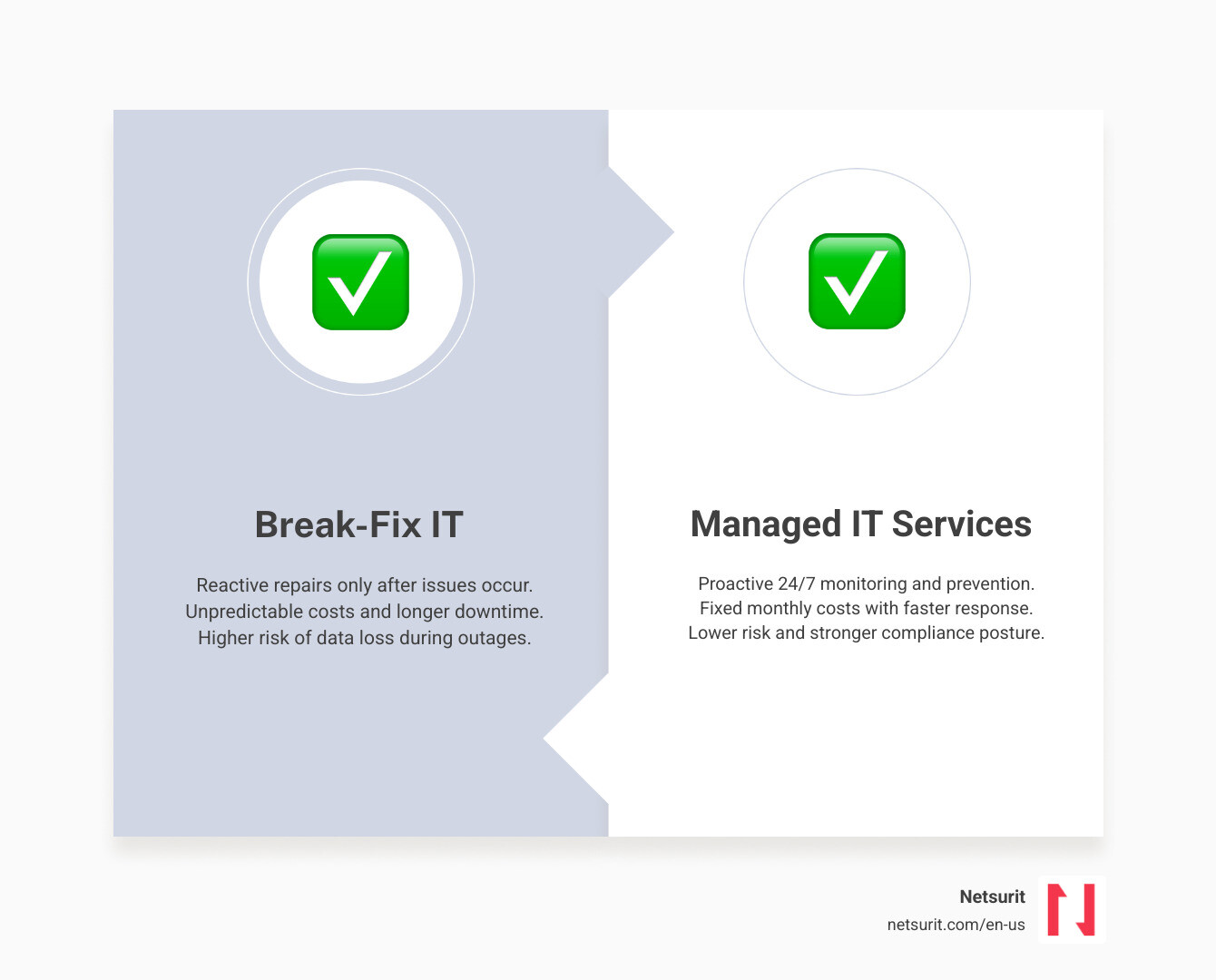
The managed services market is projected to grow from $390 billion in 2025 to over $430 billion in 2026. That growth reflects a real shift: businesses are moving away from reactive, break-fix IT toward structured, platform-driven partnerships. The difference is significant — organizations using managed IT services report up to 40% lower operational IT costs compared to fully in-house teams.
But not every MSP platform delivers equally. The tools your provider runs — and how tightly integrated they are — directly affect your uptime, security posture, and cost predictability. A platform that automates patch deployment and compliance reporting is fundamentally different from one that relies on manual processes and siloed tools.
This guide breaks down what separates strong MSP platforms from weak ones, which delivery model fits your situation, and what to verify before signing a contract.
I’m Orrin Klopper, CEO and co-founder of Netsurit — a global IT services company I started in 1995 and expanded into the US in 2016, where we now support over 300 organizations through an IT managed service providers platform built around always-on, secure, and scalable infrastructure. Across 30 years, I’ve seen which platform decisions drive real business outcomes and which ones create expensive problems.
1. Choose Your Delivery Model: Fully Managed vs. Co-Managed IT Services
Selecting the wrong IT support model is a fast way to waste money. If you buy more support than you need, you pay for idle technicians. If you buy too little, your internal team burns out, and system outages drag on for hours.
To make the right choice, you must understand how different service scopes align with your existing staff and business size.
| Service Model | Service Scope | Operational Control | Ideal Business Size |
|---|---|---|---|
| Fully Managed IT | Complete outsourcing of all IT operations, security, and strategic planning. | Strategic control remains with you; daily operations live with the MSP. | 20 to 500 employees with no internal IT staff. |
| Co-Managed IT | Shared responsibility; the MSP handles specialized or routine tasks while your team focuses on core projects. | Shared control; clear boundaries define who owns which systems. | 100 to 2,000 employees with a small internal IT team. |
| Specialized IT | Targeted projects or ongoing monitoring of specific areas (e.g., cybersecurity or cloud architecture). | High internal control; the MSP acts as a specialized extension. | Any size business facing complex regulatory or technical demands. |
To understand how these subscription-based approaches differ from traditional, hourly emergency support, read our breakdown of Managed Service vs Break Fix. You can also explore the specific Types of Managed IT Services to see which technical disciplines fit your operational needs.
Fully Managed IT Services
Fully managed IT services transfer the day-to-day operational risk of your technology to your partner. The provider uses their centralized IT managed service providers platform to deploy software updates, monitor network switches, and resolve employee helpdesk tickets around the clock.
Houston Example: A mid-sized accounting firm in downtown Houston has zero internal IT staff. To prevent devastating system crashes during the peak tax season (January through April), they outsource their entire infrastructure to a fully managed partner. The MSP monitors their local network, manages their tax software hosting, and provides instant remote support so CPAs never lose billable hours to blue screens.
Co-Managed IT Services
Co-managed IT services do not replace your trusted in-house staff. Instead, they give your team the breathing room they need to focus on strategic business growth. Under this model, the MSP handles the repetitive, mundane tasks — like patch management, automated backups, and overnight server alerts — while your internal director retains control over your custom business software and strategic projects.
Houston Example: An energy services firm in Sugar Land has a two-person internal IT team. These technicians are highly skilled but spend all day resetting passwords and troubleshooting printer connections, leaving no time to upgrade the company’s core enterprise resource planning (ERP) system. By partnering with an MSP to handle helpdesk tickets and overnight server monitoring, the internal team can finally ship the ERP project on schedule.
To see how this model can scale your department without doubling your payroll, read our guide on Co-Managed IT Services.
Specialized Managed Services
Specialized managed services are narrow, deep engagements designed to solve a single, complex problem. This model is common when a business must comply with strict federal security standards or migrate legacy on-premises databases to the cloud. You retain your existing IT support structure but bring in a partner to run a 24/7 Security Operations Center (SOC) or design a high-availability cloud environment.
=========================================
TRADE-OFFS: FULLY MANAGED VS. CO-MANAGED IT
=========================================
* Works best when: You have zero internal IT staff (Fully Managed) or your current team is entirely overwhelmed by routine maintenance tasks (Co-Managed).
* Avoid when: You run highly customized, proprietary software that requires constant, in-house developer oversight and has no standard documentation.
* Risks: Misaligned expectations regarding who owns specific troubleshooting tasks, leading to slower resolution times.
* Mitigations: Establish a clear responsibility matrix (RACI chart) during the first 30 days of onboarding to define exact ownership boundaries.
=========================================
2. Evaluate the MSP Technology Stack to Prevent Operational Downtime
When you partner with an MSP, you are not just hiring people; you are buying into their software ecosystem. A mature IT managed service providers platform integrates multiple specialized tools into a single, automated dashboard. This integration allows the provider to manage your devices, secure your network, and resolve tickets with minimal human delay.
Before signing an agreement, you should understand how to evaluate a provider’s technical capabilities. Read our structured advice on How to Choose a Managed Services Provider to learn what to look for during your technical evaluation.
Core Capabilities of an Enterprise MSP Platform
An enterprise-grade MSP platform relies on two primary software engines:
- Remote Monitoring and Management (RMM): Lightweight software agents installed on your laptops, servers, and network switches. These agents continuously stream performance telemetry back to the MSP. If a hard drive in your Tacoma office begins to fail or a server in Albuquerque runs out of memory, the platform automatically alerts a technician before your employees experience a crash.
- Professional Services Automation (PSA): The central nervous system of the MSP’s business. It tracks service tickets, documents your network configuration, manages software licenses, and measures response times against your contract.
When these two tools are deeply integrated, the platform can automate routine tasks. For example, if a critical security patch is released, the platform can test the update on a small group of machines, validate that it does not cause errors, and deploy it to all your company’s endpoints overnight without human intervention.
To see what this looks like in practice, platforms like the ignio™ Platform: SaaS-Based platform for Autonomous Enterprises utilize advanced AI and closed-loop automation to resolve up to 90% of routine infrastructure alerts automatically, preventing minor system glitches from turning into major business outages.
How an Integrated Platform Automates Compliance
For businesses operating in regulated sectors, compliance is not a once-a-year event; it requires continuous, daily enforcement. Modern MSP platforms use automated policy engines to monitor your systems for compliance drift.
If an employee disables encryption on their laptop or attempts to uninstall their endpoint security software, the platform detects the violation within minutes. It can automatically block the device from the corporate network and alert the security team, creating an immutable audit log that proves your business maintained its security standards.
Houston Example: A financial planning firm in Sugar Land must comply with strict IRS security standards. By partnering with a provider using a compliant managed IT services platform, the firm receives automated monthly reports proving that all customer data remains encrypted at rest, multi-factor authentication (MFA) is active across all accounts, and operating system patches are fully up to date.
3. Neutralize Security Threats with Proactive Monitoring and Compliance
Mid-sized businesses are prime targets for modern cybercriminals. Attackers know that mid-market firms hold valuable customer data but rarely have the budget to hire a dedicated, in-house security team.
An experienced MSP acts as a protective shield, deploying enterprise-grade security tools and monitoring your digital environment around the clock.
24/7 Monitoring and Incident Response
Relying on basic antivirus software is no longer sufficient to stop modern threats. Security requires a layered approach:
- Endpoint Detection and Response (EDR): Advanced software that monitors device behavior in real-time to block zero-day threats and ransomware execution.
- Security Information and Event Management (SIEM): A centralized platform that aggregates security logs from your cloud applications, local firewalls, and employee devices to detect subtle patterns of malicious activity.
- Security Operations Center (SOC): A team of specialized security analysts who monitor SIEM alerts 24/7/365 to investigate and contain active threats.
Houston Example: An accounting firm in Conroe is targeted by a sophisticated credential-stuffing attack at 2:00 AM on a Sunday. The attacker attempts to log into several employee email accounts from a foreign IP address. Because the firm’s IT services platform is monitored by a 24/7 SOC, the automated system immediately flags the anomalous login attempts, blocks the malicious IP, and forces a password reset across all accounts before the attacker can access sensitive tax files.
Navigating Industry-Specific Compliance
Compliance mandates are growing more complex every year. Whether you must satisfy the FTC Safeguards Rule for consumer financial data, HIPAA for healthcare records, or the Gramm-Leach-Bliley Act (GLBA) for taxpayer information, your IT infrastructure must be designed to meet these specific legal standards.
A qualified MSP helps you navigate these requirements by implementing strict access controls, configuring secure data storage, and generating the detailed documentation required by regulatory auditors.
Houston Example: A growing tax advisory practice in Katy must secure its customer portals to comply with the GLBA. They partner with a specialized provider of managed IT services in Katy to implement end-to-end data encryption, enforce multi-factor authentication, and run quarterly vulnerability scans, ensuring they remain fully compliant while protecting their clients’ private financial data.
For businesses outside of Texas, selecting a regional partner with local compliance expertise is just as critical. If you operate in the Pacific Northwest, you can leverage Tacoma managed IT services to secure your local infrastructure. Similarly, organizations in the Southwest can evaluate top regional partners in Albuquerque to find providers with proven local track records.
4. Control IT Spending and Enforce Accountability with Service Level Agreements
One of the biggest friction points in IT outsourcing is accountability. If your provider is slow to respond to critical outages, your business loses money.
To protect your organization, you must understand how MSPs structure their pricing and how to use Service Level Agreements (SLAs) to guarantee high performance.
Before signing a contract, it is wise to prepare for common pitfalls. Review the typical Challenges with Managed Service Providers to learn how to avoid communication breakdowns and hidden fees. You can also read our guide on Managed IT Services Pricing to understand the different billing models available in the market.
Service Level Agreements and Governance
A Service Level Agreement is a legally binding commitment within your contract that defines the exact standards of service your MSP must deliver. It outlines how quickly the provider must respond to issues based on their severity:
| Ticket Severity | Example Scenario | Guaranteed Response Time | Target Resolution Time |
|---|---|---|---|
| P1 – Critical | Core server is down; tax software is inaccessible for all employees. | Under 15 minutes | Under 4 hours |
| P2 – High | A department cannot print tax returns; local network is slow. | Under 1 hour | Under 8 hours |
| P3 – Medium | A single employee’s laptop is experiencing software errors. | Under 4 hours | Under 24 hours |
| P4 – Low | Requesting a password reset or onboarding a new employee. | Under 8 hours | Under 48 hours |
To ensure your provider meets these standards, your contract should include monthly SLA reporting and regular Quarterly Business Reviews (QBRs). During these reviews, your MSP should present data showing their average response times, patch compliance rates, and open ticket trends.
Houston Example: A fast-growing logistics and tax services firm in Houston partners with an enterprise-grade managed service provider. The firm writes a strict 15-minute response SLA into their contract for all P1 critical dispatch system outages, ensuring that any system failures during peak operational hours are addressed immediately by a senior technician.
Cost Optimization and ROI Measurement
Partnering with an MSP allows you to convert unpredictable capital expenditures (CapEx) — like buying expensive physical servers every five years — into predictable operating expenditures (OpEx).
An experienced MSP will continuously audit your technology stack to identify waste. They can help you consolidate redundant software licenses, transition underutilized local servers to cost-effective cloud environments, and extend the lifespan of your employee laptops through proactive maintenance.
To learn how this predictable, monthly cost structure can reduce your operational stress and protect your cash flow, read our article on Why Managed IT as a Service is the Secret to Sleeping at Night.
5. Scale Infrastructure and Transition to a New MSP Without Downtime
As your business grows, your technology must scale with you. If you open new offices, acquire a competitor, or transition to a hybrid remote work model, your IT environment must adapt quickly without disrupting your daily operations.
Structuring the Transition to a New MSP
Many business leaders stay with poor IT providers because they fear the transition to a new one will cause chaotic downtime. However, a professional MSP uses a highly structured, phased onboarding process to transfer service seamlessly over 30 to 60 days.
Onboarding Phase Timeline:
[Day 1-15: Discovery & Documentation] ---> [Day 16-30: Tool Deployment & Backup Verification] ---> [Day 31-45: Shadow Support & Training] ---> [Day 46+: Go-Live & Continuous Optimization]
During the discovery phase, the incoming MSP uses automated scanning tools to map your entire network, document your software licenses, and identify hidden security vulnerabilities. They build a comprehensive system of record before taking over support, ensuring that when the transition occurs, their helpdesk technicians already know your environment inside and out.
Houston Example: A Houston-based accounting firm merges with a smaller practice in Katy. By leveraging their MSP’s structured onboarding platform, the firm consolidates the two separate IT environments, migrates all client files to a unified cloud database, and trains the new employees on security protocols within a 45-day transition window — all without missing a single day of client billing.
Key Questions to Ask Potential Providers
When interviewing prospective IT partners, look past generic sales pitches. Ask these specific questions to verify their technical capabilities, security standards, and operational maturity:
- “Can you walk me through exactly what happens during a P1 security incident at 2:00 AM on a Sunday?” (Look for a clear escalation path involving an active, human-monitored SOC, not just automated email alerts.)
- “How do you distinguish between response time and resolution time in your SLA reports?” (A fast response time is meaningless if the technician takes three days to resolve the underlying issue.)
- “Do you have active clients in my specific industry who face the same compliance regulations?” (You do not want to be an MSP’s first client in a highly regulated sector like finance or healthcare.)
- “What is your average employee retention rate for your helpdesk technicians?” (High employee turnover at an MSP leads to poor service consistency and forces you to constantly re-explain your business processes to new technicians.)
=========================================
TRADE-OFFS: RAPID CLOUD MIGRATION
=========================================
* Works best when: Your physical office servers are at end-of-life, and your employees require secure, high-performance remote access from multiple locations.
* Avoid when: Your business relies on legacy, custom-built databases that lack cloud-native compatibility and would require expensive software redevelopment.
* Risks: Uncontrolled cloud resource consumption leading to unexpectedly high monthly bills, and potential data exposure during the migration process.
* Mitigations: Run a comprehensive pre-migration audit to estimate cloud costs, and enforce strict identity and access management (IAM) controls before moving any data.
=========================================
Frequently Asked Questions about MSP Platforms
What is the difference between response time and resolution time in an SLA?
Response time is the guaranteed period in which a technician will acknowledge your ticket and begin working on the issue. Resolution time is the target timeframe for fully fixing the underlying technical problem. Always ensure your contract defines clear expectations for both metrics.
Can an MSP platform integrate with our existing internal IT tools?
Yes. Modern, enterprise-grade MSP platforms utilize secure API integrations to connect with your existing IT Service Management (ITSM) frameworks, cloud directories, and security tools. This integration allows your internal IT staff and the external MSP to work out of a single, unified database without duplicating tickets.
How do MSPs handle data security during a cloud migration?
MSPs secure your data during migration by using end-to-end encryption for all files in transit and at rest. Before moving any production data, the provider will perform a complete backup of your systems, validate the integrity of those backups, and run a test migration with a small batch of files to ensure no data is lost or corrupted.
Conclusion
Your technology should be a strategic engine that drives your business forward, not a constant source of operational friction and security risk. Partnering with the right managed service provider stabilizes your monthly IT spending, protects your proprietary client data, and gives your business the scalability it needs to grow.
Ready to eliminate IT headaches and secure your business infrastructure? Partner with Netsurit for elite managed IT services and let our team of experts keep your systems running at peak performance.