
Choose a Local App Developer When Accountability Matters
Finding an app development company near me makes sense when your app affects revenue, client data, or daily operations. For Houston-area tax and accounting firms, a local partner can reduce coordination delays before filing season, payroll deadlines, or client onboarding waves.
Use this short list to find credible local options:
- Search independent review directories filtered by your city or metro area
- Check Google Business Profiles for verified local reviews and business details
- Ask your professional network for referrals from firms with similar compliance needs
- Review live apps and code samples for shipped work, not mockups
- Request a consultation to test communication, scope discipline, and technical judgment
A mobile app is not automatically the right investment. A Houston CPA firm with 200 clients may be better served by improving its secure client portal first. A firm with 2,000 clients, repeated document requests, and seasonal support spikes may need a mobile workflow for uploads, reminders, and status updates.
Local developers help most when accountability matters. Face-to-face planning can shorten decisions, shared business hours reduce waiting, and local references are easier to verify. The trade-off is that nearby teams still vary in security skill, product discipline, and post-launch support.
For 2026 planning, watch three areas: stricter app privacy disclosures, more client demand for mobile document capture, and growing use of AI-assisted support inside client service tools. Build your app so you can update security, privacy language, and workflow automation without rebuilding from scratch.
Orrin Klopper, CEO and co-founder of Netsurit, has helped grow a global IT services company since 1995, supporting more than 300 client organizations through vendor selection, infrastructure decisions, and long-term technology planning. That experience shapes the practical guidance below.
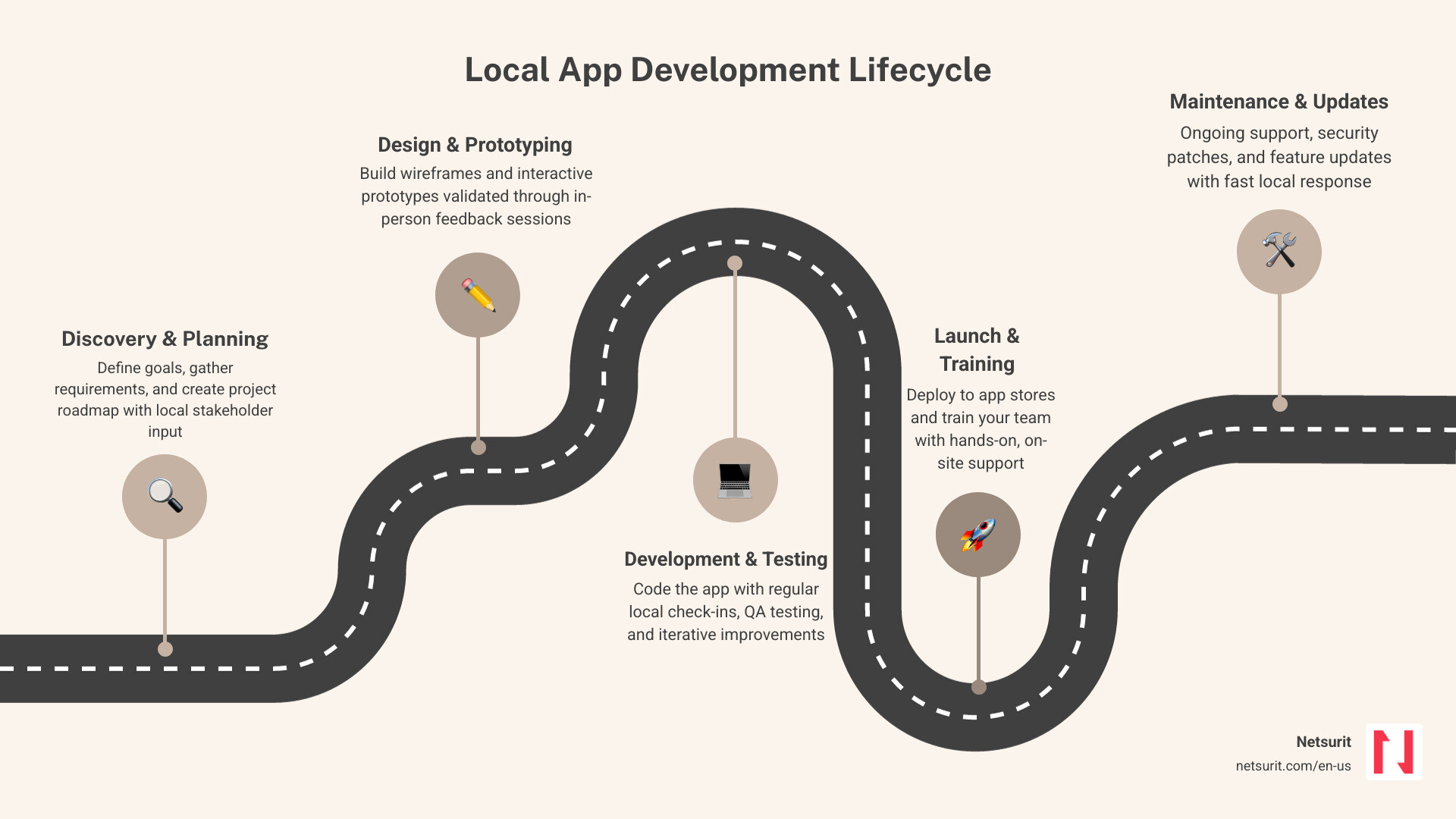
Choose a Local Developer Who Can Prove Delivery
A polished website does not prove a team can ship a secure app. Ask for evidence that connects their past work to your workflow, your risk level, and your launch date.
Step 1: Test Their Portfolio Like a User
Do not stop at screenshots. Ask for links to live apps in the Apple App Store or Google Play Store, then download them. Check load time, login flow, crash behavior, review patterns, and whether the app still receives updates.
For a Houston CPA firm building a secure tax document portal, look for proof of encrypted uploads, role-based access, audit trails, and database integrations. A developer who has only built simple marketing apps may not be ready for sensitive financial workflows.
Use official platform rules during evaluation. Review Apple’s App Store Review Guidelines and Google Play’s developer policy center so you understand what the finished app must satisfy before launch.
Step 2: Read Reviews for Delivery Patterns
Reviews matter most when they describe scope control, budget discipline, and response to production bugs. Look for comments that mention missed milestones, change-order handling, communication cadence, and post-launch support.
For a tax practice in Katy, one useful question is simple: did the developer protect the launch date when new feature requests appeared? A reliable team will separate must-have filing-season features from later improvements.
Step 3: Set Communication Rules Before You Sign
A local partner should offer more than email updates. Require weekly or bi-weekly sprint demonstrations where the team shows working software, not slide decks. If you cannot see progress every two weeks, you cannot catch scope drift early.
Your contract should name a project manager, define approval deadlines, and specify the collaboration channel. Microsoft Teams, Slack, or a shared project board can work, but only if the team uses it consistently.
Trade-offs: Local vs. Remote
- Works best when:
- Your app connects to local office workflows, scanners, onsite servers, or client service teams.
- Your partners need live workshops to map intake, billing, tax preparation, or approval steps.
- Avoid when:
- You need a basic proof of concept and have limited budget for discovery or project management.
- Risks:
- Local teams may have limited bench strength in niche areas such as advanced machine learning or device-level engineering.
- Mitigations:
- Choose a hybrid model with a local architect and project manager backed by specialized engineering capacity.
Match Local Services to the Workflow You Need to Fix
Local development companies should do more than write code. The right team translates a business process into software your staff and clients will actually use.
- Custom Software Development: Build specialized tools for client intake, approvals, workflow routing, and reporting.
- UI/UX Design: Create wireframes, user journeys, and responsive interfaces before development starts.
- API Integration: Connect the app to systems you already use, such as Salesforce, QuickBooks, Microsoft 365, or internal databases.
- Legacy System Modernization: Move outdated desktop tools into secure, cloud-hosted applications with role-based access.
For a Sugar Land accounting firm, the practical value is not the app itself. The value is fewer missing documents, fewer phone calls during filing season, and a clearer record of who approved each step.
Many firms are also adding conversational AI for scheduling, basic support, and document status questions. If you want to automate client scheduling or first-line support, consult The Lone Star Guide to AI Chatbot Development to see how businesses can evaluate secure AI agents.
Pick the Right iOS and Android Build Path
One of your first technical decisions is whether to build native apps or use a cross-platform framework.
- Native Development: Swift for iOS and Kotlin for Android. This approach fits apps that need high-performance graphics, complex offline processing, or deep integration with device hardware.
- Cross-Platform Development: Flutter or React Native. This approach uses one codebase for iOS and Android, which can reduce development time and maintenance cost.
If you run an accounting office in Sugar Land, a cross-platform app is often the practical choice. It gives clients a consistent experience on iPhones and Android devices without funding two separate builds.
Trade-offs: Native vs. Cross-Platform
- Works best when:
- Cross-platform works for client portals, appointment scheduling, document uploads, and dashboards.
- Native works for apps with heavy offline processing, device sensors, or platform-specific performance needs.
- Avoid when:
- You choose cross-platform only to cut cost while ignoring security, testing, or integration complexity.
- Risks:
- A poorly structured shared codebase can become hard to maintain as features expand.
- Mitigations:
- Require architecture documentation, automated testing, and a clear release process for both app stores.
For 2026 and beyond, watch on-device AI features, passkey adoption, and stronger privacy controls. These changes can affect login design, client consent flows, and support automation.
Set a Budget and Timeline Before Scope Expands
Understanding development phases prevents budget overruns and missed launch windows. Define the first release around one business outcome, then add features only when they support that outcome.
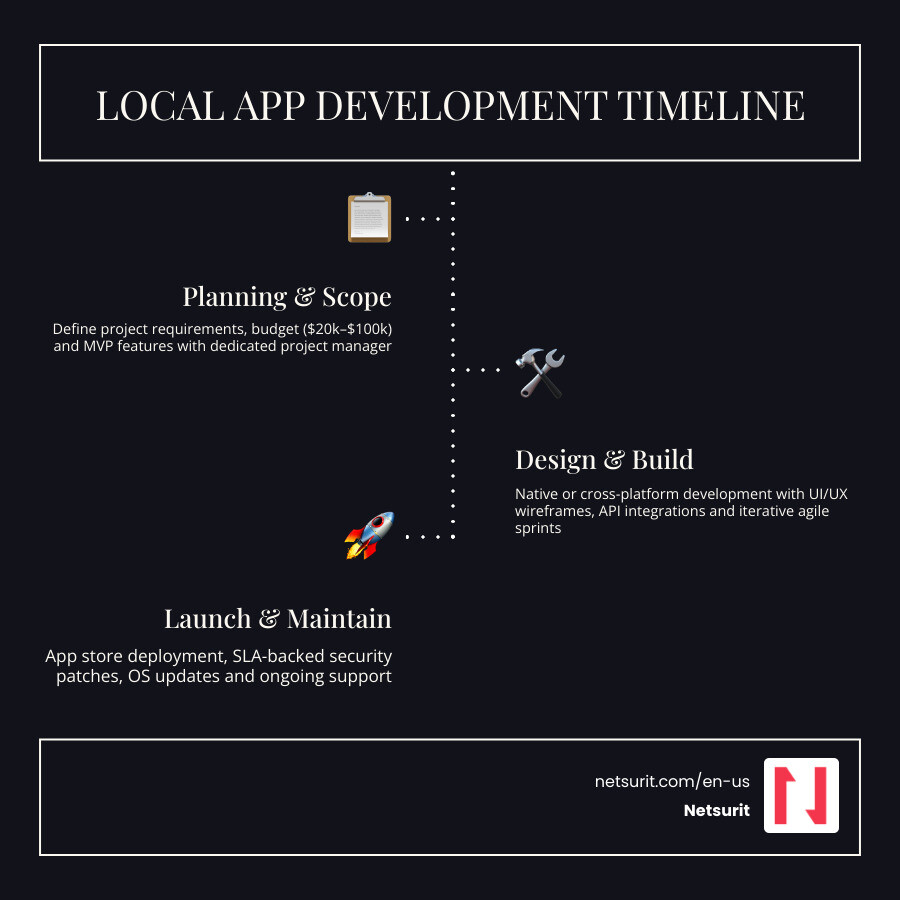
Local app budgets vary by scope, security requirements, integrations, and the seniority of the team. A practical planning range for many business apps is $20,000 to $100,000 for initial design and development. Hourly rates can help compare vendors, but total cost depends more on scope control than a single rate card.
For a Conroe accounting firm, an MVP might include client login, document upload, push notifications, and administrator review. Payroll integrations, dashboards, e-signature workflows, and AI support can wait until the firm validates usage.
| Development Option | Average Timeline | Code Quality & Security | Project Management | Best Suited For |
|---|---|---|---|---|
| Local Agency | 3-6 Months | High when security and support are contractually defined | Dedicated PM included | Enterprise tools, secure client portals |
| Freelancer | Variable | Moderate to high, depending on experience | Usually self-managed | Simple MVPs and rapid prototypes |
| Offshore Team | 4-9 Months | Variable | Higher risk of communication gaps | Low-budget, non-critical utilities |
If your app supports payments, digital commerce, or retail operations, read How to Scale Your Store with Ecommerce App Development Services for guidance on transaction security and integrations.
Budget for the First Useful Release
A basic Minimum Viable Product, or MVP, with registration, user roles, and database features can often be completed in 8 to 10 weeks. A more advanced app with multiple third-party integrations, custom dashboards, and stronger security controls often takes 3 to 6 months from planning to app store launch.
Consider a Katy tax consultancy preparing for filing season. If it starts with document scanning, secure messaging, and onboarding checklists, it can launch faster and measure adoption. If it adds every internal workflow in version one, it risks missing the season it intended to support.
Trade-offs: MVP vs. Full Build
- Works best when:
- An MVP solves one urgent workflow, such as client document intake before tax season.
- A full build supports a stable process with clear requirements and budget approval.
- Avoid when:
- Stakeholders cannot agree on which features belong in the first release.
- Risks:
- Underfunded MVPs can create technical debt if the team skips architecture and security.
- Mitigations:
- Fund discovery, define must-have workflows, and reserve budget for maintenance after launch.
Protect the App After Launch
An app is not a one-time purchase. After launch, Apple and Google operating system changes, security patches, and user feedback all create ongoing work.
Before signing a development contract, require a Service Level Agreement, or SLA, for post-launch support. The SLA should define response times, severity levels, release responsibilities, and ownership of app store accounts.
A standard support plan should cover:
- Bug Fixes: Resolve crashes, failed uploads, login failures, and performance bottlenecks.
- OS Compatibility Updates: Keep the app working on new iOS and Android versions and phone models.
- App Store Optimization: Update descriptions, screenshots, keywords, and release notes when features change.
- Security Patching: Patch libraries, APIs, and hosting components before known vulnerabilities become incidents.
For a Houston tax firm, one broken document upload flow in March can create hundreds of support calls. A support plan with a 4-hour response target for critical issues gives the firm a defined path to recovery.
Trade-offs: Retainer vs. Pay-As-You-Go Support
- Works best when:
- A retainer fits apps that handle client data, payments, deadlines, or regulated workflows.
- Pay-as-you-go support fits low-risk internal tools with limited users.
- Avoid when:
- The developer offers launch support without defined response times or ownership terms.
- Risks:
- Unsupported apps fall behind platform updates and become expensive to rescue.
- Mitigations:
- Keep source code, credentials, deployment pipelines, and documentation under your control.
Frequently Asked Questions
How long does it take to build a mobile app with a local developer?
A simple MVP typically takes 8 to 10 weeks. A customized application with advanced integrations, dashboards, and stronger security controls usually takes 3 to 6 months.
For a Houston CPA firm, the schedule depends on how quickly stakeholders approve workflows and content. Weekly or bi-weekly agile sprints help the team show working software and fix issues before launch.
Who owns the app code after development is complete?
You should own 100% of the source code, design files, deployment assets, and intellectual property after payment. Put that requirement in the contract before work begins.
Avoid agreements that lock your firm into a proprietary platform without export rights. If you later change vendors, you need clean access to the code, documentation, and app store accounts.
Do local developers sign Non-Disclosure Agreements?
Yes. Reputable developers will sign an NDA before you share sensitive workflows, database structures, client records, or proprietary service processes.
For tax and accounting firms in Katy, Conroe, Sugar Land, and Houston, confidentiality is not optional. The NDA should support a broader security review that covers data handling, access control, and vendor staff permissions.
Conclusion
Choosing an app development company near me is a practical decision when local accountability, security, and workflow knowledge matter. The best partner will prove delivery with live apps, clear sprint demos, written ownership terms, and a support plan that survives launch.
Netsurit helps businesses build the IT foundations, cloud environments, cybersecurity controls, and AI strategy needed to run custom applications safely. Explore Netsurit Services to plan the infrastructure and support behind your next digital tool.