Category: Blog

  • Cash Flow Crystal Ball: AI-Driven Forecasting for Treasury

    Cash Flow Crystal Ball: AI-Driven Forecasting for Treasury

    Why AI in Treasury Management Is Now a Business Necessity

    AI in treasury management transforms how finance teams forecast cash flow, prevent fraud, and manage liquidity risk — moving them from reactive spreadsheet work to real-time, predictive decision-making.

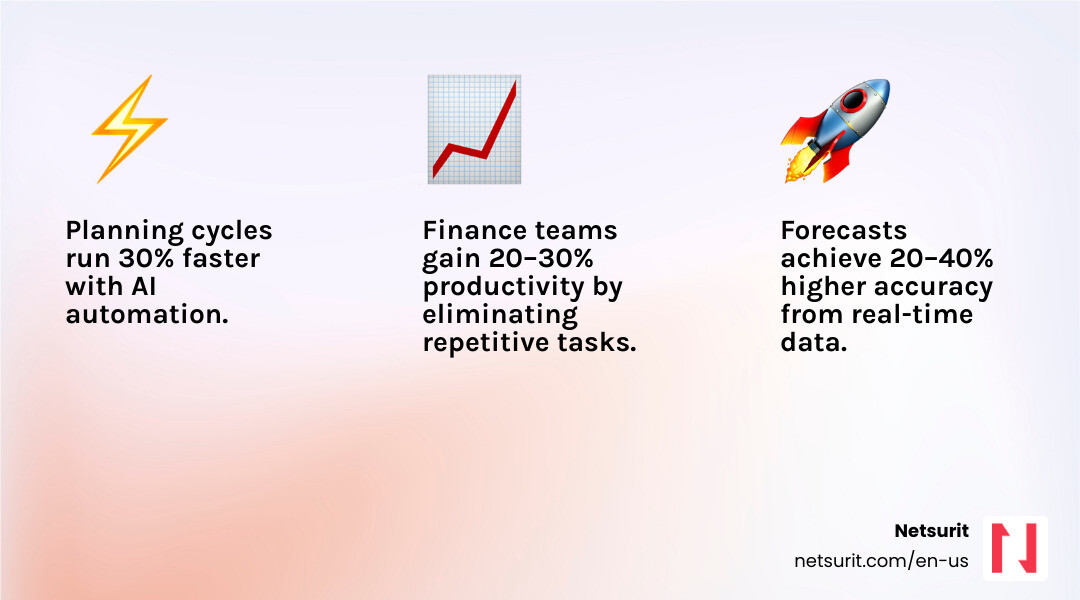
    Here is what AI delivers for treasury operations today:

    Capability What It Does Measurable Impact
    Cash flow forecasting Analyzes historical payments, seasonal patterns, and market data Up to 50% reduction in forecasting error rates
    Fraud prevention Flags suspicious transactions and checks in real time Over $4 billion in fraudulent payments prevented or recovered in fiscal 2024
    Liquidity planning Predicts cash buffer needs and optimizes deployment 30% reduction in idle cash buffers
    FX risk management Simulates currency exposure scenarios automatically Faster, more informed hedging decisions
    Sanctions screening Digitizes signatory data via OCR for real-time compliance Reduced manual processing and compliance risk

    Traditional treasury relies on lagging data, manual spreadsheets, and fragmented systems. That combination leaves firms exposed — to fraud, to cash shortfalls, and to costly hedging mistakes — especially in volatile markets.

    The core problem is not a lack of data. It is that the data arrives too late, in the wrong format, from too many disconnected sources.

    Despite AI’s clear potential, adoption is still early. 82% of corporate treasury teams are only in the identification or exploration stage, and just 5% have scaled AI to full production. That gap represents both a risk for laggards and a real competitive opening for firms that move now.

    This guide explains how AI works in treasury, which tools lead the market, what barriers to expect, and how to implement AI in a phased, practical way — without replacing the human judgment that treasury still requires.

    I’m Orrin Klopper, CEO and co-founder of Netsurit, and over 30 years of leading IT and digital transformation initiatives for hundreds of organizations, I have seen how the right technology foundation — including AI in treasury management — separates firms that scale from those that stall. That experience shapes every recommendation in this guide.

    Infographic showing the shift from traditional manual treasury management (fragmented spreadsheets, lagging data, reactive decisions, high error rates) to AI-driven treasury management (real-time cash visibility, predictive liquidity forecasting, automated fraud detection, 50% fewer forecasting errors, 30% lower cash buffers), with a horizontal timeline arrow and four labeled outcome pillars: Accuracy, Speed, Security, and Strategic Insight - AI in treasury management infographic 4_facts_emoji_nature

    Relevant articles related to AI in treasury management:

    • AI-powered financial analysis
    • AI for financial planning
    • Automate accounts payable

    Moving Beyond Excel: How AI in Treasury Management Predicts Liquidity

    Neural network overlaying financial ledger data - AI in treasury management

    For decades, the “gold standard” for treasury has been a complex web of Excel workbooks. While functional, these models are inherently backward-looking. They rely on what happened last month to guess what might happen next week. AI in treasury management flips this script by using predictive analytics to provide real-time liquidity visibility.

    Traditional methods often fail because they cannot account for the sheer volume of unstructured data—news feeds, social media sentiment, or sudden supply chain shifts. AI thrives here. It integrates data from ERP systems, CRM platforms, and market feeds to create a living, breathing model of your firm’s financial health. By reducing manual data entry in accounting, teams can stop chasing numbers and start analyzing them.

    Transforming Cash Flow with AI in Treasury Management

    The most immediate win for any treasury team is the precision gain in cash flow forecasting. Statistical modeling and machine learning (ML) allow systems to recognize subtle patterns that a human eye—or a standard Excel formula—would miss.

    Research shows that AI-powered forecasting models can reduce error rates by up to 50% compared to traditional methods. These models use neural networks and Long Short-Term Memory (LSTM) networks to analyze time-series data. Instead of a flat projection, you get a dynamic curve that adjusts as new invoices are issued or market conditions shift. You can explore these concepts further in our AI in Finance Webinar.

    Scenario Analysis and Stress Testing

    Volatility is the only constant in modern finance. Whether it is a sudden currency devaluation or a supply chain disruption, treasurers need to know “what if” in seconds, not days. AI enhances Monte Carlo simulations by generating thousands of potential scenarios based on historical data and current market volatility.

    This capability is particularly vital for integrating Environmental, Social, and Governance (ESG) factors into liquidity planning. If a major supplier faces a climate-related disruption, AI can simulate the impact on your cash position immediately. It’s about moving from a “best guess” to a ready-to-work smarter posture.

    Example: A tax firm in Sugarland, TX, managing high-volume seasonal inflows, uses AI to predict the exact date cash buffers can be moved into high-yield short-term investments, rather than leaving them idle in low-interest accounts. This precision allows them to capture an extra 15–20 basis points of yield that would otherwise be lost to “safety” buffers.

    Trade-offs for AI Forecasting Details
    Works best when Historical data is clean, tagged, and spans at least 24 months.
    Avoid when The firm is undergoing a major merger or structural change that renders historical patterns irrelevant.
    Risks “Black box” models that provide results without explainable logic.
    Mitigations Run parallel Excel models for 90 days to validate AI outputs before full transition.

    Leading AI-Powered Systems and Real-World Impact

    Choosing the right Treasury Management System (TMS) is no longer just about bank connectivity; it is about the “intelligence” baked into the platform. Several leaders have emerged, each offering unique AI capabilities.

    Platform Standout AI Feature Core Benefit
    GTreasury GSmart AI Learning forecasts and intelligent orchestration across $12.5T in volume.
    Kyriba OPR Index Quantifies CFO confidence through Optimism, Preparedness, and Risk pillars.
    FIS Neural Treasury Cloud-native suite with “Treasury GPT” for guided decision support.

    The impact of these systems is not theoretical. For instance, the global giant Bosch utilized AI for predictive liquidity planning and successfully reduced its cash buffer by 30%. This freed up millions in capital for strategic reinvestment. Similarly, Navigating the AI Wave reveals that AI is shifting treasury from a back-office cost center to a strategic innovation hub.

    Fraud Prevention and Risk Management

    Fraud is becoming more sophisticated, but AI is fighting back. The U.S. Department of the Treasury prevented and recovered over $4 billion in fraudulent and improper payments in fiscal 2024 alone by using machine learning to detect check fraud.

    AI uses anomaly detection and behavioral analytics to flag transactions that deviate from established patterns. By employing Optical Character Recognition (OCR) to digitize signatory data, banks and firms can perform real-time sanctions screening and payment security checks. This is a classic case of AI to the rescue, fixing business problems before they hit the bottom line.

    Optimizing Liquidity with Intelligent TMS

    Beyond fraud, AI streamlines the unglamorous parts of treasury: bank statement processing and automated reconciliation. Modern TMS providers use AI to recognize and categorize transactions automatically, even when the data is messy.

    By automating these “quick fix” tasks, firms achieve up to 30% cost savings. However, as discussed in our BDO Webinar, the goal isn’t just a fast patch; it’s a fundamental shift in how the accounting and treasury functions interact.

    Example: An accounting practice in Katy, TX, implemented AI-driven anomaly detection to flag duplicate vendor payments across multiple client accounts, reducing manual audit time by 15 hours per week. This allowed their senior staff to focus on high-level tax strategy rather than clerical errors.

    Overcoming Barriers to AI Adoption in Treasury

    If AI is so effective, why are only 5% of firms optimizing it? The barriers are usually internal rather than technical. 59% of treasury professionals cite limited resources as the top hurdle, followed closely by data quality issues.

    Data Governance and Quality Control

    AI is only as good as the data you feed it. If your historical cash flows are mislabeled—for example, marking an M&A outflow as “payroll”—the AI will predict a massive payroll spike every year.

    To scale safely, firms must implement strict data governance. This includes:

    • Sensitivity Labels: Classifying data (Public, Internal, Confidential) so AI assistants don’t expose sensitive info.
    • Content Lifecycles: Proactively archiving old data so it doesn’t skew current models.
    • Least Privilege Access: Ensuring the AI only accesses the specific ledgers it needs for a task.

    Effective automation for accounting firms requires centralizing these data silos first.

    The Skills Gap and Mindset Shift

    The role of the treasurer is changing. Instead of being an Excel wizard, the modern professional needs to be an “AI Co-pilot.” This requires a shift toward an “AI-first” mindset and new skills like prompt engineering—the ability to ask AI the right questions to get precise financial insights.

    Example: A mid-sized firm in Conroe, TX, found that AI adoption stalled not because of the software, but because their data was siloed in three different legacy ERPs. They had to centralize their data architecture before the AI could provide a reliable “single version of truth.” Without that foundation, the AI’s forecasts were consistently 20% off.

    A Phased Roadmap for Implementing AI in Treasury

    We recommend a four-stage framework to ensure AI delivers ROI without disrupting daily operations. You can find more on driving AI productivity here.

    1. Identification: Pinpoint repetitive, data-intensive tasks like daily cash positioning or bank reconciliation.
    2. Exploration: Run a low-risk pilot. Use AI to generate a “second opinion” on your current cash forecast.
    3. Transformation: Redesign your workflows. If AI handles the data pull, what should your team do with the extra 10 hours a week?
    4. Optimization: Scale the solution and integrate Agentic AI—systems that can proactively suggest FX hedges or move funds between accounts based on pre-set rules.

    The Role of Generative AI in Treasury Management

    Generative AI, like “Treasury GPT” or Copilot for Business Central, allows you to query your financial data using natural language. Instead of building a report, you simply ask, “What is our net interest expense this month compared to our forecast?” and get an answer in seconds. This provides a layer of decision support that was previously impossible without a dedicated data science team.

    Scaling from Pilot to Production

    As you move into production, focus on building feedback loops. AI models need to be validated and refined continuously. This is where “Agentic AI” comes in—moving from a tool that answers questions to a partner that collaborates on strategic execution across the enterprise.

    Frequently Asked Questions about AI in Treasury

    How does AI improve cash forecasting accuracy?

    AI models like LSTM networks analyze thousands of variables simultaneously—including seasonal trends, market volatility, and historical payment behavior—to reduce forecasting error rates by up to 50% compared to manual methods. Unlike linear Excel models, AI can spot non-linear correlations between external market events and internal cash flows.

    Is AI going to replace treasury professionals?

    No. AI acts as a “co-pilot” that automates repetitive data entry and reconciliation, allowing treasurers to shift from “firefighting” to strategic activities like FX hedging and capital allocation. The goal is to augment human intelligence, not replace the nuanced judgment required for high-stakes financial decisions.

    What are the biggest risks of using AI in treasury?

    The primary risks include data privacy breaches, “hallucinations” in generative models (where the AI provides a confident but incorrect answer), and a lack of explainability in complex algorithms. These are mitigated through robust data governance, keeping a “human-in-the-loop” for final approvals, and running parallel models during the initial rollout.

    Conclusion

    AI is no longer a futuristic concept but a necessary operating system for modern treasury departments to maintain liquidity and prevent fraud in an increasingly volatile market. By following a phased implementation roadmap and prioritizing data quality, firms can turn their treasury function into a competitive advantage.

    Netsurit provides the specialized AI solutions and cybersecurity guardrails necessary for financial teams to scale these technologies safely and effectively. Whether you are in Houston, Katy, or Sugarland, we are here to help you navigate this transition.

    Unlock your momentum with Netsurit’s Digital Transformation for Accounting

  • The High-Flying Guide to Cloud Migration and Server Management

    The High-Flying Guide to Cloud Migration and Server Management

    Maximize Scalability with cloud migration services houston

    Scalability is the primary driver for Houston businesses moving to the cloud in 2025. Unlike traditional on-premises hardware, where you must purchase and rack physical servers to meet peak demand, the cloud offers resource elasticity. This means you can scale your computing power up during busy seasons and down during lulls, paying only for the capacity you actually use.

    For a Sugar Land tax firm, this elasticity is a financial lifesaver. During the frantic months leading up to April 15th, their server requirements might triple to handle tax preparation software and client portals. In May, those requirements drop. By utilizing cloud migration services houston providers offer, that firm avoids paying for idle hardware nine months out of the year. Beyond cost, the cloud provides ubiquitous access, allowing your team to work securely from a home office in Katy or a client’s site in Conroe without latency.

    The environmental impact is equally significant. Research indicates that migrating to the cloud creates more than a 20% improvement in your carbon footprint. This is due to higher server density and the sustainable practices, such as renewable energy, employed by major data centers. Furthermore, the Business Value of Cloud Modernization report highlights that 505 surveyed enterprises saw substantial gains in operational efficiency. One documented case saw a client optimize their cloud and disaster recovery plan, resulting in annual savings of more than $400,000.

    Trade-offs: Scalability vs. Cost Details
    Works best when You face seasonal demand spikes or rapid headcount growth.
    Avoid when You have legacy applications that require physical USB dongles or specialized local hardware.
    Risks Unmonitored “zombie” resources can lead to high egress fees and budget creep.
    Mitigations Set up automated cost monitoring alerts and cloud consulting to prune unused assets.

    Selecting Your Migration Pathway: From Lift-and-Shift to Re-architecting

    Not every application needs a total overhaul to live in the cloud. Choosing the right “R” (Re-host, Re-platform, or Re-architect) determines your project’s speed, cost, and long-term ROI. Many Houston firms start with a “Lift-and-Shift” (Re-hosting) to exit a failing data center quickly, then optimize later.

    Strategy Definition Best For
    Re-hosting (Lift-and-Shift) Moving applications as-is to the cloud. Rapid data center exits; low-complexity apps.
    Re-platforming Making minor adjustments to take advantage of cloud features. Moving databases to managed services like Azure SQL.
    Re-architecting Completely rewriting the app using cloud-native features. Maximum scalability; long-term cost efficiency.

    We often recommend Microsoft Azure services for Houston businesses already embedded in the Microsoft ecosystem. Transitioning to open-source technologies during migration can lead to a 70% reduction in licensing costs. For those willing to go further, adopting serverless architectures can result in a 39% reduction in IT spend because you stop paying for “always-on” virtual machines.

    Consider a Conroe-based manufacturing company with a legacy inventory system. A simple lift-and-shift gets them out of their dusty server closet in weeks. However, by eventually re-architecting that system into a cloud-native application, they can integrate real-time IoT data from the factory floor—something their old hardware could never handle.

    Trade-offs: Speed vs. Optimization Details
    Works best when You need a rapid exit from a physical data center due to a lease expiry or hardware failure.
    Avoid when The application code is undocumented or the original developers are no longer available.
    Risks “Lifting and shifting” technical debt can lead to higher monthly cloud bills than necessary.
    Mitigations Use a phased refactoring approach—migrate first, then optimize the most expensive workloads.

    Executing a Secure Project Step-by-Step

    A successful migration isn’t just a “file copy” to the cloud. It requires a rigorous, phased approach to ensure data integrity and security. The process begins with portfolio discovery and a migration readiness assessment (MRA). This identifies which workloads are ready for the move and which have dependencies that could cause a crash if moved in the wrong order.

    Security is the cornerstone of cloud migration services houston providers deliver. We implement layered security, including data encryption (both at rest and in transit) and identity management. For firms in regulated industries, maintaining HIPAA compliance or GDPR standards is non-negotiable. We’ve seen specialized migrations involving 12TB+ of MongoDB and Elasticsearch data moved to the cloud with a zero-downtime strategy, ensuring that the business remained operational throughout the entire transfer.

    A cloud security assessment is vital before the first byte moves. This ensures that your new environment isn’t just a copy of your old one, but a fortified version that meets 2025 security benchmarks.

    Trade-offs: Thoroughness vs. Timeline Details
    Works best when Data security and regulatory compliance are your highest priorities.
    Avoid when Internal stakeholders are not aligned on the project’s business goals.
    Risks Rushing the assessment phase can lead to data corruption or broken application links.
    Mitigations Perform rigorous validation testing in a sandbox environment before the final “cutover.”

    Minimizing Disruption with cloud migration services houston

    The biggest fear for a Katy accounting firm during tax season is downtime. To prevent this, we use phased rollouts and blue-green deployments. In a blue-green setup, we run two identical production environments. We migrate the data to the new “green” environment while the “blue” one stays live. Once we confirm the green environment is perfect, we flip the switch. If anything goes wrong, we flip it back instantly. This data replication strategy ensures your team never loses a minute of billable time.

    Post-Migration Support for cloud migration services houston

    The work doesn’t end on “Go-Live” day. Effective managed cloud services involve 24/7 monitoring and resource fine-tuning. Cloud environments are dynamic; what was efficient in month one might need adjustment by month six as your data grows. Looking ahead to 2026, we expect a massive surge in AI integration. By having your data in the cloud now, you’re positioning your business to use AI-driven analytics that can predict market trends or automate routine data entry.

    Overcoming Downtime and Cost Overruns

    Cloud migration projects typically take a minimum of two months, with complex, multi-site projects potentially taking several years. One of the most common pitfalls is “sticker shock” from unoptimized cloud spend. We’ve seen a FinTech startup reduce their monthly AWS spend by 30%—from approximately $44,000 down to $31,000—simply by right-sizing their instances and eliminating redundant storage.

    Choosing local Houston expertise over a faceless national firm offers a distinct advantage: we understand the local business climate and can provide on-site IT support Houston businesses need when physical hardware needs to be decommissioned. We take a vendor-agnostic approach, meaning we recommend the platform (Azure, AWS, or Google Cloud) that fits your specific needs, not the one that fits our sales quota.

    Trade-offs: DIY vs. Managed Migration Details
    Works best when Your internal IT team is overstretched or lacks specific cloud-native certifications.
    Avoid when Your budget is strictly fixed without any contingency for discovered technical debt.
    Risks Scope creep can extend timelines and inflate costs if the initial roadmap is vague.
    Mitigations Develop a detailed roadmap with clear milestones and “go/no-go” decision points.

    Frequently Asked Questions about Cloud Migration Services Houston

    How long does a typical Houston cloud migration take?

    The timeline varies based on the complexity of your data and the number of applications. A simple migration for a small office might take 2 to 3 months. For larger enterprises with legacy databases and hundreds of users, the process can span a year or more. The assessment phase alone usually takes 2 to 4 weeks.

    How do Houston providers ensure data security during the move?

    Security is handled through a combination of advanced encryption protocols and secure transfer tunnels. We also perform cloud-cybersecurity audits to ensure that identity and access management (IAM) roles are correctly configured, preventing unauthorized access during and after the move.

    Can cloud migration actually reduce my monthly IT spend?

    Yes, primarily by eliminating the need for capital-intensive hardware refreshes every 3 to 5 years. By moving to a pay-as-you-go model and utilizing cloud-hosting, many businesses see a 27% to 30% reduction in ongoing costs. Further savings come from reduced electricity bills and lower physical space requirements.

    Build Your Business Momentum in the Cloud

    Cloud migration is no longer a “someday” project; it is the foundation for business resilience in 2025 and beyond. By moving away from the limitations of physical hardware, Houston businesses can unlock the scalability, security, and cost-efficiency needed to compete in a global market. Whether you are looking to protect a Katy accounting firm from tax-season crashes or modernize a manufacturing plant in Conroe, the cloud provides the agility you need.

    At Netsurit, we act as your elite tech partner, helping you crush downtime and achieve your business aspirations through tailored managed IT services houston.

    Start your migration journey with a Netsurit cloud assessment today.

  • The High-Flying Guide to Cloud Migration and Server Management

    The High-Flying Guide to Cloud Migration and Server Management

    Maximize Scalability with cloud migration services houston

    Scalability is the primary driver for Houston businesses moving to the cloud in 2025. Unlike traditional on-premises hardware, where you must purchase and rack physical servers to meet peak demand, the cloud offers resource elasticity. This means you can scale your computing power up during busy seasons and down during lulls, paying only for the capacity you actually use.

    For a Sugar Land tax firm, this elasticity is a financial lifesaver. During the frantic months leading up to April 15th, their server requirements might triple to handle tax preparation software and client portals. In May, those requirements drop. By utilizing cloud migration services houston providers offer, that firm avoids paying for idle hardware nine months out of the year. Beyond cost, the cloud provides ubiquitous access, allowing your team to work securely from a home office in Katy or a client’s site in Conroe without latency.

    The environmental impact is equally significant. Research indicates that migrating to the cloud creates more than a 20% improvement in your carbon footprint. This is due to higher server density and the sustainable practices, such as renewable energy, employed by major data centers. Furthermore, the Business Value of Cloud Modernization report highlights that 505 surveyed enterprises saw substantial gains in operational efficiency. One documented case saw a client optimize their cloud and disaster recovery plan, resulting in annual savings of more than $400,000.

    Trade-offs: Scalability vs. Cost Details
    Works best when You face seasonal demand spikes or rapid headcount growth.
    Avoid when You have legacy applications that require physical USB dongles or specialized local hardware.
    Risks Unmonitored “zombie” resources can lead to high egress fees and budget creep.
    Mitigations Set up automated cost monitoring alerts and cloud consulting to prune unused assets.

    Selecting Your Migration Pathway: From Lift-and-Shift to Re-architecting

    Not every application needs a total overhaul to live in the cloud. Choosing the right “R” (Re-host, Re-platform, or Re-architect) determines your project’s speed, cost, and long-term ROI. Many Houston firms start with a “Lift-and-Shift” (Re-hosting) to exit a failing data center quickly, then optimize later.

    Strategy Definition Best For
    Re-hosting (Lift-and-Shift) Moving applications as-is to the cloud. Rapid data center exits; low-complexity apps.
    Re-platforming Making minor adjustments to take advantage of cloud features. Moving databases to managed services like Azure SQL.
    Re-architecting Completely rewriting the app using cloud-native features. Maximum scalability; long-term cost efficiency.

    We often recommend Microsoft Azure services for Houston businesses already embedded in the Microsoft ecosystem. Transitioning to open-source technologies during migration can lead to a 70% reduction in licensing costs. For those willing to go further, adopting serverless architectures can result in a 39% reduction in IT spend because you stop paying for “always-on” virtual machines.

    Consider a Conroe-based manufacturing company with a legacy inventory system. A simple lift-and-shift gets them out of their dusty server closet in weeks. However, by eventually re-architecting that system into a cloud-native application, they can integrate real-time IoT data from the factory floor—something their old hardware could never handle.

    Trade-offs: Speed vs. Optimization Details
    Works best when You need a rapid exit from a physical data center due to a lease expiry or hardware failure.
    Avoid when The application code is undocumented or the original developers are no longer available.
    Risks “Lifting and shifting” technical debt can lead to higher monthly cloud bills than necessary.
    Mitigations Use a phased refactoring approach—migrate first, then optimize the most expensive workloads.

    Executing a Secure Project Step-by-Step

    A successful migration isn’t just a “file copy” to the cloud. It requires a rigorous, phased approach to ensure data integrity and security. The process begins with portfolio discovery and a migration readiness assessment (MRA). This identifies which workloads are ready for the move and which have dependencies that could cause a crash if moved in the wrong order.

    Security is the cornerstone of cloud migration services houston providers deliver. We implement layered security, including data encryption (both at rest and in transit) and identity management. For firms in regulated industries, maintaining HIPAA compliance or GDPR standards is non-negotiable. We’ve seen specialized migrations involving 12TB+ of MongoDB and Elasticsearch data moved to the cloud with a zero-downtime strategy, ensuring that the business remained operational throughout the entire transfer.

    A cloud security assessment is vital before the first byte moves. This ensures that your new environment isn’t just a copy of your old one, but a fortified version that meets 2025 security benchmarks.

    Trade-offs: Thoroughness vs. Timeline Details
    Works best when Data security and regulatory compliance are your highest priorities.
    Avoid when Internal stakeholders are not aligned on the project’s business goals.
    Risks Rushing the assessment phase can lead to data corruption or broken application links.
    Mitigations Perform rigorous validation testing in a sandbox environment before the final “cutover.”

    Minimizing Disruption with cloud migration services houston

    The biggest fear for a Katy accounting firm during tax season is downtime. To prevent this, we use phased rollouts and blue-green deployments. In a blue-green setup, we run two identical production environments. We migrate the data to the new “green” environment while the “blue” one stays live. Once we confirm the green environment is perfect, we flip the switch. If anything goes wrong, we flip it back instantly. This data replication strategy ensures your team never loses a minute of billable time.

    Post-Migration Support for cloud migration services houston

    The work doesn’t end on “Go-Live” day. Effective managed cloud services involve 24/7 monitoring and resource fine-tuning. Cloud environments are dynamic; what was efficient in month one might need adjustment by month six as your data grows. Looking ahead to 2026, we expect a massive surge in AI integration. By having your data in the cloud now, you’re positioning your business to use AI-driven analytics that can predict market trends or automate routine data entry.

    Overcoming Downtime and Cost Overruns

    Cloud migration projects typically take a minimum of two months, with complex, multi-site projects potentially taking several years. One of the most common pitfalls is “sticker shock” from unoptimized cloud spend. We’ve seen a FinTech startup reduce their monthly AWS spend by 30%—from approximately $44,000 down to $31,000—simply by right-sizing their instances and eliminating redundant storage.

    Choosing local Houston expertise over a faceless national firm offers a distinct advantage: we understand the local business climate and can provide on-site IT support Houston businesses need when physical hardware needs to be decommissioned. We take a vendor-agnostic approach, meaning we recommend the platform (Azure, AWS, or Google Cloud) that fits your specific needs, not the one that fits our sales quota.

    Trade-offs: DIY vs. Managed Migration Details
    Works best when Your internal IT team is overstretched or lacks specific cloud-native certifications.
    Avoid when Your budget is strictly fixed without any contingency for discovered technical debt.
    Risks Scope creep can extend timelines and inflate costs if the initial roadmap is vague.
    Mitigations Develop a detailed roadmap with clear milestones and “go/no-go” decision points.

    Frequently Asked Questions about Cloud Migration Services Houston

    How long does a typical Houston cloud migration take?

    The timeline varies based on the complexity of your data and the number of applications. A simple migration for a small office might take 2 to 3 months. For larger enterprises with legacy databases and hundreds of users, the process can span a year or more. The assessment phase alone usually takes 2 to 4 weeks.

    How do Houston providers ensure data security during the move?

    Security is handled through a combination of advanced encryption protocols and secure transfer tunnels. We also perform cloud-cybersecurity audits to ensure that identity and access management (IAM) roles are correctly configured, preventing unauthorized access during and after the move.

    Can cloud migration actually reduce my monthly IT spend?

    Yes, primarily by eliminating the need for capital-intensive hardware refreshes every 3 to 5 years. By moving to a pay-as-you-go model and utilizing cloud-hosting, many businesses see a 27% to 30% reduction in ongoing costs. Further savings come from reduced electricity bills and lower physical space requirements.

    Build Your Business Momentum in the Cloud

    Cloud migration is no longer a “someday” project; it is the foundation for business resilience in 2025 and beyond. By moving away from the limitations of physical hardware, Houston businesses can unlock the scalability, security, and cost-efficiency needed to compete in a global market. Whether you are looking to protect a Katy accounting firm from tax-season crashes or modernize a manufacturing plant in Conroe, the cloud provides the agility you need.

    At Netsurit, we act as your elite tech partner, helping you crush downtime and achieve your business aspirations through tailored managed IT services houston.

    Start your migration journey with a Netsurit cloud assessment today.

  • The Lone Star Guide to AI Chatbot Development

    The Lone Star Guide to AI Chatbot Development

    Texas Businesses Are Automating Fast — Here’s How to Do It Right

    AI chatbot development Texas is one of the fastest-growing technology investments for businesses across Austin, Dallas, and Houston right now. If you need the short answer:

    How to develop an AI chatbot in Texas:

    1. Define your use case — customer support, lead capture, appointment scheduling, or internal helpdesk
    2. Choose your tech stack — NLP frameworks like Dialogflow or Rasa, or LLM-based agents using OpenAI models
    3. Select a Texas-based development partner — prioritize local expertise, CRM integration experience, and compliance knowledge (HIPAA, GDPR)
    4. Integrate with existing systems — Salesforce, SAP, or custom ERP platforms
    5. Deploy and train — most mid-market deployments go live within 4 to 6 weeks
    6. Monitor and iterate — track automation rates, customer satisfaction, and flag shadow AI risks

    Texas businesses are facing a real squeeze. Customer expectations for instant, 24/7 support are rising, while hiring more support staff gets more expensive every quarter. AI chatbots offer a concrete fix: businesses using them have cut support costs by 60% and slashed response times from six hours to 30 seconds. But a rushed or poorly planned deployment creates its own problems — data leaks, shadow AI adoption, and bots that frustrate customers instead of helping them.

    This guide gives you a practical, step-by-step roadmap to build and deploy AI chatbots that actually deliver measurable results in the Texas market — without the costly mistakes.

    I’m Orrin Klopper, CEO of Netsurit, and over nearly three decades of building IT and digital transformation solutions for businesses across North America — including right here in Texas — I’ve seen what separates AI chatbot development Texas projects that drive ROI from those that create expensive technical debt. Let’s get into it.

    6-week AI chatbot deployment lifecycle in Texas from planning to launch and optimization - ai chatbot development texas

    Texas’s Edge: Driving AI Chatbot Innovation and ROI

    Texas is no longer just the land of oil derricks and cattle; it has transformed into a global engine for artificial intelligence. From the “Silicon Hills” of Austin to the massive corporate headquarters in Dallas and the industrial powerhouses in Houston, the state provides a unique ecosystem for ai chatbot development texas.

    Businesses here are achieving an average of 94% customer satisfaction after implementing intelligent agents. By automating up to 85% of routine inquiries, companies are seeing a 60% reduction in support costs. This isn’t just about saving money; it’s about survival in a market where Austin is ranked #1 in US job growth, making the hunt for human talent increasingly competitive.

    The Rise of Silicon Hills and North Texas Tech

    The talent pipeline in Texas is a primary driver for this growth. Universities like UT Dallas and SMU are churning out data scientists and AI engineers who feed directly into the local tech economy. In Dallas, this has led to a surge in “agentic” AI—bots that don’t just talk but actually perform tasks like scheduling or processing orders.

    In Houston, the focus often shifts to regulated industries. Whether it is energy or healthcare, the demand for Managed IT Services Houston that incorporate secure AI is at an all-time high. These businesses require bots that can navigate complex supply chains or handle sensitive data without tripping over compliance hurdles.

    Local Advantages for Lone Star Businesses

    Why choose a local partner for ai chatbot development texas instead of an offshore firm? It comes down to context and speed. A developer in Houston understands the specific regulatory environment of the Texas Medical Center or the nuances of the energy sector.

    • Timezone Alignment: Real-time collaboration during the critical 4–6 week deployment phase.
    • Market Understanding: Local firms know the Texas consumer and business culture, ensuring the bot’s “personality” matches your brand.
    • Faster Support: When a critical integration with your CRM breaks, having a partner in the same state ensures faster resolution times.

    Building Your Bot: A Step-by-Step Implementation Guide

    Developing a successful AI agent requires moving beyond simple “if-then” logic. Modern ai chatbot development texas leverages Natural Language Processing (NLP) and Large Language Models (LLMs) to understand intent and sentiment.

    Many Texas firms are now moving toward Retrieval-Augmented Generation (RAG). This allows a bot to look at your specific company documents—like a Houston law firm’s case files or a Katy retail store’s inventory—to provide hyper-accurate answers instead of generic AI “hallucinations.” This shift significantly boosts AI Productivity by ensuring the bot is an expert on your business.

    Selecting the Right AI Chatbot Development Texas Partner

    Don’t get dazzled by a flashy demo. When vetting a partner, look for their ability to handle “Agentic AI”—systems that can actually do things, like update a record in your database.

    1. Technical Stack: Do they use flexible frameworks like Rasa or Python-based LLM chains?
    2. Customization: Avoid “one-size-fits-all” templates that can’t reflect your unique brand voice.
    3. Compliance: If you are in healthcare, ensure they understand HIPAA standards for Dallas healthcare.
    4. Local Presence: Can they meet you in Sugarland or Conroe to walk through the workflow?

    Integrating with Existing Texas Infrastructure

    A chatbot is only as good as the data it can access. To move beyond a basic FAQ bot, your AI needs to talk to your existing software. Seamless IT Consulting Houston ensures that your bot integrates with:

    • CRMs: Syncing lead data directly into Salesforce or HubSpot.
    • ERPs: Checking real-time shipping status in SAP for a logistics firm in Katy.
    • Calendars: Allowing the bot to book appointments directly into Microsoft Outlook or Google Calendar.
    Feature Rule-Based Bots AI Agents (LLM/NLP)
    Logic Fixed “If/Then” trees Context-aware reasoning
    Learning Manual updates only Improves via data & feedback
    Flexibility Breaks on typos/slang Understands intent & nuances
    Setup Time Quick but limited 4-6 weeks for full integration

    Maximizing ROI Across Texas Industries

    The “so what?” of AI is different for every sector. In the Texas market, we see the highest returns in industries that deal with high volumes of repetitive data or customer interactions.

    Specialized AI Chatbot Development Texas for Financial Services

    For accounting and tax firms in Sugarland or Houston, AI agents are becoming indispensable. They handle the “grunt work” of document collection and basic tax inquiries, allowing senior partners to focus on high-value advisory roles.

    By using Your Guide to AI in Tax and Accounting, firms can automate the intake process. Furthermore, AI is increasingly used for Catching Crooks with Code: How AI Stops Fraud in Its Tracks, identifying suspicious patterns in financial statements far faster than a human auditor could.

    Healthcare and HIPAA-Compliant Automation

    In the Houston and Dallas healthcare corridors, security is the top priority. AI bots here aren’t just for chatting; they are HIPAA-compliant voice and text agents that handle patient reminders and follow-ups.

    Working with Cybersecurity Services in Houston is essential here. A bot that accidentally leaks patient data isn’t an asset; it’s a massive liability. Secure implementations use 256-bit encryption and strict data residency protocols to ensure that patient information never leaves a protected environment.

    One of the most frequent questions we hear is: “How much?” While every project is custom, there are general benchmarks for ai chatbot development texas.

    • Basic No-Code Bots: These can start as low as $500. They are great for small startups in Austin looking to handle basic FAQs.
    • Mid-Market Solutions: Typically range from $5,000 to $10,000, involving basic CRM integrations.
    • Enterprise-Grade Agents: These start at $15,000+ and include full ERP sync, RAG models, and custom NLP training.

    Deployment usually takes 4 to 6 weeks. It’s a sprint, but a manageable one if you have your data organized. To understand the impact on your daily operations, it helps to look Beyond the Hype: What Copilot Actually Changes in Your Workday.

    Budgeting for Scalability and Maintenance

    The initial build is just the beginning. You must budget for:

    • Model Updates: LLMs evolve; your bot needs to stay current.
    • API Costs: Platforms like OpenAI or Google Cloud charge based on usage.
    • Bot Training: Reviewing logs to see where the bot got confused and “teaching” it the correct response.

    Security and Compliance Risks

    The biggest risk in 2025 isn’t the bot making a mistake; it’s “Shadow AI.” This happens when employees start using unapproved AI tools to handle company data because the official tools are too slow or clunky.

    Houston businesses, especially those in data-rich sectors like energy or legal, must be vigilant. Knowing How to Secure Client Tax Data from Ransomware Attacks Houston is a critical part of the broader AI security strategy. If your bot has access to your database, it must be protected as a Tier-1 asset.

    Trade-offs Box:

    • Works best when: You have a high volume of repetitive questions and a clean, digital knowledge base.
    • Avoid when: Your processes change daily or require deep emotional empathy and complex negotiation.
    • Risks: Data leakage via “prompt injection” or providing incorrect legal/medical advice.
    • Mitigations: Human-in-the-loop (HITL) reviews and strict “system prompts” that limit the bot’s scope.

    Frequently Asked Questions about Texas AI Development

    How long does it take to deploy an AI chatbot for a Texas business?

    Standard deployments for mid-sized firms in Houston or Dallas typically take 4 to 6 weeks. This timeline includes the initial consultation, data ingestion (using RAG models), CRM integration, and a testing phase to ensure the bot handles “Texas-specific” context correctly.

    Can small businesses and startups in Texas afford AI chatbot solutions?

    Yes. While enterprise systems are expensive, many Austin startups use no-code or low-code platforms that start around $500. These allow for basic lead capture and FAQ automation, which can be scaled as the business grows.

    How do Texas companies ensure AI chatbots remain HIPAA compliant?

    Compliance is achieved through a multi-layered approach: using 256-bit encryption for data in transit and at rest, ensuring no “training” occurs on sensitive patient data, and maintaining strict access logs. Developers also sign Business Associate Agreements (BAAs) to guarantee they meet federal standards.

    Conclusion

    Texas is currently at the center of the AI revolution. For businesses in Houston, Sugarland, Katy, and Conroe, the choice is no longer whether to automate, but how to do it without compromising security or brand integrity. By following a structured roadmap—from defining use cases to securing your data—you can turn AI from a buzzword into a high-performing member of your team.

    At Netsurit, we specialize in helping Texas businesses navigate this complexity. We provide the managed IT and AI expertise needed to ensure your chatbot isn’t just a novelty, but a driver of real business momentum.

    Ready to Work Smarter? Let’s Talk AI

  • The Lone Star Guide to AI Chatbot Development

    The Lone Star Guide to AI Chatbot Development

    Texas Businesses Are Automating Fast — Here’s How to Do It Right

    AI chatbot development Texas is one of the fastest-growing technology investments for businesses across Austin, Dallas, and Houston right now. If you need the short answer:

    How to develop an AI chatbot in Texas:

    1. Define your use case — customer support, lead capture, appointment scheduling, or internal helpdesk
    2. Choose your tech stack — NLP frameworks like Dialogflow or Rasa, or LLM-based agents using OpenAI models
    3. Select a Texas-based development partner — prioritize local expertise, CRM integration experience, and compliance knowledge (HIPAA, GDPR)
    4. Integrate with existing systems — Salesforce, SAP, or custom ERP platforms
    5. Deploy and train — most mid-market deployments go live within 4 to 6 weeks
    6. Monitor and iterate — track automation rates, customer satisfaction, and flag shadow AI risks

    Texas businesses are facing a real squeeze. Customer expectations for instant, 24/7 support are rising, while hiring more support staff gets more expensive every quarter. AI chatbots offer a concrete fix: businesses using them have cut support costs by 60% and slashed response times from six hours to 30 seconds. But a rushed or poorly planned deployment creates its own problems — data leaks, shadow AI adoption, and bots that frustrate customers instead of helping them.

    This guide gives you a practical, step-by-step roadmap to build and deploy AI chatbots that actually deliver measurable results in the Texas market — without the costly mistakes.

    I’m Orrin Klopper, CEO of Netsurit, and over nearly three decades of building IT and digital transformation solutions for businesses across North America — including right here in Texas — I’ve seen what separates AI chatbot development Texas projects that drive ROI from those that create expensive technical debt. Let’s get into it.

    6-week AI chatbot deployment lifecycle in Texas from planning to launch and optimization - ai chatbot development texas

    Texas’s Edge: Driving AI Chatbot Innovation and ROI

    Texas is no longer just the land of oil derricks and cattle; it has transformed into a global engine for artificial intelligence. From the “Silicon Hills” of Austin to the massive corporate headquarters in Dallas and the industrial powerhouses in Houston, the state provides a unique ecosystem for ai chatbot development texas.

    Businesses here are achieving an average of 94% customer satisfaction after implementing intelligent agents. By automating up to 85% of routine inquiries, companies are seeing a 60% reduction in support costs. This isn’t just about saving money; it’s about survival in a market where Austin is ranked #1 in US job growth, making the hunt for human talent increasingly competitive.

    The Rise of Silicon Hills and North Texas Tech

    The talent pipeline in Texas is a primary driver for this growth. Universities like UT Dallas and SMU are churning out data scientists and AI engineers who feed directly into the local tech economy. In Dallas, this has led to a surge in “agentic” AI—bots that don’t just talk but actually perform tasks like scheduling or processing orders.

    In Houston, the focus often shifts to regulated industries. Whether it is energy or healthcare, the demand for Managed IT Services Houston that incorporate secure AI is at an all-time high. These businesses require bots that can navigate complex supply chains or handle sensitive data without tripping over compliance hurdles.

    Local Advantages for Lone Star Businesses

    Why choose a local partner for ai chatbot development texas instead of an offshore firm? It comes down to context and speed. A developer in Houston understands the specific regulatory environment of the Texas Medical Center or the nuances of the energy sector.

    • Timezone Alignment: Real-time collaboration during the critical 4–6 week deployment phase.
    • Market Understanding: Local firms know the Texas consumer and business culture, ensuring the bot’s “personality” matches your brand.
    • Faster Support: When a critical integration with your CRM breaks, having a partner in the same state ensures faster resolution times.

    Building Your Bot: A Step-by-Step Implementation Guide

    Developing a successful AI agent requires moving beyond simple “if-then” logic. Modern ai chatbot development texas leverages Natural Language Processing (NLP) and Large Language Models (LLMs) to understand intent and sentiment.

    Many Texas firms are now moving toward Retrieval-Augmented Generation (RAG). This allows a bot to look at your specific company documents—like a Houston law firm’s case files or a Katy retail store’s inventory—to provide hyper-accurate answers instead of generic AI “hallucinations.” This shift significantly boosts AI Productivity by ensuring the bot is an expert on your business.

    Selecting the Right AI Chatbot Development Texas Partner

    Don’t get dazzled by a flashy demo. When vetting a partner, look for their ability to handle “Agentic AI”—systems that can actually do things, like update a record in your database.

    1. Technical Stack: Do they use flexible frameworks like Rasa or Python-based LLM chains?
    2. Customization: Avoid “one-size-fits-all” templates that can’t reflect your unique brand voice.
    3. Compliance: If you are in healthcare, ensure they understand HIPAA standards for Dallas healthcare.
    4. Local Presence: Can they meet you in Sugarland or Conroe to walk through the workflow?

    Integrating with Existing Texas Infrastructure

    A chatbot is only as good as the data it can access. To move beyond a basic FAQ bot, your AI needs to talk to your existing software. Seamless IT Consulting Houston ensures that your bot integrates with:

    • CRMs: Syncing lead data directly into Salesforce or HubSpot.
    • ERPs: Checking real-time shipping status in SAP for a logistics firm in Katy.
    • Calendars: Allowing the bot to book appointments directly into Microsoft Outlook or Google Calendar.
    Feature Rule-Based Bots AI Agents (LLM/NLP)
    Logic Fixed “If/Then” trees Context-aware reasoning
    Learning Manual updates only Improves via data & feedback
    Flexibility Breaks on typos/slang Understands intent & nuances
    Setup Time Quick but limited 4-6 weeks for full integration

    Maximizing ROI Across Texas Industries

    The “so what?” of AI is different for every sector. In the Texas market, we see the highest returns in industries that deal with high volumes of repetitive data or customer interactions.

    Specialized AI Chatbot Development Texas for Financial Services

    For accounting and tax firms in Sugarland or Houston, AI agents are becoming indispensable. They handle the “grunt work” of document collection and basic tax inquiries, allowing senior partners to focus on high-value advisory roles.

    By using Your Guide to AI in Tax and Accounting, firms can automate the intake process. Furthermore, AI is increasingly used for Catching Crooks with Code: How AI Stops Fraud in Its Tracks, identifying suspicious patterns in financial statements far faster than a human auditor could.

    Healthcare and HIPAA-Compliant Automation

    In the Houston and Dallas healthcare corridors, security is the top priority. AI bots here aren’t just for chatting; they are HIPAA-compliant voice and text agents that handle patient reminders and follow-ups.

    Working with Cybersecurity Services in Houston is essential here. A bot that accidentally leaks patient data isn’t an asset; it’s a massive liability. Secure implementations use 256-bit encryption and strict data residency protocols to ensure that patient information never leaves a protected environment.

    One of the most frequent questions we hear is: “How much?” While every project is custom, there are general benchmarks for ai chatbot development texas.

    • Basic No-Code Bots: These can start as low as $500. They are great for small startups in Austin looking to handle basic FAQs.
    • Mid-Market Solutions: Typically range from $5,000 to $10,000, involving basic CRM integrations.
    • Enterprise-Grade Agents: These start at $15,000+ and include full ERP sync, RAG models, and custom NLP training.

    Deployment usually takes 4 to 6 weeks. It’s a sprint, but a manageable one if you have your data organized. To understand the impact on your daily operations, it helps to look Beyond the Hype: What Copilot Actually Changes in Your Workday.

    Budgeting for Scalability and Maintenance

    The initial build is just the beginning. You must budget for:

    • Model Updates: LLMs evolve; your bot needs to stay current.
    • API Costs: Platforms like OpenAI or Google Cloud charge based on usage.
    • Bot Training: Reviewing logs to see where the bot got confused and “teaching” it the correct response.

    Security and Compliance Risks

    The biggest risk in 2025 isn’t the bot making a mistake; it’s “Shadow AI.” This happens when employees start using unapproved AI tools to handle company data because the official tools are too slow or clunky.

    Houston businesses, especially those in data-rich sectors like energy or legal, must be vigilant. Knowing How to Secure Client Tax Data from Ransomware Attacks Houston is a critical part of the broader AI security strategy. If your bot has access to your database, it must be protected as a Tier-1 asset.

    Trade-offs Box:

    • Works best when: You have a high volume of repetitive questions and a clean, digital knowledge base.
    • Avoid when: Your processes change daily or require deep emotional empathy and complex negotiation.
    • Risks: Data leakage via “prompt injection” or providing incorrect legal/medical advice.
    • Mitigations: Human-in-the-loop (HITL) reviews and strict “system prompts” that limit the bot’s scope.

    Frequently Asked Questions about Texas AI Development

    How long does it take to deploy an AI chatbot for a Texas business?

    Standard deployments for mid-sized firms in Houston or Dallas typically take 4 to 6 weeks. This timeline includes the initial consultation, data ingestion (using RAG models), CRM integration, and a testing phase to ensure the bot handles “Texas-specific” context correctly.

    Can small businesses and startups in Texas afford AI chatbot solutions?

    Yes. While enterprise systems are expensive, many Austin startups use no-code or low-code platforms that start around $500. These allow for basic lead capture and FAQ automation, which can be scaled as the business grows.

    How do Texas companies ensure AI chatbots remain HIPAA compliant?

    Compliance is achieved through a multi-layered approach: using 256-bit encryption for data in transit and at rest, ensuring no “training” occurs on sensitive patient data, and maintaining strict access logs. Developers also sign Business Associate Agreements (BAAs) to guarantee they meet federal standards.

    Conclusion

    Texas is currently at the center of the AI revolution. For businesses in Houston, Sugarland, Katy, and Conroe, the choice is no longer whether to automate, but how to do it without compromising security or brand integrity. By following a structured roadmap—from defining use cases to securing your data—you can turn AI from a buzzword into a high-performing member of your team.

    At Netsurit, we specialize in helping Texas businesses navigate this complexity. We provide the managed IT and AI expertise needed to ensure your chatbot isn’t just a novelty, but a driver of real business momentum.

    Ready to Work Smarter? Let’s Talk AI

  • How AI-Driven Compliance Monitoring Reduces Risk for MSPs

    How AI-Driven Compliance Monitoring Reduces Risk for MSPs

    Managed service providers face an increasingly complex regulatory landscape. From HIPAA to SOC 2, the compliance requirements keep growing while the margin for error shrinks.

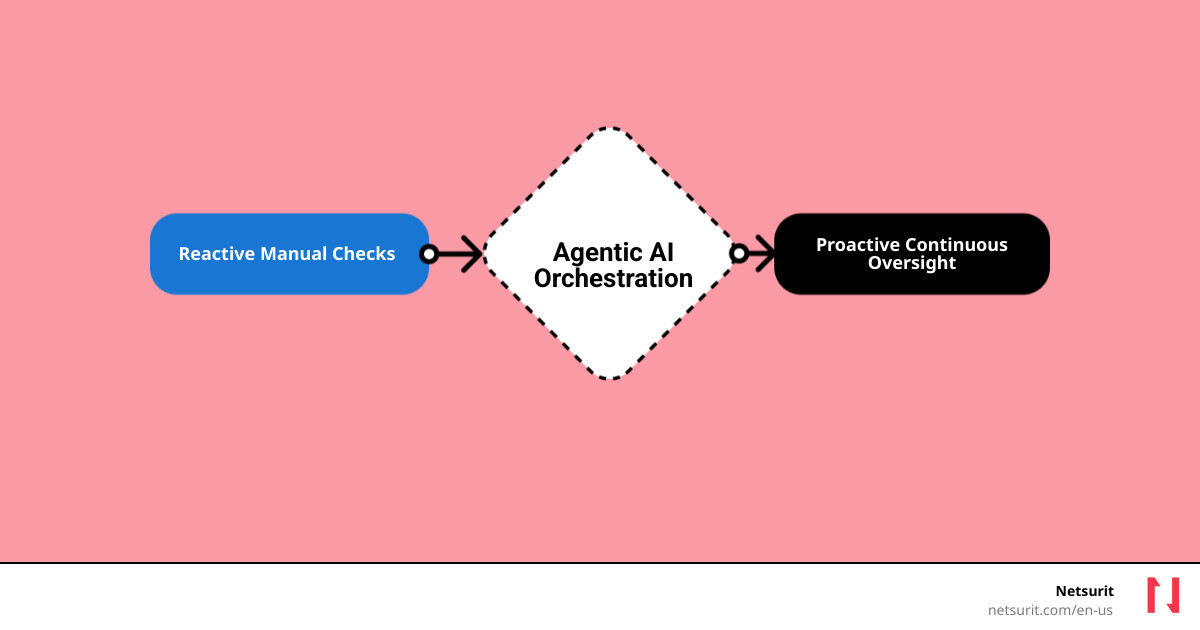
    Done right, machine learning turns compliance from a cost center into a competitive edge. Instead of manually reviewing logs and configurations, AI systems can continuously monitor infrastructure for compliance drift, flagging issues before they become audit findings.

    The most effective implementations combine automated scanning with human oversight. AI handles the volume — scanning thousands of configurations daily — while security analysts focus on the edge cases that require judgment.

    For MSPs serving healthcare clients, this approach has proven transformative. Automated HIPAA compliance monitoring reduced audit preparation time by 60% in one case study, while simultaneously improving the detection rate for potential violations.

    The key insight is that compliance monitoring is fundamentally a pattern-matching problem. Neural networks excel at identifying when a system configuration drifts from its compliant baseline, even when the drift is subtle enough to evade rule-based systems.

    As regulations continue to evolve, the ability to rapidly adapt monitoring rules becomes a competitive differentiator. MSPs that invest in AI-driven compliance today will be better positioned to handle whatever regulatory changes come next.

  • 5 Ways Machine Learning Protects Your Accounting Firm

    5 Ways Machine Learning Protects Your Accounting Firm

    Machine learning is transforming how accounting firms approach cybersecurity and compliance. Predictive models can flag high-risk clients before they default on payments. Automated compliance monitoring reduced audit preparation time by 40% in firms that adopted it early. Real-time threat detection catches breaches before they reach sensitive client data.

    The accounting industry faces unique cybersecurity challenges that generic IT solutions cannot address. Firms using ML-powered anomaly detection reported a 67% reduction in false positive security alerts. Continuous monitoring systems now process over 10,000 transactions per second without human intervention.

    For modern accounting firms, IT infrastructure is not just overhead. It is the operational backbone that protects revenue, clients, and reputation from increasingly sophisticated threats.

  • The Accountant’s New Best Friend: Unpacking AI’s Impact

    The Accountant’s New Best Friend: Unpacking AI’s Impact

    Why AI for Accounting Is No Longer Optional

    AI for accounting transforms how firms handle data entry, financial reporting, and client advisory work. It automates repetitive tasks, reduces errors, and frees accountants to focus on strategic decision-making. Here’s what you need to know:

    • Efficiency: AI reallocates approximately 8.5% of accountant time from data entry to high-value tasks
    • Speed: Firms using AI see a 7.5-day reduction in monthly close time
    • Accuracy: AI detects patterns and anomalies humans often miss, lowering fraud risk
    • Growth: Accountants report increased client capacity and job satisfaction when AI handles routine work

    The accounting profession faces three converging pressures: a deepening talent shortage, rising regulatory complexity (think ESG disclosures and evolving lease standards), and the persistent risk of manual errors that cost firms both money and reputation. AI for accounting addresses all three simultaneously. It’s not a speculative technology—it’s a practical solution already delivering measurable productivity gains across firms of every size.

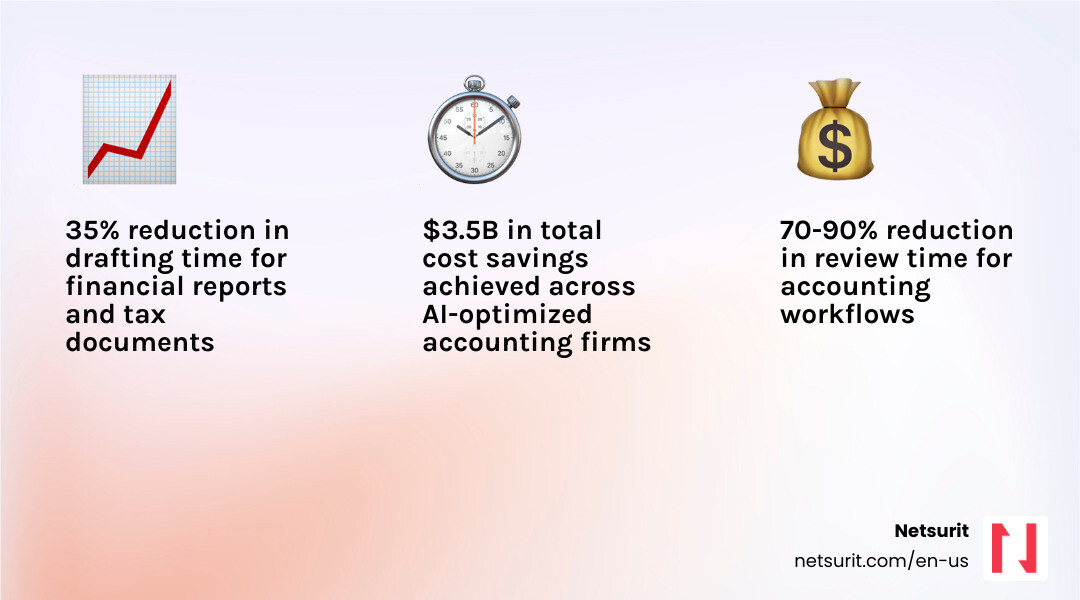
    The shift is dramatic. Only 21% of tax firms currently use generative AI, but 53% are actively planning or considering adoption. Among early adopters, the results speak clearly: 30–70% time savings on workflow automation, 50% faster document analysis for research, and firms finalizing monthly financial statements almost two weeks sooner than competitors still relying on manual processes.

    Yet adoption brings real challenges. Integration with legacy systems tops the list of obstacles, followed by security concerns, data governance questions, and the skills gap between what AI can do and what accountants know how to ask of it. The most successful implementations pair AI’s computational power with human judgment—what researchers call the “human-in-the-loop” model. AI handles the pattern recognition and first-pass analysis; experienced accountants interpret the results, apply business context, and make the final call.

    This guide unpacks how AI works in accounting, where it delivers the highest ROI, what risks you must manage, and how to build a phased adoption plan that fits your firm’s size and risk tolerance. You’ll see concrete examples from Houston-area firms, understand the difference between general-purpose AI tools and specialized accounting platforms, and learn which skills your team needs to thrive alongside intelligent systems.

    I’m Orrin Klopper, CEO of Netsurit, where we’ve guided over 300 client organizations through technology changes since 1995. Over the past three years, I’ve watched AI for accounting evolve from a buzzword into a core competitive advantage for firms that adopt it thoughtfully, and I’ve seen the mistakes that derail implementation when firms rush in without a clear strategy.

    infographic showing AI impact on accounting workflows - AI for accounting infographic infographic-4-steps-tech

    Infographic details: A visual flowchart showing how AI transforms accounting workflows. Left side shows “Before AI” with manual data entry (40 hours/month), manual reconciliation (20 hours/month), and manual close process (3+ weeks). Center shows “AI Integration” with icons for machine learning, natural language processing, and automation. Right side shows “After AI” with automated data capture (5 hours/month oversight), AI-powered reconciliation (3 hours/month review), and accelerated close (under 2 weeks). Bottom panel displays key metrics: 8.5% time reallocation to strategic work, 7.5-day reduction in close time, 30-70% time savings on workflows, 12% increase in reporting detail.

    From Calculators to Cognition: What AI in Accounting Really Means

    AI in accounting refers to systems that simulate human intelligence to perform tasks. This goes beyond simple automation to include learning, reasoning, and self-correction. The core technologies driving this shift are Machine Learning (ML), Natural Language Processing (NLP), and Generative AI, which are often packaged into specialized “vertical AI” solutions designed specifically for finance.

    Machine Learning (ML) allows systems to learn from data without explicit programming, making it ideal for identifying patterns in large datasets—crucial for tasks like fraud detection and transaction categorization. Natural Language Processing (NLP) enables computers to understand, interpret, and generate human language, revolutionizing document review, contract analysis, and client communication. Generative AI (GenAI), a powerful subset of ML and NLP, can create new content, such as drafting reports, summarizing complex financial regulations, or even generating initial financial statements. Together, these technologies are moving accounting from a retrospective function to a proactive, predictive one.

    diagram of AI, ML, NLP, GenAI relationship - AI for accounting

    General vs. Specialized AI

    A key distinction exists between general-purpose AI like ChatGPT and specialized, or “vertical,” AI for accounting. While a general tool can draft an email or answer a basic query, it lacks the contextual understanding and domain-specific knowledge required for complex accounting tasks. A vertical AI solution, in contrast, is purpose-built for the finance and accounting industry. It understands the nuances of revenue recognition, lease accounting (ASC 842), and tax codes, ensuring compliance and auditability. As the a16z market map shows, venture investment is accelerating into these specialized tools that tackle accounting’s most complex use cases—from tax and audit to practice management, revenue recognition, and financial close.

    Vertical AI solutions are trained on vast datasets of financial transactions, accounting standards, and regulatory documents. This specialized training allows them to offer better accuracy and fewer “hallucinations” (incorrect or fabricated information) compared to general-purpose models. When we discuss “agentic AI” in accounting, we’re often referring to these vertical solutions that act as intelligent agents, capable of autonomous task execution, learning from interactions, and adapting to firm-specific preferences. They can perform repetitive tasks, flag anomalies, and even generate insights, freeing up human accountants for higher-value work.

    Feature General-Purpose AI (e.g., ChatGPT) Vertical Accounting AI (e.g., Klarity.ai, Glean.ai)
    Data Training Broad, web-scale data; diverse topics Specialized, finance-specific data; accounting standards, transactions, regulations
    Compliance No inherent compliance knowledge; requires human input Built-in knowledge of accounting standards (GAAP, IFRS) and tax regulations
    Auditability Outputs may lack source attribution; difficult to trace Designed with audit trails, source linking, and explainability for financial review
    Accuracy Prone to “hallucinations” on specific domain questions Higher domain-specific accuracy; lower risk of errors in accounting contexts
    Integration Often standalone; requires manual data transfer Seamless integration with ERPs, accounting software, and financial systems
    Use Cases Content generation, general research, brainstorming Transaction categorization, reconciliation, fraud detection, tax preparation, audit

    Example: A Tale of Two AIs in Katy, TX

    Consider a growing CPA firm in Katy, TX, that serves a diverse client base, from small businesses to mid-sized manufacturing plants. This firm uses a general-purpose tool like ChatGPT to help draft client communication templates and marketing materials for local outreach. It’s excellent for generating creative text and overcoming writer’s block.

    However, for its core accounts payable (AP) work, which involves processing hundreds of invoices monthly for clients, the firm relies on a vertical AI solution like Glean.ai. This specialized tool integrates directly with their accounting software, uses ML to code invoices accurately, and automates the three-way matching process. When an invoice comes in for a client, Glean.ai automatically extracts relevant data, matches it against purchase orders and receipts, and flags any discrepancies. This ensures compliance, reduces manual errors, and provides a clear audit trail for every transaction—something a general-purpose AI cannot do with the required precision or auditability. The firm’s accountants in Katy then review flagged items, ensuring human judgment is applied where context is critical.

    How AI Is Automating Workflows and Boosting Productivity Today

    AI for accounting is not a future concept; it’s delivering measurable results now. A recent study confirms that accountants using AI reallocate approximately 8.5% of their time from routine data entry to high-value tasks like client communication and quality assurance. This shift is driven by AI’s ability to automate core accounting functions and provide deeper analytical insights. The 2025 Generative AI in Professional Services Report from Thomson Reuters found that vendors report time savings between 30–70% with AI-powered workflow automation. Furthermore, LLM-based research tools are helping to reduce document analysis time by 50% or more.

    AI automated month-end close dashboard - AI for accounting

    Key Applications and Gains

    The impact of AI is seen across numerous accounting tasks:

    • Task Automation: AI streamlines repetitive, rule-based processes, allowing systems to automatically categorize expenses, reconcile accounts, and even draft initial journal entries. Accountants using AI saw a 12% increase in general ledger granularity.
    • Invoice Processing & Expense Management: Intelligent Document Processing (IDP) uses AI to extract data from invoices and receipts, automating data entry and matching, leading to significant time savings and reducing manual errors.
    • Accounts Payable (AP) & Accounts Receivable (AR): AI automates AP workflows by matching invoices to purchase orders and receipts, and it can manage AR by sending automated reminders for outstanding invoices, significantly improving cash flow.
    • Improved Analytics & Forecasting: AI analyzes large volumes of historical data to identify patterns and predict future trends more accurately than traditional methods. This improves financial forecasting, budgeting, and risk assessment.
    • Fraud Detection: AI can identify unusual or anomalous transactions and patterns that indicate potential fraud, often with greater precision than human review, and at a much faster rate. The use of AI in antifraud programs is expected to triple over the next two years.
    • Real-time Reporting & Anomaly Detection: AI provides continuous monitoring of financial data, flagging discrepancies or potential issues as they occur, leading to a 7.5-day reduction in monthly close time for firms embracing AI.

    Example: Closing the Books Faster in Sugarland, TX

    A mid-sized accounting firm in Sugarland, TX, serving local manufacturing clients, was struggling with a monthly close process that consistently stretched beyond two weeks. This delay limited their capacity to provide timely strategic advice to clients. After implementing an AI for accounting-powered close management tool, their workflow transformed.

    The AI system now automatically reconciles thousands of general ledger transactions, flags anomalies in journal entries that might indicate errors or fraud, and generates draft financial statements in under two weeks—a process that previously took over three. This significant acceleration means the firm’s senior accountants can now dedicate their freed-up time to providing forward-looking cash flow analysis and strategic advice, strengthening client relationships and increasing advisory revenue. For firms in the Houston metro area looking to make a similar leap, a clear plan for technology adoption and IT strategy is essential. Our team at Netsurit can provide more info about IT strategy services to help you steer this transition.

    While the benefits of AI for accounting are compelling, adopting AI is not without its challenges. Implementation requires careful planning to address initial costs, potential skills gaps within your team, and the critical need for high-quality data. Integrating AI with existing legacy systems can be complex, and ensuring data cleanliness and readiness is paramount, as AI is only as good as the data it’s trained on. Furthermore, 62% of surveyed accountants express valid concerns about errors and accuracy in AI-generated reporting, highlighting the non-negotiable role of human oversight.

    Ethical Guardrails and Human Oversight

    The ethical implications of AI in accounting are a critical consideration. These include:

    • Algorithmic Bias: AI models learn from historical data, which can inadvertently perpetuate biases present in that data. For example, an AI flagging transactions that unfairly targets specific business units due to learned biases rather than actual risk.
    • Accountability: When an AI makes an error, who is accountable? Establishing clear frameworks for responsibility is essential.
    • Data Privacy: AI systems process vast amounts of sensitive financial data. Ensuring robust data security and adherence to privacy regulations (like GDPR, if applicable to global clients, or state-specific privacy laws) is critical.
    • Transparency and Explainability: Understanding how an AI arrived at a conclusion is vital, especially in audit and compliance. The “black box” nature of some AI models can be a barrier to trust and auditability.
    • The “human-in-the-loop” model: This approach ensures that AI recommendations and automated processes are always reviewed, validated, and contextualized by a human expert. This maintains a critical balance between efficiency and accuracy.
    • Judgment and Context: AI excels at pattern recognition and data processing, but it lacks human judgment, empathy, and the ability to understand nuanced business context. These remain indispensable human skills.

    Trade-offs: Implementing AI for accounting

    Implementing AI effectively means understanding its limitations and designing workflows that capitalize on its strengths while mitigating its weaknesses.

    • Works best when: Automating high-volume, rules-based tasks like invoice processing, initial data extraction for tax returns, or first-pass bank reconciliations. These are the “laundry” tasks that free up human accountants.
    • Avoid when: Making final judgments on complex tax strategies, ambiguous accounting treatments, or ethical dilemmas that require deep contextual understanding of a client’s business. These are the “poetry” tasks that demand human insight and creativity.
    • Risks: Over-reliance on AI can lead to skill atrophy in human accountants if they stop performing basic checks. Data privacy breaches are a significant concern, especially if firms use unsecured public AI tools or don’t vet their vendors. Algorithmic bias can perpetuate historical errors or create unfair outcomes if not continuously monitored.
    • Mitigations: Mandate a “human-in-the-loop” review for all critical AI-generated outputs, particularly those affecting financial reporting or compliance. Partner with a trusted IT provider for secure, private AI implementation and robust data governance. Regularly audit AI outputs for fairness and accuracy, and conduct algorithmic bias audits during AI development and post-deployment. Our team offers cybersecurity consulting to help firms in Houston, Sugarland, and Katy build these essential safeguards.

    The Evolving Accountant: How to Thrive in an AI-Driven World

    The most common question—”Will AI replace accountants?”—is the wrong one. AI will replace tedious tasks, not the professionals who perform them. The future belongs to accountants who partner with AI, using it to handle the “laundry” (data processing) so they can focus on the “poetry” (strategic advice and client relationships), a concept captured in a now-famous meme. A study from MIT Sloan found that experienced accountants used AI strategically to boost performance gains, highlighting that AI amplifies, rather than replaces, human expertise.

    AI addresses the current talent shortage in the accounting profession not by eliminating jobs, but by making the profession more attractive and sustainable. By automating repetitive tasks, AI frees up accountants from burnout-inducing data entry, allowing them to focus on more stimulating, high-value work. This shift can help retain existing talent and attract new professionals seeking strategic, impactful careers.

    To thrive in an AI-driven environment, accounting professionals need to cultivate a new set of skills:

    • AI Literacy: Understanding what AI is, how it works, its capabilities, and its limitations. This includes knowing when and how to apply AI tools effectively.
    • Prompt Engineering: The ability to craft precise and effective instructions for AI models to generate accurate and relevant outputs.
    • Data Analytics and Interpretation: Moving beyond data entry to analyzing and interpreting AI-generated insights, identifying trends, and extracting actionable intelligence.
    • Critical Thinking and Problem-Solving: Applying human judgment to AI outputs, identifying potential errors or biases, and solving complex problems that AI cannot.
    • Client Communication and Advisory: Focusing on communicating financial insights clearly to clients, building strong relationships, and providing strategic advice based on AI-powered analysis.

    Future trends indicate a move towards:

    • Hyperautomation: The combination of AI, machine learning, and Robotic Process Automation (RPA) to automate increasingly complex end-to-end business processes.
    • Agentic AI: Autonomous AI systems that can execute multi-step tasks, learn from experience, and adapt to changing conditions with minimal human intervention. Gartner forecasts that by 2028, 15% of daily accounting decisions will be made autonomously by AI agents.
    • Real-time Audits: AI will enable continuous monitoring and analysis of financial data, making audits less about periodic sampling and more about real-time assurance.
    • AI as a Strategic Advisor: AI will move beyond task automation to provide predictive and prescriptive insights, helping accountants guide clients on future financial decisions and risks.

    Upskilling Pathways

    To stay relevant and competitive, accounting professionals should proactively engage in upskilling. Here are some pathways:

    • Certifications: Look for certifications in AI for finance, data analytics, or specific accounting software with AI integrations.
    • Online Courses: Platforms like Coursera, edX, and LinkedIn Learning offer numerous courses on AI, machine learning, and data science relevant to finance.
    • In-house Training: Advocate for and participate in internal training programs that focus on AI tool usage, prompt engineering, and ethical AI practices.
    • Community Engagement: Join professional communities like the AI @ Thomson Reuters community to connect with experts, learn about the latest trends, and share best practices.

    A Practical Guide to Adopting AI for Accounting Firms

    Getting started with AI does not require a massive, high-risk investment. It requires a thoughtful, phased approach focused on solving specific problems and empowering your team. The CPA.com 2025 AI in Accounting Report outlines a roadmap: Find, Pilot, Operationalize, and Scale.

    Step 1: Assess Readiness and Identify Pain Points

    Before diving into solutions, understand your firm’s current state and where AI can make the biggest impact.

    • Workflow Audit: Conduct a thorough review of your existing accounting workflows to identify high-friction, repetitive, or rules-based tasks.
    • Repetitive Tasks: Pinpoint tasks that consume significant staff time but offer little intellectual challenge, such as data entry, invoice processing, or initial reconciliation. These are prime candidates for AI automation.
    • High-Friction Processes: Identify areas where errors are frequent, compliance is challenging, or bottlenecks occur regularly.
    • Data Hygiene: Assess the quality and structure of your data. AI thrives on clean, organized data, so addressing data hygiene issues is a crucial prerequisite.

    Step 2: Start Small with a Pilot Program

    Don’t try to automate everything at once. Choose a small, manageable project to gain experience and demonstrate value.

    • Select Use Case: Pick 1-3 high-value, low-risk use cases for a pilot. Examples include AI-enabled bank reconciliations, automated expense categorization, or AI-assisted tax return review for specific forms.
    • Assign Champions: Designate internal team members who will lead the pilot, learn the AI tool, and champion its adoption within the firm.
    • Track KPIs: Establish clear Key Performance Indicators (KPIs) to measure the success of your pilot. This could include time saved, error reduction, increased client capacity, or improved turnaround time.

    Step 3: Choose the Right Tools and Partners for AI for accounting

    The market for AI for accounting tools is rapidly evolving. Selecting the right solutions and support is critical for success.

    • Vendor Evaluation: Research specialized vertical AI solutions that address your identified pain points. Look for vendors with a strong track record, clear security protocols, and positive user reviews. Consider options like Klarity.ai for document review or BILL for AP/AR.
    • Security: Prioritize solutions that offer robust data security, encryption, and compliance with relevant regulations. Ask potential vendors about their data usage policies and how they protect sensitive client information.
    • Integration: Ensure the AI tool integrates seamlessly with your existing accounting software (e.g., QuickBooks, Xero) and other critical systems to avoid data silos and manual transfers.
    • Scalability: Choose solutions that can scale with your firm’s growth and adapt to evolving client needs.
    • Expert Partnership: Consider partnering with an elite tech partner like Netsurit. We help firms in Houston, Sugarland, Conroe, and Katy steer vendor selection, ensure secure implementation, and manage the ongoing IT infrastructure required for AI solutions. Our IT services for accounting firms are designed to support your firm’s technological evolution.

    Step 4: Scale Thoughtfully with a Focus on People

    Successful AI adoption is as much about people as it is about technology.

    • Change Management: Communicate clearly and transparently with your team about the “why” behind AI adoption. Address concerns, highlight benefits, and involve staff in the change process.
    • Upskill Workforce: Invest in continuous training for your team. This includes AI literacy, prompt engineering, and developing the critical thinking skills needed to work alongside AI.
    • Create Accountability: Establish clear roles and responsibilities for managing and overseeing AI systems. Define who is responsible for AI outputs, error detection, and continuous improvement.
    • Institutionalize Governance: Develop internal policies and a Responsible AI Framework that covers AI use, oversight, data management, and risk evaluation. This ensures ethical, secure, and effective long-term AI integration.

    Frequently Asked Questions about AI for accounting

    Will AI completely replace accountants?

    No. AI automates tasks but improves the strategic, advisory, and relationship-building roles that require human judgment and empathy. It empowers accountants to deliver more value, not become obsolete. The focus shifts from transactional work to critical analysis, client communication, and strategic guidance.

    How are the Big 4 using AI differently than smaller firms?

    Big 4 firms like Deloitte and EY are investing heavily in proprietary, large-scale AI platforms for global audit engagements, risk assessment, and internal software development. They are building extensive in-house capabilities to handle their vast client bases and complex regulatory environments. For example, Deloitte has developed generative and agentic capabilities in its audit platform for initial document reviews, and PwC has seen 20-50% productivity gains in development processes due to GenAI.

    Smaller accounting firms, in contrast, typically adopt specialized, off-the-shelf vertical AI tools. These solutions address specific pain points in areas like tax preparation, AP/AR automation, financial close, and practice management. They focus on leveraging accessible technology to improve efficiency and free up time for advisory services, rather than building bespoke AI systems from scratch.

    What is the single most important factor for a successful AI implementation?

    Data quality. AI is only as good as the data it learns from. Clean, structured, and well-governed data is the non-negotiable foundation for generating reliable and accurate AI-driven insights. Flawed or incomplete data will lead to biased or incorrect AI outputs, undermining the entire purpose of the implementation. Ensuring trustworthy data also involves ethical collection and careful management throughout its lifecycle.

    Conclusion: Your Firm’s Next Move

    AI for accounting is a transformative force, shifting accounting from a reactive, compliance-focused function to a proactive, strategic one. The first step is not a massive investment, but a strategic assessment of where automation can free your team to deliver higher value. By embracing AI thoughtfully, firms in Houston, Sugarland, Conroe, and Katy can not only overcome current challenges like talent shortages and manual errors but also open up new opportunities for growth and client engagement. As an elite tech partner, Netsurit helps firms securely implement AI solutions to crush downtime and open up business momentum, ensuring your technology strategy aligns with your business aspirations.

    Get expert guidance on IT services for your accounting firm.

  • Sleep Soundly: How to Drastically Reduce Your Audit Risk

    Sleep Soundly: How to Drastically Reduce Your Audit Risk

    Why Understanding Audit Risk Is Your First Line of Defense

    To reduce audit risk, you must strengthen internal controls, maintain meticulous records, and use modern technology to automate compliance and detect anomalies. This combination of process discipline and IT solutions is your best defense against scrutiny from the IRS and financial statement auditors.

    Quick Answer: How to Reduce Audit Risk

    1. Accuracy First – E-file returns (0.5% error rate vs. 21% for paper) and report all income from W-2s, 1099s, and K-1s.
    2. Document Everything – Keep receipts, travel logs, and detailed records for every deduction.
    3. Strengthen Controls – Separate duties, enforce access controls, and implement regular reconciliations.
    4. Use Technology – Deploy AI-powered analytics and automated monitoring to catch errors in real-time.
    5. Avoid Red Flags – Be cautious with large deductions, Schedule C losses, and unusually round numbers.

    Recent studies show most Americans fear an IRS audit more than identity theft. This fear is understandable but manageable. The stakes are real: in 2021, the IRS sent nearly 16 million notices for math errors alone. For businesses, a failed financial statement audit can trigger regulatory penalties and reputational damage. For example, Kraft Heinz paid $62 million to settle SEC charges over improper accounting, with executives facing personal penalties.

    Audit risk comprises inherent risk (business complexity), control risk (internal safeguard effectiveness), and detection risk (what an auditor might miss). You can’t change inherent risk—a Houston firm serving oil and gas clients faces more complexity than one serving retail shops—but you can minimize control and detection risk with disciplined processes and clean data.

    This article provides a concrete playbook for reducing your exposure. I’m Orrin Klopper, CEO of Netsurit. For 29 years, I’ve helped over 300 organizations in high-stakes industries like accounting and healthcare build secure IT infrastructures that reduce audit risk by ensuring data integrity and automating financial controls.

    infographic showing three pillars: Inherent Risk (business complexity and industry factors), Control Risk (internal control failures), and Detection Risk (auditor procedures and sampling), with arrows showing how each contributes to total Audit Risk - Reduce audit risk infographic 3_facts_emoji_blue

    Deconstructing the Threat: The Three Pillars of Audit Risk

    To reduce audit risk, you must understand its components. The audit risk model is a formula: Audit Risk (AR) = Inherent Risk (IR) x Control Risk (CR) x Detection Risk (DR). The auditor’s goal is to reduce this overall risk to an “appropriately low level.”

    Audit risk is the danger of an auditor issuing a clean opinion on financial statements that are materially misstated. A “material misstatement” is an error significant enough to influence a user’s economic decisions. Understanding these components is key to managing them. You can find more details about IT audits and assessments in our dedicated resources here.

    Inherent Risk: The Dangers You’re Born With

    Inherent risk is the raw probability of a material misstatement in your financial statements, assuming no internal controls exist. It’s intrinsic to your business and industry. Factors include:

    • Industry-specific risks: Some industries are naturally more complex or volatile.
    • Transaction complexity: Intricate financial transactions are more prone to error.
    • Economic context: Changing markets or economic downturns increase risk.
    • Susceptibility to misstatement: Accounts involving significant estimates carry higher inherent risk.

    For example, a Houston accounting firm serving oil and gas clients faces high inherent risk from volatile asset valuations and complex regulations. You can’t control inherent risk, but knowing it helps you focus on what you can control.

    Control Risk: When Your Safety Nets Fail

    Control risk is the chance that your internal controls will fail to prevent or detect a material misstatement. Weak or absent controls mean high control risk. Common causes include:

    • Ineffective policies: Controls are poorly designed or outdated.
    • Lack of oversight: Management fails to review transactions or reports.
    • Human error: Employees fail to follow procedures.
    • Fraud prevention failures: Controls are not robust enough to deter fraud.

    A CPA firm in Sugarland, TX, that skips mandatory multi-factor authentication on its client portal has high control risk. This single failure point invites data breaches and unauthorized access, risking client data integrity and legal trouble. Strengthening internal controls is one of the most effective ways to reduce audit risk.

    Detection Risk: What the Auditor Might Miss

    Detection risk is the chance an auditor’s procedures will miss a material misstatement. Unlike the other two risks, this one is primarily influenced by the auditor’s work, which includes:

    • Auditor procedures: The specific tests and analyses they perform.
    • Substantive testing: Detailed examination of transactions and account balances.
    • Sampling errors: The risk that a selected sample isn’t representative.

    If your inherent and control risks are high, auditors must perform more rigorous testing to lower their detection risk. If your risks are low, they can accept a higher detection risk. As a business, your role is to provide clean, well-supported data, which makes the auditor’s job easier and helps them lower detection risk, as guided by standards like the PCAOB’s AS 1101.

    Fortifying Your Defenses: Practical Steps to Reduce Audit Risk

    This section focuses on proactive measures any business can take, with a focus on IRS audit triggers and preparation.

    person using tax software on a laptop, looking confident - Reduce audit risk

    IRS audits are statistically rare but stressful. Proactive preparation and attention to detail are your best defense.

    Master Your Numbers: Accuracy and Honesty Above All

    The most powerful way to reduce audit risk is to ensure your tax returns are accurate and honest. Most IRS notices stem from basic errors.

    • Double-check figures: Manual data entry is a common source of errors. Paper returns have a 21% error rate versus just 0.5% for e-filed returns.
    • Report all income: The IRS automatically cross-references income from W-2s, 1099s, and K-1s. A mismatch triggers a CP-2000 notice. If a 1099 is wrong, get it amended; don’t omit the income.
    • Avoid math errors: The IRS sent nearly 16 million automated notices for simple arithmetic mistakes in 2021.
    • E-file your returns: Built-in checks in e-filing software drastically reduce errors, making an audit less likely. We help Houston accounting firms streamline this with our managed IT services for accounting firms.

    Substantiate Everything: The Power of Good Records

    The IRS mantra is: “If it’s not documented, it didn’t happen.” Good record-keeping is your best defense, especially for deductions.

    • Document deductions: Back every deduction with clear documentation like receipts, invoices, and bank statements. For non-cash charitable contributions, follow IRS Publication 526 for substantiation rules.
    • Use a record-keeping system: Cloud-based expense tracking apps, synced with accounting software, can automate much of this process.
    • Keep business expense receipts: If you file Schedule C, have a receipt for every business deduction. The IRS scrutinizes Schedule C filers, particularly those with consecutive losses, which may suggest a hobby, not a business.
    • Maintain travel logs: If you split time between states like Texas, keep detailed travel logs, calendars, and utility bills to defend your tax residency if challenged.

    For example, a consultant in Katy, TX, uses a cloud expense app to auto-categorize and store receipts for business expenses, making substantiation effortless and reducing the risk of disallowed expenses.

    Avoid Red Flags and Scams

    Certain actions can increase your chances of an IRS audit.

    • Unusually large deductions: Deductions that are disproportionately high compared to your income are a red flag. Claiming a charitable deduction for 40% of your income will get a closer look.
    • Schedule C losses: Reporting losses for three consecutive years on Schedule C can signal to the IRS that your “business” is a hobby, leading them to disallow your expense deductions.
    • High income-level scrutiny: High-income earners (over $1 million) are audited more often due to complex returns. Some low-income earners claiming certain credits also face higher scrutiny.
    • “Dirty Dozen” tax scams: Avoid any schemes on the IRS’s annual “Dirty Dozen” list.
    • Unsigned tax preparer returns: A reputable tax preparer always signs your return and provides their Preparer Tax Identification Number (PTIN). An unsigned return is a major red flag.

    Common IRS Red Flags:

    • Significant income jump or drop
    • Large, unsubstantiated deductions relative to income
    • Claiming 100% business use of a vehicle
    • Multiple years of business losses on Schedule C
    • Round numbers for major expense categories

    The Corporate Playbook: Strengthening Internal Controls and Processes

    This section details how to build a resilient internal framework to minimize financial statement audit risk.

    team collaborating around a whiteboard displaying a process flowchart - Reduce audit risk

    Beyond individual tax returns, businesses face financial statement audits. Here, the focus shifts to the reliability of your internal systems. Strengthening these controls is paramount to managing your overall audit risk.

    How to build a fortress of internal controls to reduce audit risk

    Internal controls are the processes that ensure your financial data is accurate, reliable, and compliant. They are your first defense against errors and fraud.

    • Segregation of duties: No single employee should control a transaction from start to finish. The person who authorizes payments should not be the one who records them.
    • Access controls: Restrict access to sensitive systems and data with strong passwords, multi-factor authentication, and role-based permissions.
    • Regular reconciliations: Periodically compare internal records with external statements (e.g., bank reconciliations) to catch discrepancies early.
    • Management review: Key financial reports and transactions should be reviewed and approved by management for oversight and accountability.

    For example, a Conroe manufacturing company requires different employees to approve purchase orders and process payments. This segregation of duties reduces the risk of fraudulent payments. We offer cybersecurity consulting to help businesses design these critical controls.

    The Role of Internal vs. External Audits

    Internal and external audits have distinct but complementary roles in managing risk.

    • Internal audits (in-house or outsourced) improve operations by focusing on process improvement, internal compliance, and risk management. They aim to find weaknesses before external auditors do.
    • External audits provide an independent opinion on the fairness of financial statements for outside users like investors and creditors, building trust in your financial reporting.

    A strong internal audit function reduces external audit risk by ensuring controls are effective and data is reliable, leading to a more efficient external audit. Our IT strategy services can help integrate these audit functions with your IT infrastructure.

    Using a Risk Matrix to Prioritize Threats

    A risk matrix is a tool for visualizing and prioritizing risks based on their likelihood and potential impact. It helps you focus audit resources on the areas of highest concern.

    Impact \ Likelihood Low Medium High
    Catastrophic Medium High Critical
    Major Medium High High
    Moderate Low Medium Medium
    Minor Low Low Low

    This mapping helps identify critical risks that need immediate attention. For instance, a Houston firm might classify a ransomware attack as ‘Critical’ (High Likelihood, Catastrophic Impact), justifying significant investment in cybersecurity.

    The Tech Advantage: Using Automation and AI for Risk Mitigation

    Manual processes are inefficient and increase audit risk through human error. Automation and artificial intelligence (AI) are now essential for proactive risk management and to reduce audit risk.

    Automating Compliance and Monitoring

    Technology allows for continuous monitoring, catching issues in real-time before they escalate.

    • Continuous monitoring: Automated systems scan transactions and data for anomalies and policy violations, providing an ongoing assessment of controls.
    • Automated reconciliations: Software automatically reconciles bank statements and invoices, reducing manual effort and the risk of errors.
    • AI-powered data analytics: AI tools analyze vast datasets to find hidden patterns, potential fraud, or errors that humans would miss.
    • Anomaly detection: AI learns your normal financial behavior and flags deviations, such as unusual spending or duplicate payments.
    • Fraud detection: Advanced analytics can identify fraud indicators, like altered invoices, much faster than traditional methods.

    For example, a Houston financial services firm uses an AI tool to analyze expense reports in real-time, flagging non-compliant spending or duplicates before approval. This reduces control risk and the chance of issues appearing in an external audit. Our Microsoft Azure services can help you build the infrastructure for these solutions.

    Securing the Foundation: IT Infrastructure and Cybersecurity

    Data integrity is foundational to reducing audit risk. Compromised, inaccurate, or inaccessible data skyrockets this risk. A robust IT infrastructure and strong cybersecurity are non-negotiable.

    • Data integrity: Protect financial data from unauthorized alteration, corruption, or loss to ensure it is accurate and reliable.
    • Unauthorized access prevention: Implement strong access controls, firewalls, and intrusion detection systems.
    • Ransomware protection: Protect against ransomware with robust backups, employee training, and advanced endpoint detection.
    • Written Information Security Plan (WISP): A formal WISP documents your security policies, demonstrating due diligence and ensuring regulatory compliance.

    For a Houston CPA firm, strong cybersecurity protects client data and maintains the integrity of financial records. A system compromise calls all financial data into question, increasing audit risk. Our managed firewall services are designed to protect your network perimeter.

    • Works best when… Your firm handles sensitive data (PII, financial records) and must comply with regulations like GLBA or HIPAA. Essential for accounting, healthcare, and financial firms in the Houston area.
    • Avoid when… You have no digital records. This is a rare and risky scenario; outdated practices increase audit risk.
    • Risks… Misconfigured tools can create vulnerabilities, and employee resistance can lead to risky workarounds. Implementation costs can be significant.
    • Mitigations… Partner with an MSP like Netsurit for expert configuration. Conduct regular employee security training to build a security-conscious culture.

    Conclusion

    Proactive risk management is about control, not fear. The most effective strategy to reduce audit risk is integrating sound financial practices with a secure, modern IT framework. This approach protects assets, ensures compliance, and lets you focus on growing your business.

    By managing inherent, control, and detection risks through accuracy, documentation, strong controls, and technology, you create an environment where audits become routine checks, not dreaded investigations.

    Netsurit provides the expert IT strategy and cybersecurity foundation that allows Houston-area firms to operate with confidence. Ready to fortify your defenses? Speak to an expert about your IT strategy today.

  • Why Every Business Needs a Disaster Recovery Plan

    Why Every Business Needs a Disaster Recovery Plan

    When your server crashes or your network fails, a remote session often is not enough. Onsite IT services are critical to minimize disruption and restore operations quickly.

    68 percent of businesses that experience a major data loss close within one year.